Index How to design UI ? 1 User Interface Design II: Process User - - PowerPoint PPT Presentation

index
SMART_READER_LITE
LIVE PREVIEW

Index How to design UI ? 1 User Interface Design II: Process User - - PowerPoint PPT Presentation

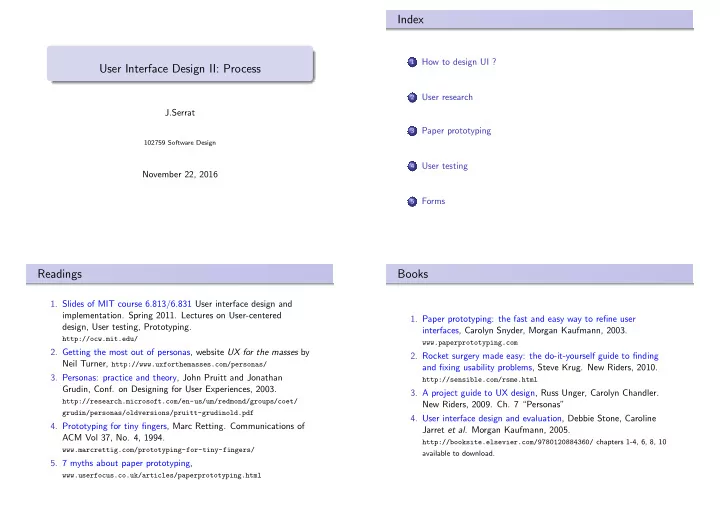
Index How to design UI ? 1 User Interface Design II: Process User research 2 J.Serrat Paper prototyping 3 102759 Software Design User testing 4 November 22, 2016 Forms 5 Readings Books 1. Slides of MIT course 6.813/6.831 User


slide-1
SLIDE 1

User Interface Design II: Process

J.Serrat

102759 Software Design

November 22, 2016

Index

1

How to design UI ?

2

User research

3

Paper prototyping

4

User testing

5

Forms

Readings

  • 1. Slides of MIT course 6.813/6.831 User interface design and
  • implementation. Spring 2011. Lectures on User-centered

design, User testing, Prototyping.

http://ocw.mit.edu/

  • 2. Getting the most out of personas, website UX for the masses by

Neil Turner, http://www.uxforthemasses.com/personas/

  • 3. Personas: practice and theory, John Pruitt and Jonathan

Grudin, Conf. on Designing for User Experiences, 2003.

http://research.microsoft.com/en-us/um/redmond/groups/coet/ grudin/personas/oldversions/pruitt-grudinold.pdf

  • 4. Prototyping for tiny fingers, Marc Retting. Communications of

ACM Vol 37, No. 4, 1994.

www.marcrettig.com/prototyping-for-tiny-fingers/

  • 5. 7 myths about paper prototyping,

www.userfocus.co.uk/articles/paperprototyping.html

Books

  • 1. Paper prototyping: the fast and easy way to refine user

interfaces, Carolyn Snyder, Morgan Kaufmann, 2003.

www.paperprototyping.com

  • 2. Rocket surgery made easy: the do-it-yourself guide to finding

and fixing usability problems, Steve Krug. New Riders, 2010.

http://sensible.com/rsme.html

  • 3. A project guide to UX design, Russ Unger, Carolyn Chandler.

New Riders, 2009. Ch. 7 “Personas”

  • 4. User interface design and evaluation, Debbie Stone, Caroline

Jarret et al. Morgan Kaufmann, 2005.

http://booksite.elsevier.com/9780120884360/ chapters 1-4, 6, 8, 10 available to download.

slide-2
SLIDE 2

How to design UI ? User research Paper prototyping User testing Forms

How to design UI ?

We have studied what’s a good UI: behaves according to user expectations: the UI does what the user thinks it should, mental model good usability : easy to learn, use, remember + few errors, nice and fun − → what to do and not to do Today’s question: How to design ? How to start from scratch and get to a fully designed UI ? Scratch ? we have got a requirements specification maybe a rough idea of who the target users will be and which tasks do they need to perform, and why

5 / 47 How to design UI ? User research Paper prototyping User testing Forms

How to design UI ?

How to develop software ? Waterfall model Problems: we don’t know everything we need at the beginning but as the project evolves even with feedback between stages, mistakes made at an early stage are discovered too late and are cost too much

6 / 47 How to design UI ? User research Paper prototyping User testing Forms

How to design UI ?

Waterfall model is not suited either for UI development can not predict whether a UI design will succeed, don’t know how the user will think about it users appear in the process just at the beginning (requirements) and at the end (acceptance): don’t get to know we are wrong until the end errors require dramatic changes

7 / 47 How to design UI ? User research Paper prototyping User testing Forms

How to design UI ?

Spiral model:

Design Build Test Design Build Test Design Build Prototype 1 Prototype 2 Prototype 3 User research 8 / 47

slide-3
SLIDE 3

How to design UI ? User research Paper prototyping User testing Forms

How to design UI ?

Spiral model: starts with user research: who is the user ? iterate: successive refinement first iterations based on cheap, low-fidelity designs: storyboards, paper prototypes late iterations with higher fidelity designs: mockups, UI implementation evaluation with a well defined procedure: “formative testing” lab testing with selected users at one stage it is possible to test several alternatives in different prototypes more iterations means better UI

9 / 47 How to design UI ? User research Paper prototyping User testing Forms

User research

What’s user research ? Get to know who are the users ? in an e-commerce website, shoppers : regular, bargain hunters, connoisseurs what do they need to do with the UI ? to purchase an item, download catalog, return an item, check

  • rder status . . .

why ? check order status because it has not yet been delivered, consult price to check discounts, download catalog to browse

  • ffline

how ? where ? the context from a smart phone while commuting, from a tablet at home, desktop computer at work . . .

10 / 47 How to design UI ? User research Paper prototyping User testing Forms

User research: user groups

How to get user data ? User-research techniques

11 / 47 How to design UI ? User research Paper prototyping User testing Forms

User research: user groups

How to get user data ? User-research techniques

11 / 47

slide-4
SLIDE 4

How to design UI ? User research Paper prototyping User testing Forms

User research: user groups

Make user groups on the basis of a list of relevant attributes like Demographics: age, sex, family (single, married, children. . . ), income level, location . . . Physical disabilities Experience: education background, computer technology familiarity, subject expertise . . . Motivation or primary goal Attitude towards computers (at large)

12 / 47 How to design UI ? User research Paper prototyping User testing Forms

User research: user groups

Example (ATM user groups, from UI design and evaluation, Stone et al., 2005)

I am a member of a large, extended family. The teens in my family generally use their account only once a week —to deposit their allowance (or to make a withdrawal if they have saved enough for a particular purchase). There are also occasions, such as Christmas and birthdays, where extra money, received as presents, is deposited. For them using a card machine is “cool” and grown up, and it means they won’t have to wait in line on a Friday afternoon or a Saturday morning when the banks are already busy. The young adults in my family use ATM facilities like a wallet. They withdraw small amounts of money frequently — maybe even several times a day— as and when they need it, rather than withdrawing a great wad of cash that they may spend recklessly.

13 / 47 How to design UI ? User research Paper prototyping User testing Forms

User research: user groups

Example (ATM user groups, from UI design and evaluation, Stone et al., 2005)

The family members between the ages of 25 and 50 are generally busy, working people. Banking is a necessary part of life, but the quicker it can be done, the better. Waiting in bank lines is something to be avoided, and they prefer to withdraw enough money from an ATM to last several days. The older members of my family bank even less often. They tend to make a single weekly cash withdrawal to cover the weeks expenses, although where possible they prefer to get their money from a person rather than a machine.

13 / 47 How to design UI ? User research Paper prototyping User testing Forms

User research: user groups

14 / 47

slide-5
SLIDE 5

How to design UI ? User research Paper prototyping User testing Forms

User research: user groups

14 / 47 How to design UI ? User research Paper prototyping User testing Forms

User research: user groups

14 / 47 How to design UI ? User research Paper prototyping User testing Forms

User research: personas1

Personas documents that describe typical user targets fictional characters that depict target user populations based on real data from user research paint a clear picture of who, why, when is using the application The idea of Personas originated in marketing and was introduced to UI design in 1999 by Alan Cooper’s book The inmates are running the asylum.

1A project guide to UX design, Russ Unger, Carolyn Chandler. New Riders,

  • 2009. Ch. 7.

15 / 47 How to design UI ? User research Paper prototyping User testing Forms

User research: personas

A website for electronic child care (EEC) gives child care providers the ability to view information about their agreements, attendance transactions, payments, and other program information.

16 / 47

slide-6
SLIDE 6

How to design UI ? User research Paper prototyping User testing Forms

User research: personas

16 / 47 How to design UI ? User research Paper prototyping User testing Forms

User research: personas

Another website focus on helping singles to start a relationship

17 / 47 How to design UI ? User research Paper prototyping User testing Forms

User research: personas

17 / 47 How to design UI ? User research Paper prototyping User testing Forms

User research: personas

Why personas ? help designers focus on users which are “not like them” what’s more, on specific target typical users condensed into a few characters (< 10) provide a shared basis for communication and discussion, “Fanya cannot use the kindergarten search tool of the ECC webpage” but also help other developers to make decisions: testers managers, marketing people for instance: what are the key features of the application ?

18 / 47

slide-7
SLIDE 7

How to design UI ? User research Paper prototyping User testing Forms

User research: personas

Prioritize features for a product development cycle

score the persona . . . −1 is confused, annoyed, or in some way harmed by the feature doesnt care about the feature one way or the other +1 gets some value from the feature +2 loves this feature or it does something wonderful for her

Features 2 and 4 should be made a high priority. Feature 3 should probably be dropped.

19 / 47 How to design UI ? User research Paper prototyping User testing Forms

User research: personas

What information goes into a persona ? Nicolle 34-year-old Certified Hand Therapist from West Chicago, Illinois. She happens to be a non-driving commuter who spends 2 to 3 hours per day traveling to and from her job. The fictional client is a company called ACMEblue, a manufacturer of Bluetooth headsets for Apple. Nicolle represents a user of ACMEblue website where headsets can be purchased.

20 / 47 How to design UI ? User research Paper prototyping User testing Forms

User research: personas

21 / 47 How to design UI ? User research Paper prototyping User testing Forms

User research: personas

Minimum content to make the person believable Photo : natural-looking, not posed, in context (commuting), must fit lifestyle Name : not “mid-30s blonde mom professional” but Nicolle. Different from other personas and invented (not coworkers. . . ) Age : determines behaviour Location : social level Occupation : day-to-day live patterns Biography : it is the compelling story that makes the persona real, made with details coming from user research data. All of them notably occupation and biography, adds authenticity,

  • credibility. But otherwise irrelevant features must be removed.

22 / 47

slide-8
SLIDE 8

How to design UI ? User research Paper prototyping User testing Forms

User research: personas

name age

  • ccupation

location quote biography

  • nline

activities

  • ffline

activities goal trigger point

23 / 47 How to design UI ? User research Paper prototyping User testing Forms

User research: personas

Some other examples of personas (for other applications) which don’t the same pattern, lack some minimum content but exhibit

  • ther interesting content:

sliders ’a day in the life’ goals, needs frustrations questions

24 / 47 How to design UI ? User research Paper prototyping User testing Forms

User research: personas

25 / 47 How to design UI ? User research Paper prototyping User testing Forms

User research: personas Fred Fish: Corporate Chef

“Get me out of the offjce & into the kitchen. ”

Employer: Boise Controls Background: Masters from Johnson & Wales University Computer skills: Novice

Quick take on Fred

Computer skills Novice Expert Job situation Employee Director Manager Vice president Computer type Netbook Laptop Desktop Computer tools Advanced features Coding tools Email Web browsing Word processing Background Business Engineering Marketing Management Other: cooking

Photo from Flickr, some rights reserved

Chefs are difgerent from other users Computers are just tools for a chef. Fred would rather use a cutting board than a keyboard.

Key goals Fred doesn’t get his hands dirty the way he used to (literally). He stops in at all six Boise Controls sites as ofuen as possible to stay in touch with cooks and cooking. He wants to learn computer tools, but not at the expense of managing his kitchens. A day in the life Once a month, he meets with the head chefs and to plan the menu. When they’re done, he sends it to his stafg and his manager. He’s not a computer whiz. On a good day, he can drag in some clip art and do some formatting with fonts. Once in awhile, he’ll format menus with the new editor they on his MacBrook Pro. He’s fjgured out a lot, but not everything. He always had a problem sending a message without the attachment, or an attachment with no message. Tiat’s annoying and embarrassing and used to keep him away from computers. Tie new EZ-Write system seems to have some features to help with that. Anytime he writes something like “…see the attached menu...” the program prompts him if he doesn’t attach something. If there were a Nobel Prize for sofuware, he’d nominate the people who designed this.

EZ-Write primary persona: the main user type

25 / 47

slide-9
SLIDE 9

How to design UI ? User research Paper prototyping User testing Forms

User research: personas

25 / 47 How to design UI ? User research Paper prototyping User testing Forms

User research: personas

25 / 47 How to design UI ? User research Paper prototyping User testing Forms

User research: personas

25 / 47 How to design UI ? User research Paper prototyping User testing Forms

User research: personas

25 / 47

slide-10
SLIDE 10

How to design UI ? User research Paper prototyping User testing Forms

User research: personas

How personas work ? people engages with fictional characters in novels, movies rise empathy as if it was a real person may easily imagine behaviour, reactions to new situations like

  • ur UI design

26 / 47 How to design UI ? User research Paper prototyping User testing Forms

User research: personas

Criticism temptation of reuse in a different project marketing is interested in clients, development in users

  • veruse: personas are not a panacea, cannot replace real users

cost Perils: don’t work if not believable not based on real data are not well communicated there’s not understanding of how to use (think of) them

27 / 47 How to design UI ? User research Paper prototyping User testing Forms

Paper prototyping: what’s it ?

Obviously, UI design does not start programming, that’s too expensive: we still don’t know what to do exactly it takes too much time to build usable UIs by coding them Instead, we build iteratively prototypes: from low to high fidelity. Prototypes at early stages are paper prototypes. Later, mockups, and UI code supported by functionality code.

28 / 47 How to design UI ? User research Paper prototyping User testing Forms

Paper prototyping: what’s it ?

Paper prototyping Is a variation of usability testing where representative users perform realistic tasks by interacting with a paper version of the interface that is manipulated by a person “playing computer” who doesn’t explain how the interface is intended to work.

http://www.youtube.com/watch?v=GrV2SZuRPv0

29 / 47

slide-11
SLIDE 11

How to design UI ? User research Paper prototyping User testing Forms

Paper prototype: what is not

Sketchboard, Storyboard Series of drawings or images that represents how an interface would be used to accomplish a particular task. Spread across a wall are typically used to understand the flow of the user’s work and how the interface will support each step.

30 / 47 How to design UI ? User research Paper prototyping User testing Forms

Paper prototype: what is not

Sketchboard, Storyboard Series of drawings or images that represents how an interface would be used to accomplish a particular task. Spread across a wall are typically used to understand the flow of the user’s work and how the interface will support each step.

30 / 47 How to design UI ? User research Paper prototyping User testing Forms

Paper prototype: what is not

Sketchboard, Storyboard Series of drawings or images that represents how an interface would be used to accomplish a particular task. Spread across a wall are typically used to understand the flow of the user’s work and how the interface will support each step.

30 / 47 How to design UI ? User research Paper prototyping User testing Forms

Paper prototype: what is not

Wireframe Page layout for a Web site, showing what content goes where. Can be low or high fidelity. With the addition of realistic content a wireframe could be tested, therefore it would then be a paper prototype.

31 / 47

slide-12
SLIDE 12

How to design UI ? User research Paper prototyping User testing Forms

Paper prototype: what is not

Mockup High fidelity prototype which is a “fake” program simulating the UI appearance and dynamics of the real application. But no real computations are performed. Also, a mockup can be some representation (pdf, web pages) generated by a tool (not coded) which simulates a high-fidelity interface. Preceded by 1) sketchboards, 2)paper prototypes. Like paper prototypes, built for user testing.

32 / 47 How to design UI ? User research Paper prototyping User testing Forms

Paper prototype: what is not

Some fine tools for generating lo-fi and hi-fi sketches and mockups: WireframeSketcher http://wireframesketcher.com Pencil Project http://pencil.evolus.vn/ JustinMind http://justinmind.com Examples: mockup of Android app http://www.justinmind.com/prototyper/examples Problem: limit creativity of designer to controls available in the tool palette (but you can add to it) Advantages: simulate dynamics (clicks and even gestures), can be shared (as pdf, web pages, app), no need to code

33 / 47 How to design UI ? User research Paper prototyping User testing Forms

Paper prototype: advantages

Problems of hi-fi prototypes take too long to build and change 95% of time getting the code right, 5% thinking about the design high fidelity prototypes deviate reviewers attention to secondary issues: color, fonts, button sizes. . . instead of comming up with new ideas developers resist changes: they get attached to hi-fi prototypes because are hard to implement a single bug may bring user testing to a halt

34 / 47 How to design UI ? User research Paper prototyping User testing Forms

Paper prototype: advantages

Paper prototypes solve all of them, plus even if its paper, it’s interactive (albeit slow) thanks to the “computer” person fosters creativity: just draw any widget, control, you can imagine (not just the palette of the UI or sketching software tool) early formative testing: learn what’s wrong to improve, at the first stages maximizes number of iterations before committing to code allows to quickly generate design ideas to be tested by users

35 / 47

slide-13
SLIDE 13

How to design UI ? User research Paper prototyping User testing Forms

Paper prototype: 7 myths

I can’t draw well enough to create a paper prototype The goal is to evaluate the ideas behind the UI, not the prototype Draw sketches, not illustrations No need of stencils either Wireframes are the same as paper prototypes No, they focus on layout and are build toward the end of design phase I can do it just as well with Visio (or whatever the softweare tool) Copy-paste controls with the photocopier is fast Software tools constrain thinking on what can be done Developers can solve problems without computers

36 / 47 How to design UI ? User research Paper prototyping User testing Forms

Paper prototype: 7 myths

Sketchboards are just as effective Are necessary for other purposes, not good for formative testing Users behave differently with a paper prototype than with a real system Yes, in case of feedback, gestures, response time, precise pointing But otherwise are just as effective in detecting usability problems It looks unprofessional What’s professional is doing the right thing: involve users early in the design I can’t prototype interactivity Right in some cases: gestures, scrolling, panning and zooming Most of times interaction is point and click plus keyboard

37 / 47 How to design UI ? User research Paper prototyping User testing Forms

User testing

User testing Not testing the user but the UI prototype. Better call it formative testing, the user tests a prototype (paper based or not) during iterative design with the goal of finding usability problems to fix on the next iteration.

38 / 47 How to design UI ? User research Paper prototyping User testing Forms

User testing: ethics

User testing puts psychological pressure on the user. A real story :

1

the originally-scheduled user didn’t show up, so they just pulled an employee out of the hallway to do the test

2

it happened to be her first day on the job

3

they didn’t tell her what the session was about

4

she not only knew nothing about the interface to be tested (which is fine and good), but also nothing about the domain

5

the observers hadn’t been told how to behave (i.e., shut up)

6

  • ne of those observers was her boss

7

the tasks hadn’t been pilot tested, and the first one was actually impossible When she started struggling with the first task, everybody in the room realized how stupid the task was, and burst out laughing — at their own stupidity, not hers. But she thought they were laughing at her, and she burst into tears (from Carolyn Snyder, Paper Prototyping).

39 / 47

slide-14
SLIDE 14

How to design UI ? User research Paper prototyping User testing Forms

User testing: conducting a test

Participants Facilitator Computer Observers User, obviously

40 / 47 How to design UI ? User research Paper prototyping User testing Forms

User testing: conducting a test

Facilitator greets the user and takes the lead the only team member which is allowed to speak during the test comforts the user:

“we are testing the system, not you” “if you encounter difficulties, it’s the system’s fault” “you’ll help us to detect them” “you can stop at any time”

informs about confidentiality and privacy issues asks the user to perform some task tells the user to think aloud while using prototype, asks why he/she did something does not explain him/her how to use it! ends session with debriefing and thanks

41 / 47 How to design UI ? User research Paper prototyping User testing Forms

User testing: conducting a test

Computer (if paper prototype) knows the application logic sustains the illusion that paper prototype behaves as a real but incredibly slow computer if the user touches a control, arranges the prototype to simulate a response

42 / 47 How to design UI ? User research Paper prototyping User testing Forms

User testing: conducting a test

Observers take notes of positive and negative incidents stay quiet do not show any reaction

43 / 47

slide-15
SLIDE 15

How to design UI ? User research Paper prototyping User testing Forms

User testing: Examples

Usability testing of a paper prototype http://www.youtube.com/watch?v=9wQkLthhHKA

44 / 47 How to design UI ? User research Paper prototyping User testing Forms

User testing: Examples

Usability testing a web page http://www.youtube.com/watch?v=QckIzHC99Xc http://www.sensible.com/rsme.html

45 / 47 How to design UI ? User research Paper prototyping User testing Forms

User testing: Examples

Guerilla user testing https://www.youtube.com/watch?v=0YL0xoSmyZI

46 / 47 How to design UI ? User research Paper prototyping User testing Forms

Forms and checklists

Planning: Overview of a paper prototyping project1, Usability testing checklist2, Usability test plan dashboard3 Legal stuff: Non-disclosure agreement, Informed consent1, Recording consent form2 What to say: Pretest briefing1, Introducing a PP usability test1, Usability test script2, “Things a therapist would say”2 Template forms: Template for usability test tasks1 Instructions: Rules for usability tests observers1, Instructions for usability tests observers2

1www.paperprototyping.com/download.html 2http://sensible.com/downloads-rsme.html 3www.userfocus.co.uk/articles/dashboard.html 47 / 47