Image Enhancement in Spatial Domain Pixel Operations and Histogram - - PDF document

image enhancement in spatial domain
SMART_READER_LITE
LIVE PREVIEW

Image Enhancement in Spatial Domain Pixel Operations and Histogram - - PDF document

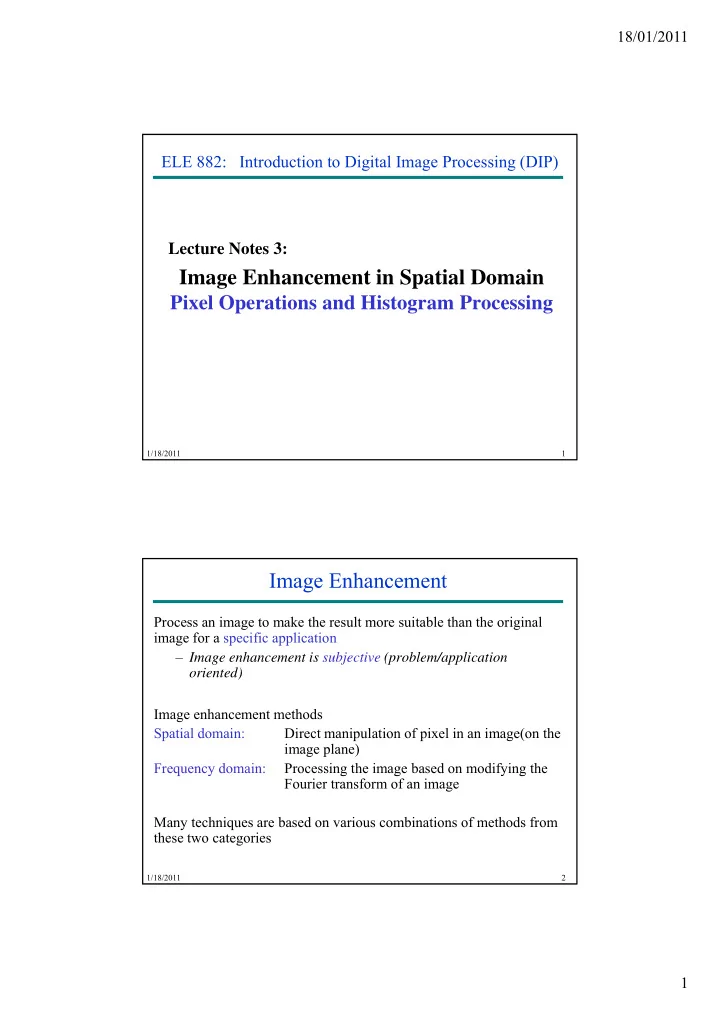
18/01/2011 ELE 882: Introduction to Digital Image Processing (DIP) Lecture Notes 3: 3 Image Enhancement in Spatial Domain Pixel Operations and Histogram Processing 1/18/2011 1 Image Enhancement Process an image to make the result more


slide-1
SLIDE 1

18/01/2011 1

3 ELE 882: Introduction to Digital Image Processing (DIP) Lecture Notes 3:

Image Enhancement in Spatial Domain

Pixel Operations and Histogram Processing

1/18/2011 1

Image Enhancement

Process an image to make the result more suitable than the original image for a specific application – Image enhancement is subjective (problem/application

  • riented)

Image enhancement methods Spatial domain: Direct manipulation of pixel in an image(on the image plane) Frequency domain: Processing the image based on modifying the

1/18/2011 2

q y g g y g Fourier transform of an image Many techniques are based on various combinations of methods from these two categories

slide-2
SLIDE 2

18/01/2011 2

Image Enhancement

Types of image enhancement operations Point/pixel operations Output value at specific coordinates (x,y) is dependent only on the input value at (x y) (x,y). Local operations The output value at (x,y) is dependent on the input values in the neighborhood of (x,y). Global operations The output value at (x,y) is dependent on all the values in the input image.

1/18/2011 3

Basic concepts

Spatial domain enhancement methods can be generalized as g(x,y) = T [f(x,y)] f(x,y) : input image g(x,y): processed (output) image T[*] : an operator on f (or a set of input images), defined over neighborhood of (x,y)

1/18/2011 4

Neighborhood about (x,y): a square or rectangular sub- image area centered at (x,y)

slide-3
SLIDE 3

18/01/2011 3

Basic Concepts

1/18/2011 5

3x3 neighborhood about (x,y)

Basic concepts

g(x,y) = T [f(x,y)] Pixel/point operation:

Neighborhood of size 1x1: g depends only on f at (x,y) g g p y f ( ,y) T: a gray-level/intensity transformation/mapping function Let r = f(x,y) and s = g(x,y) r and s represent gray levels of f and g at (x,y) Then

s = T(r) Local operations:

1/18/2011 6

g depends on the predefined number of neighbors of f at (x,y) Implemented by using mask processing or filtering Masks (filters, windows, kernels, templates) : a small (e.g. 3×3) 2-D array, in which the values of the coefficients determine the nature of the process

slide-4
SLIDE 4

18/01/2011 4

Common pixel operations

  • Image negatives
  • Log transformations
  • Power-law

transformations

1/18/2011 7

Image negatives

  • Reverses the gray level order
  • For L gray levels the transformation function is

s =T(r) = (L-1)-r s =T(r) = (L 1) r

1/18/2011 8

Input image (X-ray image) Output image (negative)

slide-5
SLIDE 5

18/01/2011 5

Image negatives

Application: To enhance the visibility for images with more dark portion

1/18/2011 9

Original digital mammogram Output image

Image scaling

s =T(r) = a.r (a is a constant)

1/18/2011 10

slide-6
SLIDE 6

18/01/2011 6

Log transformations

Function of s = c Log(1+r)

1/18/2011 11

Log transformations

Properties of log transformations

– For lower amplitudes of input image the range of gray levels is expanded expanded – For higher amplitudes of input image the range of gray levels is compressed

Application:

– This transformation is suitable for the case when the dynamic

1/18/2011 12

This transformation is suitable for the case when the dynamic range of a processed image far exceeds the capability of the display device (e.g. display of the Fourier spectrum of an image) – Also called “dynamic-range compression / expansion”

slide-7
SLIDE 7

18/01/2011 7

Log transformations

1/18/2011 13

Fourier spectrum with values of range 0 to 1.5 x 10⁶ scaled linearly The result applying log transformation, c = 1

Power-law Transformation

Basic form:

s = cr ,

where c &  where c &  are positive

Plots of equation

1/18/2011 14

Plots of equation s = cr For various values of  c 

slide-8
SLIDE 8

18/01/2011 8

Power-law Transformation

For γ < 1: Expands values of dark pixels, compress values of brighter pixels For γ > 1: Compresses values of dark pixels, expand values of brighter pixels If γ=1 & c=1: Identity transformation (s = r) A variety of devices (image capture, printing, display) respond according to a power law and need to be corrected;

1/18/2011 15

Gamma (γ) correction The process used to correct the power-law response phenomena

Power-law Transformation

  • Example of gamma correction

1/18/2011 16

  • To linearize the CRT response a pre-distortion circuit is

needed s = cr1/

slide-9
SLIDE 9

18/01/2011 9

Gamma correction

Linear wedge gray Response of CRT to Linear scale image wedge

1/18/2011 17

Gamma corrected wedge Output of monitor

Power-law Transformation: Example

MRI image of Result of applying Result of applying Result of applying

1/18/2011 18

g fractured human spine pp y g power-law transformation c = 1,  pp y g power-law transformation c = 1,  pp y g power-law transformation c = 1, 

slide-10
SLIDE 10

18/01/2011 10

Power-law Transformation: Example

Original satellite image Result of applying power-law transformation image Result of applying transformation c = 1,  Result of

1/18/2011 19

Result of applying power-law transformation c = 1,  applying power-law transformation c = 1, 

Piecewise-linear transformation

Contrast stretching Goal:

Increase the dynamic range of the gray levels for low contrast images

Low-contrast images can result from

– poor illumination

1/18/2011 20

poor illumination – lack of dynamic range in the imaging sensor – wrong setting of a lens aperture during image acquisition

slide-11
SLIDE 11

18/01/2011 11

Piecewise-linear transformation: contrast stretching

Method

where a1, a2, and a3 control the result of contrast stretching if 1 h i l l

1/18/2011 21

if a1 = a2 = a3 = 1 no change in gray levels if a1 = a3 = 0 and r1 = r2, T(*) is a thresholding function, the result is a binary image

Contrast Stretching Example

Form of Transformation Original low- function contrast image

1/18/2011 22

Result of contrast stretching Result of thresholding

slide-12
SLIDE 12

18/01/2011 12

Bit Plane representation of 8-bit Image Bit Plane Example

slide-13
SLIDE 13

18/01/2011 13

Bit Plane Example Histograms

Histogram of an image with gray level (0 to L-1): A discrete function h(rk) = nk , where rk is the kth gray level and nk is the number of pixels in the image having gray level rk . H hi t i bt i d? How a histogram is obtained?

– For B-bit image, initialize 2B counters with 0 – Loop over all pixels x,y – When encountering gray level f(x,y)=i, increment counter # i

Normalized histogram: A discrete function p(rk) = nk/n , where n is the total number of pixels in the image. p(rk) estimates probability

  • f occurrence of gray-level rk

1/18/2011 26

  • Distribution of gray-levels can be judged by measuring a histogram
  • Histogram provides global descriptions of the image (no local

details)

  • Fewer, larger bins can be used to trade off amplitude resolution

against sample size.

slide-14
SLIDE 14

18/01/2011 14

Example Histogram

1/18/2011 27

Example Histogram

1/18/2011 28

slide-15
SLIDE 15

18/01/2011 15

Histogram Examples

1/18/2011 29

Contrast stretching through histogram

If rmax and rmin are the maximum and minimum gray level of the input image and L is the total gray levels of output image The transformation function for contrast stretching will be

r i r

 

           

min max min

) ( r r L r r r T s

1/18/2011 30

rmin rmax L-1

slide-16
SLIDE 16

18/01/2011 16

Histogram equalization

  • Idea: To find a non-linear transformation

s = T (r)

to be applied to each pixel of the input image f(x y) such that a to be applied to each pixel of the input image f(x,y), such that a uniform distribution of gray levels in the entire range results for the output image g(x,y).

  • Assuming ideal, continuous case, with normalized histograms

– that 1 1     s and r

1/18/2011 Center for Advance Studies in Engineering Digital Image Processing ECE6258 31

– T(r) is single valued i.e., there exists r= T-1(r) – T(r) is monotonically increasing

Histogram equalization

A function T(r) is monotonically increasing if T(r1) < T(r2) for r1 < r2, and monotonically decreasing if T(r1) > T(r2) for r1 < r2.

1/18/2011 Center for Advance Studies in Engineering Digital Image Processing ECE6258 32

Example of a transformation function which is both single valued and monotonically increasing

slide-17
SLIDE 17

18/01/2011 17

Histogram equalization

1/18/2011 33

Histogram equalization

1/18/2011 34

slide-18
SLIDE 18

18/01/2011 18

Histogram equalization examples

Input image Output image

1/18/2011 Center for Advance Studies in Engineering Digital Image Processing ECE6258 35

Input histogram and cdf Output histogram and cdf

Histogram equalization examples

Low contrast image Output image Equalized histogram

1/18/2011 Center for Advance Studies in Engineering Digital Image Processing ECE6258 36

high contrast image Output image Equalized histogram

slide-19
SLIDE 19

18/01/2011 19

Histogram equalization examples

Output image Dark input image Equalized histogram

1/18/2011 Center for Advance Studies in Engineering Digital Image Processing ECE6258 37

Output image Bright input image Equalized histogram

Histogram equalization examples

1/18/2011 Center for Advance Studies in Engineering Digital Image Processing ECE6258 38

Transformation functions for histogram equalization

slide-20
SLIDE 20

18/01/2011 20

Histogram equalization examples

1/18/2011 Center for Advance Studies in Engineering Digital Image Processing ECE6258 39

Histogram equalization examples

1/18/2011 Center for Advance Studies in Engineering Digital Image Processing ECE6258 40

slide-21
SLIDE 21

18/01/2011 21

Histogram equalization examples

1/18/2011 Center for Advance Studies in Engineering Digital Image Processing ECE6258 41

Histogram equalization examples

1/18/2011 Center for Advance Studies in Engineering Digital Image Processing ECE6258 42