www.ibidi.com ibidi Heating System, Universal Fit, for 4 -Slides - - PDF document

ibidi com ibidi heating system universal fit for 4 slides
SMART_READER_LITE
LIVE PREVIEW

www.ibidi.com ibidi Heating System, Universal Fit, for 4 -Slides - - PDF document

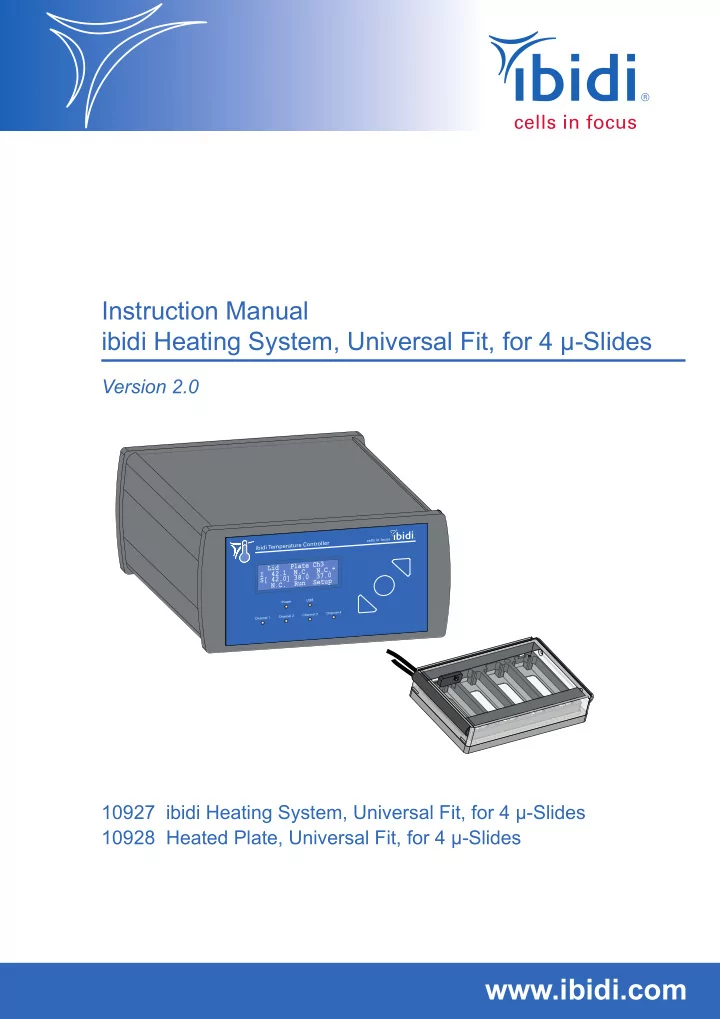
Instruction Manual ibidi Heating System, Universal Fit, for 4 -Slides Version 2.0 3 e C h P l a t d L i . C . . N N . C 4 2 . 1 I 3 7 . 0 8 . 0 0 ] 3 4 2 . S [ p S e t u R u n . N . C 10927


slide-1
SLIDE 1

Version 2.0

Instruction Manual ibidi Heating System, Universal Fit, for 4 µ-Slides

10927 ibidi Heating System, Universal Fit, for 4 µ-Slides 10928 Heated Plate, Universal Fit, for 4 µ-Slides

www.ibidi.com

L i d I 4 2 . 1 S [ 4 2 . ] R u n P l a t e C h 3 N . C . 3 8 . N . C . 3 7 . S e t u p N . C .

slide-2
SLIDE 2

ibidi Heating System, Universal Fit, for 4 µ-Slides Version 2.0 (July 12, 2019) 2 Instruction Manual

slide-3
SLIDE 3

ibidi Heating System, Universal Fit, for 4 µ-Slides

Contact ibidi GmbH Lochhamer Schlag 11 82166 Gr¨ afelfing Germany Phone: +49 89 / 520 46 17 - 0 Fax: +49 89 / 520 46 17 - 59 E-mail: info@ibidi.de Internet: ibidi.com

Instruction Manual 3 Version 2.0 (July 12, 2019)

slide-4
SLIDE 4

ibidi Heating System, Universal Fit, for 4 µ-Slides

Contents

1 Preamble 7 1.1 Introduction . . . . . . . . . . . . . . . . . . . . . . . . . . . . . . . . . . . . . . . . . . . 7 1.2 Safety Symbols . . . . . . . . . . . . . . . . . . . . . . . . . . . . . . . . . . . . . . . . . 7 1.3 Nomenclature . . . . . . . . . . . . . . . . . . . . . . . . . . . . . . . . . . . . . . . . . . 8 1.4 Specifications . . . . . . . . . . . . . . . . . . . . . . . . . . . . . . . . . . . . . . . . . . 8 1.5 Disclaimer . . . . . . . . . . . . . . . . . . . . . . . . . . . . . . . . . . . . . . . . . . . . 10 1.6 Safety Considerations . . . . . . . . . . . . . . . . . . . . . . . . . . . . . . . . . . . . . . 10 1.7 Limited Warranty . . . . . . . . . . . . . . . . . . . . . . . . . . . . . . . . . . . . . . . . 12 1.8 Transporting the ibidi Heating System, Universal Fit . . . . . . . . . . . . . . . . . . . . 12 1.9 Repairing the ibidi Heating System, Universal Fit . . . . . . . . . . . . . . . . . . . . . 13 1.10 Waste Disposal – WEEE/RoHS Compliance Statement . . . . . . . . . . . . . . . . . . 13 1.10.1 EU Directive WEEE . . . . . . . . . . . . . . . . . . . . . . . . . . . . . . . . . . . 13 1.10.2 EU Directive RoHS . . . . . . . . . . . . . . . . . . . . . . . . . . . . . . . . . . . 13 1.11 Regulatory Statement . . . . . . . . . . . . . . . . . . . . . . . . . . . . . . . . . . . . . . 14 2 Intended Use 15 3 Principle 15 4 Equipment 16 4.1 Components of the ibidi Heating System, Universal Fit, Universal Fit, for 4 µ-Slides . 16 4.2 Combination Options . . . . . . . . . . . . . . . . . . . . . . . . . . . . . . . . . . . . . . 17 4.3 Temperature Controller . . . . . . . . . . . . . . . . . . . . . . . . . . . . . . . . . . . . . 18 4.4 Heated Lid . . . . . . . . . . . . . . . . . . . . . . . . . . . . . . . . . . . . . . . . . . . . 19 4.5 Heated Plate and Magnetic Holder . . . . . . . . . . . . . . . . . . . . . . . . . . . . . . 20 Version 2.0 (July 12, 2019) 4 Instruction Manual

slide-5
SLIDE 5

ibidi Heating System, Universal Fit, for 4 µ-Slides 5 Operation 22 5.1 Installation and Connection of the Parts . . . . . . . . . . . . . . . . . . . . . . . . . . . 22 5.2 Start the ibidi Heating System, Universal Fit . . . . . . . . . . . . . . . . . . . . . . . . 23 5.3 Setting Parameters in the Front Display . . . . . . . . . . . . . . . . . . . . . . . . . . . 23 5.3.1 Run/Stop Mode . . . . . . . . . . . . . . . . . . . . . . . . . . . . . . . . . . . . 24 5.3.2 Incubation Parameters . . . . . . . . . . . . . . . . . . . . . . . . . . . . . . . . . 24 5.3.3 Setup Menu . . . . . . . . . . . . . . . . . . . . . . . . . . . . . . . . . . . . . . . 24 5.4 Temperature Adjustment in the Sample . . . . . . . . . . . . . . . . . . . . . . . . . . . 26 5.5 Sample Preparation . . . . . . . . . . . . . . . . . . . . . . . . . . . . . . . . . . . . . . . 27 6 IncuControl Software 27 7 Maintenance 28 7.1 Disinfection and Cleaning . . . . . . . . . . . . . . . . . . . . . . . . . . . . . . . . . . . 28 7.2 Influence of Ambient Temperature and Ventilation . . . . . . . . . . . . . . . . . . . . . 29 8 Troubleshooting 29 8.1 Focus not Stable . . . . . . . . . . . . . . . . . . . . . . . . . . . . . . . . . . . . . . . . . 29 8.2 Evaporation Is Too High . . . . . . . . . . . . . . . . . . . . . . . . . . . . . . . . . . . . 30 8.3 Condensation Inside the Stage Top Incubator . . . . . . . . . . . . . . . . . . . . . . . . 30 Instruction Manual 5 Version 2.0 (July 12, 2019)

slide-6
SLIDE 6

ibidi Heating System, Universal Fit, for 4 µ-Slides Version 2.0 (July 12, 2019) 6 Instruction Manual

slide-7
SLIDE 7

ibidi Heating System, Universal Fit, for 4 µ-Slides

1 Preamble

1.1 Introduction

This manual is your guide to using the ibidi Heating System, Universal Fit for cell culture experi- ments on an optical microscope. It instructs first-time users how to use the instrument, and serves as a reference for experienced users. Before using the ibidi Heating System, Universal Fit, please read this instruction manual carefully and make sure that the contents are fully understood. This manual should be easily accessible to the

  • perator at all times during instrument operation. If this manual gets lost, order a replacement from

www.ibidi.com. To ensure safe operation, the ibidi Heating System, Universal Fit must only be operated with the supplied components and according to the instruction manual.

1.2 Safety Symbols

Note that the signal words WARNING, CAUTION and NOTE have specific meanings in this man-

  • ual. Do not proceed beyond a signal word until you have performed the indicated actions.

WARNING! A potentially hazardous situation which, if not avoided, could result in se- rious injury or even death. Warning messages in the text are displayed in a gray shaded box. CAUTION A potentially hazardous situation which, if not avoided, could result in minor

  • r moderate injury. It is also used to alert against damaging the equipment
  • r the instrument.

NOTE Additional information to help achieve optimal instrument and assay perfor- mance. Symbols on the product identification label and back panel of the device: CE Marking: This symbol indicates the product’s compliance with EU legis- lation. This label is positioned on the back of the device and prompts you to read the manual before using the device. Product disposal: The symbol indicates that this product must be recy- cled/disposed of separately from other household waste. See page 13 for details. Instruction Manual 7 Version 2.0 (July 12, 2019)

slide-8
SLIDE 8

ibidi Heating System, Universal Fit, for 4 µ-Slides

1.3 Nomenclature

Temperature Controller Heated Lid, Universal Fit Heated Plate, Universal Fit, for 4 µ-Slides

1.4 Specifications

Only operate the Heating System in the range of the specifications given below: Table 1 – Specifications of the ibidi Heating System, Universal Fit Electrical Specifications Power Supply Protection class I International protection marking (IEC 60529) IP 20 Overvoltage category II External power supply AC 100–240 V, 50/60 Hz, 2 A Input line voltage Temperature Controller DC 24 V, 6.67 A, 160 W Output voltage to channel 1 (Heated Lid), Universal Fit DC 10 V, max. 5 A Output voltage to channel 4 (Heated Plate), Universal Fit, for 4 µ-Slides DC 24 V, max. 5 A Operating and Storage Conditions Operating site Indoor use only Operating temperature 18–30°C/64–86°F (min 5°C/9°F less than set temperature) Operating humidity

  • max. 80% relative humidity (RH)

Operating altitude

  • max. 2000 m (atmospheric pressure 800–1060 hPa/11.6–15.4

psi) Storage conditions

  • 5–50°C/23–122°F, humidity <60% relative humidity (RH)

Outer Dimensions and Characteristics of the Components Temperature Controller 90 mm × 170 mm × 230 mm Weight: 1720 g/3.8 lbs Heated Lid, Universal Fit 19 mm × 85.5 mm × 127.5 mm (134.5 mm with cover ridge) Length of cable: 1.5 m Version 2.0 (July 12, 2019) 8 Instruction Manual

slide-9
SLIDE 9

ibidi Heating System, Universal Fit, for 4 µ-Slides Table 1 – (continued) Connector to Gas Incubation: Female Luer Lock Heated Plate, Universal Fit, for 4 µ- Slides 12 mm × 85.5 mm × 127.5 mm Observation area: 22 mm × 49 mm per µ-Slide Length of cable: 1.5 m Heated Plate assembled with Heated Lid Height: 25.5 mm Weight: 330 g/0.46 lbs USB cable Length: 1.8 m Power supply cable Length: 2.0 m (power supply to wall) Length: 1.2 m (power supply to device) Temperature Control Range Heated Lid, Universal Fit Ambient temperature (min. +18°C) to +45°C Accuracy: ±0.2°C (at sensor location) ±5°C (entire heated glass) Heated Plate, Universal Fit, for 4 µ- Slides Ambient temperature (min. +18°C) to +45°C Accuracy: ±0.2°C (at sensor location) ±0.5°C (entire heated plate) Recommended Temperatures before Adjustment See Section 5.4 USB Interface Connector type USB 2.0 Connector Type B Recommended USB cable Tripp Lite UR022-006 (shielded) Driver FTDI VCP driver Microscope Requirements Working distance condenser ≥ 26 mm Stage holder Holder for standard multi-well plates Optical Properties Glass Lid Glass Selected HQ Floatglass Thickness of the glass plate 1.1 mm Refractive index glass nD = 1.520 (588 nm) ITO coating Thickness: 100 nm Passivation layer Thickness: 20-25 nm Refractive index ITO with passiva- tion layer 1.95 Instruction Manual 9 Version 2.0 (July 12, 2019)

slide-10
SLIDE 10

ibidi Heating System, Universal Fit, for 4 µ-Slides

1.5 Disclaimer

  • ibidi shall not be held liable, either directly or indirectly, for any damage incurred as a result of

product use.

  • The contents of this manual are subject to change without notice for product improvement.
  • This manual is considered complete and accurate at publication.
  • This manual does not guarantee the validity of any patent rights or other rights.
  • If an ibidi software program doesn’t function properly, this may be caused by a conflict from

another program operating on the computer. In this case, take corrective action by uninstalling the conflicting product(s).

  • ibidi is a registered trademark of ibidi GmbH in Germany and other countries.

1.6 Safety Considerations

WARNING!

  • Only operate the ibidi Heating System, Universal Fit with the supplied components.
  • Only use the cables and plugs delivered with the system. The power plug of the control unit

must be inserted in an outlet with a ground (earth) contact.

  • Do not replace detachable power cables by power cables with inadequate specifications. By

violating these instructions you risk electric shock and fire.

  • Only use extension cables that have a protective ground wire.
  • Do not operate the ibidi Heating System, Universal Fit under conditions that pose a risk of

explosion, implosion, or the release of gases. Only operate the ibidi Heating System, Universal Fit with aqueous solutions.

  • Do not place flammable solids, liquids, gases, or gas outlets near the system (e.g. matches,

ethanol, propane gas, solvents). Do not bring these products in contact with any other compo- nent of the system either.

  • Do not operate a damaged ibidi Heating System, Universal Fit. If the housing seems damaged
  • r something is rattling inside the controller, contact the ibidi service hotline for repair.
  • Only operate the Heated Lid and Heated Plate properly installed on a microscope stage.
  • Some accessible parts of the Heated Plate and Heated Lid can reach temperatures up to 55°C.

Avoid touching the temperature-controlled parts of the system when you have set the Temper- ature Controller to high temperatures. CAUTION

  • Ensure that the external power supply is easily accessible. The ibidi Heating System, Universal

Fit must be installed in a manner such that none of its components hinders access to the external power supply. Version 2.0 (July 12, 2019) 10 Instruction Manual

slide-11
SLIDE 11

ibidi Heating System, Universal Fit, for 4 µ-Slides

  • Immediately replace damaged cords, plugs, or cables to avoid risk of personal injury or damage

to the instrument.

  • Only ibidi technical staff and technical staff instructed by ibidi are permitted to open and ser-

vice the ibidi Heating System, Universal Fit.

  • The external power supply should not be brought into contact with moisture. If the housing is

damaged, the external power supply should not be used.

  • Avoid strong magnetic fields and sources of high frequency. The ibidi Heating System, Univer-

sal Fit might not function properly when located near a strong magnetic field or high frequency source.

  • Avoid vibrations from vacuum pumps, centrifuges, electric motors, processing equipment, and

machine tools.

  • Avoid dust and corrosive gas. Do not install the ibidi Heating System, Universal Fit where it

could be exposed to high levels of dust or to outside air or ventilation outlets.

  • Install the ibidi Heating System, Universal Fit in a location that enables easy access for mainte-

nance.

  • Do not place heavy objects on the instrument.
  • Install the Temperature Controller in a horizontal and stable position, which includes a table,

bench or desk upon which the instrument is installed.

  • The heated glass plates of the incubation chamber can break on mechanical impact. If so, the

glass shards can lead to injuries if handled.

  • Be aware that when switched on, a 10 V DC voltage is applied to the underside of the glass on

the Heated Lid. Do not touch the underside or put it in contact with anything conductive. This could cause a short circuit that may damage the Temperature Controller and/or the Heating Devices. Instruction Manual 11 Version 2.0 (July 12, 2019)

slide-12
SLIDE 12

ibidi Heating System, Universal Fit, for 4 µ-Slides

1.7 Limited Warranty

Products manufactured by ibidi, unless otherwise specified, are warrantied for a period of one year from the date of shipment to be free of defects in materials and workmanship. If any defects in the product are found during this warranty period, ibidi will repair or replace the defective part(s) or product free of charge. This warranty does not apply to defects resulting from the following:

  • 1. Improper or inadequate installation.
  • 2. Improper or inadequate operation, maintenance, adjustment, or calibration.
  • 3. Unauthorized modification or misuse.
  • 4. Use of unauthorized tubing or fluidic connectors.
  • 5. Use of consumables, disposables, and parts not supplied by an authorized ibidi distributor.
  • 6. Corrosion due to the use of improper solvents, samples, or due to surrounding gases.
  • 7. Accidents beyond ibidi’s control, including natural disasters.

This warranty does not cover consumables, such as cell culture chambers and dishes, tubes, fluidic connectors, reagents etc. The warranty for all parts supplied and repairs provided under this warranty expires on the warranty expiration date of the original product.

1.8 Transporting the ibidi Heating System, Universal Fit

The weight of the Temperature Controller is approx. 1.7 kg/3.8 lbs. Moving the Temperature Con- troller during operation can pose a risk of personal injury or damage to the instrument. For transport, switch off the Temperature Controller and then disconnect the heated components from the controller. Carry the devices carefully and avoid mechanical shocks.

WARNING!

Hot surface (max. 55°C)! Do not touch Heated Lid and Heated Plate when hot. Always disconnect the instrument from the power supply before transport and leave the instrument to cool down for approx. 5 minutes. Version 2.0 (July 12, 2019) 12 Instruction Manual

slide-13
SLIDE 13

ibidi Heating System, Universal Fit, for 4 µ-Slides

1.9 Repairing the ibidi Heating System, Universal Fit

For inquiries concerning repair service, contact the ibidi service personnel and provide the model name and serial number of your system. ibidi GmbH Service Hotline: service@ibidi.com

CAUTION

Do not try to repair the ibidi Heating System, Universal Fit by yourself. Disassembly of the ibidi Heating System, Universal Fit is not allowed. Disassembly poses a risk of personal injury or damage to the devices. Contact ibidi service personnel if there is a need to disassemble a device.

1.10 Waste Disposal – WEEE/RoHS Compliance Statement

The European Union (EU) has enacted two directives, the first on product recycling (Waste Electrical and Electronic Equipment, WEEE) and the second on limiting the use of certain substances (Restric- tion on the use of Hazardous Substances, RoHS). 1.10.1 EU Directive WEEE The ibidi Heating System, Universal Fit must be disposed of in compliance with the WEEE Directive 2012/19/EC. This symbol on the product is in accordance with the European Union’s Waste Electrical and Elec- tronic Equipment (WEEE) Directive. The symbol indicates that this product must be recycled/dis- posed of separately from other household waste. It is the end user’s responsibility to dispose of this product by taking it to a designated WEEE collection facility for the proper collection and recycling of the waste equipment. The separate collection and recycling of waste equipment will help to conserve natural resources and protect human health and the environment. For more information about recy- cling, please contact your local environmental office, an electrical/electronic waste disposal company

  • r distributor where you purchased the product.

1.10.2 EU Directive RoHS RoHS conformity is declared in the EU-conformity in Section 1.11. Instruction Manual 13 Version 2.0 (July 12, 2019)

slide-14
SLIDE 14

ibidi Heating System, Universal Fit, for 4 µ-Slides

1.11 Regulatory Statement

EG-Konformitätserklärung EC Declaration of Conformity

Diese Erklärung bescheinigt die Übereinstimmung mit den genannten Richtlinien, ist jedoch keine Zusicherung von Eigenschaften. Die Sicherheitshinweise der Produktdokumentation sind zu beachten. This declaration certifies the conformity to he specified directives but not includes any warranted quality of the instrument. The safety documentation of the product shall be considered in detail Wir / We

ibidi GmbH Lochhamer Schlag 11 D-82166 Gräfelfing

erklären hiermit die Übereinstimmung des genannten Produktes mit der Richtlinie 2014/35/EU - Niederspannungsrichtlinie und mit der Richtlinie 2014/30/EU über die Elektromagnetische Verträglichkeit. Bei Änderungen am Produkt, die nicht von uns autorisiert wurden, verliert diese Erklärung ihre Gültigkeit. We declare the compliance of the product with the requirements of the Directive 2014/35/EU - Low Voltage Directive and with the Directive 2014/30/EU about the Electromagnetic Compatibility. Any modification to the product, not authorized by us, will invalidate this declaration.

Laborgerät / laboratory equipment:

ibidi Temperature Controller ibiTC2-XXX with ibidi accessories

Der oben beschriebene Gegenstand erfüllt die Vorschriften der Richtlinie 2011/65/EU vom 08. Juni 2011 zur Beschränkung der Verwendung bestimmter gefährlicher Stoffe in Elektro- und Elektronikgeräten. The object of the declaration described above is in conformity with Directive 2011/65/EU of 8 June 2011

  • n the restriction of the use of certain hazardous substances in electrical and electronic equipment.

Das Produkt entspricht den unten aufgeführten Normen: The product meets the requirements of the following standards:

Sicherheitsbestimmungen für elektrische Mess-, Steuer-, Regel- und Laborgeräte - Teil 1: Allgemeine Anforderungen Safety requirements for electrical equipment for measurement, control and laboratory use - Part 1: General requirements Elektrische Mess-, Steuer-, Regel und Laborgeräte. EMV-Anforderungen. Allgemeine Anforderungen Electrical equipment for measurement, control and laboratory use. EMC requirements. General requirements

Das Produkt ist gekennzeichnet mit/ The product is marked with

Gräfelfing, den 27.06.2019

  • Dr. Valentin Kahl

Gräfelfing, 2019-06-27 Geschäftsführer

Ort/Datum Name, Funktion Unterschrift Place/date Name, Function Signature

DIN EN 61010-1:2011 DIN EN 61326-1:2013

Version 2.0 (July 12, 2019) 14 Instruction Manual
slide-15
SLIDE 15

ibidi Heating System, Universal Fit, for 4 µ-Slides

2 Intended Use

The ibidi Heating System, Universal Fit is a stage top incubator for live cell imaging that fits onto inverted microscope stages with a universal mounting frame for multiwell plates. The geometry of the chamber, with a heated glass plate above the sample, provides a platform for keeping microscopy slides and dishes at a constant temperature during an experiment on a microscope. For full control of the incubation environment, the ibidi Heating System, Universal Fit can be com- bined with the ibidi Gas Incubation System to regulate the CO2 and O2 concentrations as well as the humidity. The design of the ibidi Heating System, Universal Fit, for 4 µ-Slides offers four positions to insert microscopy slides (75 × 25 mm).

3 Principle

Physiological Conditions in Live Cell Imaging

The Heated Lid and Heated Plate are designed to keep cells on-stage at 37°C in microscopy slides and dishes (Figure 1). To achieve this, the glass top of the Heated Lid and the Heated Plate are actively heated by the Temperature Controller. The Heated Lid prevents condensation effects inside the incubation system (Figure 2). Figure 1 – Schematic cross-sectional view of the ibidi Heating System, Universal Fit.

Heated Plate Heated Lid ibidi solution:

40 °C 37 °C

Heated Plate Unheated Lid

34 °C 37 °C

Figure 2 – The Heated Lid prevents condensation effects on the lid of the cell culture vessel. Instruction Manual 15 Version 2.0 (July 12, 2019)

slide-16
SLIDE 16

ibidi Heating System, Universal Fit, for 4 µ-Slides

4 Equipment

This section provides a brief overview over all parts of the ibidi Heating System, Universal Fit in- cluding a description of the characteristics.

4.1 Components of the ibidi Heating System, Universal Fit, Universal Fit, for 4 µ- Slides

The components of the ibidi Heating System, Universal Fit are listed below. Table 2 – Overview of the ibidi Heating System, Universal Fit’s components Description Drawing Temperature Controller Heated Lid, Universal Fit with electrical cable and D-sub connector to connect to the Temperature Controller Heated Plate, Universal Fit, for 4 µ-Slides with electrical cable and D- sub connector to connect to the Temperature Controller Magnetic Holder to press samples tight onto the Heated Plate Temperature Adjustment Set: 1 temperature sensor 1 perforated ibidi µ–Slide 4 Well USB cable to connect the Temperature Controller with a computer Version 2.0 (July 12, 2019) 16 Instruction Manual

slide-17
SLIDE 17

ibidi Heating System, Universal Fit, for 4 µ-Slides Table 2 – (continued) Description Drawing Country specific power cord to connect the external power supply to the wall socket External power supply for the Temperature Controller USB flash drive with IncuControl software

4.2 Combination Options

The parts of the ibidi Heating System, Universal Fit, are combined as shown in Figure 3. The Heated Lid and Heated Plate fit on an inverted microscope stage equipped with a universal mounting frame for multiwell plates. Heated Lid and Heated Plate are connected to the Temperature Controller. There are two versions of the Heated Plate: one for insertion of one culture vessel and the other for insertion of four µ-Slides. To hold several geometries of Slides and Dishes, the Heated Plate for 1 Chamber can be equipped with different Inserts : Insert for µ-Dish 35 mm, high, Insert for µ-Dish 35 mm, low, Insert for µ-Slides, and Insert for LabTek™ chambered coverglass. For parallelization of experiments, the Heated Plate for 4 µ-Slides provides a platform to observe 4 Slides in parallel. The ibidi Heating System, Universal Fit, can be combined with the Gas Mixer unit that provides CO2 and O2 (optional) control and a defined humidified atmosphere. Detailed information on the Gas Mixer unit is given in the Gas Mixer instructions. Instruction Manual 17 Version 2.0 (July 12, 2019)

slide-18
SLIDE 18

ibidi Heating System, Universal Fit, for 4 µ-Slides Figure 3 – Overview of the parts of the ibidi Heating System, Universal Fit, with options to combine

4.3 Temperature Controller

The Temperature Controller is designed to control the different heated components (four channels available). The front display shows the set values (S) and the current values (I). The settings can be adjusted via the control buttons (Section 5.3). If you wish to control the Temperature Controller via PC, use the IncuControl software (Section 6). The LEDs on the front indicate the status of the channels, connection to the power supply, and USB connection (Figure 4). Version 2.0 (July 12, 2019) 18 Instruction Manual

slide-19
SLIDE 19

ibidi Heating System, Universal Fit, for 4 µ-Slides Control LEDs Channel 1-4 LED off Channel inactive LED on Channel active LED fast blinking Channel error All plugs for the electrical connections are integrated into the rear of the Temperature Controller (Figure 5). The setup of the connections is explained in Section 5.1. Figure 4 – Front view of the Temperature Controller.

USB Power supply External themperature sensor On/Off switch

Temp Sensor Power Ch 1 Ch 2 Ch 3 Ch 4

24 V

  • max. 6.7 A

USB ibidi Temperature Controller

Type: Serial number: Production date:

ibidi Temperature Controller ibiTC2-001 11/2018

ibidi GmbH Am Klopferspitz 19 D-82152 Martinsried Germany +49(0)89520 46 17 0 www.ibidi.com

Heated Lid Heated Plate Heated Glass Bottom Heated Plate, 4 Slides

4 control channels

Figure 5 – Rear view of the Temperature Controller.

4.4 Heated Lid

The Heated Lid provides excellent optical quality, and also allows for the use of all standard mi- croscopy techniques, including differential interference contrast (DIC). Due to the height of the lid, we recommend using condensers with a working distance of ≥ 26 mm. The upper glass part of the Heated Lid is heated. The electrical cable is connected to the Temperature

  • Controller. The Heated Lid fits exactly and securely onto the Heated Plate.

For gas incubation, the Heated Lid is equipped with inlets for the gas flow and the humidity sensor. Detailed information on the Gas Incubation System is given in its instruction manual. Instruction Manual 19 Version 2.0 (July 12, 2019)

slide-20
SLIDE 20

ibidi Heating System, Universal Fit, for 4 µ-Slides Figure 6 – Heated Lid

4.5 Heated Plate and Magnetic Holder

The Heated Plate provides the base for the ibidi Heating System, Universal Fit. It fits into any mi- croscope stage with a universal mounting frame for multiwell plates. The Heated Plate offers four cavities to mount µ-Slides for parallel observation on the microscope. To prevent shifting of the sam- ples, put the magnetic holder on top of the µ-Slides. The electrical cable (1.5 m) is connected to the Temperature Controller. Figure 7 – Heated Plate for 4 µ-Slides (lower part) and magnetic holder (upper part) (A) and assem- bled (B). Version 2.0 (July 12, 2019) 20 Instruction Manual

slide-21
SLIDE 21

ibidi Heating System, Universal Fit, for 4 µ-Slides Figure 8 – Heated Plate for 4 µ-Slides, top view Instruction Manual 21 Version 2.0 (July 12, 2019)

slide-22
SLIDE 22

ibidi Heating System, Universal Fit, for 4 µ-Slides

5 Operation

Before starting an experiment, check that the ibidi Heating System, Universal Fit fits on your micro- scope stage, and that your cell culture vessels are compatible with the inserts of the Heated Plate. Connect all parts (Section 5.1) and perform a temperature adjustment as explained in Section 5.4.

NOTE

The Temperature Controller only measures the temperature from the sensors in the Heated Lid and Heated Plate. The temperature in the sample must be adjusted for your specific setup. Follow the instructions in Section 5.4.

5.1 Installation and Connection of the Parts

The components of the ibidi Heating System, Universal Fit are connected as shown in Figure 9. Figure 9 – Installation of the components of the ibidi Heating System, Universal Fit.

NOTE

Before shipment, all controllers are run through an in-house calibration with the correspond- ing Heated Lid and Heated Plate. Only use the Temperature Controller with the corresponding Heated Lid and Heated Plate to ensure correct sensor calibration.

  • 1. Place the Temperature Controller next to the microscope and connect the power supply.
  • 2. Confirm that the power switch of the Temperature Controller is off.

Version 2.0 (July 12, 2019) 22 Instruction Manual

slide-23
SLIDE 23

ibidi Heating System, Universal Fit, for 4 µ-Slides

  • 3. Insert the Heated Plate into the opening of the microscope stage.
  • 4. Insert four empty, unsterile µ-Slides into the four inserts of the Heated Plate.
  • 5. Place the magnetic holder onto the µ-Slides and the Heated Lid onto the Heated Plate.
  • 6. Plug the electrical cables of the Heated Lid (Channel 1) and Heated Plate for 4 µ-Slides (Channel

4) into the connectors on the back of the Temperature Controller. Let the system equilibrate for at least 30 minutes. To setup communication with the IncuControl Software, the USB cable must be connected to the Temperature Controller and the computer. To adjust the sample temperature, use the temperature sensor in the Temperature Adjustment Set and plug it into the corresponding connector on the back of the Temperature Controller. The other end is placed in the sample (Section 5.4).

5.2 Start the ibidi Heating System, Universal Fit

The Temperature Controller is switched on by the dip-switch on the back. Make sure the display shows ”RUN” (see Section 5.3.1). The system immediately starts heating up the heated components.

WARNING!

Be aware that when the system is switched on, 10V DC voltage is applied to the underside of the glass plate. Do not touch the underside or contact it with anything conductive! This could cause a short circuit that may destroy the controller and/or the lid. If you are not sure which temperature is set (e.g. when operating the system the first time), it is recommended to disconnect all heated devices (Heated Plate, Heated Lid, and other optional heated devices) and then switch the system on. By doing this, you ensure that you do not start the heat- ing process with the wrong temperature settings. It is now possible to set the temperatures for the individual channels (Section 5.3). After this, you can re-connect the heated devices.

5.3 Setting Parameters in the Front Display

All control parameters can be manually set on the controller using the buttons and the display on the front panel. Figure 10 – Temperature Controller front display and set buttons. Instruction Manual 23 Version 2.0 (July 12, 2019)

slide-24
SLIDE 24

ibidi Heating System, Universal Fit, for 4 µ-Slides The display shows the measured (’I’ = instantaneous) and set (’S’ = set) temperatures of all the chan-

  • nels. Only three channels are visible in the display at once. To see the further channel(s), move the

cursor to the right/left and the display will jump to show the next channel. The cursor position is indicated with square brackets (”[ ]”). You can move the cursor using the ”left” and ”right” buttons. If you want to select a parameter or a function, press the round button and the square brackets will change to angle brackets (”< >”). Now you are able to change the value with the ”up” and ”down” buttons. To confirm the changed value, you must press the round button once more. Standardly, the channels are pre-defined with the following settings to match all possible combina- tions of heated components on the controller: Table 4 – Channel assignment of the Temperature Controller Channel No. Short name Components to connect Product number Channel 1 ”Lid” Heated Lid, Universal Fit #10918, #10927

  • r Heated Lid, Multi-Well Plates, K-Frame

#10929 Channel 2 ”Plate” Heated Plate, Universal Fit, for 1 Chamber #10918

  • r Heated Plate, Multi-Well Plates, K-Frame

#10929 Channel 3 ”Glass” Heated Glass Bottom, Multi-Well Plates, K-Frame #10929 Channel 4 ”Ch4” Heated Plate, Universal Fit, for 4 µ-Slides #10927, #10928 5.3.1 Run/Stop Mode Set the whole system to run or stop mode by manipulating the setting in the display’s bottom line to ”Run” (= system is running) or ”Stop” (= system is not running). Figure 11 – Main display indicating ”Run” 5.3.2 Incubation Parameters Set the parameters in the front display and wait for the temperature to equilibrate. It is recommended to start the system at least 30 minutes before inserting cells. Recommended values are given in table 5. Before starting an experiment, an initial temperature adjustment must be performed (see Section 5.4). 5.3.3 Setup Menu The Setup menu offers the possibility to change the settings of the individual channels and the dis-

  • play. For standard operation no changes need to be made. Enter the setup menu by navigating to the

”Setup” entry and pressing the round button. The mode dialog will open. Version 2.0 (July 12, 2019) 24 Instruction Manual

slide-25
SLIDE 25

ibidi Heating System, Universal Fit, for 4 µ-Slides Mode Each channel of the Temperature Controller can be set to an ”On” or ”Off” state. For standard

  • peration all channels must be turned on.

<Mode> Setup Channel = 1 Mode = On Return

Figure 12 – Mode dialog

  • 1. Press the round button once more to move the cursor to the channel number.
  • 2. Select the respective channel and confirm with the round button.
  • 3. Select ”On” or ”Off” and confirm with the round button.
  • 4. To move on navigate to ”Return” and press the round button.

Alarms In this dialog it is possible to set the alarm limits for divergent control parameters. Move from the mode menu to the alarm menu by pressing the ”up/right” button. The maximum and minimum limits of the alarm can be set for each individual channel. If the alarm is activated (which happens when the current value goes under/over the low/high limits), the current value (I) blinks, showing alternately the value and ”low” or ”high”, respectively. To stop the display blinking, navigate to the blinking channel and press the round button once.

<Alarms> Setup Channel = 4 High = 42°C Low = 36°C

Figure 13 – Alarm settings dialog Preferences Set the brightness and contrast of the display in the preferences menu.

<Preferences> Setup Backlight = 65 Contrast = 15 Return

Figure 14 – Preferences dialog Info Info about serial number and firmware version is shown in the info dialog. Figure 15 – Info display Instruction Manual 25 Version 2.0 (July 12, 2019)

slide-26
SLIDE 26

ibidi Heating System, Universal Fit, for 4 µ-Slides

5.4 Temperature Adjustment in the Sample

The ibidi Heating System, Universal Fit controls the temperature of the actively heated components (Heated Lid and Heated Plate). The temperature in the sample results from the interaction of all heated parts with the supporting microscopy stage and the sample. Therefore, the temperature at the position of the cells must be measured and adjusted for each specific setup to achieve the optimal temperature (e.g. 37°C). When starting the temperature adjustment in the sample in your specific setup, use the recommended temperature settings (for samples that should be 37°C): Table 5 – Recommended temperature settings before optimization Device Temperature Heated Lid (channel 1) 42°C Heated Plate (channel 4) 38°C To measure and calibrate the sample temperature, use the provided Temperature Adjustment Set (temperature sensor and culture vessel with perforated lid). The temperature of the heated compo- nents has to be adjusted in small steps. Follow this procedure to adjust the sample temperature:

  • 1. Set all your peripheral experimental parameters, such as room temperature, air conditioning,

airflow, illumination, microscope settings, etc.

  • 2. Connect the temperature sensor (thermocouple type K) to the plug on the Temperature Con-

troller’s back.

  • 3. Fill the provided culture vessel (depending on what you want to use for your experiments)

with water or medium. Volumes should be the same amount you need for your experiments.

  • 4. Put the loose end of the thermocouple through the hole in the lid of the culture vessel and make

sure it dips into the liquid0. In case of a channel slide (e.g. µ-Slide Luer) introduce the sensor wire from the Luer ports into the channel.

  • 5. Place the culture vessel in the insert of the Heated Plate and put the magnetic holder on.
  • 6. Close the Heated Lid.
  • 7. After 30 minutes, check the temperature of the external sensor on the display or in the Incu-

Control software. If the sample temperature is still too low, raise the set values for the Heated Plate and Heated Lid for 0.5–1°C and wait until the sample temperature is stable again (at least 10–15 min).

  • 8. When the sample temperature has reached the desired value, write down the set values for

the Heated Plate and Heated Lid and use those settings for all upcoming experiments with the same probe holder. Version 2.0 (July 12, 2019) 26 Instruction Manual

slide-27
SLIDE 27

ibidi Heating System, Universal Fit, for 4 µ-Slides

NOTE

The temperature of the Heated Lid must be set to at least some degrees warmer than the temper- ature of the Heated Plate! The temperature adjustment must be repeated from time to time (at least once a year), especially if

  • ne of the following conditions has been changed:
  • Room temperature
  • Air conditioning
  • Chamber type or objective lens
  • Humidification and gas flow
  • Use of an XL-Incubator
  • Use of an Objective Heater

5.5 Sample Preparation

Check that the cell cultureware you intend to use fits into the insert of the ibidi Heating System, Universal Fit’s Heated Plate. Prepare the cells according to your protocol and place the µ-Slide in the Heated Plate. Then put the magnetic holder onto the Heated Plate and close the Heated Lid.

NOTE

Let the temperature of the system equilibrate for a minimum of 30 min before you start your

  • experiments. Always use unsterile dummy slides in all 4 slots during equilibration.

6 IncuControl Software

The Temperature Controller has a USB interface for computer control and data logging. For this pur- pose, ibidi provides the IncuControl software that comes with the controller or can be downloaded from the ibidi website. For more details, please refer to the IncuControl instructions. Instruction Manual 27 Version 2.0 (July 12, 2019)

slide-28
SLIDE 28

ibidi Heating System, Universal Fit, for 4 µ-Slides Figure 16 – Temperature control window in IncuControl.

Prohibitions on the use of ibidi software:

The following actions are prohibited:

  • Copying software for other than backup purposes
  • Transfering or licensing of the right to use software to a third party
  • Disclosure of confidential information regarding software
  • Modification of software

7 Maintenance

7.1 Disinfection and Cleaning

The heated components and the Temperature Controller do not have to be sterile, because the in- cubation chamber has no direct contact with the cells and the cell culture medium. If disinfection is necessary for some reason, we recommend using isopropanol (70%) or common lab disinfection solutions based on quaternary ammonium compounds (e.g. Barrycidal 36 or Pharmacidal). Version 2.0 (July 12, 2019) 28 Instruction Manual

slide-29
SLIDE 29

ibidi Heating System, Universal Fit, for 4 µ-Slides All parts of the ibidi Heating System, Universal Fit can be cleaned from the outside. We recommend using ultrapure water for cleaning. Fingerprints on the Heated Lid can be removed using isopropanol (70%) or lens/eyeglass cleaning wipes.

CAUTION

When cleaning the heated glass plate(s), be careful when wiping the inner surface of the lid not to damage the electro-conductive coating. Also take care not to damage the glass plate. The use of ethanol or other types of organic solvents may remove the instrument’s paint. To clean the heated components and/or the Temperature Controller switch off the Temperature Con- troller and disconnect all electrical cables. Leave the instrument to cool down for approx. 5 minutes.

WARNING!

Hot surface (max. 55°C)! Do not touch Heated Lid, Heated Plate, and Heated Glass Bottom when hot.

7.2 Influence of Ambient Temperature and Ventilation

The ambient temperature affects the conditions inside the incubation chamber. Devices, such as computers and camera controllers, can significantly heat up small rooms. In this case, we recommend equilibrating the room temperature to the typical experimental conditions at least 2-3 hours before starting the experiment. Ventilation can enhance the effect of temperature and humidity changes in the vicinity of the incuba- tion chamber. In a case where the airflow (e.g., air conditioning) cannot be stopped, we recommend protecting the microscope as much as possible. The use of an XL-Incubator and/or an objective heater minimizes those effects and helps significantly to stabilize surrounding conditions.

8 Troubleshooting

8.1 Focus not Stable

Focus drift is detrimental for most microscopy experiments, especially long duration time-lapse ex-

  • periments. Focus stability is mainly influenced by mechanical changes and temperature variations.

Follow these recommendations to keep your cells in focus:

  • Switch on all components (e.g., heating, gas incubation, computer, or other equipment) at least

60 minutes before starting the experiment. Instruction Manual 29 Version 2.0 (July 12, 2019)

slide-30
SLIDE 30

ibidi Heating System, Universal Fit, for 4 µ-Slides

  • After you put the sample onto the microscope, wait 30 minutes before starting a time-lapse

experiment to achieve temperature and immersion oil equilibration1.

  • Keep the room temperature as stable as possible. Air conditioning should either be working

continuously or switched off.

  • Do not change the temperature during the experiments. Avoid door/window openings, as this

could rapidly change the temperature.

  • Eliminate all sources of mechanical vibrations. Use a damped table for your microscope.

8.2 Evaporation Is Too High

Depending on the incubating conditions, small volumes might evaporate quickly, especially during long-term experiments. If you have an actively controlled humidifying device (e.g. ibidi Gas Incuba- tion System), increase the set value for relative humidity. Additionally, we suggest using silicone oil (e.g. Anti-Evaporation Oil, ibidi, 50051) to decrease evaporation. Covering the medium with sterile silicone oil prevents all evaporation effects and is compatible with cell culture. Please do not use mineral oil, as this can be harmful to your cultureware. Equilibrate oil and medium inside the incubator overnight. This step helps to avoid the formation of air bubbles, and pre-warms the solutions to 37°C. Afterwards, fill your slide with cells and medium. Cover the medium’s surface with an appropriate amount of silicone oil. Don’t drip the oil directly

  • nto the surface, but let it run down the edges of the cell culture vessel. Details about avoiding

evaporation are given on the ibidi web site in Application Note 12 ”Avoiding Evaporation”.

8.3 Condensation Inside the Stage Top Incubator

Check the temperature of the chamber (Heated Lid and Heated Plate). Make sure the humidity sensor is not in contact with the Heated Lid. In case of condensation, decrease the humidity and air-dry the incubator if necessary. Please contact ibidi at techsupport@ibidi.com for further troubleshooting help.

1If the experiment needs to be started immediately, either after placing the sample on the microscope or after closing the

lid, we recommend checking the focus for 20 minutes. In the first few minutes after starting the experiment, temperature equilibration might influence the focus/z-position of the cells.

Version 2.0 (July 12, 2019) 30 Instruction Manual

slide-31
SLIDE 31

ibidi Heating System, Universal Fit, for 4 µ-Slides Instruction Manual 31 Version 2.0 (July 12, 2019)

slide-32
SLIDE 32

ibidi GmbH Lochhamer Schlag 11 82166 Gräfelfing Germany Toll free within Germany: Phone: 0800 / 00 11 11 28 Fax: 0800 / 00 11 11 29 International calls: Phone: +49 89 / 520 46 17 - 0 Fax: +49 89 / 520 46 17 - 59 E-Mail: info@ibidi.com www.ibidi.com