HTTP 2.0 WebRTC Why now? What is it? Ilya Grigorik - @igrigorik - - PowerPoint PPT Presentation

http 2 0 webrtc
SMART_READER_LITE
LIVE PREVIEW

HTTP 2.0 WebRTC Why now? What is it? Ilya Grigorik - @igrigorik - - PowerPoint PPT Presentation

HTTP 2.0 WebRTC Why now? What is it? Ilya Grigorik - @igrigorik Web Performance Engineer Google "a protocol designed for low-latency transport of content over the World Wide Web" Improve end-user perceived latency Address the


slide-1
SLIDE 1

WebRTC

Ilya Grigorik - @igrigorik Web Performance Engineer Google

HTTP 2.0

Why now? What is it?
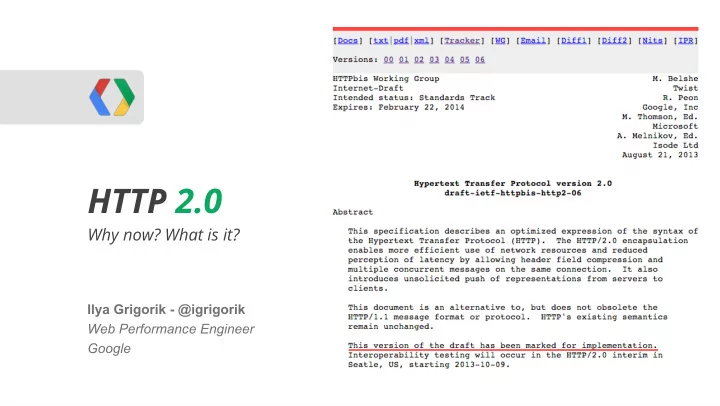
slide-2
SLIDE 2

HTTP 2.0 goals

  • Improve end-user perceived latency
  • Address the "head of line blocking"
  • Not require multiple connections
  • Retain the semantics of HTTP/1.1

"a protocol designed for low-latency transport

  • f content over the World Wide Web"
slide-3
SLIDE 3

@igrigorik

"1000 ms time to glass challenge"

Delay User reaction

0 - 100 ms Instant 100 - 300 ms Slight perceptible delay 300 - 1000 ms Task focus, perceptible delay 1 s+ Mental context switch 10 s+ I'll come back later...

  • Simple user-input must be acknowledged within ~100 milliseconds.
  • To keep the user engaged, the task must complete within 1000 milliseconds.

Ergo, our pages should render within 1000 milliseconds.

Speed, performance and human perception

slide-4
SLIDE 4

HTTP Archive

Content Type

Desktop Mobile

Avg # of requests Avg size Avg # of requests Avg size

HTML 10 56 KB 6 40 KB Images 56 856 KB 38 498 KB Javascript 15 221 KB 10 146 KB CSS 5 36 KB 3 27 KB Total 86+ 1169+ KB 57+ 711+ KB

Our applications are complex, and growing...

Ouch!

slide-5
SLIDE 5

Is the web getting faster? - Google Analytics Blog

Desktop: ~3.1 s Mobile: ~3.5 s

@igrigorik

"It’s great to see access from mobile is around 30% faster compared to last year."

slide-6
SLIDE 6

Great, network will save us?

Right, right? We can just sit back and...

slide-7
SLIDE 7

Average connection speed in Q4 2012: 5000 kbps+

State of the Internet - Akamai - 2007-2012

slide-8
SLIDE 8

Fiber-to-the-home services provided 18 ms round-trip latency on average, while cable-based services averaged 26 ms, and DSL-based services averaged 43 ms. This compares to 2011 figures of 17 ms for fiber, 28 ms for cable and 44 ms for DSL.

Measuring Broadband America - July 2012 - FCC

@igrigorik

slide-9
SLIDE 9

Worldwide: ~100 ms US: ~50~60 ms

Average RTT to Google in 2012 was...

slide-10
SLIDE 10
  • Improving bandwidth is "easy"...

60% of new capacity through upgrades in past decade + unlit fiber

"Just lay more fiber..."

  • Improving latency is expensive... impossible?

Bounded by the speed of light - oops!

We're already within a small constant factor of the maximum

"Shorter cables?"

$80M / ms

Latency is the new Performance Bottleneck

@igrigorik

slide-11
SLIDE 11

Latency vs. Bandwidth impact on Page Load Time

Average household in is running on a 5 Mbps+ connection. Ergo, average consumer would not see an improvement in page loading time by upgrading their connection. (doh!)

Bandwidth doesn't matter (much) - Google

@igrigorik

Single digit perf improvement after 5 Mbps

slide-12
SLIDE 12

Bandwidth doesn't matter (much)*

(for web browsing)

slide-13
SLIDE 13

And then there’s mobile...

Variable downloads speeds, spikes in latency… but why?

slide-14
SLIDE 14

Inbound packet flow

LTE HSPA+ HSPA EDGE GPRS AT&T core network latency 40-50 ms 50-200 ms 150-400 ms 600-750 ms 600-750 ms

slide-15
SLIDE 15

... all that to send a single TCP packet?

slide-16
SLIDE 16
  • OK. Latency is a problem.

But, how does it affect HTTP and web browsing in general?

slide-17
SLIDE 17

TCP Congestion Control & Avoidance...

  • TCP is designed to probe the network to figure out the available capacity
  • TCP does not use full bandwidth capacity from the start!

@igrigorik

TCP Slow Start is a feature, not a bug.

Congestion Avoidance and Control

slide-18
SLIDE 18

Let's fetch a 20 KB file via a low-latency link (IW4)...

  • 5 Mbps connection
  • 56 ms roundtrip time (NYC > London)
  • 40 ms server processing time

@igrigorik

Congestion Avoidance and Control

Plus DNS and TLS roundtrips

4 roundtrips, or 264 ms!

slide-19
SLIDE 19
  • No pipelining: request queuing
  • Pipelining*: response queuing

HTTP does not support multiplexing!

HOL client server

  • Head of Line blocking

○ It's a guessing game... ○ Should I wait, or should I pipeline?

@igrigorik

slide-20
SLIDE 20
  • 6 connections per host on Desktop
  • 6 connections per host on Mobile (recent builds)

So what, what's the big deal?

Lets just open multiple TCP connections! Easy, right..?

@igrigorik

slide-21
SLIDE 21

The (short) life of a web request

@igrigorik

  • (Worst case) DNS lookup to resolve the hostname to IP address
  • (Worst case) New TCP connection, requiring a full roundtrip to the server
  • (Worst case) TLS handshake with up to two extra server roundtrips!
  • HTTP request, requiring a full roundtrip to the server
  • Server processing time
slide-22
SLIDE 22

HTTP Archive says...

  • 1169 KB, 86 requests, ~15 hosts... or ~14 KB per request!
  • Most HTTP traffic is composed of small, bursty, TCP flows.

You are here 1-3 RTT's Where we want to be

@igrigorik

slide-23
SLIDE 23

3G (200 ms RTT) 4G (100 ms RTT)

Control plane (200-2500 ms) (50-100 ms) DNS lookup 200 ms 100 ms TCP Connection 200 ms 100 ms TLS handshake (optional) (200-400 ms) (100-200 ms) HTTP request 200 ms 100 ms Total time

800 - 4100 ms 400 - 900 ms

Anticipate network latency overhead

Let's fetch a 20 KB file via a 3G / 4G link...

x4 (slow start) One 20 KB HTTP request!

slide-24
SLIDE 24

Updates CWND from 3 to 10 segments, or ~14960 bytes. Default size on Linux 2.6.33+, but upgrade to 3.2+ for best performance.

An Argument for Increasing TCP's initial Congestion window

@igrigorik

slide-25
SLIDE 25

When there’s a will, there is a way...

web developers are an inventive bunch, so we came up with some “optimizations”

slide-26
SLIDE 26
  • Concatenating files (JavaScript, CSS)

Reduces number of downloads and latency overhead

Less modular code and expensive cache invalidations (e.g. app.js)

Slower execution (must wait for entire file to arrive)

  • Spriting images

Reduces number of downloads and latency overhead

Painful and annoying preprocessing and expensive cache invalidations

Have to decode entire sprite bitmap - CPU time and memory

  • Domain sharding

TCP Slow Start? Browser limits, Nah... 15+ parallel requests -- Yeehaw!!!

Causes congestion and unnecessary latency and retransmissions

  • Resource inlining

Eliminates the request for small resources

Resource can’t be cached, inflates parent document

30% overhead on base64 encoding

slide-27
SLIDE 27

… why not fix HTTP instead?

slide-28
SLIDE 28

(hopefully now you’re convinced we really need it)

  • Improve end-user perceived latency
  • Address the "head of line blocking"
  • Not require multiple connections
  • Retain the semantics of HTTP/1.1

HTTP 2.0 is a protocol designed for low-latency transport of content over the World Wide Web ...

slide-29
SLIDE 29

Brief history of HTTP 2.0...

1.

Jan 2012 Call for Proposals for HTTP/2.0

2.

Oct 2012 First draft of HTTP/2.0, based on draft-mbelshe-httpbis-spdy-00

3.

Jul 2013 First “implementation” draft (04) of HTTP 2.0

4.

Apr 2014 Working Group Last call for HTTP/2.0

5.

Nov 2014 Submit HTTP/2.0 to IESG for consideration as a Proposed Standard

@igrigorik

Earlier this month… interop testing in Hamburg!

  • ALPN patch landed for OpenSSL
  • Firefox implementation of 04 draft
  • Chrome implementation of 04 draft
  • Google GFE implementation of 04 draft (server)
  • Twitter implementation of 04 draft (server)
  • Microsoft (Katana) implementation of 04 draft (server)
  • Perl, C#, node.js, Java, Ruby, … and more.

Moving fast, and (for once), everything looks on schedule!

slide-30
SLIDE 30
  • One TCP connection
  • Request = Stream

Streams are multiplexed

Streams are prioritized

  • (New) binary framing layer

Prioritization

Flow control

Server push

  • Header compression

HTTP 2.0 in a nutshell

@igrigorik

slide-31
SLIDE 31

“... we’re not replacing all of HTTP — the methods, status codes, and most of the headers you use today will be the

  • same. Instead, we’re re-defining how it gets used “on the

wire” so it’s more efficient, and so that it is more gentle to the Internet itself ....”

  • Mark Nottingham (chair)
slide-32
SLIDE 32
  • Length-prefixed frames
  • Type indicates … type of frame

DATA, HEADERS, PRIORITY, PUSH_PROMISE, …

  • Each frame may have custom flags

e.g. END_STREAM

  • Each frame carries a 31-bit stream identifier

After that, it’s frame specific payload...

All frames have a common 8-byte header

@igrigorik

frame = buf.read(8) if frame_i_care_about do_something_smart else buf.skip(frame.length) end

slide-33
SLIDE 33
  • Common 8-byte header
  • Client / server allocate new stream ID

client: odd, server: even

Opening a new stream with HTTP 2.0 (HEADERS)

@igrigorik

  • Optional 31-bit stream priority field

Flags indicates if priority is present

2^31 is lowest priority

  • HTTP header payload

see header-compression-01

slide-34
SLIDE 34
  • Each side maintains “header tables”
  • Header tables are initialized with

common header key-value pairs

  • New requests “toggle” or “insert”

new values into the table

  • New header set is a “diff” of the

previous set of headers

  • E.g. Repeat request (polling) with exact

same headers incurs no overhead (sans frame header)

HTTP 2.0 header compression (in a nutshell)

@igrigorik

slide-35
SLIDE 35
  • Common 8-byte header
  • Followed by application data…
  • In theory, max-length = 2^16-1
  • To reduce head-of-line blocking: max frame size is 2^14-1 (~16KB)

Larger payloads are split into multiple DATA frames, last frame carries “END_STREAM” flag

Sending application data with … DATA frames.

@igrigorik

slide-36
SLIDE 36
  • Single TCP connection
  • Streams are multiplexed by splitting communication into frames

e.g. HEADERS, DATA, etc.

  • Frames are interleaved

Frames can be prioritized (by the server)

Frames can be flow controlled

  • In diagram above: 3 active streams, all client initiated (odd).

Basic data flow in HTTP 2.0...

@igrigorik

slide-37
SLIDE 37

We’re multiplexing multiple streams within a single TCP connection!

  • Priority signals to the server the relative order of each stream
  • Stream flow-control enables fine-grained resource control between streams
  • Connection flow-control enables resource control between connections (e.g. proxies)

Very simple mechanism...

  • Each stream and connection starts with 64KB window
  • (only) DATA frames decrement the window
  • Window size is updated by WINDOW_UPDATE frame

Stream / Connection flow-control

@igrigorik

slide-38
SLIDE 38

If the server knows you’ll need script.js, style.css, why not push it to the client?

  • Server initiates a stream via PUSH_PROMISE frame (similar to HEADERS)
  • Must send PUSH_PROMISE to avoid client race condition (i.e. requesting same resource)
  • Pushed resources are subject to same-origin policy
  • How do you know when to push? Good question...

Server push… aka, replacement to inlining!

@igrigorik

slide-39
SLIDE 39

HTTP Upgrade flow from HTTP 1.x

Alternatively, use ALPN + TLS negotiation:

1.

Client advertises in ClientHello

ProtocolNameList: http/2.0

2.

Server selects protocol and in ServerHello

ProtocolName: http/2.0

  • ALPN is the preferred negotiation method

for HTTP 2.0

Alas, proxies, intermediaries…

  • ALPN negotiation is protocol agnostic and can

be used for other applications also!

@igrigorik

GET /page HTTP/1.1 Host: server.example.com Connection: Upgrade Upgrade: HTTP/2.0 HTTP2-Settings: (SETTINGS payload) HTTP/1.1 200 OK Content-length: 243 Content-type: text/html (... HTTP 1.1 response ...) (or) HTTP/1.1 101 Switching Protocols Connection: Upgrade Upgrade: HTTP/2.0 (... HTTP 2.0 response ...)

slide-40
SLIDE 40
  • Optimizing TCP server stacks
  • Optimizing TLS deployments
  • Optimizing for mobile networks
  • HTTP 2.0 features, framing, deployment...
  • XHR, SSE, WebSocket, WebRTC, ...

For an in-depth discussion on all of the above... http://bit.ly/1fgTOsj

</shameless self promotion>

slide-41
SLIDE 41

So, where does that leave us?

sounds great and all, but how do we adapt and adopt HTTP 2.0?

Let’s work bottom up...

slide-42
SLIDE 42

Application HTTP 1.x - 2.0 TLS TCP

  • Upgrade kernel: Linux 3.2+
  • IW10 + disable slow start after idle
  • TCP window scaling
  • Position servers closer to the user
  • Reuse established TCP connections
  • Compress transferred data
  • ....

Radio Wired Wi-Fi Mobile

2G, 3G, 4G

slide-43
SLIDE 43

Application HTTP 1.x - 2.0 TLS TCP

  • Upgrade TLS libraries
  • Use session caching / session tickets
  • Early TLS termination (CDN)
  • Optimize TLS record size
  • Optimize certificate size
  • Disable TLS compression
  • Configure SNI support
  • Use HTTP Strict Transport Security
  • ....

Radio Wired Wi-Fi Mobile

2G, 3G, 4G

slide-44
SLIDE 44

Application HTTP 1.x - 2.0 TLS TCP

HTTP 1.x hacks:

  • Concatenate files (CSS, JS)
  • Sprite small images
  • Shard assets across origins
  • Minimize protocol overhead
  • Inline assets
  • ....

Radio Wired Wi-Fi Mobile

2G, 3G, 4G

slide-45
SLIDE 45

Application HTTP 1.x - 2.0 TLS TCP

HTTP 2.0 to the rescue!

  • Unshard your assets (step 1)
  • Undo other HTTP 1.x hacks... :-)
  • Leverage server push
  • ....
  • Simpler applications, faster

delivery, better caching, fewer server resources… \o/

Radio Wired Wi-Fi Mobile

2G, 3G, 4G

slide-46
SLIDE 46
  • Full request & response multiplexing
  • Mechanism for request prioritization
  • Stream and connection flow control
  • Many small files? No problem
  • Better TCP throughput
  • Fewer TCP connections
  • More efficient use of server resources
  • Low overhead HTTP transfers

Header compression

Binary framing

Benefits

@igrigorik

Opportunities

  • Develop smarter servers

Improved prioritization

Stream flow control

Smart resource push (mobile!)

  • Develop smarter clients

Low latency, low overhead ...

Eliminate other RPC layers …

Ready to use if you control both client and server

  • Help sites/apps migrate to HTTP 2.0

HTTP 1.x will be around for a while

Smart proxies / load balancers

slide-47
SLIDE 47

Ilya Grigorik - @igrigorik igvita.com Slides @ http://bit.ly/18ZaMd7

Questions?

http://bit.ly/1fgTOsj

slide-48
SLIDE 48

Can haz SPDY?

Apache, nginx, Jetty, node.js, ...

slide-49
SLIDE 49
  • Chrome, since forever..

Chrome on Android + iOS

  • Firefox 13+
  • Next stable release of Opera

Server

  • mod_spdy (Apache)
  • nginx
  • Jetty, Netty
  • node-spdy
  • ...

Who supports SPDY?

3rd parties

  • Twitter
  • Wordpress
  • Facebook*
  • Akamai
  • Contendo
  • F5 SPDY Gateway
  • Strangeloop
  • ...

All Google properties

  • Search, GMail, Docs
  • GAE + SSL users
  • ...

@igrigorik

slide-50
SLIDE 50

Apache + SPDY

  • mod_spdy is an open-source Apache module
  • drop in support for SPDY

SDK

@igrigorik

slide-51
SLIDE 51

Installing mod_spdy in your Apache server

  • Configure mod_proxy + mod_spdy: https://gist.github.com/3817065

Enable SPDY for any backend app-server

SPDY connection is terminated by Apache, and Apache speaks HTTP to your app server $ sudo dpkg -i mod-spdy-*.deb $ sudo apt-get -f install $ sudo a2enmod spdy $ sudo service apache2 restart

1 2

Profit

@igrigorik

slide-52
SLIDE 52

Building nginx with SPDY support

$ wget http://openssl.org/source/openssl-1.0.1c.tar.gz $ tar -xvf openssl-1.0.1c.tar.gz $ wget http://nginx.org/download/nginx-1.3.4.tar.gz $ tar xvfz nginx-1.3.4.tar.gz $ cd nginx-1.3.4 $ wget http://nginx.org/patches/spdy/patch.spdy.txt $ patch -p0 < patch.spdy.txt

1 2

@igrigorik

$ ./configure ... --with-openssl='/software/openssl/openssl-1.0.1c' $ make $ make install

3

Profit

http://blog.bubbleideas.com/2012/08/How-to-set-up-SPDY-on-nginx-for-your-rails-app-and-test-it.html

slide-53
SLIDE 53

node.js + SPDY

var spdy = require('spdy'), fs = require('fs'); var options = { key: fs.readFileSync(__dirname + '/keys/spdy-key.pem'), cert: fs.readFileSync(__dirname + '/keys/spdy-cert.pem'), ca: fs.readFileSync(__dirname + '/keys/spdy-csr.pem') }; var server = spdy.createServer(options, function(req, res) { res.writeHead(200); res.end('hello world!'); }); server.listen(443);

1

@igrigorik

2

Profit

https://github.com/indutny/node-spdy

slide-54
SLIDE 54

Jetty + SPDY

1

@igrigorik

http://www.smartjava.org/content/how-use-spdy-jetty

Copy X pages of maven XML configs

2

Add NPN jar to your classpath

3

Wrap HTTP requests in SPDY, or copy copius amounts of XML... ...

N

Profit

I <3 Java :-)

slide-55
SLIDE 55
  • Chrome, since forever..

Chrome on Android + iOS

  • Firefox 13+
  • Opera 12.10+

Server

  • mod_spdy (Apache)
  • nginx
  • Jetty, Netty
  • node-spdy
  • ...

How do I use HTTP 2.0 today? Use SPDY...

3rd parties

  • Twitter
  • Wordpress
  • Facebook
  • Akamai
  • Contendo
  • F5 SPDY Gateway
  • Strangeloop
  • ...

All Google properties

  • Search, GMail, Docs
  • GAE + SSL users
  • ...

@igrigorik

slide-56
SLIDE 56
  • Chrome SPDY indicator
  • Firefox indicator
  • Opera indicator

SPDY indicator(s)

@igrigorik

In Chrome console:

slide-57
SLIDE 57

chrome://net-internals#spdy

@igrigorik

Try it @ https://spdy.io/ - open the link, then head to net-internals & click on stream-id