Grant Applications Carrie McDougall, Ph.D. Senior Program Manager - - PowerPoint PPT Presentation

grant applications
SMART_READER_LITE
LIVE PREVIEW

Grant Applications Carrie McDougall, Ph.D. Senior Program Manager - - PowerPoint PPT Presentation

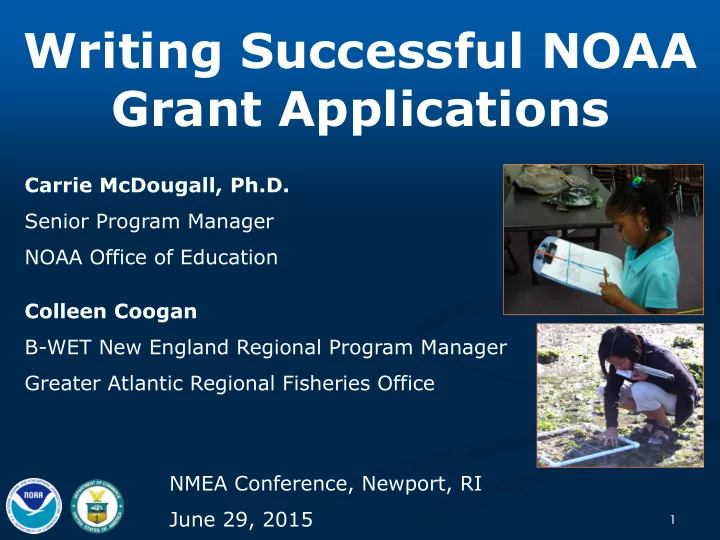
Writing Successful NOAA Grant Applications Carrie McDougall, Ph.D. Senior Program Manager NOAA Office of Education Colleen Coogan B-WET New England Regional Program Manager Greater Atlantic Regional Fisheries Office NMEA Conference, Newport,


slide-1
SLIDE 1

Writing Successful NOAA Grant Applications

Carrie McDougall, Ph.D. Senior Program Manager NOAA Office of Education Colleen Coogan B-WET New England Regional Program Manager Greater Atlantic Regional Fisheries Office NMEA Conference, Newport, RI June 29, 2015

1

slide-2
SLIDE 2

A disclaimer…

This presentation is NOT:

 A guarantee of approval of any application  A guarantee that your application will receive a high

score

 An endorsement of any type of program by NOAA  The sole source of information about federal funding

  • pportunities administered by NOAA

 The sole source of technical assistance regarding the

competitive application process

2

slide-3
SLIDE 3

Background on ELG and B-WET

3

slide-4
SLIDE 4

Environmental Literacy Grants (ELG)

GOAL: to increase understanding and use of environmental information to promote stewardship and informed decision making by a diverse pool of educators, students and the public

A competitive grants program for K-12 and informal science education

Funded projects utilize NOAA assets and typically partner with a part of NOAA

Began in 2005

88 funded projects = $42M

Annual average: 8.8 awards, $4.2M total

Average of 90* applications and ~$42M requested per RFA

Typical funding rate: 9%

http://www.oesd.noaa.gov/grantprog.html

4

* Full apps only

slide-5
SLIDE 5
  • Enviro. Lit. Grants

1-5 year awards

$100,000-$1.5M awards

(current award levels at $250K-$500K)

Federal entities, foreign

  • rganizations, and for-profits ineligible

Types of projects funded:

Civic Engagement

Data Visualization & Interpretation

Service Learning

Teacher PD (in-service & pre-service)

Citizen Science

Science On a Sphere & Other spheres

Museum Exhibits

Curriculum Development

Audiences: Public, informal and K-12 educators, K-12 students http://www.oesd.noaa.gov/elg_projects.html

5

Science On a Sphere viewers at Discovery Science Center, ELG

slide-6
SLIDE 6
  • Enviro. Lit. Grants: 2015 Competition

6

www.oesd.noaa.gov/grants/elg.html

Projects will…

  • strengthen the public’s and/or K-12 students’ environmental literacy to

enable informed decision-making necessary for community resilience to extreme weather events and environmental changes

  • focus on geographic awareness and an understanding of Earth systems

related to the threats and vulnerabilities associated with a community’s location

  • be based on the latest science about the threats and vulnerabilities

facing communities and consider socio-economic and ecological factors

  • actively engage participants in learning about and addressing real-

world issues

  • utilize NOAA’s vast scientific data, data access tools, data

visualizations, and/or other physical and intellectual assets available on these topics The target audiences are:

  • the public, K-12 students, informal educators and formal educators
slide-7
SLIDE 7

Bay-Watershed Education and Training (B-WET) Program

 Goal: Use outdoor, place-based,

hands-on learning experiences to increase understanding and stewardship of our marine and coastal resources, integrate classroom instructional requirements with meaningful outdoor experiential learning

 Seven regions: California,

Chesapeake Bay, Great Lakes, Gulf of Mexico, Hawai’i, New England, Pacific Northwest

 All programs focus on Meaningful

Watershed Educational Experiences (MWEEs)

7 7

slide-8
SLIDE 8

Meaningful Watershed Educational Experiences

B-WET supported MWEEs for ~69,000 students with 2014 grant funding:

Preparation, action & reflection

Aligned with standards

Utilizing NOAA sciences/assets

Hands on, investigative, project-oriented

B-WET supported MWEE professional development for ~2,600 teachers with 2014 grant funding:

Aim for minimum 3-day professional development including outdoors

Adequate reflection/follow up/support

Incentives (stipends, continuing credits)

Since 2002 NOAA has awarded over $63 million to support more than 600 projects.

8

slide-9
SLIDE 9

B-WET Competitive Awards

 Priority areas are defined

annually in FFO (vary by region):

 Student MWEEs  Teacher Professional Development  Local priorities as defined by regions

 Funding:

 1 to 3 years  $10K - ~$200K annually

 Eligible organizations:

 K-12 schools & school divisions,

colleges, state & local agencies, tribal governments, and non-profits

9

http://www.oesd.noaa.gov/grants/bwet.html

slide-10
SLIDE 10

Future Challenges for NOAA’s Education Programs

 Federal STEM Education Consolidation

 Neither B-WET nor ELG in President’s Budget

Request

 FY16 Appropriations Uncertainty

 ELG/Competitive Education Grants not

mentioned in the FY16 House Mark

 B-WET flat funded at $7.2M  Possible continuing resolution to fund govt

 General: Uncertain support for environmental

education or informal science education

10

slide-11
SLIDE 11

Preparing to Apply

11

slide-12
SLIDE 12

Review & Selection Process Overview

FFO published Applications due;

  • Min. req. checked

Find reviewers + Assign applications Collect reviews Panel Meeting Selection Official reviews panel advice Agency’s grants

  • ffice makes award

12

slide-13
SLIDE 13

Finding Federal Grants: Grants.gov

13

slide-14
SLIDE 14

Federal Funding Opportunity (FFO) Announcement

14

slide-15
SLIDE 15

First Steps

Get registered with Grants.gov and SAM.gov

READ (carefully) the funding announcement (FFO)

Participate in informational teleconference (if available)

Review additional information provided on associated websites (FAQ, templates, etc.)

Pay attention to evaluation criteria to make sure your project is appropriate

Be prepared to tailor your application to the specific funding opportunity (don’t submit a application written for another agency announcement without major revision) The following slides contain general guidelines and tips for preparing an application, but always refer to a specific FFO for details on format and content of a specific opportunity. Requirements can vary a great deal between competitions in different years and even between regions (for B-WET) in a single year.

15

slide-16
SLIDE 16

Are you ready to apply for a grant?

 Need – What is the need for your project?  Target Audience – Who will you be working with and how

will you engage them?

 Impact and Evaluation– What is the anticipated impact

  • f your project and how will you measure it?

 Timeline – Are you sure what you plan can be accomplished

in the given timeframe?

 Sustainability – Can the project be sustained beyond the

period of the grant and does it have a lasting impact?

 Workload – Have you considered the workload impacts of

applying and the follow-on grant management?

16

slide-17
SLIDE 17

Key Aspects of an Application

 The following slides review some of the main

elements of an application

 ALWAYS refer to FFO for specific requirements

and format

17

slide-18
SLIDE 18

Project Description

Describe in detail what your project will achieve:

 What: goals and objectives  Why: need for your project  Who: target audience,

location

 How: plan of action, and

lasting impacts Compare to FFO reviewer evaluation criteria and make sure it fits

18

Reaching Out to Communities and Kids with Science in San Francisco, San Francisco State University, California B-WET

slide-19
SLIDE 19

Qualifications of the Applicant

 Describe ability of

  • rganization

to successfully implement and manage proposed project

 Highlight organization’s

expertise, past experience, and qualifications

  • f key staff

 Resumes/CVs are required

19

CoCoRaHS: Family citizen science program, PI: CO State Climatologist, ELG

slide-20
SLIDE 20

Budget

 Make sure to show the basis for your

costs: provide clearly delineated description of costs

 Make sure it adds up & is not over the max

  • r below the minimum

 Look at where your money is allocated and

what this says about the project

 There are budget templates or models

available

 Include documentation of indirect cost rate

agreement

20

slide-21
SLIDE 21

Project Evaluation

 Explain your plans for meeting the goals and objectives

  • f your project and for tracking and measuring progress
  • n your outputs and your short-term outcomes

 Use specific and appropriate approaches to project

evaluation

 Plans may be quantitative and/or qualitative and may

include, for example, evaluation tools, observation, or

  • utside consultation

 Include appropriate funds for evaluation in the budget  Identify your evaluator and include them in the writing

team

 Reviewers will not be impressed by broad outcomes that

evaluation is not assessing

21

slide-22
SLIDE 22

Outreach and Dissemination

 Projects should include

significant external sharing and communication

 How are experiences or

results/lessons learned shared with peers and

  • thers in the

community?

22

An elementary student interviews a Hawaiian elder “kupuna,” about traditional marine resource

  • management. Kupuna Wisdom

Project, Community Conservation Network, Hawaii B-WET

slide-23
SLIDE 23

Partnerships

 Partnerships among multiple organizations or

networks of organizations are typically a component of full-scale implementation

 Include commitment letters from partners

detailing their role in and/or funding of project

 Do NOT include

letters of general endorsement

23

Marine Mammal Institute: North Carolina informal science educators learning about marine mammals and climate change, ELG

slide-24
SLIDE 24

Incorporate NOAA Assets

Applicants must utilize NOAA assets in delivery of program

 NOAA staff  NOAA facilities & protected

natural areas

 NOAA data  NOAA education resources:

 Online Tutorials  In-depth Curriculum  Individual Lesson Plans

24

ACES: K-12 students learning about marine animal migration and NOAA data, ELG

slide-25
SLIDE 25

25

www.education.noaa.gov

slide-26
SLIDE 26

26

http://www.education.noaa.gov/Special_Topics/NOAA_in_Your_Backyard.html

slide-27
SLIDE 27

NOAA Assets

27

http://www.oesd.noaa.gov/grants/NOAA_assets.html

slide-28
SLIDE 28

“Ocean Today” Video Assets

Ocean Today program is a free educational resource consisting of permanent touch-screen kiosk installations, a portable touch-screen version, and a website

Content geared toward a general family audience at a 6th grade reading level and aligns with the Essential Principles of Ocean Sciences

12-14 new videos added every year with over 200 available at:

  • ceantoday.noaa.gov (113 in Spanish)

Each video is short (<3 minutes) with one key take-away message

Kiosk are currently in 35 locations in 4 countries – in aquariums, science centers, museums and visitors centers

slide-29
SLIDE 29

Questions?

Carrie McDougall, Ph.D.

Senior Program Manager NOAA Office of Education carrie.mcdougall@noaa.gov

Colleen Coogan

B-WET New England Regional Program Manager NOAA Greater Atlantic Regional Fisheries Office Colleen.Coogan@noaa.gov

29

Additional Resources:

  • This presentation and Dos and Don’ts handout are available
  • nline:

http://www.oesd.noaa.gov/grants/elg.html#page=resources

slide-30
SLIDE 30

Additional Resources and Backup Slides

30

slide-31
SLIDE 31

General Tips and Guidance

31

slide-32
SLIDE 32

Respond to Announcement and Follow Directions

Know the Granting Organization

 Philosophy & Priorities

Know the Process

 Grant Criteria & Guidelines  Deadlines

Know Your Project

 Detailed Project Summary, including deliverables  Detailed Budget

Make a compelling argument

 Provide sufficient detail, follow reviewer evaluation criteria

Don’t assume the reviewer knows your project/organization

Call the federal program officer AFTER YOU HAVE READ THE FFO if you continue to have questions

32

slide-33
SLIDE 33

Carefully Format & Organize the Text

 Follow the suggested project format  Make succinct statements on project goals

& deliverables. Provide necessary detail to back up the summary

 Use bullets, headers, text boxes, etc. to

  • rganize and emphasize key points

 Proofread to reduce redundancy and

grammatical errors

 See handout for a summary of “Dos and

Don’ts”

33

slide-34
SLIDE 34

Preparing a B-WET Grant Application

There are resources at the site below help you prepare to submit an application for B-WET grant funding. Please note that some regions offer grant- writing workshops for prospective

  • applicants. Please see regional websites or

contact the program manager for your region for more information.

http://www.oesd.noaa.gov/grants/bwet.html#page=resources

34

slide-35
SLIDE 35

ELG Minimum Requirements*

 Application was received on time  Applicant is eligible  Budget request & project duration are within the

min and max limits

 Forms: SF-424, SF-424a, SF-424b  Title Page/Executive Summary  Project Description does not exceed page limits  Format OK, e.g., letter-sized paper, font size  Milestones/Timeline  Resume & Current & Pending support for PI  Budget Narrative (Justification) & Table

* always refer to FFO for details

35

slide-36
SLIDE 36

Budget: Cost Categories

Budgets should be thought about in cost categories

Cost categories help think through actual costs

 If you cannot break request down into this level of detail, you

probably need to think more about the project!

Common Cost Categories include:

 Personnel: Salary for staff directly involved in project. Provide #

  • f hours or % of time.

 Fringe benefits: Benefits for staff requested in Personnel category.

Usually % of personnel.

 Travel: Mileage, busses, overnight accommodations, etc.  Equipment: Big equipment - generally any item priced over $5000

per unit (not cumulative)

 Supplies: All other “equipment” and supplies  Contractual: Any contracted services (Example: outside evaluator)  Indirect charges: “The cost of doing business” – phones, facilities,

internet, etc.

36
slide-37
SLIDE 37

Milestones/Timeline

 Include a project schedule that indicates when each

action, event, milestone, product development, and evaluation will occur.

S A M P L E

37

slide-38
SLIDE 38

A helpful tool that can be used in project planning, implementation, and assessment

Logic Models

More information available at: http://chesapeakebay.noaa.gov/bay-watershed-education-and- training-b-wet/evaluation http://sanctuaries.noaa.gov/education/evaluation/evaluation.html

S A M P L E

38