Functionalities & Recommended If you type the wrong password - - PDF document

functionalities recommended
SMART_READER_LITE
LIVE PREVIEW

Functionalities & Recommended If you type the wrong password - - PDF document

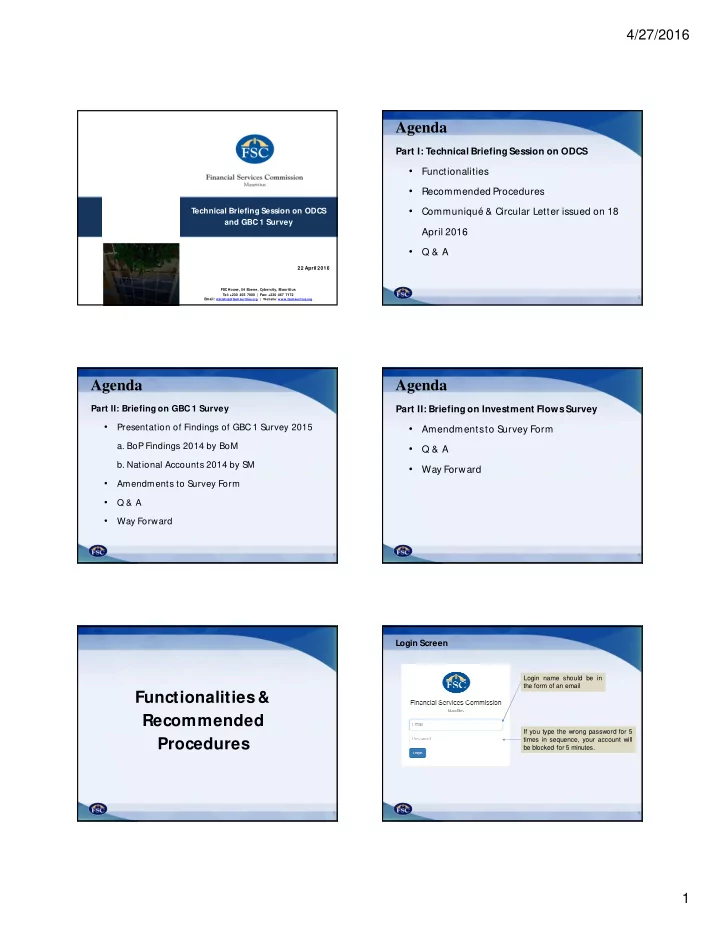
4/27/2016 Agenda Part I: Technical Briefing Session on ODCS Functionalities Recommended Procedures Technical Briefing Session on ODCS Communiqu & Circular Letter issued on 18 and GBC 1 Survey April 2016 Q & A


slide-1
SLIDE 1

4/27/2016 1

FSC House, 54 Ebene, Cybercity, M auritius Tel: +230 403 7000 | Fax: +230 467 7172 Email: statistics@fscmauritius.org | Website: www.fscmauritius.org

Technical Briefing Session on ODCS and GBC 1 Survey

22 April 2016

Agenda

2

Part I: Technical Briefing Session on ODCS

  • Functionalities
  • Recommended Procedures
  • Communiqué & Circular Letter issued on 18

April 2016

  • Q & A

Agenda

3

Part II: Briefing on GBC 1 Survey

  • Presentation of Findings of GBC 1 Survey 2015
  • a. BoP Findings 2014 by BoM
  • b. National Accounts 2014 by SM
  • Amendments to Survey Form
  • Q & A
  • Way Forward

Agenda

4

Part II: Briefing on Investment Flows Survey

  • Amendments to Survey Form
  • Q & A
  • Way Forward

Functionalities & Recommended Procedures

5

Login Screen

6

Login name should be in the form of an email If you type the wrong password for 5 times in sequence, your account will be blocked for 5 minutes.

slide-2
SLIDE 2

4/27/2016 2

7

M ain Screen

8

Company Profile

Contact details to be managed by you

9

Licence Details

10

M ain Screen

11

Entities under Admin

  • Data will be maintained by the Commission;
  • In general, data will be updated on a monthly basis ;
  • However, if you suspect an inconsistency lasting over one month, please contact

us

12

M ain Screen

slide-3
SLIDE 3

4/27/2016 3

13

User Access M anagement (UAM )

Manage group permissions Manage groups Manage users

14

UAM – Creating Groups

15

UAM – Assigning Entities to Groups of Users

16

UAM – Assigning Permissions

Manage group permissions

17

UAM – Assigning Permissions

Compiler Supervisor

18

Survey Completion – Reporting Types

There are 3 types of reporting

  • 1. EXCEL Template only – For e.g., CPIS
  • 2. EXCEL Template + Attachment – For e.g., Audited Financial Statements
  • 3. Attachment only – For e.g., Consultation
slide-4
SLIDE 4

4/27/2016 4

19

Survey Completion – Own Account

Reporting

  • n
  • wn

account

  • Contact details stored in Company Profile will receive a mail notification

20

Survey Completion – Entities Under M anagement

Reporting on entities under management

21

Survey Completion – Submission Dashboard

22

Submission Dashboard – Tools

23

Survey Completion – Submission Dashboard

24

Survey Completion – Submission Dashboard

  • You cannot delete / add rows
  • You cannot upload a Template

which you downloaded for another company

  • You can add new sheets to

include your workings

slide-5
SLIDE 5

4/27/2016 5

25

Survey Completion – Submission Dashboard

26

Survey Completion – Additional Information

  • It is not possible to resubmit when submission status is

“Submitted”. You will need to inform the Commission, should you need to submit a revised return.

  • In case, you are unable to submit your returns through

the platform you need to contact immediately a relevant

  • fficer at the Commission after you have ensured that
  • User (who is making the submission) is granted the relevant

rights to submit to FSC; and

  • The right template is being used.
  • The Commission will create ONLY one administrator

user for each licensee.

Agenda

27

Part II: Briefing on GBC 1 Survey

  • Presentation of Findings of GBC 1 Survey

2015

a. BoP Findings 2014 by BoM b. National Accounts 2014 by SM

  • Amendments to Survey Form (BoM , SM & FSC)
  • Q & A
  • Way Forward

Agenda

28

Part II: Briefing on Investment Flows Survey

  • Amendments to Survey Form
  • Q & A
  • Way Forward

29

THANK YOU FOR YOUR KIND ATTENTION Email: statistics@fscmauritius.org

For more information, you may wish to visit our website: www.fscmauritius.org

Click on Media and Publications followed by Statistics and Surveys