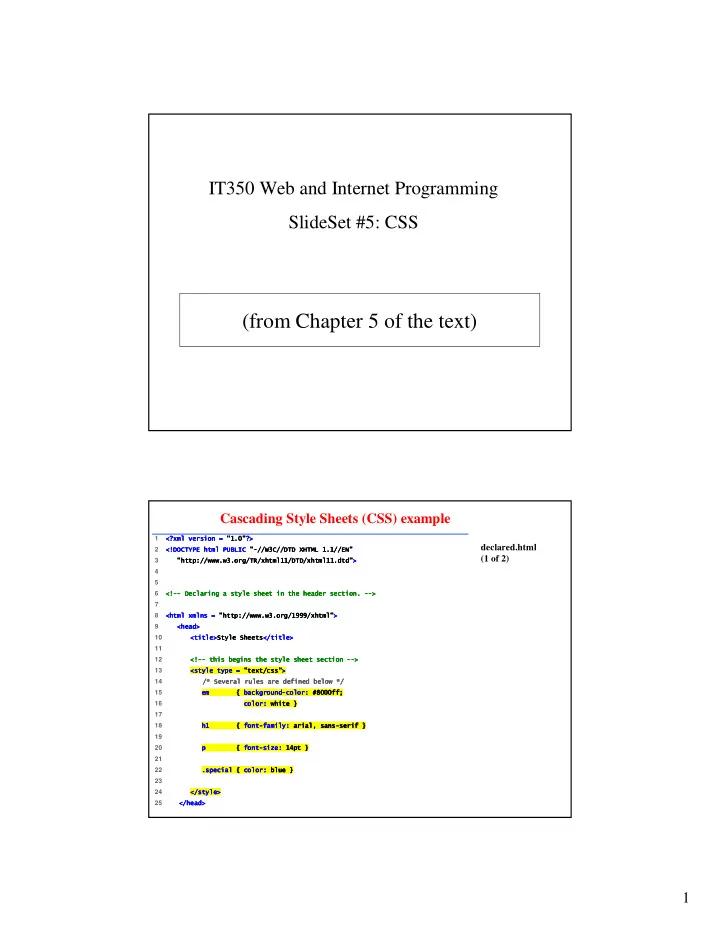
(from Chapter 5 of the text) Cascading Style Sheets (CSS) example 1 - - PDF document

from chapter 5 of the text
SMART_READER_LITE
LIVE PREVIEW

(from Chapter 5 of the text) Cascading Style Sheets (CSS) example 1 - - PDF document

IT350 Web and Internet Programming SlideSet #5: CSS (from Chapter 5 of the text) Cascading Style Sheets (CSS) example 1


slide-1
SLIDE 1

1

(from Chapter 5 of the text)

IT350 Web and Internet Programming SlideSet #5: CSS

declared.html (1 of 2)

1

  • 2 !

! ! !

  • "

" " "##$%##&'( ##) ##$%##&'( ##) ##$%##&'( ##) ##$%##&'( ##)

  • 3
  • *+##,,,,%-#.###//

*+##,,,,%-#.###// *+##,,,,%-#.###// *+##,,,,%-#.###//

  • 4

5

  • 6
  • ""

"" "" ""01-121 01-121 01-121 01-121/0 /0 /0 /0"" "" "" ""

  • 7

8

  • *+##,,,,%-#333#

*+##,,,,%-#333# *+##,,,,%-#333# *+##,,,,%-#333#

  • 9 1/

1/ 1/ 1/

  • 10
  • 424

424 424 424# # # #

  • 11

12

  • ""

"" "" ""5-20 5-20 5-20 5-20"" "" "" ""

  • 13
  • 22*

22* 22* 22*#0 #0 #0 #0

  • 14 #64171/8/5,6#

#64171/8/5,6# #64171/8/5,6# #64171/8/5,6# 15

  • 9

9 9 9510:-7/ 510:-7/ 510:-7/ 510:-7/" " " "0+ 0+ 0+ 0+

  • ;<88

;<88 ;<88 ;<88= = = =

  • 16
  • 0+

0+ 0+ 0+

  • ,

, , ,> > > >

  • 17

18

  • 9

9 9 98 8 8 8" " " "812+ 812+ 812+ 812+

  • 11?1

11?1 11?1 11?1" " " "8 8 8 8> > > >

  • 19

20

  • *

* * *9 9 9 98 8 8 8" " " "@+ @+ @+ @+

  • A*

A* A* A*> > > >

  • 21

22

  • *01

*01 *01 *019 9 9 90+ 0+ 0+ 0+

  • 57

57 57 57> > > >

  • 23

24

  • #2

#2 #2 #2

  • 25 #1/

#1/ #1/ #1/

  • Cascading Style Sheets (CSS) example
slide-2
SLIDE 2

2

Key Questions I. Where can we specify style? II. How to “select” what parts of a page the style applies to?

  • III. How can we specify specific style values?

3 Locations for Style

1. Inline

<p style = "font-size: 20pt" > … </p>

2. Embedded style sheet (in <head>)

<head> … <style type="text/css" > p { font-size: 20 pt} </style>

3. External style sheet

<head> … <link rel="stylesheet" type="text/css" href="styles.css" />

I.

slide-3
SLIDE 3

3

CSS Selectors: automatically applied

<style type = "text/css"> p { font-size: 20pt} h1, h2 { font-size: 30pt} li em { color: red; font-weight: bold } a:hover { text-decoration: underline; color: red; } </style>

II.

CSS Selectors: manually applied

<head> …<style type = "text/css"> a.nodec { text-decoration: none } .crazy { font-size: 40pt; color: red } #fineprint { font-size:8pt } </style> </head> <body> … <a class="nodec" href="links.html"> … <h1 class="crazy"> … <div id="fineprint"> …

II.

slide-4
SLIDE 4

4

What styles can I apply?

  • font-family, font-size, font-style, font-

weight

  • text-decoration (line-through, overline,

underline, none)

  • list-style-type (disc, square, circle, url)
  • color, background-color
  • text-align (left, center, right, justify)
  • float (left, right, none)
  • border-style, border-width, margin, padding

– margin-left, margin-right, etc.

  • background-image

Many more… III.

Examples of property values/units Predefined – xx-small, x-small, small, smaller, medium, large, x-large, xx-large 40% (of current size or screen size) 2em (height of M) 3ex (height of x) 10px 12pt = 1 pc 23in 17cm 92mm

III.

slide-5
SLIDE 5

5

Color “color: yellow” black, white, red, blue, … “color: rgb(255, 255, 0)” “color: #FFFF00” “Web-safe colors”? Only use hex values:

III. Exercise #1: Write an embedded stylesheet that will…

  • 1. Make every <h1> and <h2> section have 20pt

size text

  • 2. Put lines above all links instead of under them
  • 3. Define a generic selector called “cat" that will

italicize text

slide-6
SLIDE 6

6

Exercise #2: Write an external stylesheet that will…

  • 1. Using some relative size, make all <h3> text

twice as large as <h4> text

  • 2. Make normal paragraphs that are nested inside a

table appear in bold. Exercise #3: Where’s the bug?

/* styles.css */ td {background-color: green; color: white} th {background-color: green; color: red} a {font-weight: bold; text-decoration: none} table {margin-left: 5em, border-style: groove, border-width: thick} div {border-style: inset; border-width: thick} .crazy {color: yellow; font-weight:700} .mild {color: gray; text-decoration: underline}

slide-7
SLIDE 7

7

Exercise #4

  • Write XHTML, with inline CSS, to re-create this:

W3C CSS Validation Service

  • Fig. 6.7

CSS validation results. (Courtesy of World Wide Web Consortium (W3C).)

http://jigsaw.w3.org/css-validator

slide-8
SLIDE 8

8

div and span

<p> A very <span class="verybold">important </span> announcement follows… </p> <div class="links"> <p> … <p> … <p> … </div>

Centering Secrets

  • Stylesheet:

.tcenter {text-align: center} .dcenter {margin-left: auto; margin-right: auto; text-align: center}

  • Usage:

<h1 class=“tcenter”> <table class=“dcenter”> …</table> <div class=“dcenter”> <img> … </img> </div>