Firewalls Network Security: Firewalls, A system or combination of - - PDF document

firewalls network security firewalls
SMART_READER_LITE
LIVE PREVIEW

Firewalls Network Security: Firewalls, A system or combination of - - PDF document

Firewalls Network Security: Firewalls, A system or combination of systems VPNs, and Honeypots that enforces a boundary between two CS 239 or more networks - NCSA Firewall Functional Summary Computer Security Usually, a


slide-1
SLIDE 1

1

Lecture 14 Page 1 CS 239, Winter 2005

Network Security: Firewalls, VPNs, and Honeypots CS 239 Computer Security March 7, 2005

Lecture 14 Page 2 CS 239, Winter 2005

Firewalls

  • “A system or combination of systems

that enforces a boundary between two

  • r more networks” - NCSA Firewall

Functional Summary

  • Usually, a computer that keeps the bad

guys out

Lecture 14 Page 3 CS 239, Winter 2005

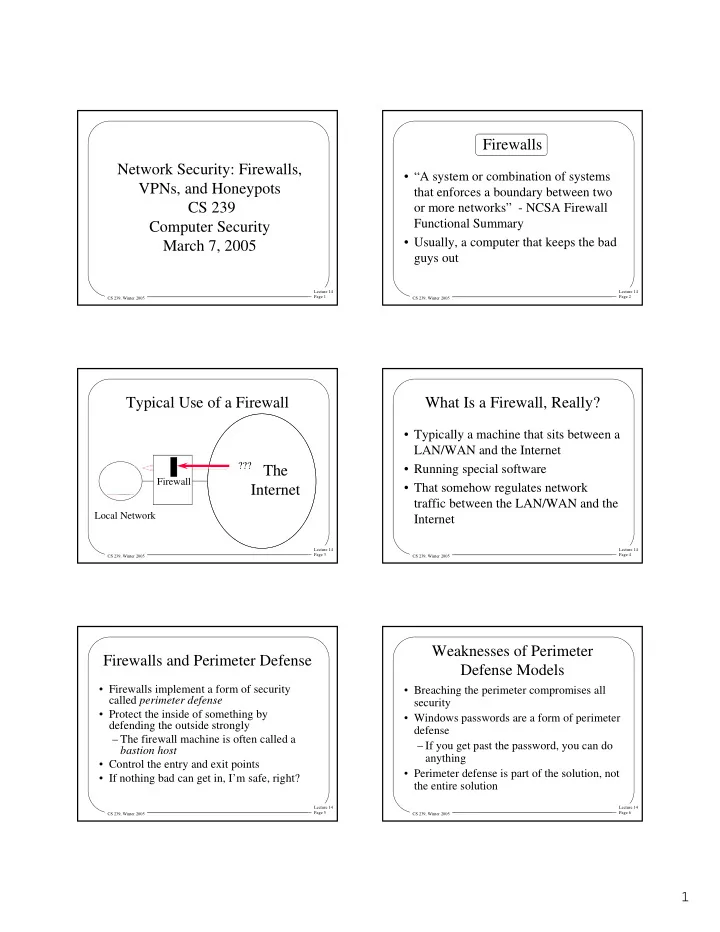
Typical Use of a Firewall

Local Network

The Internet

??? Firewall ???

Lecture 14 Page 4 CS 239, Winter 2005

What Is a Firewall, Really?

  • Typically a machine that sits between a

LAN/WAN and the Internet

  • Running special software
  • That somehow regulates network

traffic between the LAN/WAN and the Internet

Lecture 14 Page 5 CS 239, Winter 2005

Firewalls and Perimeter Defense

  • Firewalls implement a form of security

called perimeter defense

  • Protect the inside of something by

defending the outside strongly – The firewall machine is often called a bastion host

  • Control the entry and exit points
  • If nothing bad can get in, I’m safe, right?

Lecture 14 Page 6 CS 239, Winter 2005

Weaknesses of Perimeter Defense Models

  • Breaching the perimeter compromises all

security

  • Windows passwords are a form of perimeter

defense – If you get past the password, you can do anything

  • Perimeter defense is part of the solution, not

the entire solution

slide-2
SLIDE 2

2

Lecture 14 Page 7 CS 239, Winter 2005

Weaknesses of Perimeter Defense

Lecture 14 Page 8 CS 239, Winter 2005

Defense in Depth

  • An old principle in warfare
  • Don’t rely on a single defensive

mechanism or defense at a single point

  • Combine different defenses
  • Defeating one defense doesn’t defeat

your entire plan

Lecture 14 Page 9 CS 239, Winter 2005

So What Should Happen?

Lecture 14 Page 10 CS 239, Winter 2005

Or, Better

Lecture 14 Page 11 CS 239, Winter 2005

Or, Even Better

Lecture 14 Page 12 CS 239, Winter 2005

So Are Firewalls Any Use?

  • Definitely!
  • They aren’t the full solution, but they

are absolutely part of it

  • Anyone who cares about security

needs to run a decent firewall

  • They just have to do other stuff, too
slide-3
SLIDE 3

3

Lecture 14 Page 13 CS 239, Winter 2005

Types of Firewalls

  • Filtering gateways

– AKA screening routers

  • Circuit gateways

– Also a kind of screening router

  • Application level gateways

– AKA proxy gateways

  • Hybrid (complex) gateways

Lecture 14 Page 14 CS 239, Winter 2005

Filtering Gateways

  • Based on packet routing information
  • Look at information in the incoming

packets’ headers

  • Based on that information, either let

the packet through or reject it

Lecture 14 Page 15 CS 239, Winter 2005

Example Use of Filtering Gateways

  • Allow particular external machines to

telnet into specific internal machines –Denying telnet to other machines

  • Or allow full access to some external

machines

  • And none to others

Lecture 14 Page 16 CS 239, Winter 2005

A Fundamental Problem

  • Today’s IP packet headers aren’t

authenticated –And are pretty easy to forge

  • If your filtering firewall trusts packet

headers, it offers little protection

  • Situation may be improved by IPsec

–But hasn’t been yet

Lecture 14 Page 17 CS 239, Winter 2005

One Exception to This Problem

  • Checking internal addresses
  • Safety procedures inside the security

perimeter may limit some services to LAN members

  • The firewall can check that incoming

packets don’t claim to be internal to the LAN

Lecture 14 Page 18 CS 239, Winter 2005

Filtering Based on Ports

  • Most incoming traffic is destined for a

particular machine and port – Which can be derived from the IP and TCP headers

  • Only let through packets to select machines

at specific ports

  • Makes it impossible to externally exploit

flaws in little-used ports – If you configure the firewall right . . .

slide-4
SLIDE 4

4

Lecture 14 Page 19 CS 239, Winter 2005

Pros and Cons of Filtering Gateways

+ Fast + Cheap + Flexible + Transparent – Limited capabilities – Dependent on header authentication – Generally poor logging – May rely on router security

Lecture 14 Page 20 CS 239, Winter 2005

Circuit Gateways

  • Another kind of filtering firewall
  • Used when internal machines request

service from machines outside the firewall

  • Makes it look like the request came

from the firewall –Concealing internal system details

Lecture 14 Page 21 CS 239, Winter 2005

Application Level Gateways

  • Also known as proxy gateways and stateful

firewalls

  • Firewalls that understand the application-

level details of network traffic – To some degree

  • Traffic is accepted or rejected based on the

probable results of accepting it

Lecture 14 Page 22 CS 239, Winter 2005

How Application Level Gateways Work

  • The firewall serves as a general

framework

  • Various proxies are plugged into the

framework

  • Incoming packets are examined

–And handled by the appropriate proxy

Lecture 14 Page 23 CS 239, Winter 2005

Firewall Proxies

  • Programs capable of understanding

particular kinds of traffic –E.g., FTP, HTTP, videoconferencing

  • Proxies are specialized
  • A good proxy must have deep

understanding of the network application

Lecture 14 Page 24 CS 239, Winter 2005

An Example Proxy

  • A proxy to audit email
  • What might such a proxy do?

– Only allow email from particular users through – Or refuse email from known spam sites – Or filter out email with unsafe inclusions (like executables)

slide-5
SLIDE 5

5

Lecture 14 Page 25 CS 239, Winter 2005

What Are the Limits of Proxies?

  • Proxies can only test for threats they

understand

  • Either they must permit a very limited

set of operations

  • Or they must have deep understanding
  • f the program they protect

–If too deep, they may share the flaw

Lecture 14 Page 26 CS 239, Winter 2005

Pros and Cons of Application Level Gateways

+ Highly flexible + Good logging + Content-based filtering + Potentially transparent – Slower – More complex and expensive – A good proxy is hard to find

Lecture 14 Page 27 CS 239, Winter 2005

Hybrid Gateways

  • A combination of two or more other

types –Typically filtering gateways and proxy gateways

  • Are they better?

–If in parallel, no –If in series, maybe

Lecture 14 Page 28 CS 239, Winter 2005

More Firewall Topics

  • Statefulness
  • Transparency
  • Handling authentication
  • Handling encryption
  • Looking for viruses

Lecture 14 Page 29 CS 239, Winter 2005

Stateful Firewalls

  • Much network traffic is connection-
  • riented

–E.g., telnet and videoconferencing

  • Proper handling of that traffic requires

the firewall to maintain state

  • But handling information about

connections is more complex

Lecture 14 Page 30 CS 239, Winter 2005

Firewalls and Transparency

  • Ideally, the firewall should be invisible

–Except when it vetoes access

  • Users inside should be able to

communicate outside without knowing about the firewall

  • External users should be able to invoke

internal services transparently

slide-6
SLIDE 6

6

Lecture 14 Page 31 CS 239, Winter 2005

Firewalls and Authentication

  • Many systems want to allow specific sites
  • r users special privileges
  • Firewalls can only support that to the extent

that strong authentication is available – At the granularity required

  • For general use, may not be possible

– In current systems

Lecture 14 Page 32 CS 239, Winter 2005

Firewalls and Encryption

  • Firewalls provide no confidentiality

– For data they pass back and forth

  • Unless the data is encrypted
  • But if the data is encrypted, the firewall

can’t examine it

  • So typically the firewall must be able to

decrypt – Or only work on unencrypted parts of packets

Lecture 14 Page 33 CS 239, Winter 2005

Firewalls and Link Encryption

  • Inter-firewall encryption is essentially link

level encryption – With all inherent problems – Except (presumably) that only trusted machines encrypt and decrypt

  • More encryption can be applied at the

application level – Limiting the firewall’s options

Lecture 14 Page 34 CS 239, Winter 2005

Firewalls and Viruses

  • Firewalls are an excellent place to check for

viruses

  • Virus detection software can be run on

incoming executables

  • Requires that firewall knows when

executables come in

  • And must be reasonably fast
  • Again, might be issues with encryption

Lecture 14 Page 35 CS 239, Winter 2005

Firewall Configuration and Administration

  • Again, the firewall is the point of

attack for intruders

  • Thus, it must be extraordinarily secure
  • How do you achieve that level of

security?

Lecture 14 Page 36 CS 239, Winter 2005

Firewall Location

  • Clearly, between you and the bad guys
  • But you may have some very different types
  • f machines/functionalities
  • Sometimes makes sense to divide your

network into segments – Most typically, less secure public network and more secure internal network – Using separate firewalls

slide-7
SLIDE 7

7

Lecture 14 Page 37 CS 239, Winter 2005

Firewall Hardening

  • Devote a special machine only to

firewall duties

  • Alter OS operations on that machine

–To allow only firewall activities –And to close known vulnerabilities

  • Strictly limit access to the machine

–Both login and remote execution

Lecture 14 Page 38 CS 239, Winter 2005

Firewalls and Logging

  • The firewall is the point of attack for

intruders

  • Logging activities there is thus vital
  • The more logging, the better
  • Should log what the firewall allows
  • And what it denies
  • Tricky to avoid information overload

Lecture 14 Page 39 CS 239, Winter 2005

Keep Your Firewall Current

  • New vulnerabilities are discovered all

the time

  • You need to update your firewall to fix

them

  • Even more important, sometimes you

have to open doors temporarily –Make sure you shut them again later

Lecture 14 Page 40 CS 239, Winter 2005

Closing the Back Doors

  • Firewall security is based on assumption that all

traffic goes through the firewall

  • So be careful with:

– Modem connections – Wireless connections – Portable computers

  • Put a firewall at every entry point to your network
  • And make sure all your firewalls are up to date

Lecture 14 Page 41 CS 239, Winter 2005

What About Portable Computers?

Local Café

Bob Carol Xavier Alice

Lecture 14 Page 42 CS 239, Winter 2005

Now Bob Goes To Work . . .

Bob’s Office

Worker Worker Worker Worker Bob

slide-8
SLIDE 8

8

Lecture 14 Page 43 CS 239, Winter 2005

How To Handle This Problem?

  • Essentially quarantine the portable

computer until it’s safe

  • Don’t permit connection to wireless access

point until you’re satisfied that the portable is safe

  • UCLA did it first with QED
  • Now very common in Cisco, Microsoft, and
  • ther companies’ products

Lecture 14 Page 44 CS 239, Winter 2005

How To Tell When It’s Safe?

  • Local network needs to examine the

quarantined device

  • Looking for evidence of worms,

viruses, etc.

  • If any are found, require

decontamination before allowing the portable machine access

Lecture 14 Page 45 CS 239, Winter 2005

Virtual Private Networks

  • VPNs
  • What if your company has more than
  • ne office?
  • And they’re far apart?

–Like on opposite coasts of the US

  • How can you have secure cooperation

between them?

Lecture 14 Page 46 CS 239, Winter 2005

Leased Line Solutions

  • Lease private lines from some

telephone company

  • The phone company ensures that your

lines cannot be tapped –To the extent you trust in phone company security

  • Can be expensive and limiting

Lecture 14 Page 47 CS 239, Winter 2005

Another Solution

  • Communicate via the Internet

–Getting full connectivity, bandwidth, reliability, etc. –At a lower price, too

  • But how do you keep the traffic

secure?

  • Encrypt everything!

Lecture 14 Page 48 CS 239, Winter 2005

Encryption and Virtual Private Networks

  • Use encryption to convert a shared line

to a private line

  • Set up a firewall at each installation’s

network

  • Set up shared encryption keys between

the firewalls

  • Encrypt all traffic using those keys
slide-9
SLIDE 9

9

Lecture 14 Page 49 CS 239, Winter 2005

Actual Use of Encryption in VPNs

  • VPNs run over the Internet
  • Internet routers can’t handle fully

encrypted packets

  • Obviously, VPN packets aren’t entirely

encrypted

  • They are encrypted in a tunnel mode

Lecture 14 Page 50 CS 239, Winter 2005

Is This Solution Feasible?

  • A VPN can be half the cost of leased

lines (or less)

  • And give the owner more direct control
  • ver the line’s security
  • Ease of use improving

–Often based on IPsec

Lecture 14 Page 51 CS 239, Winter 2005

Key Management and VPNs

  • All security of the VPN relies on key

secrecy

  • How do you communicate the key?

– In early implementations, manually – Modern VPNs use something like IKE

  • How often do you change the key?

– IKE allows frequent changes

Lecture 14 Page 52 CS 239, Winter 2005

VPNs and Firewalls

  • VPN encryption is typically done

between firewall machines

  • Do I need the firewall for anything

else?

  • Probably, since I still need to allow

non-VPN traffic in and out

Lecture 14 Page 53 CS 239, Winter 2005

Honeypots and Honeynets

  • A honeypot is a machine set up to

attract attackers

  • Classic use is to learn more about

attackers

  • Ongoing research on using honeypots

as part of a system’s defenses

Lecture 14 Page 54 CS 239, Winter 2005

Setting Up A Honeypot

  • Usually a machine dedicated to this

purpose

  • Probably easier to find and

compromise than your real machines

  • But has lots of software watching

what’s happening on it

  • Providing early warning of attacks
slide-10
SLIDE 10

10

Lecture 14 Page 55 CS 239, Winter 2005

What Have Honeypots Been Used For?

  • To study attackers’ common practice
  • There are lengthy traces of what

attackers do when they compromise a honeypot machine

  • Not clear these traces actually provided

much we didn’t already know

Lecture 14 Page 56 CS 239, Winter 2005

Can a Honeypot Contribute to Defense?

  • Perhaps can serve as an early warning

system –Assuming that attacker hits the honeypot first –And that you know it’s happened

  • If you can detect it’s happened there,

why not everywhere?

Lecture 14 Page 57 CS 239, Winter 2005

Honeynets

  • A collection of honeypots on a single

network

  • Typically, no other machines are on

the network

  • Since whole network is phony, all

incoming traffic is probably attack traffic

Lecture 14 Page 58 CS 239, Winter 2005

What Can You Do With Honeynets?

  • Similar things to what can be done with

honeypots (at network level)

  • Also good for tracking the spread of worms

– Worm code typically knocks on their door repeatedly

  • Has given evidence on prevalence of DDoS

attacks – Through backscatter – Based on attacker using IP spoofing

Lecture 14 Page 59 CS 239, Winter 2005

Do You Need A Honeypot?

  • Not in the same way you need a

firewall

  • Only worthwhile if you have a security

administrator spending a lot of time watching things

  • Or if your job is keeping up to date on

hacker activity