External Memory School of Computer Science G51CSA School of - - PDF document

external memory
SMART_READER_LITE
LIVE PREVIEW

External Memory School of Computer Science G51CSA School of - - PDF document

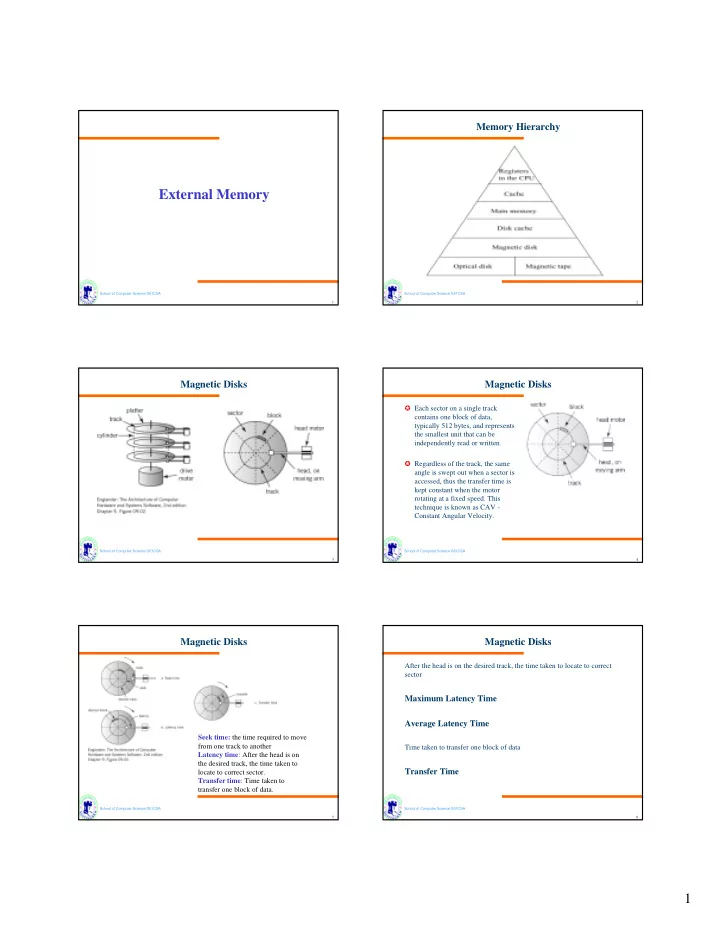
Memory Hierarchy External Memory School of Computer Science G51CSA School of Computer Science G51CSA 1 2 Magnetic Disks Magnetic Disks Each sector on a single track contains one block of data, typically 512 bytes, and represents the


slide-1
SLIDE 1

1

School of Computer Science G51CSA 1

External Memory

School of Computer Science G51CSA 2

Memory Hierarchy

School of Computer Science G51CSA 3

Magnetic Disks

School of Computer Science G51CSA 4

Magnetic Disks

✪ Each sector on a single track contains one block of data, typically 512 bytes, and represents the smallest unit that can be independently read or written. ✪ Regardless of the track, the same angle is swept out when a sector is accessed, thus the transfer time is kept constant when the motor rotating at a fixed speed. This technique is known as CAV - Constant Angular Velocity.

School of Computer Science G51CSA 5

Magnetic Disks

Seek time: the time required to move from one track to another Latency time: After the head is on the desired track, the time taken to locate to correct sector. Transfer time: Time taken to transfer one block of data.

School of Computer Science G51CSA 6

Magnetic Disks

After the head is on the desired track, the time taken to locate to correct sector

Maximum Latency Time Average Latency Time

Time taken to transfer one block of data

Transfer Time

slide-2
SLIDE 2

2

School of Computer Science G51CSA 7

Magnetic Disks

A single data block Header for MS-DOS/Windows disk

School of Computer Science G51CSA 8

Magnetic Disks

Disk interleaving

School of Computer Science G51CSA 9

Magnetic Disks

A floppy disk is rotating at 300 rpm (revolutions per minute). The disk is divided in to 12 sectors, with 40 tracks on the disk. The disk is singled

  • sided. A block consists of a single sector on a single track. Each block

contains 200 bytes. What is the disk capacity in bytes? What is the maximum and minimum latency time for this disk? What is the transfer time for a single block?

School of Computer Science G51CSA 10

Magnetic Disks

A multiplattered hard disk is divided into 40 sectors and 400

  • cylinders. There are four platter surfaces. The total capacity of

the disk is 128 MB. A cluster consists of 4 blocks. The disk is rotating at a rate of 4800 rpm. The disk has an average seek time of 12 msec. What is the capacity of a cluster for this disk? What is the disk transfer rate in bytes per second? What is the average latency time for the disk?

School of Computer Science G51CSA 11

Optical Disks

School of Computer Science G51CSA 12

Optical Disks

✪ CD format designed for maximum capacity ✪ Each block the same length along the track, regardless of locations ✪ More bits per revolution at the outside of the disk than at the inside ✪ A variable speed motor is used to keep transfer rate constant ✪ The disk move slower when the outside tracks are be read ✪ Constant Linear Velocity, CLV

slide-3
SLIDE 3

3

School of Computer Science G51CSA 13

Optical Disks

School of Computer Science G51CSA 14

Others

✪ Tape ✪ RAID ✪ ...

School of Computer Science G51CSA 15

Input / Output

School of Computer Science G51CSA 16

Overview

✪ I/O module is the third key element of a computer system. (others are ) ✪ All computer systems must have efficient means to receive input and deliver output ✪ We will look at

✎I/O module and their interface to the system ✎I/O mechanisms ✎Example interfaces

School of Computer Science G51CSA 17

I/O modules

✪ Each I/O module interfaces to the system bus and controls

  • ne or more peripheral devices.

✪ External devices are generally not connected directly to the bus structure of the computer systems -

✎ Wide variety of devices require different logic interfaces - impractical to expect the CPU to know how to control each device ✎ Mismatch of data rates ✎ Different data representation

School of Computer Science G51CSA 18

I/O modules

slide-4
SLIDE 4

4

School of Computer Science G51CSA 19

I/O modules

✪ The I/O modules

✎ Not just simple mechanical connectors ✎ Contain “intelligence” - logic for performing communication functions between the peripherals and the bus. ✎ Provide standard interfaces to the CPU and the bus ✎ Tailored to specific I/O devices and their interfaces requirement ✎ Relieve CPU of the the management of I/O devices ✎ Interfaces consist of ✎Control ✎Status and ✎Data signals

School of Computer Science G51CSA 20

I/O Module Diagram

Data Register

Status/Control Register External Device Interface Logic External Device Interface Logic Input Output Logic

Data Lines Address Lines Data Lines Data Status Control Data Status Control Systems Bus Interface External Device Interface

School of Computer Science G51CSA 21

Input Output Techniques: Programmed

✪ I/O operation in which the CPU issues the I/O command to the I/O module ✪ CPU is in direct control of the operation ✎Sensing status, ✎Read/write commands, ✎Transferring data

School of Computer Science G51CSA 22

Input Output Techniques: Programmed

✪ CPU waits until the I/O operation is completed before it can perform other tasks ✪ Completion indicated by a change in the status bits ✪ CPU must periodically poll the module to check its status bits ✪ The speed of the CPU and peripherals can differ by orders of magnitude, programmed I/O waste huge amount of CPU power ✪ Very inefficient ✪ CPU slowed to the speed of peripherals

School of Computer Science G51CSA 23

Input Output Techniques: Programmed

¶Programmed I/O Operation ¶Simple to implement. Requires very little special software or hardware

School of Computer Science G51CSA 24

Input Output Techniques: Programmed

✪ Addressing I/O Devices ✎Under programmed I/O data transfer is very like memory access (CPU viewpoint) ✎Each device given unique identifier ✎CPU commands contain identifier (address)

slide-5
SLIDE 5

5

School of Computer Science G51CSA 25

Input Output Techniques: Programmed

✪ Memory mapped I/O ✎Devices and memory share an address space ✎I/O looks just like memory read/write ✎No special commands for I/O

✎Large selection of memory access commands available

✪ Isolated I/O ✎Separate address spaces ✎Need I/O or memory select lines ✎Special commands for I/O ✎Limited set

School of Computer Science G51CSA 26

Input Output Techniques: Programmed

School of Computer Science G51CSA 27

Input Output Techniques: Programmed

School of Computer Science G51CSA 28

Interrupts

✈ Mechanism by which other modules (e.g. I/O) may interrupt normal sequence of processing ✈ Program e.g. overflow, division by zero ✈ Timer Generated by internal processor timer ✈ I/O from I/O controller ✈ Hardware failure e.g. memory parity error

School of Computer Science G51CSA 29

Interrupt Program Flow

School of Computer Science G51CSA 30

Interrupt Cycle

✪ Processor checks for interrupt

  • Indicated by an interrupt signal (a control signal)

✪ If no interrupt, fetch next instruction ✪ If interrupt pending:

  • Suspend execution of current program
  • Save context
  • Set PC to start address of interrupt handler routine
  • Process interrupt
  • Restore context and continue interrupted program
slide-6
SLIDE 6

6

School of Computer Science G51CSA 31

Input Output Techniques: Interrupt Driven

✪ To reduce the time spent on I/O operation, the CPU can use an interrupt-driven approach

✎ CPU issues I/O command to the module ✎ CPU continues with its other tasks while the module performs its task ✎ Module signals the CPU when the I/O operation is finished (the interrupt) ✎ CPU responds to the interrupt by executing an interrupt service routine and then continues on with its primary task

✪ CPU recognizes and responds to interrupts at the end of an instruction execution cycle ✪ A wide variety devices use interrupt for I/O

School of Computer Science G51CSA 32

Input Output Techniques: Interrupt Driven

Interrupt driven I/O

  • peration

School of Computer Science G51CSA 33

Input Output Techniques: Interrupt Driven

CPU’s Response to an Interrupt

School of Computer Science G51CSA 34

Input Output Techniques: Interrupt Driven

Process keyboard Input

School of Computer Science G51CSA 35

Input Output Techniques: Interrupt Driven

Regulate output flow:

Using a print handler interrupt

School of Computer Science G51CSA 36

Multiple Interrupts

❄ Disable interrupts

✎ Processor will ignore further interrupts whilst processing one interrupt ✎ Interrupts remain pending and are checked after first interrupt has been processed ✎ Interrupts handled in sequence as they occur

❇ Define priorities

✎ Low priority interrupts can be interrupted by higher priority interrupts ✎ When higher priority interrupt has been processed, processor returns to previous interrupt

slide-7
SLIDE 7

7

School of Computer Science G51CSA 37

Multiple Interrupts

Disable interrupts

Define priorities

School of Computer Science G51CSA 38

Input Output Techniques: DMA

✪ DMA - Direct Memory Access ✪ Both programmed and interrupt driven I/O require the continue involvement of the CPU in on going I/O operation ✪ DMA take the CPU out of the task except for the initialization of the process ✪ Large amount of data can be transferred without severely impacting CPU performance

School of Computer Science G51CSA 39

✪ DMA operation require additional hardware - DMA Controller module ✪ DMA process

✎ CPU initializes DMA module

✎Define read or write operation ✎I/O device involved ✎Start address of memory block ✎Number of words to be transferred

✎ CPU then continues with other work

✪ In practice, DMA uses the bus when the CPU is not using it.

✎ No impact on the CPU performance

Input Output Techniques: DMA

School of Computer Science G51CSA 40

Input Output Techniques: DMA

School of Computer Science G51CSA 41

Input Output Techniques: DMA

Transfer a block of data from memory to disk