
SLIDE 1
Explore VisIt:: an open source, end user tool for visualizing and - - PowerPoint PPT Presentation
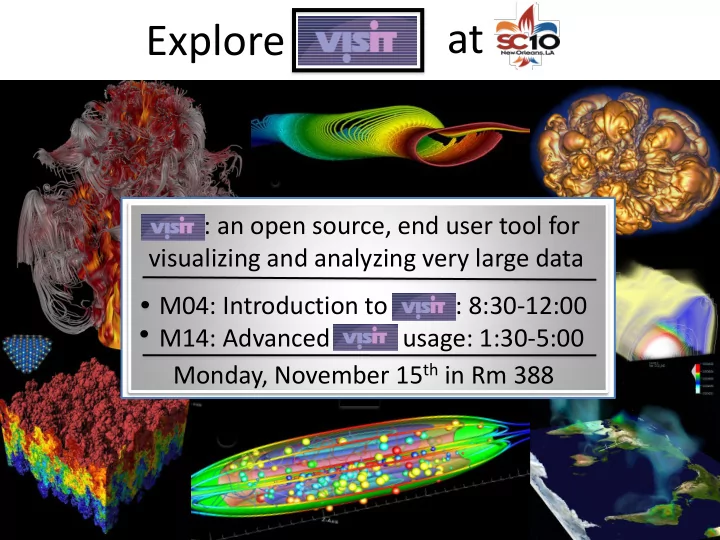
at Explore VisIt:: an open source, end user tool for visualizing and analyzing very large data M04: Introduction to VisIt: : 8:30-12:00 M14: Advanced VisIt usage: 1:30-5:00 Monday, November 15 th in Rm 388 Introduction to Tutorial M04 8:30
Hank Childs Amy Szczepanski Dave Pugmire
(Really Amy’s head)
8:30-8:45:
8:45-9:30:
9:30-9:59:
9:59-10:20:
10:20-10:35:
10:35-11:00:
11:00-11:20:
11:20-11:50:
11:50-12:00:
All materials (Powerpoint & ―script‖) are available
Two ways to find it:
1) Go to visitusers.org and click on the link for SC10
2) Go to http://www.visitusers.org/index.php?
Used by:
Visualization experts Simulation code developers Simulation code consumers
Popular
R&D 100 award in 2005 Used on many of the Top500 >>>100K downloads 217 pin reactor cooling simulation Run on ¼ of Argonne BG/P Image credit: Paul Fischer, ANL
Data Exploration Presentations Visual Debugging Analysis
General techniques (e.g. integration, volumes, surface
Specialized analysis (e.g. hohlraum flux at AGEX)
Meshes: rectilinear, curvilinear, unstructured, point, AMR Data: scalar, vector, tensor, material, species Dimension: 1D, 2D, 3D, time varying Rendering (~15): pseudocolor, volume rendering, hedgehogs,
Data manipulation (~40): slicing, contouring, clipping,
File formats (~110) Derived quantities: >100 interoperable building blocks
+,-,*,/, gradient, mesh quality, if-then-else, and, or, not
Many general features: position lights, make movie, etc Queries (~50): ways to pull out quantitative information,
Client-server
Good for remote
Leverages available
Scales well No need to move
Additional design
Plugins Heavy use of VTK Multiple UIs: GUI
remote machine Parallel vis resources User data localhost – Linux, Windows, Mac Graphics Hardware
11
#cores Problem Size Model Machine 8K 0.5T IBM P5 Purple 16K 1T Sun Ranger 16K 1T X86_64 Juno 32K 2T Cray XT5 JaguarPF 64K 4T BG/P Dawn 16K, 32K 1T, 2T Cray XT4 Franklin
Two trillion cell data set, rendered in VisIt by David Pugmire on ORNL Jaguar machine
Systems research: Adaptively applying algorithms in a production env. Algorithms research: How to efficiently calculate particle paths in parallel. Algorithms research: How to volume render efficiently in parallel. Methods research: How to incorporate statistics into visualization. Scaling research: Scaling to 10Ks of cores and trillions of cells. Architectural research: Hybrid parallelism + particle advection Systems research: Using smart DB technology to accelerate processing Architectural research: Parallel GPU volume rendering Algorithms research: Reconstructing material interfaces for visualization Algorithms research: Accelerating field evaluation of huge unstructured grids
Slides from the VisIt class
Over 75 person-years of effort Over 1.5 million lines of code Partnership between: Department of Energy’s Office of Science,
2004-6 User community grows, including AWE & ASC Alliance schools Fall ‘06 VACET is funded Spring ‘08 AWE enters repo 2003 LLNL user community transitioned to VisIt 2005 2005 R&D100 2007 SciDAC Outreach Center enables Public SW repo 2007 Saudi Aramco funds LLNL to support VisIt Spring ‘07 GNEP funds LLNL to support GNEP codes at Argonne Summer‘07 Developers from LLNL, LBL, & ORNL Start dev in repo ‘07-’08 UC Davis & UUtah research done in VisIt repo 2000 Project started ‘07-’08 Partnership with CEA is developed 2008 Institutional support leverages effort from many labs More developers Entering repo all the time
Everything works at scale Robust, usable tool Features that span the ―power of visualization‖:
Data exploration Confirmation Communication
Features for different kinds of users:
Vis experts Code developers Code consumers
Healthy future: vibrant developer and user communities
Reminder: I will discuss file format issues, installation
Important: ask questions any time! Course materials:
VisIt basics Queries and expressions Streamlines
Detect, track, classify, and
visualize features in large-scale turbulent flow.
Analysis effort by Kelly Gaither
(TACC), Hank Childs (LBNL), & Cyrus Harrison (LLNL).
Stresses two algorithms that are
difficult in a distributed memory parallel setting:
1.
Can we identify connected components?
2.
Can we characterize their shape?
VisIt calculated connected components on a 4K^3 turbulence data in parallel using TACC's Longhorn machine. 2 million components were initially identified and then the map expression was used to select only the components that had total volume greater than 15. Data courtesy of P.K. Yeung & and Diego Donzis
Hard to do efficiently Tremendous
4 stage algorithm that
20
Shape characterization
Difficult to perform efficiently
P0 P1 P3 P2
Line Scan Filter
1) Choose Lines 2) Calculate Intersections 3) Segment redistribution 4) Analyze lines 5) Collect results
Line Scan Analysis Sink
Scripting Moviemaking
How to get VisIt running on your machine
Downloading and installing VisIt Building VisIt from scratch
How to get VisIt to read your data How to get help when you run into trouble I like the power of VisIt, but I hate the interface How to run client-server
How to get VisIt running on your machine
Downloading and installing VisIt Building VisIt from scratch
How to get VisIt to read your data How to get help when you run into trouble I like the power of VisIt, but I hate the interface How to run client-server
Pre-built binaries work on most modern machines. … but pre-built binaries are serial only.
Why the VisIt team can’t offer parallel binaries:
… and it is difficult to use your own custom plugins with
Recommendation: try to use the pre-builts first and build
Also: all VisIt clients run serial-only. If you want to
A: Go to http://www.llnl.gov/visit
Important
Unix:
Download binary Download install script Run install script --or— Download binary Untar
Mac:
Download and open disk image. Follow instructions in the README file: run included install script
Windows:
Download installer program & run
Full install notes:
https://wci.llnl.gov/codes/visit/2.1.0/INSTALL_NOTES
Good for host profiles, maintaining multiple versions, multiple OSs Quick & easy
Many supercomputing sites have set up ―host profiles‖.
These files contain all the information about how to connect
You select which profiles to install when you install VisIt. Profiles that come with VisIt:
NERSC, LLNL Open, LLNL Closed, ORNL, Argonne, TACC,
Other sites maintain profiles outside of VisIt repository.
If you know folks running VisIt in parallel at a site not listed
How to get VisIt running on your machine
Downloading and installing VisIt Building VisIt from scratch
How to get VisIt to read your data How to get help when you run into trouble I like the power of VisIt, but I hate the interface How to run client-server
Building VisIt from scratch on your own is very
… but the ―build_visit‖ script is fairly reliable.
Downloads third party libraries Patches them to accommodate OS quirks Builds the third party libraries. Creates ―config-site‖ file, which communicates
Downloads VisIt source code Builds VisIt
There are two ways to use build_visit:
Curses-style GUI Command line options through --console
Developers all use --console and it shows!! Tip:
Don’t build every third party library unless you really
Set up a ―--thirdparty-path‖.
Q1: How long does build_visit take? A: hours Q2: I have my own Qt/VTK/Python, can I use those?
Hank highly recommends against
Q3: What happens after build_visit finishes?
A1: you can run directly in the build location A2: you can make a package and do an install like you
Most common build_visit failures:
gcc is not installed X11 development package is not installed OpenGL development package is not installed
We should probably improve detection of this case, but we’re
leery about false positives.
Most common VisIt runtime failure: really antique
Hank runs SUSE 9.1 (from 2005) at home.
Build process for Windows is very different. Rarely a
How to get VisIt running on your machine
Downloading and installing VisIt Building VisIt from scratch
How to get VisIt to read your data How to get help when you run into trouble I like the power of VisIt, but I hate the interface How to run client-server
There is an extensive (and up-to-date!) manual on
Three ways: Use a known format Write a file format reader In situ processing Latter two covered in
ADIOS, BOV, Boxlib, CCM, CGNS, Chombo, CLAW,
113 total readers http://www.visitusers.org/index.php?title=Detailed_list_of_f
Some readers are more robust than others.
For some formats, support is limited to flavors of a file a
ADIOS, BOV, Boxlib, CCM, CGNS, Chombo, CLAW,
Two readers that work common types of existing data:
BOV: raw binary data for rectilinear grid
you have a brick of data and you add an ASCII header that
describes dimensions
PlainText: reads space delimited columns.
Controls for specifying column purposes
ADIOS, BOV, Boxlib, CCM, CGNS, Chombo, CLAW,
Common array writing libraries:
NETCDF: VisIt reader understands many (but not all)
HDF5
Pixie is most general HDF5 reader Many other HDF5 readers
ADIOS, BOV, Boxlib, CCM, CGNS, Chombo, CLAW,
Xdmf: specify an XML file that describes semantics
VizSchema (Vs): add attributes to your HDF5 file
ADIOS, BOV, Boxlib, CCM, CGNS, Chombo, CLAW,
VTK: not built for performance, but it is great for
Silo: higher barriers to entry, but performs well and
The VTK file format has both ASCII and binary
Great documentation at
Easiest way to write VTK files: use VTK modules
… but this creates a dependence on the VTK library
You can also try to write them yourself, but this is an
Third option: visit_writer
It is a ―library‖ (actually a single C file) that writes VTK-
The typical path is to link visit_writer into your code and
There is also Python binding for visit_writer.
The typical path is to write a Python program that converts
Both options are short term: they allow you to play with
More information on visit_writer:
http://visitusers.org/index.php?title=VisItWriter
Silo is a mature, self-describing file format that
It has drivers on top of HDF5, NetCDF, and ―PDB‖. Fairly rich data model More information:
https://wci.llnl.gov/codes/silo/
How to get VisIt running on your machine
Downloading and installing VisIt Building VisIt from scratch
How to get VisIt to read your data How to get help when you run into trouble I like the power of VisIt, but I hate the interface How to run client-server
Six options:
FAQ
http://visit.llnl.gov/FAQ.html
Documentation
https://wci.llnl.gov/codes/visit/doc.html http://www.visitusers.org
VisIt-users mailing list VisIt-users archives VisIt users forum VisIt-help-XYZ mailing list
Getting started manual Users manual (old, but still useful) Python interface (to be updated in two weeks) Getting Data Into VisIt VisIt Class Slides VisIt Class Exercises This Tutorial
Users section has lots of
―I solved this problem
―Here’s my script to do
In practical terms, this is
You may only post to mailing list if you are also a subscriber Approximately 400 recipients, approx. 300 posts per
Developers monitor mailing list, strive for 100% response
Response time is typically excellent (O(1 hour)) International community really participates … not unusual for a
question from Australia to be answered by a European all while I’m asleep
List: visit-users@ornl.gov More information:
Archive: https://email.ornl.gov/pipermail/visit-users/
Increasingly popular option; you can post without
But it is viewed by less people and less well supported.
http://www.visitusers.org/forum Google searches these pages.
Some customer groups pay for VisIt funding and get
These customers can post directly to visit-help-xyz
The messages are received by all VisIt developers and
Lists:
Visit-help-asc, visit-help-scidac, visit-help-gnep, visit-
Six options:
FAQ
http://visit.llnl.gov/FAQ.html
Documentation
https://wci.llnl.gov/codes/visit/doc.html http://www.visitusers.org
VisIt-users mailing list VisIt-users archives VisIt users forum VisIt-help-XYZ mailing list
How to get VisIt running on your machine
Downloading and installing VisIt Building VisIt from scratch
How to get VisIt to read your data How to get help when you run into trouble I like the power of VisIt, but I hate the interface How to run client-server
How to get VisIt running on your machine
Downloading and installing VisIt Building VisIt from scratch
How to get VisIt to read your data How to get help when you run into trouble I like the power of VisIt, but I hate the interface How to run client-server
There are two critical pieces:
Connecting to the remote machine Getting an engine launched on the remote machine
This job is made substantially easier by host
(Demonstration)
Hank Childs,
Amy Szczepanski,
Dave Pugmire,
User resources:
Main website: http://www.llnl.gov/visit Wiki: http://www.visitusers.org Email: visitusers@ornl.gov
Development resources:
Email: visit-developers@ornl.gov SVN: http://portal.nersc.gov/svn/visit