Exceptions and Exception Handling 4003-232-07 (Winter 2007-2008) - - PDF document

exceptions and exception handling
SMART_READER_LITE
LIVE PREVIEW

Exceptions and Exception Handling 4003-232-07 (Winter 2007-2008) - - PDF document

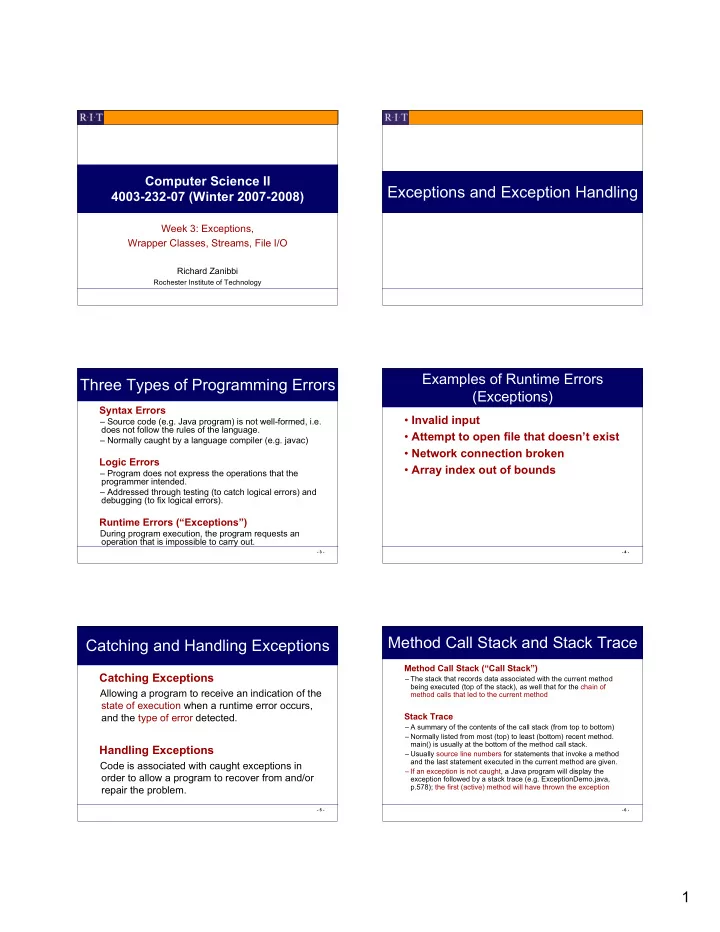
Computer Science II Exceptions and Exception Handling 4003-232-07 (Winter 2007-2008) Week 3: Exceptions, Wrapper Classes, Streams, File I/O Richard Zanibbi Rochester Institute of Technology Examples of Runtime Errors Three Types of


slide-1
SLIDE 1

1

Computer Science II 4003-232-07 (Winter 2007-2008)

Week 3: Exceptions, Wrapper Classes, Streams, File I/O

Richard Zanibbi

Rochester Institute of Technology

Exceptions and Exception Handling

  • 3 -

Three Types of Programming Errors

Syntax Errors

– Source code (e.g. Java program) is not well-formed, i.e. does not follow the rules of the language. – Normally caught by a language compiler (e.g. javac)

Logic Errors

– Program does not express the operations that the programmer intended. – Addressed through testing (to catch logical errors) and debugging (to fix logical errors).

Runtime Errors (“Exceptions”)

During program execution, the program requests an

  • peration that is impossible to carry out.
  • 4 -

Examples of Runtime Errors (Exceptions)

  • Invalid input
  • Attempt to open file that doesn’t exist
  • Network connection broken
  • Array index out of bounds
  • 5 -

Catching and Handling Exceptions

Catching Exceptions

Allowing a program to receive an indication of the state of execution when a runtime error occurs, and the type of error detected.

Handling Exceptions

Code is associated with caught exceptions in

  • rder to allow a program to recover from and/or

repair the problem.

  • 6 -

Method Call Stack and Stack Trace

Method Call Stack (“Call Stack”)

– The stack that records data associated with the current method being executed (top of the stack), as well that for the chain of method calls that led to the current method

Stack Trace

– A summary of the contents of the call stack (from top to bottom) – Normally listed from most (top) to least (bottom) recent method. main() is usually at the bottom of the method call stack. – Usually source line numbers for statements that invoke a method and the last statement executed in the current method are given. – If an exception is not caught, a Java program will display the exception followed by a stack trace (e.g. ExceptionDemo.java, p.578); the first (active) method will have thrown the exception

slide-2
SLIDE 2

2

  • 7 -

Catching and Handling Exceptions in Java: the try-catch Block

The Basic Idea

Define 1) a scope for a set of commands that may produce exceptions (‘try’), and 2) a subsequent list of exception handlers to invoke when exceptions of different types are thrown (‘catch’).

Control Flow in a ‘try-catch’ Block

– When an exception occurs in a ‘try’ block, execution jumps to the end of the ‘try’ block (end brace ‘}’ ). – Java then tries to match the exception type against the list of ‘catch’ statements in order, to find a handler for the

  • exception. (Example: HandleExceptionDemo.java, p. 579)
  • 8 -

Types of Exceptions in Java

System Errors (Error)

– Thrown by the Java Virtual Machine (JVM) – Internal system errors (rare), such as incompatability between class files, JVM failures

Runtime Exceptions (RuntimeException)

– Also normally thrown by JVM – Usually unrecoverable programming errors (e.g. divide by 0, array index error, null reference)

(“Normal”) Exceptions (Exception)

– Errors that may be caught and handled (e.g. file not found)

  • 9 -
  • 10 -

Unchecked and Checked Exceptions

Unchecked Exceptions

– Error, RuntimeException, and subclasses – These exceptions are normally not recoverable (cannot be handled usefully, e.g. NullPointerException) – The javac compiler does not force these exceptions to be declared or caught (to keep programs simpler), but they can be.

Checked Exceptions

– Exception class and subclasses (excluding RuntimeException) – Compiler forces the programmer to catch and handle

  • these. Why?
  • 11 -

Declaring and Throwing Exceptions

Exception Type

  • “Throwing” an exception means to use the “throw” command to generate

a message (an object that is a subclass of Exception)

  • “Declaring” an exception means to add it to a list of (checked) exceptions

at the end of a method signature, e.g. public void myMethod() throws Exception1, ...., ExceptionN { ... } this is required if a method may throw but not catch an exception

  • 12 -

Catching Exceptions Using try-catch

try { // statements that might throw an exception statement1; statement2; } catch (Exception1 e1) { // handler for Exception1 } catch (Exception2 e2) { // handler for Exception2 } ... catch {ExceptionN eN) { // handler for ExceptionN } // Statements after try-catch nextStatement;

If exception occurs, jump out of try block before next instruction If exception occurred, search for matching exception type (‘catch’ it), execute associated handler. Then execute first statement after catch blocks. (NOTE: exceptions must be listed from most to least specific class) ** At most one handler is executed. If no ‘catch’ matches the exception, the exception is passed back to the calling method, and the current method is exited.

slide-3
SLIDE 3

3

  • 13 -

Cases to consider: in method2, throwing Exception3, Exception2, Exception1, SomeOtherException objects (each type being a subclass of ‘Exception’)

  • 14 -

Getting Information from Exceptions

Example: TestException.java (p. 586) (The message is a text string associated with the Throwable object (e.g. exception))

  • 15 -

Example: Declaring, Throwing, and Catching Exceptions

From Text

CircleWithException.java TestCircleWithException.java (p. 588) *setRadius() method redefined to throw a (built-in) IllegalArgumentException *The message string is passed to the constructor for IllegalArgumentException

  • 16 -

Addition to try-catch: the finally clause (try-catch-finally)

Purpose

–Define a block of code that will execute regardless of whether an exception is caught or not for a try block (executes after try and catch blocks) –Finally block will execute even if a return statement precedes it in a try block or catch block (!)

Example Uses

I/O programming: ensure that a file is always closed. Also a way to define error-handling code common to different error types in one place within a method.

  • 17 -

FinallyDemo.java (p. 590 in text)

public class FinallyDemo { public static void main(String[] args) { java.io.PrintWriter output = null; try { // Create a file

  • utput = new java.io.PrintWriter("text.txt");

// Write formatted output to the file

  • utput.println("Welcome to Java");

} catch (java.io.IOException ex) { ex.printStackTrace(); } finally { // Close the file if (output != null) output.close(); }}}

  • 18 -

When Do I Use Exceptions?

(text, p. 591) “The point is not to abuse exception handling as a way to deal with a simple logic test.”

try { System.out.println(refVar.toString()); } catch (NullPointerException ex) { System.out.println(“refVar is null”);} vs. if (refVar != null) System.out.println(refVar.toString()); else System.out.println(“refVar is null”); Use exceptions for ‘unexpected’ errors (unusual situations). Simple errors specific to a method should be handled within the method (locally), as above.

Requires creation of a NullPointerException

  • bject, propogating the exception
slide-4
SLIDE 4

4

  • 19 -

Defining New Exception Classes

Java Exception Classes

Are numerous; use these where possible.

New Exception Classes

Are derived from Exception or a subclass of exception.

Constructors for Exception Classes

Constructors are normally either no-arg, or one argument (takes the string message as an argument)

  • 20 -

public class InvalidRadiusException extends Exception { private double radius; /** Construct an exception */ public InvalidRadiusException(double radius) { super("Invalid radius " + radius); this.radius = radius; } /** Return the radius */ public double getRadius() { return radius; } } Example Use: throw new InvalidRadiusException(-5.0);

  • 21 -

Exercise: Exceptions

  • A. What is a runtime error?
  • B. What is a checked exception? What is an

unchecked exception?

  • C. What are the keywords ‘throw’ and ‘throws’

used for?

  • D. What is the purpose of supporting exceptions

within Java (in one sentence)?

  • E. What happens if an exception is thrown within

a method, but not caught? F. When will an exception terminate a program?

  • G. In what order must “catch” blocks be
  • rganized?
  • 22 -

H. try { statement1; statement2; statement3; } catch (Exception1 ex1) { statement4; } catch (Exception2 ex2) { statement5; } finally { statement6; } statement7; For each of the following, indicate which statements in the above code would be executed. 1. statement2 throws an Exception1 exception 2. statement2 throws an Exception2 exception 3. statement2 throws an Exception3 exception 4. No exception is thrown.

Wrapper Classes for Primitive Types

(text Ch 10.5)

  • 24 -

Primitive Data Types

Include...

byte, short, int, long, float, double char boolean

Why aren’t these objects?

  • A. Efficiency (avoid “object overhead”)
slide-5
SLIDE 5

5

  • 25 -

Wrapper Classes

...but sometimes it would be useful to have objects hold primitive data. Example

To include different primitive data types in a single Object[] array.

Wrapper Classes

– Classes for “wrapping” primitive data in objects. – All override the Object methods toString, equals, and hashCode. – All wrapper classes (except for Boolean) implement the Comparable interface (implement compareTo)

  • 26 -

NOTE: all wrapper classes capitalize the name of the associated primitive type, except for Integer and Character. UML Class Diagram for Wrapper Classes

  • 27 -
  • 28 -

Example: Constructing Wrapped Numbers

Double doubleObject = new Double(5.0); Double doubleObject = new Double(“5.0”); Double doubleObject = Double.valueOf(“12.4”) Integer intObject = new Integer(5); Integer intObject = new Integer(“5”); Integer intObject = Integer.valueOf(“12”); NOTE: valueOf is a static method defined for all numeric wrapper classes.

  • 29 -

Converting Between Strings and Primitive Numeric Types

Converting to String

Double doubleObject = new Double(5.0); String s = doubleObject.toString();

Converting from String

double d = Double.parseDouble(“5.0”); int i = Integer.parseInt(“5”); // Using ‘parse’ method with a radix (base): int j = Integer.parseInt(“11”, 2); // j = 3

  • 30 -

Example: A Polymorphic (“Generic”) Sorting Method

Text page 360, GenericSort.java

(an implementation of Selection Sort: iteratively finds largest element, places at end of array)

  • Using the Comparable interface

(compareTo()), different object types are sorted using the same sorting function.

  • NOTE: Java defines a static sort in the Arrays

class, for any array of objects, e.g. java.util.Arrays.sort(intArray);

slide-6
SLIDE 6

6

  • 31 -

Automatic Conversion Between Primitive and Wrapper Class Types (JDK 1.5)

Boxing

Converting primitive → wrapper e.g. Integer[ ] intArray = {1, 2, 3}; e.g. Integer intObject = 2; // both legal, ‘autoboxing’ occurs

Unboxing

Converting wrapper → primitive

e.g. System.out.println(intArray[0] + intArray[1] + intArray[2]); // int values are summed before output. e.g. int i = new Integer(3); // legal, ‘autounboxing occurs’

Automatic Conversions

– Compiler will box for contexts requiring an object – Compiler will unbox for contexts requiring a primitive

  • 32 -

Exercise: Wrapper Classes

  • A. What are the names of the wrapper

classes?

  • B. What is boxing and unboxing?
  • C. Which of the following are illegal?

1. Number x = 3; 2. Integer x = 3; 3. Double x = 3; 4. Double x = 3.0; 5. int x = new Integer(3); 6. int x = new Integer(3) + new Integer(4); 7. double y = 3.4; 8. y.intValue();

Streams and Files

  • 34 -

Operating System Organization

Processor(s) Main Memory Devices Process, Thread & Resource Manager Memory Manager Device Manager File Manager

  • 35 -

The External View of the File Manager Hardware

Application Program

File Mgr Device Mgr Memory Mgr Process Mgr

UNIX

File Mgr Device Mgr Memory Mgr Process Mgr

Windows

  • pen()

read() close() write() lseek() CreateFile() ReadFile() CloseHandle() SetFilePointer() WriteFile() mount()

  • 36 -

File Directories

File Directory

A set of files and other (sub)directories Principle function: help people find their way around data on a system

Implementation

Directories are stored as additional files

slide-7
SLIDE 7

7

  • 37 -

Directory Structures

D F F F ... D D D D F F F F F F Flat Strict Hierarchy (“Directory Tree”) D D D F F F F F Acyclic Graph D = Directory F = File

  • 38 -

Absolute and Relative Paths

Absolute Path

Path from the root (top) directory in a directory tree to the desired directory/file

  • e.g. “/home/zanibbi/comp232/slides.ppt”
  • e.g. “D:\myfiles\zanibbi\comp232\slides.ppt”

Relative Path

Path from (“relative to”) a given directory

  • (usually current)
  • e.g. : “comp232/slides.ppt” (from /home/zanibbi)
  • e.g. : “comp232\slides.ppt” (from D:\myfiles\zanibbi)
  • 39 -

D:\ USER GJN PROGRAMS PRIME.C BIN AUTOEXEC.BAT PATCH

Example: DOS File Directory

(Disk Drive D)

“This Machine” A:\ B:\ C:\

... ... ...

(usually implicit root directory of file system)

  • 40 -

Example: Unix File Directory

Directed Acyclic Graphs

Root Directory: “/” (e.g. “cd /”)

/ home etc lib bin zanibbi wasserman comp232 slides.ppt

  • 41 -

File Class in Java

Purpose

– Represent attributes of files (from file descriptors in directories) – May be used to rename or delete files – Directories may also be represented using a File object – ** Not used to read and write file data

Path Separators (“\\” and “/”)

– Because “\” is an escape character in Java Strings, directory separators for Windows must be indicated using “\\” – e.g. “C:\\book\\Welcome.java” – When giving relative paths in Java, you can use “/”, as on Unix systems (works for all platforms). This is recommended.

Example

TestFileClass.java (p. 285)

  • 42 -

Writing to Text Files in Java Using PrintWriter

PrintWriter

Allows programmer to use the same print, println, and printf commands used with System.out, but sends data to a file rather than the standard output.

Opening a File for Writing

PrintWriter outputFile = new PrintWriter(“FileInCurrentDir.txt”);

Important

– It is important to explicitly close() a file, to make sure that the data written is properly saved, and to release resources needed for the file. – e.g. outputFile.close();

Example

WriteData.java (p. 286)

slide-8
SLIDE 8

8

  • 43 -

Reading Text Files in Java Using Scanner

Scanner

Reads input from a text file one token at a time. A token is a series of adjacent non-whitespace characters (newlines, spaces, tabs separate tokens)

Opening a File for Reading

Scanner stdIn = new Scanner(Standard.in);

  • Standard.in is the standard input, a file defined for all programs

running on a machine. Usually the standard input contains captured keyboard strokes. Scanner input = new Scanner(new File(“FileName.txt”));

Example

ReadData.java (p. 287)