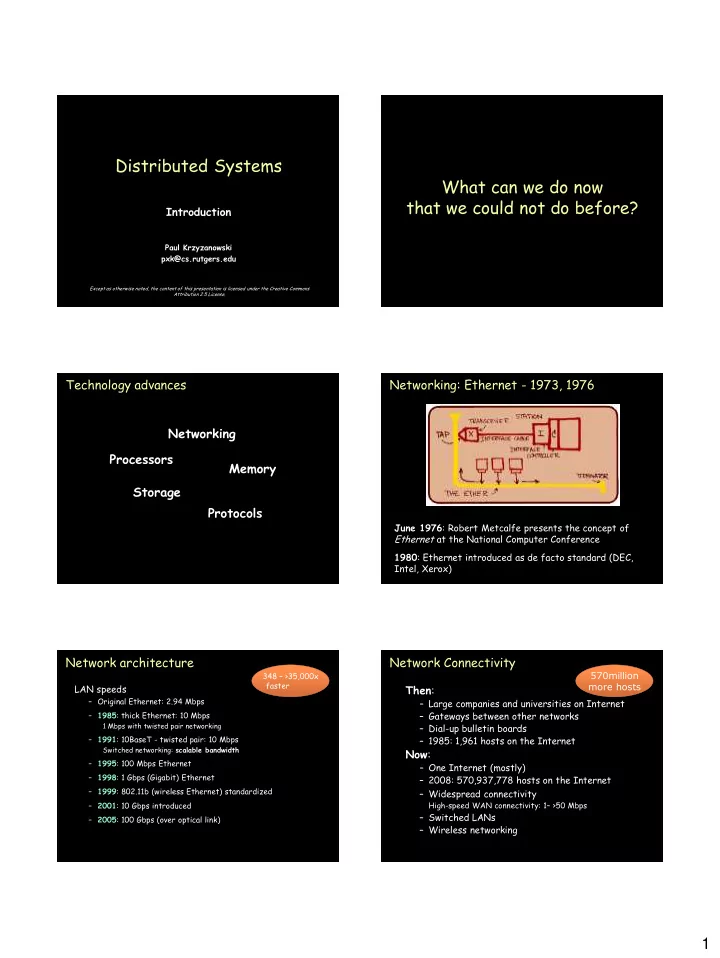
Distributed Systems What can we do now that we could not do before? - - PDF document

distributed systems what can we do now that we could not
SMART_READER_LITE
LIVE PREVIEW

Distributed Systems What can we do now that we could not do before? - - PDF document

Distributed Systems What can we do now that we could not do before? Introduction Paul Krzyzanowski pxk@cs.rutgers.edu Except as otherwise noted, the content of this presentation is licensed under the Creative Commons Attribution 2.5 License.


slide-1
SLIDE 1

1

Page 1 Page 1

Introduction

Paul Krzyzanowski pxk@cs.rutgers.edu

Distributed Systems

Except as otherwise noted, the content of this presentation is licensed under the Creative Commons Attribution 2.5 License.

Page 2 Page 2

What can we do now that we could not do before?

Page 3

Technology advances Processors Memory Networking Storage Protocols

Page 4

Networking: Ethernet - 1973, 1976

June 1976: Robert Metcalfe presents the concept of Ethernet at the National Computer Conference 1980: Ethernet introduced as de facto standard (DEC, Intel, Xerox)

Page 5

Network architecture

LAN speeds

– Original Ethernet: 2.94 Mbps – 1985: thick Ethernet: 10 Mbps

1 Mbps with twisted pair networking

– 1991: 10BaseT - twisted pair: 10 Mbps

Switched networking: scalable bandwidth

– 1995: 100 Mbps Ethernet – 1998: 1 Gbps (Gigabit) Ethernet – 1999: 802.11b (wireless Ethernet) standardized – 2001: 10 Gbps introduced – 2005: 100 Gbps (over optical link) 348 – >35,000x faster

Page 6

Network Connectivity

Then:

– Large companies and universities on Internet – Gateways between other networks – Dial-up bulletin boards – 1985: 1,961 hosts on the Internet

Now:

– One Internet (mostly) – 2008: 570,937,778 hosts on the Internet – Widespread connectivity

High-speed WAN connectivity: 1– >50 Mbps

– Switched LANs – Wireless networking 570million more hosts

slide-2
SLIDE 2

2

Page 7

Network Connectivity

Page 8

Computing power Computers got…

– Smaller – Cheaper – Power efficient – Faster Microprocessors became technology leaders

Page 9

Computing Power

1974: Intel 8080 2 MHz, 6K transistors 2004: Intel P4 Prescott 3.6 GHz, 125 million transistors 2006: Intel Core 2 Duo 2.93 GHz, 291 million transistors

Page 10

Storage: RAM

year $/MB typical 1977 $32,000 16K 1987 $250 640K-2MB 1997 $2 64MB-256MB 2007 $0.06 512MB-2GB+

9,000x cheaper 4,000x more capacity

Page 11

Storage: disk

129,000x cheaper in 20 years 18,750x more capacity

Recording density increased over 60,000,000 times over 50 years 1977: 360KB floppy drive – $1480

$11,529 / GB (but 2,713 5½″ disks!)

1987: 40 MB drive for – $679

$16,975K / GB

2008: 750 GB drive for – $99

$0.13 / GB

Page 12

Music Collection

4,207 Billboard hits

– 18 GB – Average song size: 4.4 MB

Today

– Download time per song @12.9 Mbps: 3.5 sec – Storage cost: $2.38

Approx 20 years ago (1987)

– Download time per song, V90 modem @44 Kbps: 15 minutes – Storage cost: $305,55

slide-3
SLIDE 3

3

Page 13

Protocols Faster CPU more time for protocol processing

– ECC, checksums, parsing (e.g. XML) – Image, audio compression feasible

Faster network bigger (and bloated) protocols

– e.g., SOAP/XML, H.323

Page 14

Why do we want to network?

  • Performance ratio

– Scaling multiprocessors may not be possible or cost effective

  • Distributing applications may make sense

– ATMs, graphics, remote monitoring

  • Interactive communication & entertainment

– work and play together: email, gaming, telephony, instant messaging

  • Remote content

– web browsing, music & video downloads, IPTV, file servers

  • Mobility
  • Increased reliability
  • Incremental growth

Page 15

Problems

Designing distributed software can be difficult

– Operating systems handling distribution – Programming languages? – Efficiency? – Reliability? – Administration?

Network

– disconnect, loss of data, latency

Security

– want easy and convenient access

Page 16 Page 16

Building and classifying distributed systems

Page 17

Flynn’s Taxonomy (1972)

SISD

– traditional uniprocessor system

SIMD

– array (vector) processor – Examples:

  • GPUs – Graphical Processing Units for video
  • APU (attached processor unit in Cell processor)
  • SSE3: Intel’s Streaming SIMD Extensions
  • PowerPC AltiVec (Velocity Engine)
  • GPGPU (General Purpose GPU): AMD/ATI, Nvidia
  • Intel Larrabee (late 2008?)

MISD

– Generally not used and doesn’t make sense – Sometimes (rarely!) applied to classifying redundant systems

MIMD

– multiple computers, each with:

  • program counter, program (instructions), data

– parallel and distributed systems

number of instruction streams and number of data streams

Page 18

Subclassifying MIMD

memory

– shared memory systems: multiprocessors – no shared memory: networks of computers, multicomputers

interconnect

– bus – switch

delay/bandwidth

– tightly coupled systems – loosely coupled systems

slide-4
SLIDE 4

4

Page 19

Bus

Bus-based multiprocessors

CPU A

SMP: Symmetric Multi-Processing All CPUs connected to one bus (backplane)

Memory and peripherals are accessed via shared bus. System looks the same from any processor. CPU B

memory Device I/O

Page 20

Bus-based multiprocessors

Dealing with bus overload

  • add local memory

CPU does I/O to cache memory

  • access main memory on cache miss

Bus

memory Device I/O

CPU A

cache

CPU B

cache

Page 21

Working with a cache

CPU A reads location 12345 from memory

12345:7 Device I/O

CPU A

12345: 7

CPU B Bus

Page 22

Working with a cache

CPU A modifies location 12345

Bus

12345:7 Device I/O

CPU A

12345: 7

CPU B

12345: 3

Page 23

Working with a cache

CPU B reads location 12345 from memory

12345:7 Device I/O

CPU A

12345: 3

CPU B

12345: 7

Gets old value Memory not coherent!

Bus

Page 24

Write-through cache

Fix coherency problem by writing all values through bus to main memory

12345:7 Device I/O

CPU A

12345: 7

CPU B

CPU A modifies location 12345 – write-through main memory is now coherent

12345: 3 12345:3

Bus

slide-5
SLIDE 5

5

Page 25

Write-through cache … continued

CPU B reads location 12345 from memory

  • loads into cache

12345:3 Device I/O

CPU A

12345: 3

CPU B

12345: 3

Bus

Page 26

Write-through cache

CPU A modifies location 12345

  • write-through

12345:3 Device I/O

CPU A

12345: 3

CPU B

12345: 3

Cache on CPU B not updated Memory not coherent!

12345:0 12345: 0

Bus

Page 27

Snoopy cache

Add logic to each cache controller: monitor the bus

12345: 3 Device I/O

CPU A

12345: 3

CPU B

12345: 3

write [12345]

12345: 3

Virtually all bus-based architectures use a snoopy cache

Bus

12345: 0 12345: 0 12345: 0

Page 28

Switched multiprocessors

  • Bus-based architecture does not scale

to a large number of CPUs (8+)

Page 29

Switched multiprocessors

Divide memory into groups and connect chunks

  • f memory to the processors with a crossbar

switch n2 crosspoint switches – expensive switching fabric

CPU CPU CPU CPU mem mem mem mem

Page 30

Crossbar alternative: omega network

Reduce crosspoint switches by adding more switching stages

CPU CPU CPU CPU mem mem mem mem

slide-6
SLIDE 6

6

Page 31

Crossbar alternative: omega network

with n CPUs and n memory modules: need log2n switching stages, each with n/2 switches Total: (nlog2n)/2 switches.

  • Better than n2 but still a quite expensive
  • delay increases:

1024 CPU and memory chunks

  • verhead of 10 switching stages to memory and 10 back.

CPU CPU CPU CPU mem mem mem mem

Page 32

NUMA

  • Hierarchical Memory System
  • Each CPU has local memory
  • Other CPU’s memory is in its own address

space

– slower access

  • Better average access time than omega

network if most accesses are local

  • Placement of code and data becomes difficult

Page 33

NUMA

  • SGI Origin’s ccNUMA
  • AMD64 Opteron

– Each CPU gets a bank of DDR memory – Inter-processor communications are sent over a HyperTransport link

  • Linux 2.5 kernel

– Multiple run queues – Structures for determining layout of memory and processors

Page 34

Bus-based multicomputers

  • No shared memory
  • Communication mechanism needed on bus

– Traffic much lower than memory access – Need not use physical system bus

  • Can use LAN (local area network) instead

Page 35

Bus-based multicomputers

Collection of workstations on a LAN

Interconnect CPU

memory LAN connector

CPU

memory LAN connector

CPU

memory LAN connector

CPU

memory LAN connector

Page 36

Switched multicomputers

Collection of workstations on a LAN

CPU

memory LAN connector

CPU

memory LAN connector

CPU

memory LAN connector

CPU

memory LAN connector

n-port switch

slide-7
SLIDE 7

7

Page 37

Software

Single System Image

Collection of independent computers that appears as a single system to the user(s)

  • Independent: autonomous
  • Single system: user not aware of distribution

Distributed systems software Responsible for maintaining single system image

Page 38

You know you have a distributed system when the crash of a computer you’ve never heard of stops you from getting any work done.

– Leslie Lamport

Page 39

Coupling

Tightly versus loosely coupled software Tightly versus loosely coupled hardware

Page 40

Design issues: Transparency

High level: hide distribution from users Low level: hide distribution from software – Location transparency:

users don’t care where resources are

– Migration transparency:

resources move at will

– Replication transparency:

users cannot tell whether there are copies of resources

– Concurrency transparency:

users share resources transparently

– Parallelism transparency:

  • perations take place in parallel without user’s knowledge

Page 41

Design issues

Reliability

– Availability: fraction of time system is usable

  • Achieve with redundancy

– Reliability: data must not get lost

  • Includes security

Performance

– Communication network may be slow and/or unreliable

Scalability

– Distributable vs. centralized algorithms – Can we take advantage of having lots of computers?

Page 42 Page 42

Service Models

slide-8
SLIDE 8

8

Page 43

Centralized model

  • No networking
  • Traditional time-sharing

system

  • Direct connection of user terminals to system
  • One or several CPUs
  • Not easily scalable
  • Limiting factor: number of CPUs in system

– Contention for same resources

Page 44

Client-server model

Environment consists of clients and servers Service: task machine can perform Server: machine that performs the task Client: machine that is requesting the service

Directory server Print server File server

client client

Workstation model assume client is used by one user at a time

Page 45

Peer to peer model

  • Each machine on network has (mostly)

equivalent capabilities

  • No machines are dedicated to serving others
  • E.g., collection of PCs:

– Access other people’s files – Send/receive email (without server) – Gnutella-style content sharing – SETI@home computation

Page 46

Processor pool model

What about idle workstations (computing resources)?

– Let them sit idle – Run jobs on them

Alternatively…

– Collection of CPUs that can be assigned processes

  • n demand

– Users won’t need heavy duty workstations

  • GUI on local machine

– Computation model of Plan 9

Page 47

Grid computing

Provide users with seamless access to:

– Storage capacity – Processing – Network bandwidth

Heterogeneous and geographically distributed systems

Page 48

Grid Computing

  • Provide users with seamless access to:

– Storage capacity – Processing – Network bandwidth

  • Heterogeneous and geographically distributed

systems

  • Build a “supercomputer” on the fly via

networked, loosely coupled computers

slide-9
SLIDE 9

9

Page 49

Cloud Computing

Resources are provided as a network (Internet) service

– Software as a Service (SaaS) – Google Apps – Salesforce.com

Page 50 Page 50

Multi-tier client-server architectures

Page 51

Two-tier architecture

Common from mid 1980’s-early 1990’s

– UI on user’s desktop – Application services on server

Page 52

Three-tier architecture

client middle tier back-end

  • queueing/scheduling
  • f user requests
  • transaction processor

(TP)

  • Connection mgmt
  • Format converision
  • Database
  • Legacy

application processing

  • User

interface

  • some data

validation/ formatting

Page 53

Beyond three tiers

Most architectures are multi-tiered

client web server Java application server load balancer firewall firewall database Object Store

Page 54 Page 54

The end.