Distributed Systems How does the OS ensure security? 13C. Security - - PDF document

distributed systems how does the os ensure security
SMART_READER_LITE
LIVE PREVIEW

Distributed Systems How does the OS ensure security? 13C. Security - - PDF document

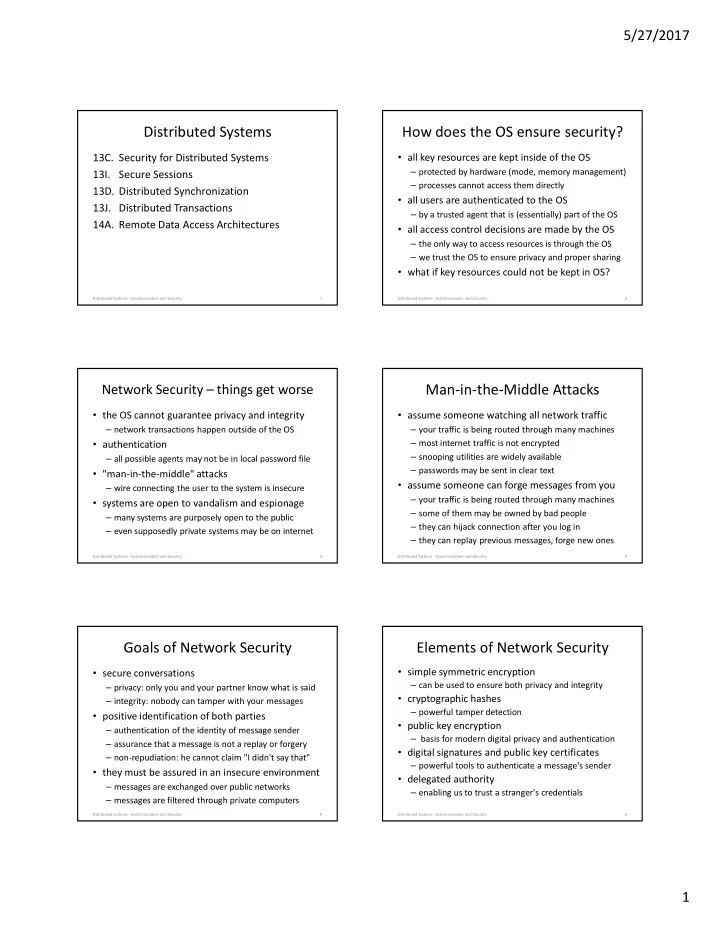
5/27/2017 Distributed Systems How does the OS ensure security? 13C. Security for Distributed Systems all key resources are kept inside of the OS protected by hardware (mode, memory management) 13I. Secure Sessions processes cannot


slide-1
SLIDE 1

5/27/2017 1

Distributed Systems

  • 13C. Security for Distributed Systems
  • 13I. Secure Sessions
  • 13D. Distributed Synchronization
  • 13J. Distributed Transactions
  • 14A. Remote Data Access Architectures

Distributed Systems - Synchronization and Security 1

How does the OS ensure security?

  • all key resources are kept inside of the OS

– protected by hardware (mode, memory management) – processes cannot access them directly

  • all users are authenticated to the OS

– by a trusted agent that is (essentially) part of the OS

  • all access control decisions are made by the OS

– the only way to access resources is through the OS – we trust the OS to ensure privacy and proper sharing

  • what if key resources could not be kept in OS?

2 Distributed Systems - Synchronization and Security

Network Security – things get worse

  • the OS cannot guarantee privacy and integrity

– network transactions happen outside of the OS

  • authentication

– all possible agents may not be in local password file

  • "man-in-the-middle" attacks

– wire connecting the user to the system is insecure

  • systems are open to vandalism and espionage

– many systems are purposely open to the public – even supposedly private systems may be on internet

3 Distributed Systems - Synchronization and Security

Man-in-the-Middle Attacks

  • assume someone watching all network traffic

– your traffic is being routed through many machines – most internet traffic is not encrypted – snooping utilities are widely available – passwords may be sent in clear text

  • assume someone can forge messages from you

– your traffic is being routed through many machines – some of them may be owned by bad people – they can hijack connection after you log in – they can replay previous messages, forge new ones

4 Distributed Systems - Synchronization and Security

Goals of Network Security

  • secure conversations

– privacy: only you and your partner know what is said – integrity: nobody can tamper with your messages

  • positive identification of both parties

– authentication of the identity of message sender – assurance that a message is not a replay or forgery – non-repudiation: he cannot claim "I didn't say that"

  • they must be assured in an insecure environment

– messages are exchanged over public networks – messages are filtered through private computers

5 Distributed Systems - Synchronization and Security

Elements of Network Security

  • simple symmetric encryption

– can be used to ensure both privacy and integrity

  • cryptographic hashes

– powerful tamper detection

  • public key encryption

– basis for modern digital privacy and authentication

  • digital signatures and public key certificates

– powerful tools to authenticate a message's sender

  • delegated authority

– enabling us to trust a stranger's credentials

6 Distributed Systems - Synchronization and Security

slide-2
SLIDE 2

5/27/2017 2

A Principle of Key Use

  • Both symmetric and PK crypto require secret keys

– if key gets out, we lose both privacy and authentication

  • The more you use a key, the less secure it becomes

– the key stays around in various places longer – there are more opportunities for an attacker to get it – there is more incentive for attacker to get it – given enough time, any key can be brute forced

  • Therefore:

– use a given key as little as possible , change them often – the longer you keep it, the less you should use it

Distributed Systems - Synchronization and Security 7

Practical Public Key Encryption

  • Public Key Encryption algorithms are expensive

– 10x to 100x as expensive as symmetric ones – key distribution is also complex and expensive

  • We should use PKE as little as possible

– for initial authentication/validation – to negotiate/exchange symmetric session keys

  • Communication should use symmetric encryption

– use short-lived, disposable, session keys – much less expensive to encrypt/decrypt

Distributed Systems - Synchronization and Security 8

Symmetric and Asymmetric Encryption

  • Use asymmetric to start the session

– e.g. RSA or other Public Key mechanism – authenticate the parties – securely establish initial session key

  • Use symmetric encryption for the session

– e.g. DES or AES – very efficient algorithm based on negotiated key

  • Periodically move to new session key

– e.g. sequence based on initial session key – e.g. “switch to new key” message

Distributed Systems - Synchronization and Security 9

example: Secure Socket Layer

  • establishes secure two-way communication

– privacy – nobody can snoop on conversation – integrity – nobody can generate fake messages

  • certificate based authentication of server

– client knows what server he is talking to

  • optional certificate based authentication of client

– if server requires authentication and non-repudiation

  • uses PK to negotiate symmetric session keys

– safety of public key, efficiency of symmetric

Distributed Systems - Synchronization and Security 10

SSL session establishment

Distributed Systems - Synchronization and Security 11

algorithm selection, and random string A algorithm selection, and random string B server’s Public Key certificate encrypted string C validate server’s certificate generate random string C encrypt C with server’s public key compute F(A,B,C) use result to generate session keys decrypt C with server’s Private key compute F(A,B,C) use result to generate session keys subsequent communication encrypted w/symmetric session keys

CLIENT SERVER

Distributed Synchronization

  • spatial separation

– different processes run on different systems – no shared memory for (atomic instruction) locks – they are controlled by different operating systems

  • temporal separation

– can’t “totally order” spatially separated events – before/simultaneous/after lose their meaning

  • independent modes of failure

– one partner can die, while others continue

Distributed Systems - Synchronization and Security 12

slide-3
SLIDE 3

5/27/2017 3

Distributed Temporal Separation

13

Reader

1

Writer

1

Server

1

Server

2

Writer

2

Reader

2

x=1 x=1 x=1 x=1 x=2 x=1 x=2 x=3 x=3 x=2 x=2 x=3 x=2 x=3

Different clients see different values at the same time Different clients see successive values in different orders

  • 1. The system does not have a scalar state. State is a vector.
  • 2. There is no total ordering; There are only partial orderings.

Distributed Systems - Synchronization and Security

Distributed Locking - Leases

  • Synchronization must be centralized

– a single server is responsible for issuing locks – traditional mechanisms can ensure atomicity – locks should be managed with message exchanges

  • Authorization must be distributed

– lock servers issue signed “cookies” – servers verify cookies before performing requests

  • Client failures must be recoverable

– locks automatically expire after lease time – automatic preemption prevents deadlock

14 Distributed Systems - Synchronization and Security

Leases and Enforcement

  • all requests are exchanged via messages

– in general, all resources are on other nodes – client does not have direct access to resources

  • each request includes a lease “cookie”

– from resource manager (possibly signed) – identifies client, resource, and lease period – lease automatically expires at end of period

  • validate cookies before performing operation

– requests with stale cookies should be rejected

  • handles a wide range of failures

– process, client node, server node, network

Distributed Systems - Synchronization and Security 15

Lock Breaking and Recovery

  • revoking an expired lease is fairly easy

– lease cookie includes a “good until” time – any operation involving a “stale cookie” fails

  • this makes it safe to issue a new lease

– old lease-holder can no longer access object – was object left in a “reasonable” state?

  • object must be restored to last “good” state

– roll back to state prior to the aborted lease – implement all-or-none transactions

Distributed Systems - Synchronization and Security 16

Atomic Transactions

  • guaranteed uninterrupted, all-or-none execution
  • solves multiple-update race conditions

– all updates are made part of a transaction

  • updates are journaled, but not actually made

– after all updates are made, transaction is committed – otherwise the transaction is aborted

  • e.g. if client, server, or network fails before the commit
  • resource manager guarantees “all-or-none”

– even if it crashes in the middle of the updates – journal can be replayed during recovery

Distributed Systems - Synchronization and Security 17

Successful Atomic Transaction

Distributed Systems - Synchronization and Security 18 send startTransaction

client server

send updateOne send updateTwo send updateThree

updateOne updateTwo updateThree

send commit

slide-4
SLIDE 4

5/27/2017 4

Aborted Atomic Transaction

Distributed Systems - Synchronization and Security 19 send startTransaction

client server

send updateOne send updateTwo

updateOne updateTwo

send abort

(or timeout)

Distributed Atomic Transactions

  • single node transactions are simple: all or none

– we ack after journaling the commit – if it is in the journal, it happened – if it is not in the journal, it did not happen

  • single node transactions are not durable

– disk or node failure can lose previously saved data – we need to persist transactions to multiple nodes

  • multi-node transactions have new failure modes

– one node saw the commit, another node did not – after recovery different journals may not agree – we need more powerful commitment protocols

Distributed Systems - Synchronization and Security 20

Two Phase Commit

Distributed Systems - Synchronization and Security 21 send commitQuery acceptable abort no wait send ack send Commit wait

Coordinator Cohort

send nak all ack send rollback commit? wait wait Commit confirm fail ack ack no

Voting Phase Completion Phase

Two Phase Commit – Limitations

  • It achieves consensus

– transaction only succeeds if cohort agrees

  • It achieves all or none atomicity

– all resources locked from proposal to commit

  • It is subject to unbounded delays

– cohort is blocked if coord fails after they ack

  • locks are held until commit or abort

– coord cannot recover w/o entire cohort present

  • failed member might have been only one to commit

Distributed Systems - Synchronization and Security 22

Three Phase Commit

Distributed Systems - Synchronization and Security 23 send canCommit acceptable abort receive canCommit no wait send ack send startCommit prep all ack abort nak timeout wait receive startCommit prep receive Commit send ack all ack send Commit abort timeout nak timeout abort Commit confirm send ack

Coordinator Participant(s)

timeout

Three Phase Commit

  • First phase is only a proposal

– any cohort member can reject this proposal – if it times out, transaction is aborted

  • Second phase is preparation to commit

– all cohort has already agreed to proposal – startCommit announces intention to go forward – if it times out, cohort will go forward w/commit

  • Third phase is the actual commit & confirmation

– it can still be aborted by the coordinator – but the default (e.g. on timeout) is to commit – confirm from coordinator means all cohort agree

Distributed Systems - Synchronization and Security 24

slide-5
SLIDE 5

5/27/2017 5

Three Phase Commit – Limitations

  • It achieves consensus

– transaction only succeeds if cohort agrees

  • It achieves all or none atomicity

– all resources locked from proposal to commit

  • It is non-blocking

– automatically commit or abort after timeout

  • It can tolerate node failures

– but it cannot tolerate network partitioning

Distributed Systems - Synchronization and Security 25

Typical Consensus Algorithm

1. Each interested member broadcasts his nomination. 2. All parties evaluate the received proposals according to a fixed and well known rule. 3. After allowing a reasonable time for proposals, each voter acknowledges the best proposal it has seen. 4. If a proposal has a majority of the votes, the proposing member broadcasts a claim that the question has been resolved. 5. Each party that agrees with the winner’s claim acknowledges the announced resolution. 6. Election is over when a quorum acknowledges the result.

26 Distributed Systems - Synchronization and Security

Distributed Consensus

  • achieving simultaneous, unanimous agreement

– even in the presence of node & network failures – required: agreement, termination, validity, integrity – desired: bounded time

  • consensus algorithms tend to be complex

– and may take a long time to converge

  • they tend to be used sparingly

– e.g. use consensus to elect a leader – who makes all subsequent decisions by fiat

27 Distributed Systems - Synchronization and Security

Remote Data Access: Goals

  • Transparency

– indistinguishable from local files for all uses – all clients see all files from anywhere

  • Performance

– per-client: at least as fast as local disk – scalability: unaffected by the number of clients

  • Cost

– capital: less than local (per client) disk storage – operational: zero, it requires no administration

  • Capacity:

unlimited, it is never full

  • Availability:

100%, no failures or down-time

Distributed Systems - Synchronization and Security 28

Remote Data Access: Challenges

  • Transparency

– despite Deutch’s warnings – creating global file name-spaces

  • Security

– despite insecure networks and heterogeneous systems

  • Preserving ACID semantics, Posix consistency

– despite lack of shared memory and atomic instructions

  • Performance

– despite everything being done with messages

  • Reliability and Scalability

– despite having more parts and modes of failure

Distributed Systems - Synchronization and Security 29

Key Characteristics of Solutions

  • APIs and Transparency

– how do users and processes access remote files – how closely do remote files mimic local files

  • Performance and Robustness

– are remote files as fast and reliable as local ones

  • Architecture

– how is solution integrated into clients and servers

  • Protocol and Work Partitioning

– what messages exchanged, who does what work

Distributed Systems - Synchronization and Security 30

slide-6
SLIDE 6

5/27/2017 6

Client/Server Models

  • Peer-to-Peer

– most systems have resources (e.g. disks, printers) – they cooperate/share with one-another

  • Thin Client

– few local resources (e.g. CPU, NIC, display) – most resources on work-group or domain servers

  • Cloud Services

– clients access services rather than resources – clients do not see individual servers

Distributed Systems - Synchronization and Security 31

Remote File Transfer

  • explicit commands to copy remote files

– OS specific: scp(1), rsync(1), S3 tools – IETF protocols: FTP, SFTP

  • implicit remote data transfers

– browsers (transfer files with HTTP) – email clients (move files with IMAP/POP/SMTP)

  • advantages: efficient, requires no OS support
  • disadvantages: latency, lack of transparency

Distributed Systems - Synchronization and Security 32

Remote Data Access

  • OS makes remote files appear to be local

– remote disk access (e.g. Storage Area Network) – remote file access (e.g. Network Attached Storage) – distributed file systems (NAS on steroids)

  • advantages

– transparency, availability, throughput – scalability, cost (capital and operational)

  • disadvantages

– complexity, issues with shared access

Distributed Systems - Synchronization and Security 33

Remote Disk Access

  • Goal: complete transparency

– normal file system calls work on remote files – all programs “just work” with remote files

  • Typical Architectures

– Storage Area Network (SCSI over Fibre Chanel)

  • very fast, very expensive, moderately scalable

– iSCSI (SCSI over ethernet)

  • client driver turns reads/writes into network requests
  • server daemon receives/serves requests
  • moderate performance, inexpensive, highly scalable

Distributed Systems - Synchronization and Security 34

Remote Disk Access Architecture

Distributed Systems - Synchronization and Security 35 system calls UNIX FS DOS FS CD FS block I/O CD drivers EXT3 FS virtual file system integration layer file

  • perations

directory

  • perations

file I/O socket I/O disk drivers remote disk client NIC driver UDP IP MAC driver device I/O socket I/O NIC driver UDP IP MAC driver disk drivers remote server file system

SAN client SAN server

remote disk server TCP TCP

Rating Remote Disk Access

  • Advantages:

– provides excellent transparency – decouples client hardware from storage capacity – performance/reliability/availability per back-end

  • Disadvantages

– inefficient fixed partition space allocation – can’t support file sharing by multiple client systems – message losses can cause file system errors

  • This is THE model for Virtual Machines

Distributed Systems - Synchronization and Security 36

slide-7
SLIDE 7

5/27/2017 7

Remote File Access

  • Goal: complete transparency

– normal file system calls work on remote files – support file sharing by multiple clients – performance, availability, reliability, scalability

  • Typical Architecture

– Network Attached Storage Protocols: NFS, CIFS – exploits client-side plug-in file systems

  • client-side file system is a local proxy
  • translates file operations into RPC requests

– server-side daemon receives/process requests

  • translates them into operations on local file system

Distributed Systems - Synchronization and Security 37

Remote File Access Architecture

Distributed Systems - Synchronization and Security 38 system calls UNIX FS DOS FS CD FS block I/O CD drivers remote FS virtual file system integration layer file

  • perations

directory

  • perations

file I/O socket I/O disk drivers NIC driver UDP IP MAC driver

NAS client NAS server

TCP flash drivers block I/O EXT3 FS socket I/O disk driver NIC driver UDP IP MAC driver TCP remote FS server

Rating Remote File Access

  • Advantages

– very good application level transparency – very good functional encapsulation – able to support multi-client file sharing – potential for good performance and robustness

  • Disadvantages

– at least part of implementation must be in the OS – client and server sides tend to be fairly complex

  • This is THE model for client/server storage

Distributed Systems - Synchronization and Security 39

Remote Disk/File Access

Distributed Systems - Synchronization and Security 40

client primary secondary

Distributed File System

client server server server server server

(Remote vs. Distributed FS)

  • Remote File Access (e.g. NFS, CIFS)

– client talks to (per FS) primary server – secondary server may take over if primary fails – advantages: simplicity

  • Distributed File System (e.g. Ceph, RAMCloud)

– data is spread across numerous servers – client may talk directly to many/all of them – advantages: performance, scalability – disadvantages: complexity++

Distributed Systems - Synchronization and Security 41

Assignments

  • Reading (17pp)

– A-D 49 (Andrew File System) – Authentication Services – ACID Semantics

Distributed Systems - Synchronization and Security 42

slide-8
SLIDE 8

5/27/2017 8

Supplementary Slides

Distributed Systems - Synchronization and Security 43

Evolution of Remote File Access

  • explicit file copying (one time transfers)

– commands like ftp, secure ftp, rcp, rsh, rsync

  • explicit remote access (special case)

– remote data access methods (special code) – remote data access tools (special programs)

  • implicit remote access (all files appear local)

– remote disk access – remote file access – distributed file systems vs. remote file access

Distributed Systems - Synchronization and Security 44

Rating Explicit File Copying

  • Advantages

– user-mode client/server implementations – efficient transfers (fast and with little overhead) – user directly controls what is transferred when

  • Disadvantages

– human interfaces, awkward for programs to use – local and remote files are totally different – manual transfers are tedious and error prone

  • Contemporary Usage

– a last resort, special applications (like remote boot)

Distributed Systems - Synchronization and Security 45

Remote Access Methods

  • Distinct APIs for accessing remote files

– standard open/close/read/write are “locals only” – use different routines to access remote files

  • Distinct user interface for accessing all files

– use a browser instead of a shell or finder

  • User-mode implementation

– client remote access library, browser command – protocols and servers similar to rcp/FTP

  • New file naming schemes (e.g. URLs)

Distributed Systems - Synchronization and Security 46

Rating Remote Access Methods

  • Advantages

– user-mode client/server implementations – services well suited to modes of file use – services encapsulate location of actual data

  • Disadvantages

– only works for a few programs (e.g. browser) – all other programs (e.g. editors) remain “locals

  • nly”
  • Contemporary Usage

– many key applications: browsers, e-mail, SQL

Distributed Systems - Synchronization and Security 47

Remote File Systems

  • Provide files to local user that are stored on

remote machine

  • Using the same or similar model as file access
  • Not the only case for remote data access

– Remote storage devices

  • Accessed by low level device operations over network

– Remote databases

  • Accessed by database queries on remote nodes

Distributed Systems - Synchronization and Security 48

slide-9
SLIDE 9

5/27/2017 9

Storage Area Networks

  • Goals

– flexibility of local area networking

  • any client can talk to any storage device

– performance of dedicated disk interfaces

  • Typical Architecture

– giga-bit fibre channel network

  • arbitrated access, very large packet sizes
  • clients access network via an FC SCSI HBA
  • lower cost ethernet (iSCSI) is also becoming popular

– intelligent non-blocking switches & controllers

  • volume management, caching, mirroring, striping

Distributed Systems - Synchronization and Security 49

B2

Rating SANs

  • Advantages:

– decouples client hardware from storage capacity – outstanding performance

  • Disadvantages

– very expensive – they are still a remote disk solution

  • poorly abstracted for remote file access
  • inefficient allocation, doesn’t provide multi-client sharing
  • Contemporary Usage

– they have revolutionized block storage

Distributed Systems - Synchronization and Security 50

Network Attached Storage

  • enabled by standard file access protocols

– CIFS, NFS, HTTP, FTP

  • a “Storage Appliance”

– you plug it in, and you start using it

  • may provide advanced functionality

– mirroring (or RAID-5) with automatic recovery – snap-shots

  • does not expose details of its implementation

– CPU, OS, file systems, disks

Distributed Systems - Synchronization and Security 51

(Client-side VFS implementation)

  • plug-in interface for file system

implementations

– each implements a set of basic methods

create, delete, open, close, getblock, putblock, link, unlink, read directory, etc.

– translates logical operations into disk operations

  • Remote File Systems can also be implemented

– translate each standard method into messages – forward those requests to a remote file server – RFS client only knows the RFS protocol

it does not know the underlying on-disk implementation

Distributed Systems - Synchronization and Security 52

Server Side Implementation

  • RFS Server Daemon

– receives and decodes messages – does requested operations on local file system

  • may be implemented in user- or kernel-mode

– kernel daemon may offer better performance – user-mode is much easier to implement

  • one daemon may serve all incoming requests

– higher performance, fewer context switches

  • could be many per-user-session daemons

– simpler, and probably more secure

Distributed Systems - Synchronization and Security 53

B3 B4

Degrees of Distribution

  • Remote File Access

– one server owns disks and implements file systems – clients access files via remote access protocols

  • Clustered File Servers

– multiple servers, each owns disks and file systems – cooperate to provide a single virtual NAS service

  • Distributed File Systems

– N servers and M disks – multiple servers can concurrently use same disk – “Don’t try this one at home, kids”

Distributed Systems - Synchronization and Security 54

B6