D ISTRIBUTED S YSTEMS [COMP9243] Migration: a file can transparently - - PowerPoint PPT Presentation

d istributed s ystems comp9243
SMART_READER_LITE
LIVE PREVIEW

D ISTRIBUTED S YSTEMS [COMP9243] Migration: a file can transparently - - PowerPoint PPT Presentation

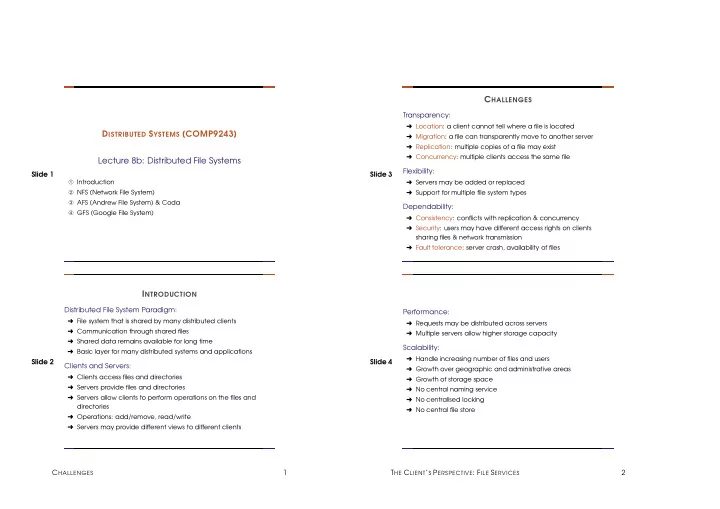
C HALLENGES Transparency: Location: a client cannot tell where a file is located D ISTRIBUTED S YSTEMS [COMP9243] Migration: a file can transparently move to another server Replication: multiple copies of a file may exist


slide-1
SLIDE 1

Slide 1

DISTRIBUTED SYSTEMS [COMP9243] Lecture 8b: Distributed File Systems

➀ Introduction ➁ NFS (Network File System) ➂ AFS (Andrew File System) & Coda ➃ GFS (Google File System)

Slide 2

INTRODUCTION

Distributed File System Paradigm:

➜ File system that is shared by many distributed clients ➜ Communication through shared files ➜ Shared data remains available for long time ➜ Basic layer for many distributed systems and applications

Clients and Servers:

➜ Clients access files and directories ➜ Servers provide files and directories ➜ Servers allow clients to perform operations on the files and directories ➜ Operations: add/remove, read/write ➜ Servers may provide different views to different clients

CHALLENGES 1 Slide 3

CHALLENGES

Transparency:

➜ Location: a client cannot tell where a file is located ➜ Migration: a file can transparently move to another server ➜ Replication: multiple copies of a file may exist ➜ Concurrency: multiple clients access the same file

Flexibility:

➜ Servers may be added or replaced ➜ Support for multiple file system types

Dependability:

➜ Consistency: conflicts with replication & concurrency ➜ Security: users may have different access rights on clients sharing files & network transmission ➜ Fault tolerance: server crash, availability of files

Slide 4 Performance:

➜ Requests may be distributed across servers ➜ Multiple servers allow higher storage capacity

Scalability:

➜ Handle increasing number of files and users ➜ Growth over geographic and administrative areas ➜ Growth of storage space ➜ No central naming service ➜ No centralised locking ➜ No central file store

THE CLIENT’S PERSPECTIVE: FILE SERVICES 2

slide-2
SLIDE 2

Slide 5

THE CLIENT’S PERSPECTIVE: FILE SERVICES

Ideally, the client would perceive remote files like local ones. File Service Interface:

➜ File: uninterpreted sequence of bytes ➜ Attributes: owner, size, creation date, permissions, etc. ➜ Protection: access control lists or capabilities ➜ Immutable files: simplifies caching and replication ➜ Upload/download model versus remote access model

Slide 6

FILE ACCESS SEMANTICS

UNIX semantics:

➜ A READ after a WRITE returns the value just written ➜ When two WRITEs follow in quick succession, the second persists ➜ Caches are needed for performance & write-through is expensive ➜ UNIX semantics is too strong for a distributed file system

Session semantics:

➜ Changes to an open file are only locally visible ➜ When a file is closed, changes are propagated to the server (and other clients) ➜ But it also has problems:

  • What happens if two clients modify the same file

simultaneously?

  • Parent and child processes cannot share file pointers if

running on different machines.

FILE ACCESS SEMANTICS 3 Slide 7 Immutable files:

➜ Files allow only CREATE and READ ➜ Directories can be updated ➜ Instead of overwriting the contents of a file, a new one is created and replaces the old one Race condition when two clients replace the same file How to handle readers of a file when it is replaced?

Atomic transactions:

➜ A sequence of file manipulations is executed indivisibly ➜ Two transaction can never interfere ➜ Standard for databases ➜ Expensive to implement

Slide 8

THE SERVER’S PERSPECTIVE: IMPLEMENTATION

Design Depends On the Use:

➜ Satyanarayanan, 1980’s university UNIX use ➜ Most files are small—less than 10k ➜ Reading is much more common than writing ➜ Usually access is sequential; random access is rare ➜ Most files have a short lifetime ➜ File sharing is unusual, Most process use only a few files ➜ Distinct files classes with different properties exist

Is this still valid? There are also varying reasons for using a DFS:

➜ Big file system, many users, inherent distribution ➜ High performance ➜ Fault tolerance

STATELESS VERSUS STATEFUL SERVERS 4

slide-3
SLIDE 3

Slide 9

STATELESS VERSUS STATEFUL SERVERS

Advantages of stateless servers:

➜ Fault tolerance ➜ No OPEN/CLOSE calls needed ➜ No server space needed for tables ➜ No limits on number of open files ➜ No problems if server crashes ➜ No problems if client crashes

Advantages of stateful servers:

➜ Shorter request messages ➜ Better performance ➜ Read ahead easier ➜ File locking possible

Slide 10

CACHING

We can cache in three locations:

➀ Main memory of the server: easy & transparent ➁ Disk of the client ➂ Main memory of the client (process local, kernel, or dedicated cache process)

Cache consistency:

➜ Obvious parallels to shared-memory systems, but other trade

  • ffs

➜ No UNIX semantics without centralised control ➜ Plain write-through is too expensive; alternatives: delay WRITEs and agglomerate multiple WRITEs ➜ Write-on-close; possibly with delay (file may be deleted) ➜ Invalid cache entries may be accessed if server is not contacted whenever a file is opened

REPLICATION 5 Slide 11

REPLICATION

Multiple copies of files on different servers:

➜ Prevent data loss ➜ Protect system against down time of a single server ➜ Distribute workload

Three designs:

➜ Explicit replication: The client explicitly writes files to multiple servers (not transparent). ➜ Lazy file replication: Server automatically copies files to other servers after file is written. ➜ Group file replication: WRITEs simultaneously go to a group of servers.

Slide 12

CASE STUDIES

➜ Network File System (NFS) ➜ Andrew File System (AFS) & Coda ➜ Google File System (GFS)

NETWORK FILE SYSTEM (NFS) 6

slide-4
SLIDE 4

Slide 13

NETWORK FILE SYSTEM (NFS)

Properties:

➜ Introduced by Sun ➜ Fits nicely into UNIX’s idea of mount points, but does not implement UNIX semantics ➜ Multiple clients & servers (a single machine can be a client and a server) ➜ Stateless servers (no OPEN & CLOSE) (changed in v4) ➜ File locking through separate server ➜ No replication ➜ ONC RPC for communication

Slide 14

Virtual file system (VFS) layer Virtual file system (VFS) layer System call layer System call layer NFS client RPC client stub RPC server stub NFS server Local file system interface Local file system interface Network Client Server

NETWORK FILE SYSTEM (NFS) 7 Slide 15 Server side:

➜ NFS protocol independent of underlying FS ➜ NFS server runs as a daemon ➜ /etc/export: specifies what directories are exported to whom under which policy ➜ Transparent caching

Slide 16 NETWORK FILE SYSTEM (NFS) 8

slide-5
SLIDE 5

Slide 17 Client side:

➜ Explicit mounting versus automounting ➜ Hard mounts versus soft mounts ➜ Supports diskless workstations ➜ Caching of file attributes and file data

Caching:

➜ Implementation specific ➜ Caches result of read, write, getattr, lookup, readdir ➜ Consistency through polling and timestamps ➜ Cache entries are discarded after a fixed period of time ➜ Modified files are sent to server asynchronously (when closed, or client performs sync) ➜ Read-ahead and delayed write possible

Slide 18

ANDREW FILE SYSTEM (AFS) & CODA

Properties:

➜ From Carnegie Mellon University (CMU) in the 1980s. ➜ Developed as campus-wide file system: Scalability ➜ Global name space for file system (divided in cells, e.g. /afs/cs.cmu.edu, /afs/ethz.ch) ➜ API same as for UNIX ➜ UNIX semantics for processes on one machine, but globally write-on-close

ANDREW FILE SYSTEM (AFS) & CODA 9 Slide 19 System Architecture:

➜ Client: User-level process Venus (AFS daemon) ➜ Cache on local disk ➜ Trusted servers collectively called Vice

Virtual file system layer Local file system interface Network User process User process Venus process RPC client stub Local OS Virtue client machine

Slide 20

Vice file server Virtue client Transparent access to a Vice file server

ANDREW FILE SYSTEM (AFS) & CODA 10

slide-6
SLIDE 6

Slide 21 Scalability:

➜ Server serves whole files ➜ Clients cache whole files ➜ Server invalidates cached files with callback (stateful servers) ➜ Clients do not validate cache (except on first use after booting) ➜ Modified files are written back to server on close() ➜ Result: Very little cache validation traffic ➜ Flexible volume per user (resize, move to other server) ➜ Read-only volumes for software ➜ Read-only replicas

Slide 22

CODA

➜ Successor of the Andrew File System (AFS)

  • System architecture quite similar to AFS

➜ Supports disconnected, mobile operation of clients ➜ Supports replication

DESIGN & ARCHITECTURE 11 Slide 23

DESIGN & ARCHITECTURE

Disconnected operation:

➜ All client updates are logged in a Client Modification Log (CML) ➜ On re-connection, the operations registered in the CML are replayed on the server ➜ CML is optimised (e.g. file creation and removal cancels out) ➜ On weak connection, CML is reintegrated on server by trickle reintegration ➜ Trickle reintegration tradeoff: Immediate reintegration of log entries reduces chance for optimisation, late reintegration increases risk of conflicts ➜ File hoarding: System (or user) can build a user hoard database, which it uses to update frequently used files in a hoard walk ➜ Conflicts: Automatically resolved where possible; otherwise, manual correction necessary ➜ Conflict resolution for temporarily disconnected servers

Slide 24 Servers:

➜ Read/write replication servers are supported ➜ Replication is organised on a per volume basis ➜ Group file replication (multicast RPCs); read from any server ➜ Version stamps are used to recognise server with out of date files (due to disconnect or failure)

GOOGLE FILE SYSTEM 12

slide-7
SLIDE 7

Slide 25

GOOGLE FILE SYSTEM

Motivation:

➜ 10+ clusters ➜ 1000+ nodes per cluster ➜ Pools of 1000+ clients ➜ 350TB+ filesystems ➜ 500Mb/s read/write load ➜ Commercial and R&D ap- plications

Assumptions:

➜ Failure occurs often ➜ Huge files (millions, 100+MB) ➜ Large streaming reads ➜ Small random reads ➜ Large appends ➜ Concurrent appends ➜ Bandwidth more impor- tant than latency

Slide 26 Interface: No common standard like POSIX. Provides familiar file system interface:

➜ Create, Delete, Open, Close, Read, Write

In addition:

➜ Snapshot: low cost copy of a whole file with copy-on-write

  • peration

➜ Record append: Atomic append operation

GOOGLE FILE SYSTEM 13 Slide 27 Design Overview:

➜ Files split in fixed size chunks of 64 MByte ➜ Chunks stored on chunk servers ➜ Chunks replicated on multiple chunk servers ➜ GFS master manages name space ➜ Clients interact with master to get chunk handles ➜ Clients interact with chunk servers for reads and writes ➜ No explicit caching

Slide 28 Architecture: ... ... ...

GFS Master /foo/bar File name space chunk data (chunk handle, byte range) (file name, chunk index) Application GFS client (chunk handle, GFS chunkserver Linux file system Linux file system chunk 2ef0 Instructions to chunk server Chunk server state GFS chunkserver chunk locations)

GOOGLE FILE SYSTEM 14

slide-8
SLIDE 8

Slide 29 GFS Master:

➜ Single point of failure ➜ Keeps data structures in memory (speed, easy background tasks) ➜ Mutations logged to operation log ➜ Operation log replicated ➜ Checkpoint state when log is too large ➜ Checkpoint has same form as memory (quick recovery) ➜ Note: Locations of chunks not stored (master periodically asks chunk servers for list of their chunks)

GFS Chunkservers:

➜ Checksum blocks of chunks ➜ Verify checksums before data is delivered ➜ Verify checksums of seldomly used blocks when idle

Slide 30 Data Mutations:

➜ Write, atomic record append, snapshot ➜ Master grants chunk lease to one of a chunk’s replicas ➜ Replica with chunk becomes primary ➜ Primary defines serial order for all mutations ➜ Leases typically expire after 60 s, but are usually extended ➜ Easy recovery from failed primary: master chooses another replica after the initial lease expires

GOOGLE FILE SYSTEM 15 Slide 31 Example: Write: Write(filename, offset, data)

Client Master Secondary Replica Lease Holder Secondary Replica

1.who has lease? 2.lease info 3.data push 3.data push 3.data push 4.commit 5.serialised cmmit 6.commit ACK 6.commit ACK 7.ACK 6.commit ACK 6.commit ACK 5.serialised cmmit 4.commit 3.data push 3.data push 3.data push 2.lease info 1.who has lease?

Client Master Secondary Replica Lease Holder Secondary Replica

Slide 32 Example: Append: RecordAppend(filename, data)

➜ Primary has extra logic ➜ Check if fits in current chunk

  • If not pad and tell client to try again
  • Otherwise continue as with write

➜ Guarantees that data is written at least once atomically

GOOGLE FILE SYSTEM 16

slide-9
SLIDE 9

Slide 33 Consistency:

➜ Relaxed Write Record Append Serial success defined defined/inconsistent Concurrent success consistent & unde- fined defined/inconsistent Failure inconsistent inconsistent

Slide 34

RE-EVALUATING GFS AFTER 10 YEARS

Workload has changed → changed assumptions Single Master:

Too many requests for a single master Single point of failure Tune master performance Multiple cells Develop distributed masters

File Counts:

Too much meta-data for a single master applications rely on Big Table (distributed)

RE-EVALUATING GFS AFTER 10 YEARS 17 Slide 35 File Size:

Smaller files than expected Reduce block size to 1MB

Throughput vs Latency:

Too much latency for interactive applications (e.g. Gmail) Automated master failover Applications hide latency: e.g. multi-homed model

Slide 36

CHUBBY

Chubby is...:

➜ Lock service ➜ Simple FS ➜ Name service ➜ Synchronisation/consensus service

Architecture:

➜ Cell: 5 replicas ➜ Master:

  • gets all client requests
  • elected with Paxos
  • master lease: no new master until lease expires

➜ Write: Paxos agreement of all replicas ➜ Read: local by master

CHUBBY 18

slide-10
SLIDE 10

Slide 37 API:

➜ Pathname: /ls/cell/some/file/name ➜ Open (R/W), Close, Read, Write, Delete ➜ Lock: Acquire, Release ➜ Events: file modified, lock acquired, etc.

Using Chubby: electing a leader: if (open("/ls/cell/TheLeader", W)) { write(my_id); } else { wait until "/ls/cell/TheLeader" modified; leader_id = read(); } Slide 38

WHAT ELSE ... ?

Colossus:

➜ follow up to GFS

BigTable:

➜ Distributed, sparse, storage map ➜ Chubby for consistency ➜ GFS/Colossus for actual storage

Megastore:

➜ Semi-relational data model, ACID transactions ➜ BigTable as storage , synchronous replication (using Paxos) ➜ Poor write latency (100-400 ms) and throughput

Spanner:

➜ Structured storage, SQL-like language ➜ Transactions with TrueTime, synchronous replication (Paxos) ➜ Better write latency (72-100ms)

READING LIST 19 Slide 39

READING LIST

Scale and Performance in a Distributed File System File system properties NFS Version 3: Design and Implementation NFS Disconnected Operation in the Coda File System Coda The Google File System GFS Slide 40

HOMEWORK

➜ Compare Dropbox, Google Drive, or other popular distributed file systems to the ones discussed in class.

Hacker’s edition:

➜ See Naming slides

HOMEWORK 20