Customer Imperatives Today Cost Effectiveness/ROI Ability to - - PDF document

customer imperatives today
SMART_READER_LITE
LIVE PREVIEW

Customer Imperatives Today Cost Effectiveness/ROI Ability to - - PDF document

IT-Symposium 2004 NetWorker for OpenVMS ODS-2 & ODS-5 File Systems Oracle 8i, 9i, and 10i Oracle Rdb a division of EMC Customer Imperatives Today Cost Effectiveness/ROI Ability to Backup and Archive data in a heterogeneous


slide-1
SLIDE 1

IT-Symposium 2004 www.decus.de 1

a division of EMC

NetWorker for OpenVMS

ODS-2 & ODS-5 File Systems Oracle 8i, 9i, and 10i Oracle Rdb

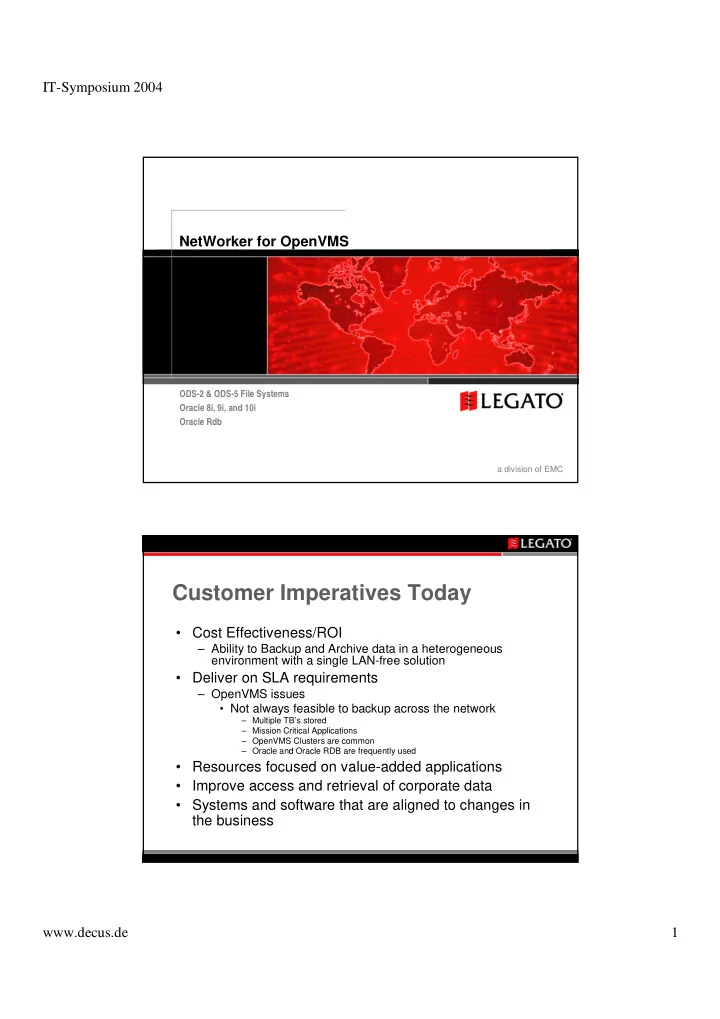
Customer Imperatives Today

  • Cost Effectiveness/ROI

– Ability to Backup and Archive data in a heterogeneous environment with a single LAN-free solution

  • Deliver on SLA requirements

– OpenVMS issues

  • Not always feasible to backup across the network

– Multiple TB’s stored – Mission Critical Applications – OpenVMS Clusters are common – Oracle and Oracle RDB are frequently used

  • Resources focused on value-added applications
  • Improve access and retrieval of corporate data
  • Systems and software that are aligned to changes in

the business

slide-2
SLIDE 2

IT-Symposium 2004 www.decus.de 2

What Customers Want for Data and Applications

Source: ESG, “Reference Information: The Next Wave”

4 4 3 3 2 2 1 1 Reduce Total Cost of Ownership (TCO) Index Reference Assets Long-term Data Retention Performance Reduce Total Cost of Ownership (TCO) Index Reference Assets Long-term Data Retention Performance 6 6 7 7 5 5 Scalability Application Integration Ease of Management Scalability Application Integration Ease of Management

Where LEGATO is a Leader Today

  • Enterprise Backup and Recovery
  • Active Archiving for email, databases and file

systems

  • Emerging Email Compliance market
  • Integrated content and storage management with
  • ver 200 Partners
  • Customer Satisfaction
slide-3
SLIDE 3

IT-Symposium 2004 www.decus.de 3

Gartner’s view of LEGATO

LEGATO’s History with HP starts with Digital

  • Digital OEM’d NetWorker for Ultrix; later OSF/1 (Digital/Tru64

Unix) and Windows NT on Alpha

  • Digital outsourced development of OpenVMS client to

Wumpusware

  • Digital Outsourcing selected NetWorker as default backup tool
  • On acquisition of Digital, Compaq changed software strategy

and returned NetWorker source to LEGATO

– Compaq continued to provide 1st & 2nd Level Technical Support – LEGATO NetWorker Single Server ships with Tru64 UNIX

  • Outsourcing agreement expanded to include right to resell

LEGATO’s full product suite

  • Consulting and integration services agreement to design and

implement Legato solutions

  • HP can resell LEGATO products today
slide-4
SLIDE 4

IT-Symposium 2004 www.decus.de 4

Value Proposition

  • NetWorker for OpenVMS

– Reduces TCO by:

  • Including OpenVMS systems, and clusters, in

heterogeneous backup solutions

  • Reducing training needs, and administration costs, by

providing a cross-platform GUI and command line

  • Reduce load on valuable staff

– Move tasks to Operations – Consistent policies, no matter the platform

– Improving ROI by

  • Sharing tape devices, media, and libraries with UNIX and

Windows systems

  • Delivers LAN free backup and archiving to direct, or fibre

channel, attached tape or disk

NetWorker Overview

  • NetWorker Architecture
  • Scaleable Network Topology
  • Comparison with ABS
  • Cluster and “cluster” Support
  • Centralised Management
  • Online Application Backup and Recovery
  • NetWorker Features
  • NetWorker for OpenVMS
  • NetWorker Oracle Module for OpenVMS
slide-5
SLIDE 5

IT-Symposium 2004 www.decus.de 5

NetWorker architecture

One NetWorker server and all of its related clients and

  • ptions is known as a

“Data Zone”

Metadata: File Index & Media Database

Storage

NetWorker Storage Node

Storage

NetWorker Server NetWorker Clients

Server Platforms

HP-UX Tru64 UNIX Windows 2000/2003 & NT LINUX - RedHat, SuSe Solaris IBM AIX SGI IRIX DYNIX/ptx Netware

Client & Storage Node Platforms

HP-UX HP Tru64 UNIX

HP OpenVMS on Alpha

Linux - RedHat, SuSe Windows NT/2000/2003 Sun Solaris IBM AIX DYNIX/ptx SGI IRIX

Client only Platforms

OpenVMS on VAX

Linux – Caldera, Turbo Linux Windows 95/98/ME SCO UNIX Open Server UnixWare NetWare Mac OSX

Heterogeneous Platform Support

slide-6
SLIDE 6

IT-Symposium 2004 www.decus.de 6

NetWorker Modules for 24x7 SLA

Databases:

– Oracle 8i, 9i, 10i – Oracle Rdb – DB/2 – Sybase – Informix – MS SQL Server

Messaging:

– Microsoft Exchange – Lotus

ERP:

– SAP R/3 on Oracle

Online Protection – Faster Recovery

Modular Scalable Architecture LAN/WAN backup

MS Exchange Server PC Desktop PC Desktop PC Desktop PC Desktop PC Desktop Oracle Server PC Desktop SAP R/3 Server

Ethernet

NetWorker Server Tape Library SCSI File & Print Server

slide-7
SLIDE 7

IT-Symposium 2004 www.decus.de 7

Modular Scalable Architecture LAN Free Backup

MS Exchange Server SAP R/3 Server NetWorker Server Tape Library PC Desktop PC Desktop Alpha Desktop PC Desktop Storage Node #1 SCSI SCSI Tape Library Storage Node#2 2-Node UNIX Cluster Oracle Server Node B Oracle Server Node A

Ethernet

Storage Node #5 Tape Library

SAN

SCSI OpenVMS Cluster Storage Node #3 Storage Node #4 NDMP NAS OpenVMS

  • n VAX

Generate Reports

Admin GUI

Comparing ABS with NetWorker

Client GUI POLICY Mgr Client Indexes Data Mover Drive Mgmt Robot Mgmt Media DB

ABS

Media and Device Mgmt Svcs MRU

NetWorker Server NetWorker Storage Node NetWorker Client

AlphaStor NetWorker Management Console

OpenVMS Backup

slide-8
SLIDE 8

IT-Symposium 2004 www.decus.de 8

NetWorker Differentiation – HA support

  • “Clustered” Client & Storage Node Support

– HP OpenVMS Clusters – HP TruCluster – HP MC-ServiceGuard – Microsoft Cluster Services – Legato Application Availability Manager – Veritas Cluster Services (Client only) – Sun Clusters – IBM HACMP

Clients

Highly Available NetWorker Server

Preserves NetWorker Server by:

  • NIC2NIC IP address failover,

when NIC’s fail

  • Restarts NW services on a

secondary server when the first server fails

  • Between servers, transfers any

in-progress Save Sets NetWorker Server Clients New NetWorker Server

slide-9
SLIDE 9

IT-Symposium 2004 www.decus.de 9

  • Single Point of Control

– Administer multiple servers simultaneously – Control all group schedules and policies – GUI

  • Motif:

– OpenVMS, UNIX & Linux

  • Windows
  • Java – via NetWorker Management Console
  • Firewall Support

– Back up NetWorker clients through firewall – User specified TCP/UDP ports – Supports OpenVMS, Unix & Windows

Centralised Management & Control

  • Advanced Client and Media Indexes

– Supports “unlimited” number of client backups & media tapes – ‘Write-once, Read-many’ architecture eliminates corruption completely. – Supports Saveset up to 4TB in size – Client File & Media Index can be transferred to a Server with different OS file systems

  • Browse Policy

– Defined per NetWorker Saveset, group of savesets or client – Allows for point in time recovery – Data is visible via User Administration interface

  • Retention Policy

– Defined per backup media – Used for grooming and recycling media – Data is visible via System Administration interface

Centralised Management & Control

slide-10
SLIDE 10

IT-Symposium 2004 www.decus.de 10

Administration and Reporting

NetWorker Management Console

  • LEGATO’s web enabled management

application allows central monitoring, administration, and reporting on NetWorker.

– Easy to install and deploy – Immediate Web-enabled management of NetWorker – Enterprise Hierarchy – Centralised Administration – Centralised Reporting – Centralised Event Monitoring

Enterprise Hierarchy

slide-11
SLIDE 11

IT-Symposium 2004 www.decus.de 11

Centralised Administration Device Management

slide-12
SLIDE 12

IT-Symposium 2004 www.decus.de 12

NetWorker Reporting NetWorker Monitoring

slide-13
SLIDE 13

IT-Symposium 2004 www.decus.de 13

Parallelism and Interleaving

Parallelism Multiple Data Streams from Multiple Clients to a NetWorker Server or Storage Nodes Interleaving Multiple Data Streams buffered in memory written to multiple tape devices, providing maximum throughput

Multiple Savesets on Self Describing Tapes intermixed at the Block Level NetWorker Server

  • r Storage Node

Buffer Individual NetWorker Client Savesets

  • Full Backup - all files regardless if changed or

not

  • Incremental - Back up files that have changed

since last full backup

  • Level 1-9 - Back up files that have changed

since the last lower numbered backup.

  • Directives – Backup ‘all’ but ‘skip’ /…/…
  • Consolidated - Backup all data changed since

last full backup and merges with last full backup

  • Skip - Skip a backup if not needed
  • Volume & Saveset Cloning
  • Staging

Multiple Backup Levels

slide-14
SLIDE 14

IT-Symposium 2004 www.decus.de 14

Directives

  • Examples:

– Nobackup = /ignore=nobackup – nolock = /ignore=interlock – Record = /record – Skip = /exclude

Saveset Consolidation

Backups

Day 1

  • Full

Day 2

  • Level 1

Day 2 - Full

Single set of tapes to recover! Faster Recovery Time !

Merges Level 1 backup with full back up Saveset to create a new full backup Full Day 3 - Full Day 3

  • Level 1
slide-15
SLIDE 15

IT-Symposium 2004 www.decus.de 15 1 3 2

Saveset and Volume Cloning

Multi-Device Tape Library 1.Backup operations read file systems once 2.Automatic or manual cloning duplicates save sets or volumes 3.Recover can use original or clone 4.Cloning creates contiguous backup savesets 5.Ideal for off-site vaulting or high speed recover tapes Clients NetWorker Server

Disk-to-Disk Backup, and staging

Clients NetWorker Server High Speed Disk Storage Pool Removable Media Storage Pool

  • 1. Initial backup operations use intermediate high speed disk devices
  • 2. Interim recovery operations occur at disk speeds -- no manual intervention

3. When devices reach customer specified thresholds, NetWorker can automatically stage backup data to removable tape media or libraries (freeing up disk capacity) 4. Single Step recovery

1 3 2

slide-16
SLIDE 16

IT-Symposium 2004 www.decus.de 16

Snap Shot management PowerSnap Application Integration

NetWorker Server

Data Volume Snap Repository

  • Freeze Application
  • Sync File System
  • Create Snapshot
  • Thaw Application

PowerSnap Snapshot Management

Secondary Storage Data Volume Snap Volume created at 8am Create Snap Volume every 1 hour and retain the last 4 Snap Volume created at 9am Backup Snap Volume created at 1pm Snap Volume created at 11am Snap Volume created at 10am

  • Create Snapshots
  • Schedule Snapshots
  • Backup snapshots
slide-17
SLIDE 17

IT-Symposium 2004 www.decus.de 17

PowerSnap Value Proposition

  • LEGATO seamlessly integrates instant

backup and rapid restores with traditional backup operations –

Scheduling, browsing, retention policies, etc.

  • f snapshots
  • Supports OpenVMS data being stored in heterogeneous

fibre-based SAN environments, including library sharing and tape drive sharing – an industry first!

  • Protects OpenVMS servers to locally attached tape libraries

reducing network traffic and improving backup and recovery performance (storage node only)

  • Allows for a centrally managed backup and recovery

solution for OpenVMS systems that exist within a mixed UNIX, Windows, Netware and Linux environment

  • Supports OpenVMS clients running in an OpenVMS cluster
  • At least match OpenVMS Backup performance

Key Features of NetWorker for OpenVMS

slide-18
SLIDE 18

IT-Symposium 2004 www.decus.de 18

  • Client

– ODS-2 File System, ODS-5 in Beta – OpenVMS clusters – VAX 5.5-2 and above – Alpha 7.0 and above – HP’s TCP/IP Services (UCX), Multinet, TCPware – Archiving (OpenVMS for Alpha 7.0 and above) – Co-exists with OpenVMS Shelving (HSM)

  • Storage Node – Alpha V7 and above

– Tape devices and Libraries supported by the OpenVMS SCSI driver – Library Sharing – Dynamic Drive Sharing

  • NW V6.1 and above server and library controlled by NW 6.1 server or

Storage Node.

  • Fibre Channel Requires OpenVMS V7.2-2 and above

– Disk to Disk Backup

Compatibility

Defining an OpenVMS Cluster Client

slide-19
SLIDE 19

IT-Symposium 2004 www.decus.de 19

Recover to an ODS-5 volume

ODS-5 Exceptionally long file names

slide-20
SLIDE 20

IT-Symposium 2004 www.decus.de 20

OpenVMS Storage Node in a DDS environment

UNIX UNIX Windows 2000 OpenVMS

Oracle Support on OpenVMS

  • In Beta now, Release in December
  • Supports SBT (RMAN) API V2.0

– Oracle 8i, 9i and 10i – Rdb 7.1.2.1.0

  • Worked closely with Rdb engineering team
  • LIBRARIAN qualifier supported

– Database backup and restore – Journal backup and recovery

  • requires a patch from Rdb.
slide-21
SLIDE 21

IT-Symposium 2004 www.decus.de 21

Rdb Support

  • Use the /LIBRARIAN qualifier with RMU

– Device, directory, file type are ignored

  • Specify reader and writer threads in

commands, like:

  • Backup save set managed by NetWorker
  • Restore is just as you would expect

$ RMU /BACKUP /LIBRARIAN /LOG – _$ rdb-root-file rmu-backup-file $ RMU /RESTORE /NOCDD /LIBRARIAN /LOG rmu-backup-file

Multi-threaded Backup Supported

  • Specify reader and writer threads in commands, like:
  • Results in three backup files (managed by

NetWorker)

  • On restore, if reader threads don’t match writer

threads use /VOLUMES

$ RMU /BACKUP /LIBRARIAN = (WRITER_THREADS = 3)/LOG – _$ rdb-root-file rmu-backup-file RMU-BACKUP-FILE.RBF RMU-BACKUP-FILE02.RBF RMU-BACKUP-FILE03.RBF $ RMU /RESTORE /LIBRARIAN=(READER_THREADS = 2) – _$ /VOLUMES=3 rmu-backup-file

slide-22
SLIDE 22

IT-Symposium 2004 www.decus.de 22

Parallel Process Backups with Rdb

  • Multiple processes distribute backup

processing across SMP processors, cluster nodes

  • Can use both parallel processes and threads
  • These commands write to 9 save sessions
  • SQL/Services required for parallel backups

$ RMU /BACKUP /PARALLEL = EXECUTOR = 3 - _$ /LIBRARIAN = WRITER_THREADS = 3 – _$ /LOG - _$ rdb-root-file rmu-backup-file

Backup Plans Supported

  • Generate a backup plan then edit, execute:

$ RMU /BACKUP /PARALLEL = EXECUTOR = 3 _$ /LIBRARIAN = WRITER_THREADS = 3 – _$ /LIST_PLAN = parallel_backup.plan – _$ /NOEXECUTE /LOG - _$ rdb-root-file rmu-backup-file $ $ EDIT parallel_backup.plan $ $ RMU /BACKUP /PLAN parallel_backup.plan

slide-23
SLIDE 23

IT-Symposium 2004 www.decus.de 23

Restoring using Rdb

  • Use the same plan file to restore the

database

  • Parallel restore still not supported
  • Limit restore threads like this:

$ RMU /RESTORE _$ /LIBRARIAN = (READER_THREADS = 3, – _$ PLAN_FILE = parallel_backup.plan) – _$ /LOG - _$ rmu-backup-file

Rdb Client in NetWorker

Backup Script Name

$! $! This section contains symbols and logical names that can be specified to $! modify the behavior of the backup script. Some of these symbols and $! logical names are required for use with this template file. Others are $! optional. The required ones appear first in this section. $! $!-------- $! $DATABASE_NAME = "SYS$SYSDEVICE:[VMS$COMMON.SYSHLP.EXAMPLES.RDB71]MF_PERSONNEL" $BACKUP_NAME = "PERSONNEL" $BACKUP_COMMAND = "RMU/BACKUP/LIBRARY" $! . . . $! Generate a unique filename. This is the name + a date/time. RMU $! appends ".RBF" to the end of this name. Note that RMU requres the $! backup_name to follow ODS-2 filename conventions. $! $ BACKUP_NAME = "Rdb_" + BACKUP_NAME + "_" + "''F$CVTIME(,,"DATE")'_" $ BACKUP_NAME = BACKUP_NAME + "''F$CVTIME(,,"HOUR")'" $ BACKUP_NAME = BACKUP_NAME + "''F$CVTIME(,,"MINUTE")'" $ BACKUP_NAME = BACKUP_NAME + "''F$CVTIME(,,"SECOND")'" $! $! Execute the RMU backup command. $! $ BACKUP_COMMAND 'DATABASE_NAME' 'BACKUP_NAME' $ BACKUP_STATUS = $STATUS $ EXIT BACKUP_STATUS

slide-24
SLIDE 24

IT-Symposium 2004 www.decus.de 24

Delivering Operational Efficiency and Business Continuance…

  • ONE, a leading Austrian telecom

provider protects more than 54 terabytes on NAS/SAN

– reduced resources and personnel required for data protection – better able to leverage SAN environment

–cut Oracle backup times by 50%

…To Help Customers Change Their Rules

Coming to a Release Near You Soon

We need your feedback to define priorities:

  • Q4 CY2003

– In Beta from October 2003, support for:

  • ODS-5
  • RDB 7.1.2 and above
  • Oracle 8i, 9i, 10i
  • Itanium Port for OpenVMS 8.0
  • CY2004
  • AlphaStor client
  • NetWorker server
  • ?
slide-25
SLIDE 25

IT-Symposium 2004 www.decus.de 25

HP & LEGATO Support

  • Technical Support

– 1st and 2nd line support offered by HP and LEGATO (customer choice) – 3rd line support offered by LEGATO

  • LEGATO technical field sales support

– LEGATO OpenVMS “Consuls” – Specialists who have background in OpenVMS and will assist in answering technical questions/pre-sales support

Legato Information & Contacts

  • penvms@legato.com
slide-26
SLIDE 26

IT-Symposium 2004 www.decus.de 26

the leader in open software solutions for Information Management™