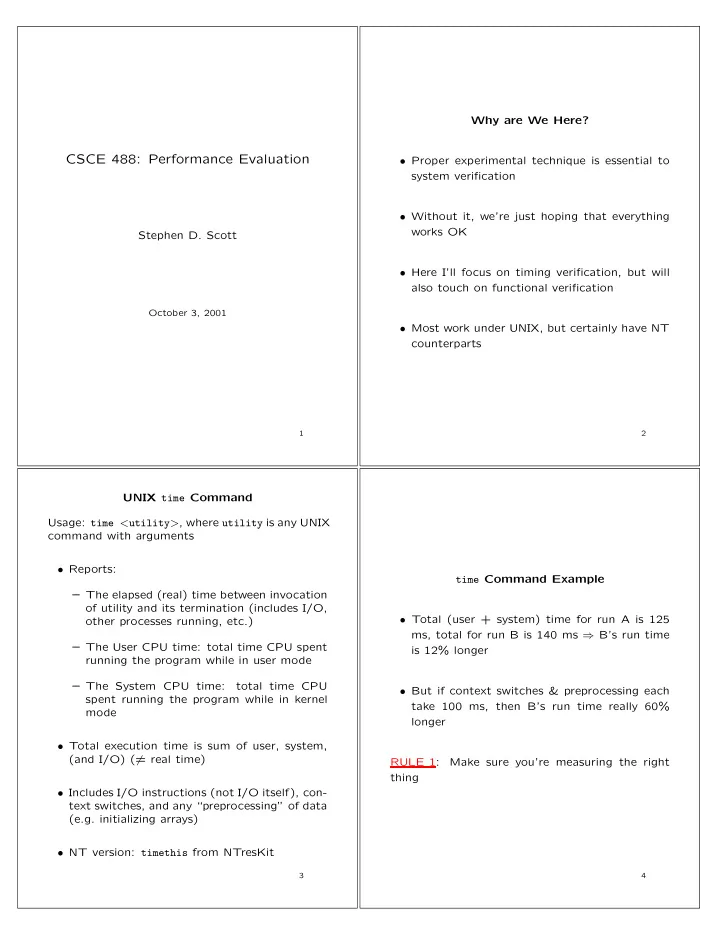
CSCE 488: Performance Evaluation Proper experimental technique is - - PDF document

csce 488 performance evaluation
SMART_READER_LITE
LIVE PREVIEW

CSCE 488: Performance Evaluation Proper experimental technique is - - PDF document

Why are We Here? CSCE 488: Performance Evaluation Proper experimental technique is essential to system verification Without it, were just hoping that everything works OK Stephen D. Scott Here Ill focus on timing verification,


slide-1
SLIDE 1

CSCE 488: Performance Evaluation

Stephen D. Scott

October 3, 2001

1

Why are We Here?

  • Proper experimental technique is essential to

system verification

  • Without it, we’re just hoping that everything

works OK

  • Here I’ll focus on timing verification, but will

also touch on functional verification

  • Most work under UNIX, but certainly have NT

counterparts

2

UNIX time Command Usage: time <utility>, where utility is any UNIX command with arguments

  • Reports:

– The elapsed (real) time between invocation

  • f utility and its termination (includes I/O,
  • ther processes running, etc.)

– The User CPU time: total time CPU spent running the program while in user mode – The System CPU time: total time CPU spent running the program while in kernel mode

  • Total execution time is sum of user, system,

(and I/O) (= real time)

  • Includes I/O instructions (not I/O itself), con-

text switches, and any “preprocessing” of data (e.g. initializing arrays)

  • NT version: timethis from NTresKit

3

time Command Example

  • Total (user + system) time for run A is 125

ms, total for run B is 140 ms ⇒ B’s run time is 12% longer

  • But if context switches & preprocessing each

take 100 ms, then B’s run time really 60% longer RULE 1: Make sure you’re measuring the right thing

4

slide-2
SLIDE 2

More Precise Timing Measurements

  • Use system calls around blocks of code to grab

precise system timing info

  • Times measured from arbitrary point in past

(e.g. reboot) in number of “clock ticks”

  • Can use to get time stamps at different points

in the code and compute difference E.g.

#include <sys/types.h> #include <sys/times.h> clock_t times(struct tms *buffer);

where

struct tms { clock_t tms_utime; /* user time of current proc. */ clock_t tms_stime; /* system time of current proc. */ clock_t tms_cutime; /* child user time of current proc. */ clock_t tms_cstime; /* child sys. time of current proc. */ };

  • Can also use clocks() (ANSI C) or times()

(SVr4, SVID, X/OPEN, BSD 4.3 and POSIX)

5

ACE’s Profile Timer

  • Developed by Doug Schmidt in his ACE (Adap-

tive Communication Environment) package: http://www.cs.wustl.edu/~schmidt/ACE.html

  • Timer is just a small part
  • Gets up to (down to?) nanosecond precision

(not nanosec. accuracy)

  • Requires sys/procfs.h (not in NT?)

E.g.

main() { Profile_Timer timer; Profile_Timer::Elapsed_Time et; timer.start(); /* run code to be timed here */ timer.stop(); timer.elapsed_time(et); /* compute elapsed time */ cout << "time(in secs): " << et.user_time; }

6

Caveat

  • Most system-independent timers are only up-

dated every 10 ms

  • Thus cannot rely on measurements more fine

than that, even though they’re available

  • One approach: run same routine multiple times

and take average – Can have problems with caches – Workaround: after every run, “flush” the cache, or use new dataset each time

7

Application of Timer Example: Merge Sort vs. Insertion Sort

  • For sorting 20 items, IS took 2.0 × 10⁻⁵ sec,

made 363 comparisons

  • For sorting 20 items, MS took 5.8 × 10⁻⁵ sec,

made 658 comparisons

  • Conclusion: IS is more than twice as fast as

MS [FALLACY] RULE 2: Measure trends

8

slide-3
SLIDE 3

0.2 0.4 0.6 0.8 1 1.2 1.4 1.6 1000 2000 3000 4000 5000 6000 7000 "is-time" "ms-time" 9

OK, Tough Guy, Let’s Measure Trends

  • Choose already sorted inputs to test the

algorithm [INCORRECT TREND] RULE 3: Take average over several inputs of the same size

10 0.002 0.004 0.006 0.008 0.01 0.012 0.014 0.016 0.018 0.02 1000 2000 3000 4000 5000 6000 7000 "is-sorted-time" "ms-sorted-time" 11

Sampling Theory

  • What inputs should we use to test?
  • Ideally, what you would see in practice

– Don’t always know this

  • Next best thing: all possible inputs (exponen-

tially or infinitely big) or a (uniformly) ran- domly selected set

  • Rule of thumb:

try at least 30 random sets and take mean

12

slide-4
SLIDE 4

Sampling Theory (cont’d)

  • Mean of X1, . . . , Xm (e.g. sort times for m in-

puts, each of size n): ¯ X = (1/m) m

i=1 Xi

  • Standard deviation s =

m

i=1(Xi− ¯

X)2 m−1

=

  • m

m

i=1 X2 i

  • −(

m

i=1 Xi)2

m(m−1)

(compute on-line)

  • If m ≥ 30, we are 95% confident that the true

mean is approximately in ¯ X ± z0.025(s/√m) = ¯ X ± 1.96(s/√m) (1) and we are 95% confident that the true mean is approximately at most ¯ X + z0.05(s/√m) = ¯ X + 1.645(s/√m) (2) (1) is two-sided interval and (2) is one-sided

13

Sampling Theory (cont’d)

  • Based on Central Limit Theorem, which states

that regardless of the data’s distribution, ¯ X’s

  • dist. is approximately Gaussian (normal) with

variance ≈ s/√m, assuming m large enough

0.05 0.1 0.15 0.2 0.25 0.3 0.35 0.4

  • 3
  • 2
  • 1

1 2 3 0.05 0.1 0.15 0.2 0.25 0.3 0.35 0.4

  • 3
  • 2
  • 1

1 2 3

N% of area (probability) lies in µ ± zN σ N% 50% 68% 80% 90% 95% 98% 99% zN 0.67 1.00 1.28 1.64 1.96 2.33 2.58 N% of area lies < µ + z′

N σ or > µ − z′ Nσ, where

z′

N = z100−(100−N)/2

N% 50% 68% 80% 90% 95% 98% 99% z′

N

0.0 0.47 0.84 1.28 1.64 2.05 2.33 Consult your Statistics text for more info, esp. on zα’s

14

Hardware Timing

  • Several CAD tools (incl. Xilinx Foundation)

will perform timing analysis of designs after mapped to implementation technology – Make sure you use the right technology!

  • An important aspect of this: critical path analysis,

where the longest input-to-output path (in terms

  • f time) is estimated and timed, which bounds

the maximum clock rate

  • Don’t forget about e.g. printed circuit board

delays, memory access latency, etc. – Take max delay between hardware and soft- ware components

15

Functional Verification

  • Hardware: CAD tools, e.g. Xilinx Foundation
  • Software: run directly or use source-level debugger
  • For both, test boundary and nominal condi-

tions; go for high % cover of code/data paths

  • When practicable, compare to hand simulation

(e.g. with smaller inputs)

  • HW/SW testing is active area of research (e.g.
  • Prof. Elbaum)
  • Formal methods: one approach used for veri-

fication of hw and sw designs, has been used

  • n specific code sets/designs, not yet used in

the large

  • Extra problems occur with concurrency, e.g.

multiple threads

16