Cryptography and Network Security Chapter 21 What is the concept of - - PDF document

cryptography and network security chapter 21
SMART_READER_LITE
LIVE PREVIEW

Cryptography and Network Security Chapter 21 What is the concept of - - PDF document

4/19/2010 Chapter 21 Malicious Software Cryptography and Network Security Chapter 21 What is the concept of defense: The parrying of a blow. What is its characteristic feature: Awaiting the blow Awaiting the blow. Fifth Edition On War,


slide-1
SLIDE 1

4/19/2010 1

Cryptography and Network Security Chapter 21

Fifth Edition by William Stallings Lecture slides by Lawrie Brown

Chapter 21 – Malicious Software

What is the concept of defense: The parrying of a blow. What is its characteristic feature: Awaiting the blow Awaiting the blow. —On War, Carl Von Clausewitz

Viruses and Other Malicious Content

  • computer viruses have got a lot of publicity
  • one of a family of malicious software
  • effects usually obvious
  • have figured in news reports, fiction, movies

(often exaggerated)

  • getting more attention than deserve
  • are a concern though

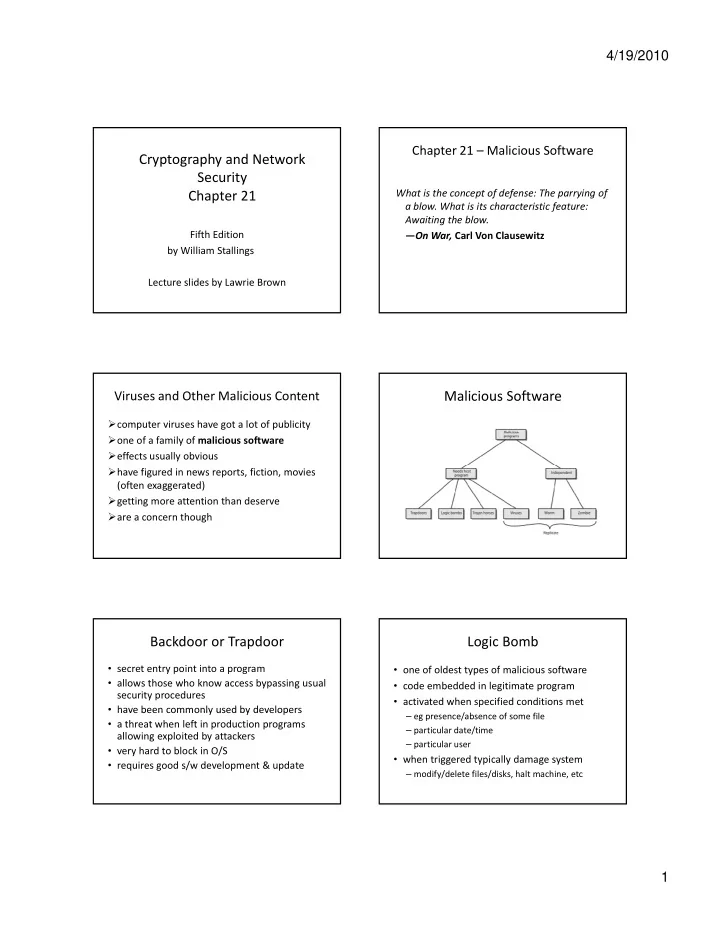
Malicious Software Backdoor or Trapdoor

  • secret entry point into a program
  • allows those who know access bypassing usual

security procedures

  • have been commonly used by developers

have been commonly used by developers

  • a threat when left in production programs

allowing exploited by attackers

  • very hard to block in O/S
  • requires good s/w development & update

Logic Bomb

  • one of oldest types of malicious software
  • code embedded in legitimate program
  • activated when specified conditions met

– eg presence/absence of some file – particular date/time – particular user

  • when triggered typically damage system

– modify/delete files/disks, halt machine, etc

slide-2
SLIDE 2

4/19/2010 2

Trojan Horse

  • program with hidden side‐effects
  • which is usually superficially attractive

– eg game, s/w upgrade etc

  • when run performs some additional tasks

– allows attacker to indirectly gain access they do not have directly

  • often used to propagate a virus/worm or install a

backdoor

  • or simply to destroy data

Mobile Code

  • program/script/macro that runs unchanged

on heterogeneous collection of platforms on large homogeneous collection (Windows)

  • t

itt d f t t t l l

  • transmitted from remote system to local

system & then executed on local system

  • often to inject virus, worm, or Trojan horse
  • or to perform own exploits

unauthorized data access, root compromise

Multiple‐Threat Malware

  • malware may operate in multiple ways
  • multipartite virus infects in multiple ways

eg. multiple file types

  • blended attack uses multiple methods of
  • blended attack uses multiple methods of

infection or transmission

to maximize speed of contagion and severity may include multiple types of malware eg. Nimda has worm, virus, mobile code can also use IM & P2P

Viruses

  • piece of software that infects programs

 modifying them to include a copy of the virus  so it executes secretly when host program is run

  • specific to operating system and hardware

 taking advantage of their details and weaknesses

  • a typical virus goes through phases of:

 dormant  propagation  triggering  execution

Virus Structure

  • components:

infection mechanism ‐ enables replication trigger ‐ event that makes payload activate payload ‐ what it does malicious or benign payload what it does, malicious or benign

  • prepended / postpended / embedded
  • when infected program invoked, executes

virus code then original program code

  • can block initial infection (difficult)
  • or propogation (with access controls)

Virus Structure

slide-3
SLIDE 3

4/19/2010 3

Compression Virus Virus Classification

  • boot sector
  • file infector
  • macro virus
  • encrypted virus
  • stealth virus
  • polymorphic virus
  • metamorphic virus

Macro Virus

  • became very common in mid‐1990s since

platform independent infect documents easily spread

  • exploit macro capability of office apps

executable program embedded in office doc often a form of Basic

  • more recent releases include protection
  • recognized by many anti‐virus programs

E‐Mail Viruses

  • more recent development
  • e.g. Melissa

exploits MS Word macro in attached doc if h d i if attachment opened, macro activates sends email to all on users address list and does local damage

  • then saw versions triggered reading email
  • hence much faster propagation

Virus Countermeasures

  • prevention ‐ ideal solution but difficult
  • realistically need:

– detection id ifi i – identification – removal

  • if detect but can’t identify or remove, must

discard and replace infected program

Anti‐Virus Evolution

  • virus & antivirus tech have both evolved
  • early viruses simple code, easily removed
  • as become more complex, so must the

countermeasures countermeasures

  • generations

first ‐ signature scanners second ‐ heuristics third ‐ identify actions fourth ‐ combination packages

slide-4
SLIDE 4

4/19/2010 4

Generic Decryption

  • runs executable files through GD scanner:

CPU emulator to interpret instructions virus scanner to check known virus signatures emulation control module to manage process emulation control module to manage process

  • lets virus decrypt itself in interpreter
  • periodically scan for virus signatures
  • issue is long to interpret and scan

tradeoff chance of detection vs time delay

Digital Immune System Behavior‐Blocking Software Worms

  • replicating program that propagates over net

– using email, remote exec, remote login

  • has phases like a virus:

– dormant, propagation, triggering, execution dormant, propagation, triggering, execution – propagation phase: searches for other systems, connects to it, copies self to it and runs

  • may disguise itself as a system process
  • concept seen in Brunner’s “Shockwave Rider”
  • implemented by Xerox Palo Alto labs in 1980’s

Morris Worm

  • one of best know worms
  • released by Robert Morris in 1988
  • various attacks on UNIX systems

cracking password file to use login/password to cracking password file to use login/password to logon to other systems exploiting a bug in the finger protocol exploiting a bug in sendmail

  • if succeed have remote shell access

sent bootstrap program to copy worm over

Worm Propagation Model

slide-5
SLIDE 5

4/19/2010 5

Recent Worm Attacks

  • Code Red

– July 2001 exploiting MS IIS bug – probes random IP address, does DDoS attack

  • Code Red II variant includes backdoor
  • SQL Slammer
  • SQL Slammer

– early 2003, attacks MS SQL Server

  • Mydoom

– mass‐mailing e‐mail worm that appeared in 2004 – installed remote access backdoor in infected systems

  • Warezov family of worms

– scan for e‐mail addresses, send in attachment

Worm Technology

  • multiplatform
  • multi‐exploit
  • ultrafast spreading
  • polymorphic
  • metamorphic
  • transport vehicles
  • zero‐day exploit

Mobile Phone Worms

  • first appeared on mobile phones in 2004

target smartphone which can install s/w

  • they communicate via Bluetooth or MMS
  • to disable phone, delete data on phone, or

send premium‐priced messages

  • CommWarrior, launched in 2005

replicates using Bluetooth to nearby phones and via MMS using address‐book numbers

Worm Countermeasures

  • overlaps with anti‐virus techniques
  • once worm on system A/V can detect
  • worms also cause significant net activity
  • worm defense approaches include:
  • worm defense approaches include:

signature‐based worm scan filtering filter‐based worm containment payload‐classification‐based worm containment threshold random walk scan detection rate limiting and rate halting

Proactive Worm Containment Network Based Worm Defense

slide-6
SLIDE 6

4/19/2010 6

Distributed Denial of Service Attacks (DDoS)

  • Distributed Denial of Service (DDoS) attacks

form a significant security threat

  • making networked systems unavailable

making networked systems unavailable

  • by flooding with useless traffic
  • using large numbers of “zombies”
  • growing sophistication of attacks
  • defense technologies struggling to cope

Distributed Denial of Service Attacks (DDoS) DDoS Flood Flood Types Constructing an Attack Network

  • must infect large number of zombies
  • needs:

1. software to implement the DDoS attack p 2. an unpatched vulnerability on many systems 3. scanning strategy to find vulnerable systems

– random, hit‐list, topological, local subnet

DDoS Countermeasures

  • three broad lines of defense:
  • 1. attack prevention & preemption (before)
  • 2. attack detection & filtering (during)
  • 3. attack source traceback & ident (after)
  • huge range of attack possibilities
  • hence evolving countermeasures

Summary

  • have considered:

– various malicious programs – trapdoor, logic bomb, trojan horse, zombie viruses – viruses – worms – distributed denial of service attacks