
SLIDE 1
how
how
how
why
how
what
CREATIVE CODING
_philly_dataviz_meetup _will_chase 2019-10-29 @W_R_Chase
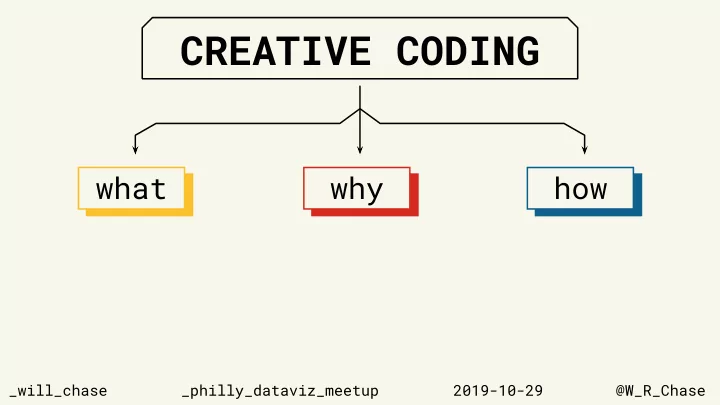
CREATIVE CODING what why how how how how _will_chase - - PowerPoint PPT Presentation
CREATIVE CODING what why how how how how _will_chase _philly_dataviz_meetup 2019-10-29 @W_R_Chase what CREATIVE CODING how what CREATIVE CODING how ALGORITHMIC ART what CREATIVE CODING how ALGORITHMIC ART GENERATIVE ART what
_philly_dataviz_meetup _will_chase 2019-10-29 @W_R_Chase
“The computer will show you billions
imagination couldn’t have thought of… with computers, you can first open up the entire spectrum and decide, this is the part that interests me.”
You will learn valuable and transferable skills.
_1 General purpose programming _2 AI/ML _3 Geometry + trigonometry _4 Design
You will learn valuable and transferable skills.
_1 General purpose programming _2 AI/ML _3 Geometry + trigonometry _4 Design
You will learn valuable and transferable skills.
_1 General purpose programming _2 AI/ML _3 Geometry + trigonometry _4 Design
It’s a great way to engage with the community and promote your work.
It’s a great way to engage with the community and promote your work.
Ultimately, do it if you think it’s fun and you want to.
_thomas_lin_pedersen
_thomas_lin_pedersen
Tools (what are they good for?)
Tools don’t dictate whether you can or can’t make art. But they do guide your process and shape your
Excellent talk by Matt DesLauriers on process, tools, generative design:
https://www.youtube.com/watch?v=8Uo6zFwSO78&feature=youtu.be
“Wow, it’s so beautiful how you’ve gotten 10 million particles to run in real time on your GPU with integrated physics simulation”
(ok, maybe some software engineers)
_Lesson 1 Focus on the fundamentals and creating an output you like. Don’t worry about how complex your solution, or how new your tool.
Fundamentals are transferable and will serve you well no matter your tools.
_Lesson 2 Find inspiration: in nature, in
_Gris, Nomada Studios
_Lesson 3 Get involved with a community. Find
and traditional on Twitter, Instagram, or wherever. Share you
“… You open the spectrum of possibilities, and say this is the part that interests me, so you focus and develop all the
actually over here, so you get closer. It’s a paradox,but the people who argued at the beginning that using computers dehumanizes art… the opposite is true. Because it’s thanks to all this technology that we can get very close to what we have imagined, that otherwise we might not have found.”
My blogs on art with R:
https://www.williamrchase.com/categories/art/
The coding train:
https://www.youtube.com/channel/UCvjgXvBlbQiydffZU7m1_aw
@inconvergent on generative algorithms:
https://inconvergent.net/generative/
Tyler Hobbs essays: https://tylerxhobbs.com/essays
@W_R_Chase
www.williamrchase.com