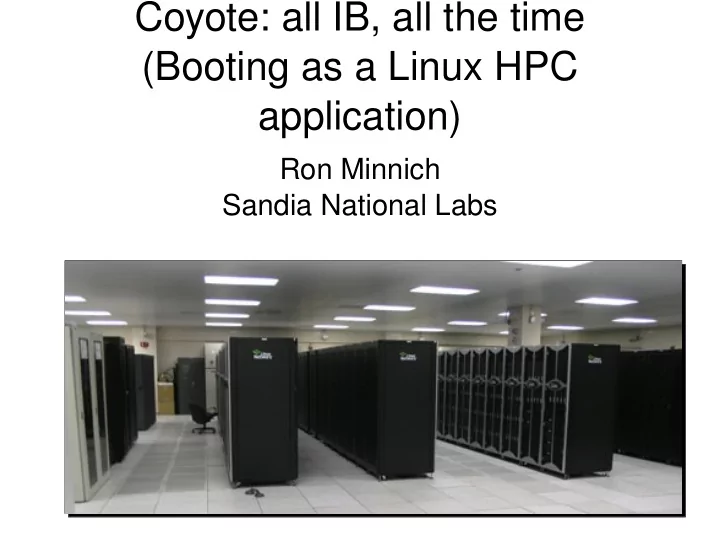
Coyote: all IB, all the time (Booting as a Linux HPC application) - - PowerPoint PPT Presentation

coyote all ib all the time booting as a linux hpc
SMART_READER_LITE
LIVE PREVIEW

Coyote: all IB, all the time (Booting as a Linux HPC application) - - PowerPoint PPT Presentation

Coyote: all IB, all the time (Booting as a Linux HPC application) Ron Minnich Sandia National Labs Acknowledgments Andrew White, Bob Tomlinson, Daryl Grunau, Kevin Tegtmeier, Ollie Lo, Latchesar Ionkov, Josh Aune, and many others at LANL


slide-1
SLIDE 1

Coyote: all IB, all the time (Booting as a Linux HPC application)

Ron Minnich Sandia National Labs

slide-2
SLIDE 2

Acknowledgments

Andrew White, Bob Tomlinson, Daryl Grunau, Kevin Tegtmeier, Ollie Lo, Latchesar Ionkov, Josh Aune, and many others at LANL and Linux NetworX (RIP)

slide-3
SLIDE 3

Overview

  • HPC systems have HPC networks
  • Which HPC applications use
  • And admin applications don't

– Usually add an extra Ethernet network – Or 2 or 3 …

  • And the admin networks are either:

– Wildly overcommitted – Expensive

  • But they are guaranteed to reduce reliability
slide-4
SLIDE 4

Why don't admins use HPC networks?

  • Well, they can … if the vendors let them
  • At Los Alamos, from 2000-2006, we built HPC

machines that did just that

  • Which gave us admin networks that

– Allowed us high quality monitoring – High performance boot – Lower expense – Higher reliability

slide-5
SLIDE 5

The reliability point bears mentioning

  • Probability 101
  • Vendors require HPC net, and admin net

– Claim is this is “more reliable”

  • Uh, no: both are needed to operate

– Which decreases reliability for users

  • Vendor practices make HPC systems less

reliable

  • So why do they do it?
  • Because the BIOS can't work any other way ...
slide-6
SLIDE 6

Why the BIOS wants that admin net

  • Usually Ethernet
  • Which is what IPMI understands
  • In fact, just about all the (closed) vendor

software runs only on that Ethernet

  • We get machines with 40Gbits/s HPC net
  • And 1 Gbits/s Ethernet

– Which, per port, can cost more than the IB

slide-7
SLIDE 7

So, the other thing we did at LANL

  • Embed a Linux kernel on the mainboard
  • Exploit Linux for everything related to boot
  • Allowed us to build Pink, a Top 10 machine, in

2002, for < ½ the cost of a similar machine

  • Remove 1024-port Enet, remove disks, save a

lotta money, make it more reliable

  • Not a bad deal
  • But relied on replacing BIOS with Linux
slide-8
SLIDE 8

Linux as BIOS was a Big Deal in 1999

  • It's not a big deal now in many places
  • Taken for granted in embedded world (cars,

network switches, etc.)

  • But it's still a Big Deal in the PC world

– In other words, PCs are falling behind

  • PCs are now as closed as the workstations they

replaced in 1994: ecosystem is closing

  • PC vendors should beware: closed ecosystems

die off rapidly (see: workstation vendors)

slide-9
SLIDE 9

Example: Booting as an HPC application

  • I discovered in 2007 that some of our IB

software is, ah, not quite as mature as I thought

  • “IB-only boot? Solved problem”
  • Well, maybe
slide-10
SLIDE 10

PXE on IB experiences: 2007

  • For SC 07 we set up a cluster to use the PXE-

in-firmware on Mellanox cards

  • Not surprised, not shocked: required wget this,

patch that, things did not quite work

– And people kept telling me to “just boot over enet”

  • IB has come far, but not far enough
  • I still talk to people who want an “IB only”

solution -- and we did this in 2005 at LANL

slide-11
SLIDE 11

Vendor boot-over-IB solutions

  • Add an extra Ethernet

– Yuck!

  • Use the IB cards in “I'm just an Ethernet device”

mode

– Yuck!

  • You've got an HPC network and want to

emulate a low speed network?

  • Maybe that's nice on small systems ...
slide-12
SLIDE 12

Overview

  • What Coyote is
  • The challenge: IB only boot, compute, operate
  • How it all fit together
  • Challenges and fixes
slide-13
SLIDE 13

Coyote in 2005/6 Coyote in 2005/6

258 dual- processor Compute Nodes 12 dual- processor I / O Nodes

C5

Master Master 258 dual- processor Compute Nodes 12 dual- processor I / O Nodes

C4

Master Master 258 dual- processor Compute Nodes 12 dual- processor I / O Nodes

C3

Master Master 258 dual- processor Compute Nodes 12 dual- processor I / O Nodes

C2

Master Master 258 dual- processor Compute Nodes 12 dual- processor I / O Nodes

C1

Master Master 36 dual- processor Compute Nodes 4 dual- processor I / O Nodes

DotX

Master Master Infiniband 4x Infiniband 4x Infiniband 4x Infiniband 4x Infiniband 4x Infiniband 4x

  • Linux Networx system:

– 5 Scalable Unit (SU) clusters of 272 nodes + 1 cluster (DotX) of 42 nodes: – Dual-2.6GHz AMD Opteron CPUs (single core) – 4GB memory / CPU

  • 272 node SUs:

– 258 compute nodes + 1 compute-master – 12 I/O nodes + 1 I/O-master

  • 42 node DotX:

– 36 compute nodes + 1 compute-master – 4 I/O nodes + 1 I/O-master

  • Not pictured: 4 compile & 10 serial job nodes
  • System Software

– 2.6.14 based Linux – Fedora Core 3 – Clustermatic V4 (BProcV4) – OpenMPI – LSF – Scheduler – PathScale Compilers (also gcc, pgi) – Mellanox AuCD 2.0 – OpenSM/Gen2

Possibile to connect 2 SUs together for a larger 1032-cpu partition

24-port IB 24-port IB 8 8 8 8

  • System Monitoring

– Hardware monitoring network (not shown) accessed via third network interface (eth2) on master nodes provides for console and power management via conman and powerman. – Environment monitoring via Supermon

slide-14
SLIDE 14

Coyote boot software (beoboot)

  • This software can support any cluster system
  • i.e., on top of this:
  • can build Rocks, Oscar, OneSIS, etc.

– This software is not bproc or Clustermatic specific

  • It is (in my experience) the fastest, most

reliable, most scalable boot system

  • Because it uses Linux to perform the boot, not

PXE or similar systems

slide-15
SLIDE 15

The Challenge: IB only compute, boot, operate

  • Early goal was to build Coyote with one, not

two, networks

  • Experience on Pink and Blue Steel with Ether

– Pink: Ethernet not needed, greatly reduced cost – Pink: Motherboard issues with Ethernet on IO

nodes delayed delivery

– Blue Steel: Ethernet was needed, greatly increased

headaches

slide-16
SLIDE 16

Digression: A note on failure models

  • It is odd to this day to see that the concept of

points-of-failure is misunderstood

  • People do understand a single point of failure
  • People don't always understand that multiple

points of failure is not the same as no single point of failure

  • This confusion leads to strange design

decisions

slide-17
SLIDE 17

Example: boot management

  • Here is a boot system for a 1024-node cluster
  • “But it's a Single Point Of Failure”
  • So people frequently do this:

Boot system

slide-18
SLIDE 18

Example: boot management: hierarchy of tftp servers

  • What happens if one node goes out?
  • Answer determines if this is MPOF
  • In most cases, it is: you lose some nodes
slide-19
SLIDE 19

Coyote software components Firmware (i.e. in BIOS/CF)

  • coreboot
  • Linux kernel with:

– IB Gold stack, IPoIB – beoboot – kexec

  • These components were sufficient to provide a

high performance, scalable, ad-hoc boot infrastructure for Coyote

slide-20
SLIDE 20

Note: Kernel was in Compact Flash

  • In many cases we can put coreboot + Linux in

BIOS flash

– (see: http://tinyurl.com/2umm66) Linux + X11 BIOS!

  • Once we add myrinet or IB drivers, standard

FLASH parts are too small (only 1 MB)

  • Long term goal:Linux back in BIOS FLASH

– Else have to fall back to Ether + PXE!

  • Newer boards will have 4 MByte and up parts
slide-21
SLIDE 21

Coyote master node

  • This node controls the cluster
  • It is contacted by the individual compute/IO

nodes for boot management

  • Provides a Single Point Of Failure model with

ad-hoc tree boot system (more on that later)

  • Fastest way to boot; far faster than PXE
slide-22
SLIDE 22

Coyote boot process

coreboot Configure Platform Load kernel Load initrd Config IB ifconfig ib0 up beoboot

  • coreboot has two files:

kernel+initrd

  • Initrd contains drivers
  • At this point,

modprobe+ifconfig worked fine (thanks vendors!)

  • Thanks to Hal for DHCP that

worked

slide-23
SLIDE 23

Why not just use PXE at this point?

  • PXE can boot a node, but:

– Requires network card firmware to make the

card act like an ethernet

– Does not exploit all HPC network features

  • In practice, we have booted 1024 node clusters

with Linux in the time it takes PXE to not configure one network interface!

– Much less NOT configuring two or three ...

slide-24
SLIDE 24

PXE inefficiencies lead to construction of unreliable boot setup

  • Our old friend, MPOF, we meet again
slide-25
SLIDE 25

Linux: the right way to boot

  • Use the strengths of the HPC network and

Linux

  • We'd been doing this at LANL since 2000, and

understand it well

  • The idea is simple: conscript the booting nodes

to help boot other nodes

  • That's the beoboot component
slide-26
SLIDE 26

Booting fast and reliably

B C1

Boot me!

B C1 B C1 C2

Boot me!

B C1 B C1 C2

You're drafted Ask C1 Boot me!

slide-27
SLIDE 27

Ad-hoc tree boot

  • In practice, this is incredibly fast
  • Image distribution: 20 Mbytes, 1024 nodes, <<

10 seconds

– 2 Gbytes/second minimum

  • Most boot time: Linux serial output
  • Extraordinarily reliable

– Tested, fast Linux drivers

  • Exploit Linux concurrency
slide-28
SLIDE 28

Conclusions

  • HPC systems are best built with Linux “boot

firmware”

  • Ad-hoc trees use HPC network for booting,

eliminate slow, failure-prone static trees

  • Single point of failure, not many
  • Have been working on IB since 2005
  • We are re-releasing the scalable boot software:

follow the clustermatic project at github.com