
SLIDE 1
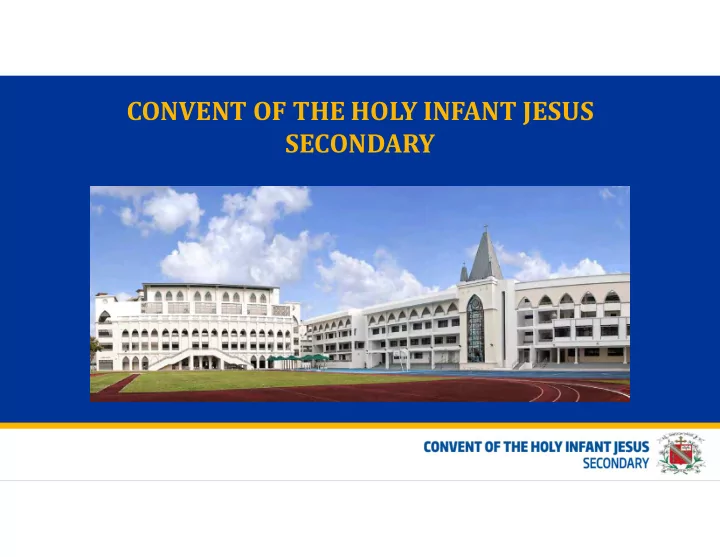
CONVENT OF THE HOLY INFANT JESUS SECONDARY CONVENT OF THE HOLY - - PowerPoint PPT Presentation
CONVENT OF THE HOLY INFANT JESUS SECONDARY CONVENT OF THE HOLY INFANT JESUS SECONDARY Scan QR code for e-booklet School Leaders Principal Mrs Rachel Lee Vice-Principals Academic: Ms Teo Geok Sian Ms Adeline Phua Admin: Ms Paula Kesavan
Scan QR code for e-booklet
Principal Mrs Rachel Lee Vice-Principals Academic: Ms Teo Geok Sian Ms Adeline Phua Admin: Ms Paula Kesavan
Year Head & Assistant Year Head Key Personnel Student Support Team Form Teachers
8
Even week Odd week Student Initiated Activities
9
0740-0800 Daily contact time with Form Teachers Character Education Programme Every Thur (ending 1430)
Form Teachers / Year Heads / Principals
10
Recess
0900,0930,10,00,1030
Snack
Afternoon lessons are indicated whenever possible Student Initiated Activities
* http://tinyurl.com/mdasurvey2015
90% started before the age of 10 years old.
Starting age of children using the Internet
Note: Survey was conducted on children up to 14 years old
Frequency of using the Internet (%)
>68% of the children use internet 4-6 days per week >50% of the children start to use internet <7 yrs old
* http://tinyurl.com/mdasurvey2015
>15% increase for children who use social media
Children who have used social media (%)
Average starting age on social media
Average Starting Age: 8.6 years old. Most social media services have recommended minimum age guidelines. E.g. Facebook requires users to be at least 13 years
* http://tinyurl.com/mdasurvey2015
Social media networks currently using - by age groups (%)
Deepen Subject Mastery through Communication, Collaboration and Creation
through the power of reach. For example:
– Cyber bullying – Excessive internet use – Accessing inappropriate online content – Danger with online contact
“Balance of individual empowerment with digital technology with the sense of personal, community, global responsibility”
(Author of “ Digital Community, Digital Citizen”, Jason B. Ohler, 2010)
http://ictconnection.moe.edu.sg/cyber-wellness/for-parents
3 Principles 3 Big Ideas 4 Themes 8 Topics Protected Curriculum Time 1) Respect for Self & others 2) Safe & Responsible Use 3) Positive Peer Influence Identity Cyber Identity Healthy self-identity Cyber Use Balanced life and balanced use Online identity and expression Balanced use of ICT Primary Form Teacher Guidance Period since 2014 Secondary Lessons in the CCE CW Guidance Module since 2014 Pre-University Lessons within the CCE curriculum from 2016 Relationships Cyber Relationships Safe and meaningful Netiquette Cyber bullying Online relationships Choices Cyber Citizenship Positive presence About the cyber world Handling online content and behaviour Cyber Contacts
You can help by reminding your children to:
Sec 1 Parents’ Breakfast Meeting 2020
Ms Susan Chong
susanchong@chijsec.edu.sg
Ms Andrea Wang
andreawang@chijsec.edu.sg
Mrs Mathews
mathews@chijsec.edu.sg
Not about advice giving A journey together with our students Confidential (though not completely) For BIG and small problems
Ranging from ‘rants of the day’ to deeper emotional/mental health issues
Not a miracle solution
Can’t solve all problems Support our students the best we can
How can students see us?
Via referrals from others Walk-in
Done during non curriculum timings
(eg: Assembly, Contact Time, after school)
Can I find out what my daughter spoke to you about?
Yes you can. However as counselling is confidential, you may not be able to know
all the details.
How do I refer my daughter to see you?
Email us!
Ms Andrea Wang – andreawang@chijsec.edu.sg Mrs Mathews – mathews@chijsec.edu.sg Ms Susan Chong – susanchong@chijsec.edu.sg
Drop us a call via the school phone line
Can I speak to you for consultations?
Yes you can always arrange to meet with us to discuss about your child
My daughter is seeing a psychologist/psychiatrist/therapist outside of school.
Can she also see you?
Usually not encouraged (therapy fatigue, confusing for child) Work closely with external agencies and partners See how we can best complement each other and support your daughter best
Empathetic Communicators Discerning Readers Creative Inquirers
Reading Period for English Reading Period for Mother Tongue BBC or Audio Book Broadcast House Challenge #IJ Good Reads
Every Wednesday morning Every alternate Thursday morning *coincides with Canvas@IJ Every Wednesday morning Students’ book reviews to win House points Teachers’ book recommendations
The Lower Secondary Literature Programme in IJ
Gadget work wonders Matter around us Wonders of my body
Lesson Practical & Class based lessons Alternative Assessment
Breakfast Meetings for Secondary 1 - 2020
Equipping every student with the necessary knowledge and skills and the capacities to think logically, critically and analytically to participate and strive in the future economy and society.
provide a mix of teacher-directed and student-orientated teaching
that allow students to work together, use manipulatives, IT and games to understand the mathematical concepts
Concrete – Pictorial – Abstract (CPA) Approach
where students develop mathematical concepts and skills progressively from the concrete and pictorial levels to the abstract level
Problems in Real-World Contexts
Solving problems in real-world contexts should be part of the learning experiences of every student
Sem 1 Sem 2 Food and Consumer Education (FCE)
Previously known as Home Economics
½ class
(index no 1-20)
50% ½ class
(Index no.21-40) 50%
Design & Technology (D&T) ½ class
(Index no. 21-40) 50%
½ class
(index no 1-20) 50%
Core Areas of Study Elective Modules
Eg Investigate the effects of using
different types of fats on the texture, taste and colour of cupcakes
Eg Task question is based on real life
situations- related to FCE and the community
Research, Decision Making, Planning, Practical, Evaluation
consumers
Before each lesson:
Where? - Google classroom
(i) Watch video on skills (cake making, cutting skills etc) to be taught (ii) Complete an on-line quiz
Snippet of how the lesson schedule looks like
Link of video:
https://www.youtube.c
LCfO4
During class time:
were unsure of
theory sessions
For students to demonstrate the skills they have learnt ,they will be required to prepare ONE dish for their practical exam Individual work 1 hour 15 mins to prepare, cook & serve the chosen dish
Basic common ingredients will be provided e.g. oil, butter, egg, salt, sugar, plain flour etc
Note: students will be given this list
Students will purchase and bring the other ingredients required for their chosen dish
ACRYLIC CLOCKS
WOODEN REFRIGERATOR MAGNETS