SLIDE 1 Continuous Collision
Erin Catto, @erin_catto Principal Software Engineer, Blizzard
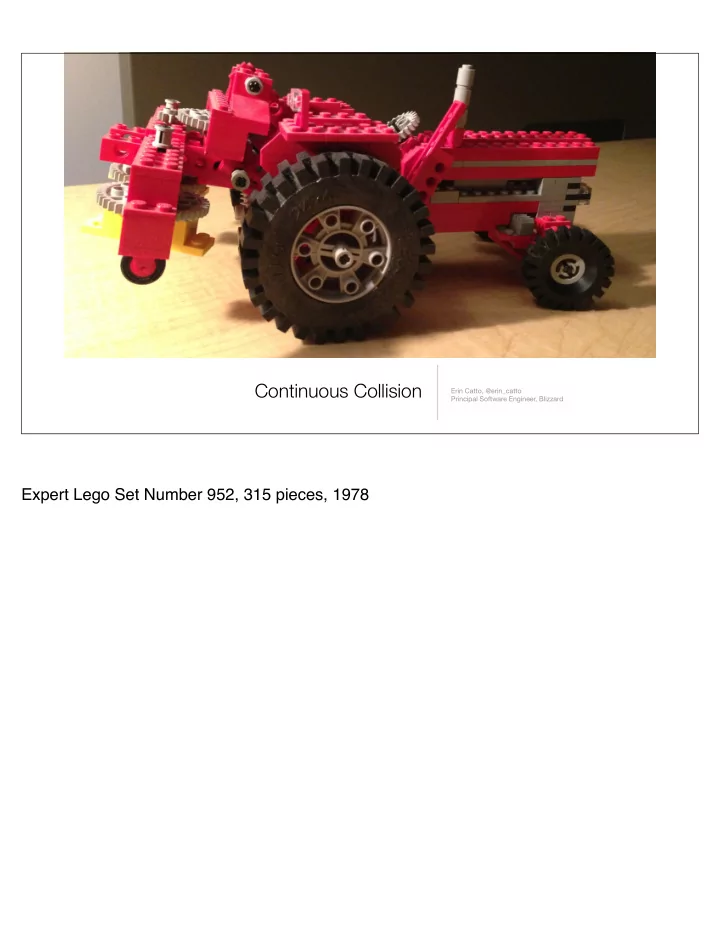
Expert Lego Set Number 952, 315 pieces, 1978
SLIDE 2
Games are like fancy flip books
Games can be viewed as fancy flip books. We draw discrete frames and hook them together to create the impression of motion. Physics engines also tend to have this behavior. The engine executes discrete time steps, usually of a fixed size, that march the simulation forward in time. You can view this process as extrapolation. Given some initial position and velocity, we predict a new position and velocity.
SLIDE 3 t=0 t=1 t=2
A simple scenario
Consider a ball bouncing on a thin plane. This figure shows a trace of the discrete steps taken by the ball over time. This figure shows the desired simulation. However, there is a problem. Suppose the discrete time steps skip over the time where the ball hits the floor. How can the ball bounce if it never touches the floor? Well it won't and this is a big problem for physics engines (and physics programmers).
SLIDE 4 Missed collision events lead to tunneling
Bye! Discrete simulation can lead to missed collisions and tunneling. In this case the ball falls out
Many physics engines don’t address this problem and leave it up to the game to fix (or ignore the problem). In some cases this is a reasonable choice. For example, if a large building is being demolished we might not notice if some of the pieces fall through the ground.
SLIDE 5
Solution #1: Make the floor thicker
Another solution is to use more forgiving geometry. In this case I made the floor thicker to catch the ball. However, at higher speeds the collision can be missed again. We can solve that by limiting the maximum speed of moving objects. This solution can work for some games, but it puts the burden on the level designer.
SLIDE 6 Solution #2: Add speculative contact points
t=5 t=6 t=7
A recent development in physics engine technology is the use of speculative contacts. This method looks for potential contact points in the future and adds additional constraints to the contact solver. In the case of the ball and plane, we would take tentative time step and look for potential
- intersections. Here the bounding box shows that the path of the ball intersects the plane. So
we can create a non-penetrating contact point between the ball and the plane.
SLIDE 7 Solution #2: Add speculative contact points vrel · n ≥ 0 standard contact constraint speculative contact constraint vrel · n ≥ − d ∆t
t=5 t=6 t=7 n d
Here the bounding box shows that the path of the ball intersects the plane. The trick is to create a speculative contact point between the ball and the plane based on the initial distance and the time step. The standard contact constraint keeps the relative velocity along the normal vector from being negative. We can’t apply this constraint back at t=6 because this will prevent the ball from reaching the floor. The speculative contact constraint allows the relative velocity along the normal to be negative, but only enough so that the distance d can be closed in the time step delta t.
SLIDE 8 Solution #2: Add speculative contact points speculative velocity constraint vrel · n ≥ − d ∆t
t=5 t=6 t=7 n d
The speculative constraint limits the velocity towards the contact point. This slows down the ball before it reaches the floor. This method works well in practice but there are some downsides:
- restitution needs special handling because the velocity will be artificially reduced when the
ball hits the floor
- speculative constraints may be invalid and cause ghost collisions where an object may
appear to hit an invisible wall
- more constraints to solve
Please see the references for additional information on speculative contacts. I will not discuss them further since this is not the path I followed in my research.
SLIDE 9
Solution #3: Use the time of impact
t=5 t=6 t=7 Another way to prevent missed events is to compute the time of impact between objects. In this case we wrap a bounding box around the movement of the ball and check that against the ground. Since the bounding box intersects with the ground, we compute the time of impact.
SLIDE 10 Solution #3: Use the time of impact
t=5 t=6 t=7 t=6.513
The time of impact is some time between the discrete time steps where a collision occurs. Once we have the time of impact we have a couple choices:
- we can stop the ball at the time of impact
- we can move the ball to the time of impact and then perform sub-step
Stopping the ball a the time of impact means the ball loses some time. This can lead to a visual hitch in the motion. Sub-stepping eliminates hitching but it takes more CPU time.
SLIDE 11 Continuous collision in Diablo 3
For some games, continuous collision can be very important. In Diablo3 I decided I needed continuous collision to deal with fast moving ragdolls and debris. Diablo 3 uses the custom Domino physics engine. Domino provides continuous collision handling using a TOI solver and sub-stepping. Since this is expensive, we only use continuous collision between dynamic and static objects. We need continuous collision detection because we have actions that can throw ragdolls and debris around at high
- speeds. We don’t want these objects to fall out of the world or get stuck in walls.
SLIDE 12
Continuous OFF
SLIDE 13
Continuous ON
SLIDE 14
Goal: a method for computing the time of impact between two convex polygons t = 0 t = α t = 1
The goal of this presentation is to show you a method for computing the time of impact between two convex polygons. The time of impact is the time during a discrete step when two shapes first begin to touch. So I will mainly be covering a geometry problem. I will not go into detail on the resolution of time of impact events. At a basic level resolution involves applying resolution to halt the potential overlap. Alas, multiple contact points and fast rotation make resolution a tricky business. I believe that TOI resolution is still an open problem (at least for me), so hopefully I’ll have some more details on this at a later date. Nevertheless, I believe that computing the time of impact by itself is an important problem in game physics. If you are interested in TOI resolution, I encourage you to look at the Box2D project.
SLIDE 15 Time of impact via ray cast
t=0 t=1 tentative step ray cast safe step
Here’s the ray cast technique I used in Tomb Raider: Legend. I take a tentative time step from t1 to t2. Then I perform a ray cast between the two positions. If that ray hits the ground, I move the object back until the center is just above the ground (by some small slop value). Then I rely on the discrete solver to push out the object on the next time step. For circles and spheres this method is quite effective, but doesn’t work well for oblong shapes.
SLIDE 16 Time of impact via ray cast - oblong shape
tentative step ray cast safe step? t=0 t=1
You can see here that using the ray cast technique on an oblong shape is not so great. It leaves the shape penetrated deeply in the ground, putting a large burden on the constraint solver. You could try using more rays from different points in the object. But this can lead to lots of
- rays. On Tomb Raider we couldn’t afford multiple rays, so instead I restricted the aspect ratio
- f shapes. This had a direct impact on the types of shapes that could be created in the
game.
SLIDE 17 Time of impact via linear cast
tentative step linear cast translate instant rotate t=0 t=1
Linear casting (shape casting) is often used for character controllers, but you could also try to use it for the time of impact. The problem is that rotation must be applied instantly at the end (or the beginning). This can leave the object in an awkward state where it doesn’t collide when it should have collided.
SLIDE 18 Time of impact via brute force
tentative step edge 1 edge 2 edge 3 t=0 t=1
Brute force methods tries to get an accurate time of impact by sweeping each edge on one shape against each edge and face on the other shape. The first one that hits determines the time of impact. The time of impact is found by numerical root finding for each feature pair. This approach is very accurate, but it has O(N^2) cost in 2D and O(N^3) cost in 3D.
SLIDE 19
Brute force == brutally expensive 12 edges * 12 edges + 2 * (12 edges * 6 faces) = 288 sweeps
Colliding two boxes in 3D requires solving almost 300 non-linear equations. In other words, it is horribly expensive. And there is no ability to use culling or caching to speed it up.
SLIDE 20 Time of impact via Conservative Advancement
d vA ωA ωB vB rB rA
Conservative advancement works by considering the distance between two moving shapes. If the distance is non-zero then the shapes can move by some amount without driving the distance to zero. In this figure there are two convex polygons with angular and linear velocity. I’ve indicated a radius scalar on both polygons that measures the distance of the furthest point on the polygon from the centroid.
SLIDE 21 I get the closest points using the GJK distance algorithm
d
Thanks GJK!!!
The distance vector d connects the closest points. I compute the distance and closest points using an algorithm called GJK. You can find out more about GJK in my 2010 GDC
- presentation. In this presentation I’ll treat it like a black box algorithm that reliably computes
the closest points between convex polygons.
SLIDE 22 Time of impact via Conservative Advancement (vB vA) · d kdk + kωAkrA + kωBkrB
d vA ωA ωB vB rB rA
This formula states that the maximal motion along the distance vector must be less than the distance between the shapes. This considers the linear and angular velocities of both bodies. The relative linear velocity is projected onto the normalized distance vector. The angular velocity is just scaled by the radius values.
SLIDE 23
The sub-step is the distance divided by the velocity bound
∆t = kdk (vB vA) ·
d kdk + kωAkrA + kωBkrB
We can solve the motion bound for the time step. This time step is guaranteed to be safe, but there may still be a significant gap between the shapes. So we need to restart the algorithm from the new configuration (and new distance vector). We need a precaution when implementing this algorithm. We must use an accurate algorithm for integrating the angular velocity to make sure the rotation does not overshoot and lead to penetration.
SLIDE 24 Conservative Advancement is an iterative algorithm
t = 0 d = compute_distance(t) while abs(d) > tolerance && t < 1 delta = abs(d)/velocity_bound t = t + delta d = compute_distance(t) end if t < 1 time_of_impact = t else no_collision end
Conservative Advancement is an iterative algorithm. It marches time forward until there is a hit or a miss. Each iteration requires a new call to GJK, so that is the main cost of the algorithm. So I implemented CA and I found it worked really well, except there were some cases where it would take hundreds of iterations. Hundreds of calls to GJK would certainly lead to frame
- spikes. So I began to dig deeper and try to understand why there were so many iterations.
SLIDE 25 Conceptually the time of impact problem is a root finding problem
d(t) = 0
t ∈ [0, 1]
1 2 0.2 0.4 0.6 0.8 1
d t
time of impact
Now lets take a step back. From a high level view, CA is trying to solve a root finding problem. I want to find a time when the distance between the shapes is zero. In particular the time must be between 0 and 1. There may be zero or more roots in this region. I want to find the first root or determine that no root exists. When no root exists there is no collision and we are done. The problem with conservative advancement is that it tries to solve a root finding problem from one side. The distance never goes negative. This hinders our ability to use high performance root-finding algorithms. Ok, so CA might not be optimal, but why does it generate hundreds of iterations?
SLIDE 26 A worst-case scenario for Conservative Advancement
∆t = kd1k v ·
d1 kd1k + kωkr
d1 d2 r P1 P2
Let’s consider a worst-case scenario for Conservative Advancement. This figure shows a moving triangle next to a stationary plane. The triangle is rotating around vertex P1. The vertex P1 is close to the ground plane but is not getting any closer as the triangle rotates. Actually what will happen is that vertex P2 hits the plane first. The CA formula shows that the time step is proportional to the closest distance, d1. But d1 can be arbitrarily small making the time steps arbitrarily small. This leads to an arbitrarily large number of iterations. In other words, the performance sucks.
SLIDE 27 Worst-case scenario as a root finding problem
d1 d2 r
P1 P2
1 2 0.2 0.4 0.6 0.8 1
d t
time of impact P1 P2
Here we see this scenario plotted as a root finding problem (the graph is approximate). The graph shows the distance between the triangle and the plane as a function of time. At t=0 the distance is equal to d1 and the distance remains constant until vertex p2 swings down below vertex p1. This creates a kink in the curve.
SLIDE 28 Worst-case scenario as a root finding problem
CA iteration
1 2 0.2 0.4 0.6 0.8 1
d t
time of impact
d1 d2 r
P1 P2
Unfortunately, conservative advancement uses the worst-case slope, that of vertex p2, to advance time. This leads to many iterations that ping-pong towards the time of impact. The algorithm is too conservative.
SLIDE 29 Getting closer makes it worse
d1 d2 r
P1 P2
1 2 0.2 0.4 0.6 0.8 1
d t
time of impact
If d1 is divided by 2, then the number of iterations required doubles! This can lead to hundreds of iterations. Now this graph shows the distance going negative, but the way CA works, the distance cannot go negative. If we can somehow let the distance go negative, we can easily beat worst-case CA with simple bi-section. How can we let the distance go negative? Well that is the meat of this presentation.
SLIDE 30 Introducing Bilateral Advancement
- Standard root finding
- Closest features
- Iterative
- Tunable
So CA wasn’t doing the job. I needed to find an algorithm with reliable performance. So I developed an enhancement to CA called Bilateral Advancement. I will go over this algorithm in detail for the remainder of this presentation. First, here is a quick overview of the important features. First, BA allows the use of standard root finding algorithms. This is critical for producing reliable performance. The algorithm uses closest features, so it is not brute force. Instead it is an iterative algorithm. Physics programmers love iterative algorithms because they allow for a performance-accuracy trade
- ff. Furthermore BA is tunable. There are 3 stages to the algorithm and at each level you can
make performance-accuracy trade offs. Don’t worry, I will cover this all in detail.
SLIDE 31
Consider a point versus a plane
t=0 t=1
Now I’ll start describing a “bilateral advancement” algorithm. And I’ll start at the most basic level and build up to the full algorithm. First consider a point with linear motion versus a plane.
SLIDE 32 Solution setup
t=0 t=1
(n, w) p1 p2 p(t) = p1 + t (p2 − p1) p · n = w line formula plane equation
I can compute the time of impact using the parametric line formula and a the plane equation.
SLIDE 33 A linear equation yields the time of impact
t=0 t=1
(n, w) p1 p2 (p1 + t(p2 − p1)) · n = w t = w − p1 · n (p2 − p1) · n substitution solve for time
This is just a linear equation and we can find the root by putting the parametric line formula into the plane equation. Then we can solve for the time of impact alpha. I would treat the case of a zero denominator the same as no impact.
SLIDE 34 Now put the point on a moving frame
t=0 t=1
Things get a bit more complicated when the point is attached to a rotating frame. For now, we don’t really care about the nature of the frame’s motion. The only restriction is that it be smooth and be guided by a single parameter (time). We also assume the point is fixed in the moving frame (like a rigid body). This is nice because we don’t have to worry about the accuracy of the angular velocity
- integration. Anyhow, we now want to compute the time of impact for this point.
SLIDE 35 Construct the scalar separation function
s(t) = n · p(t) − w
t=0 t=1
(n, w) p1 p2 separation function
We can compute the signed distance of the point by projecting it onto the plane normal. This yields a one dimensional function of time. And the function can be negative or positive! I call this the “separation function”. As you will see, creation of good separation functions is a key part of Bilateral Advancement.
SLIDE 36 Plot the separation versus time s(0) = n · p(0) − w s(1) = n · p(1) − w
s t 1
Now we can plot the separation versus time. Note that the separation begins positive and goes negative. If we have reasonable formulas for integrating linear and angular velocity, we will get a nice smooth plot like this.
SLIDE 37 Bracketing is the key to finding the root s(α) = 0 α ∈ [0, 1] s(0) ≥ 0 s(1) ≤ 0
s t 1
If we know that s1 is positive and s2 is negative then we are guaranteed that there is a root between 0 and 1. This means we can compute the time of impact safely using traditional root finding techniques. We could try to compute an analytic solution and I welcome you to give that a shot. But I think you will see later that this quickly can become intractable, especially when you are dealing with two moving bodies in 3D.
SLIDE 38 Root finding via bisection
i t1 t2 1 1 i=1
s t
t1 t2
Bisection is a simple but incredibly robust method that works when you have a bracketed
- root. It is not terribly fast, but it is reliable and it makes a guaranteed amount progress each
iteration. We start with t1=0 and t2=1. And we know that s(t=0)>0 and s(t=1)<0. <Please forgive the font change>
SLIDE 39 s t
Root finding via bisection
i t1 t2 1 1 2 0.5 1 i=2 t1 t2
We sample the mid-point, and find that s(t=0.5) > 0. So we forget about s(t=0) and create a smaller bracket between t=0.5 and t=1.
SLIDE 40 s t
Root finding via bisection
i t1 t2 1 1 2 0.5 1 3 0.75 1 i=3 t1 t2
We continue by sampling at t=0.75 (half-way between 0.5 and 1.0).
SLIDE 41 s t
Root finding via bisection
i t1 t2 1 1 2 0.5 1 3 0.75 1 4 0.75 0.875 i=4 t1 t2
Finally we sample at 0.875 = (0.75 + 1) / 2. We can continue iterating like this until the absolute separation is less than some tolerance and take this as our time of impact.
SLIDE 42 Root finding via the False Position Method
i t1 t2 1 1 i=1
s t
t1 t2
We can get faster convergence in many cases by using the False Position Method. The False Position starts out the same way as bisection. We have a bracket with t1=0 and t2=0.
SLIDE 43 s t
Iterating the False Position Method
i t1 t2 1 1 2 u2 1 i=2 t1 t2 u2
Next we draw a line between (t1,s1) and (t2,s2). We then compute the t-intercept ui and compute s(ui). We then adopt a new bracket depending on the sign of s(ti).
SLIDE 44 s t
Iterating the False Position Method
i t1 t2 1 1 2 u2 1 3 u3 1 i=3 t1 t2 u3
The False Position Method proceeds starting from the current bracket. You can see that FPM is moving quickly towards the root. However, for this curve, FPM never moves t2.
SLIDE 45 Mixed method for root finding
t1 = 0 t2 = 1 for i = 1 to max_iter if (i & 1) false_position else bisection end if abs(si) < tol break end end
Root finders can be scary, especially when the description reads “this method converges if the initial guess is close enough to the root.” So I have taken a very conservative route with my root finder. The root must always be bracketed and each iteration must reduce the bracket size. FPM works when the function is close to linear in the region of the root and bisection can handle everything you throw at it. Therefore, I decided to combine the two methods. The iteration loop alternates between FPM and bisection. The practice of mixing root finding algorithms is nothing new and you can look up Brent’s method for something more sophisticated. There are many root finding algorithms that would do well on this problem, so feel free to
- experiment. You might find something faster!
SLIDE 46 Now let the plane move: dynamic versus dynamic s(t) = n(t) · p(t) − w(t)
t=0 t=1 t=1 t=0
Now if I let the plane move then I have a normal and offset that are a function of time. Nevertheless, I can still apply my root finder to this problem. The bracketing and convergence are largely the same. Note that we don’t need to know the formula for the normal and offset explicitly. We just need a way to interpolate the motion of the plane and update its transform. This means we can handle the dynamic-versus-dynamic problem with ease.
SLIDE 47 Consider a polygon versus a plane
P3 P1 P2
Ok, so we have handled point versus plane. How about polygon versus plane?
SLIDE 48 Consider the polygon as a point cloud
P3 P1 P2
I’ll now consider the polygon as just some points on a moving frame. The plane may also be
- moving. It does not matter as we already saw.
Each point has a separate time of impact with the plane. We could just compute the TOI for each point and take the minimum. But perhaps we can do better.
SLIDE 49 Look for the deepest point
P3 P1 P2(t = 0) P2(t = 1) t = 1 t = 0
We can examine the configuration at t=1 and find the deepest point. We look for the point furthest in the direction opposite the plane normal. So this is just a few dot products. In this case we identify P2 as the deepest point.
SLIDE 50 Use our root-finder to push the deepest point up to the plane
P3 P1 P2(t = 0) t = α P2(t = α) t = 0
We use our point versus plane solver to find the time of impact alpha for p2. Then we move the polygon to t=alpha. Then we repeat the process of looking for the deepest point. If there are no points below the plane at t=alpha, then alpha is the time of impact for the entire polygon.
SLIDE 51 Did we miss something? multiple roots
t = 1 s t 1 t = 0
Recall that the algorithm looks at the deepest point at t=1. If no point is penetrated, the algorithm returns no impact. Therefore the current algorithm can miss some rotational collisions. In particular, it can miss a collision where the polygon rotates in and out of the plane somewhere in the time step. In general, the algorithm will miss collisions when there are an even number of roots. In many cases you can limit the maximum rotation of a shape in one time step. In Box2D I limit the maximum rotation to 90 degrees per time step. You can still get some rotational tunneling, such as shown in this figure. In my opinion these missed collisions are acceptable. In my games, I’m mainly trying to keep
- bjects from falling outside the world and keep the motion plausible. I don’t need a perfect
- simulation. In my experience this sort of missed “glancing collision” is never noticed in
- games. In the end you’ll have to be the judge.
The current algorithm is quite fast, so I think it is a fair trade-off.
SLIDE 52 A B Polygon versus polygon
vA ωA ωB vB
We currently have an algorithm that can handle polygon versus plane. Both the plane and the polygon can move. So how can we handle the polygon versus polygon case? Well, my approach is to reduce polygon-versus-polygon to polygon-versus-plane. We can do this by looking at the closest features.
SLIDE 53
Identify the closest features using GJK
A B
Thanks GJK!!!
We can get the closest features using GJK. I already had GJK for Conservative Advancement, so I adapted it to provide the closest features. There may be other algorithms that a suitable for identifying the closest features, such as V-Clip or the separating axis test. In this configuration the close features are an edge on A and a vertex on B.
SLIDE 54 Create a separating plane
A B n
I can create a separating plane by using the upper edge of polygon A as an infinite plane and apply our polygon versus plane algorithm. So I just treat polygon B as point cloud swept against a moving plane local to polygon A.
SLIDE 55 A B
Can this really work?
B
t = α t = 0
In this case polygon B rotates and hits the upper edge of polygon A. So the edge on A is a true witness to the collision. We have the time of impact and we are done. Can you think of a different motion where this might fail? Keep in mind the paths are generated by constant linear and angular velocity.
SLIDE 56 B A
What about this case?
B t = α1
t = 0
In this case polygon B is moving under pure translation. Polygon B hits the plane, but it goes beyond the edge of polygon A. So the time of impact is invalid. Can we repair this situation and find the true time of impact? I think we can!
SLIDE 57 A B
Re-compute the closest features
Let’s reboot the algorithm from the current configuration. We re-compute the closest features and find that they have changed. Now we have a plane on polygon B. Our polygon versus plane algorithm still works if the plane is moving and the polygon is stationary, so we can solve for the next tentative time of impact.
SLIDE 58 A B
Solve polygon versus plane again
B
t = α1 t = α2
So I continue to iterate and solve polygon versus plane again. This time the final configuration is touching, so I have found the time of impact. Therefore, I can keep applying the polygon versus plane algorithm until the algorithm
- converges. Once the polygons are touching (within tolerance) I have the true time of impact.
This procedure forms the outer iteration of the BA algorithm: the polygons advance from feature pair to feature pair until the distance is within tolerance. We are almost done forming the bilateral advancement algorithm. There is one more situation to consider.
SLIDE 59 B A
The closest features might be two vertices
I need to cover one more case before I’m done. And that is the case where the closest features are two vertices. In this case there is no obvious plane. I don’t actually need a plane, I just need a separating axis. So I actually have quite a few choices.
SLIDE 60 B A
Choice 1: choose an arbitrary edge
Here is one choice, the left edge of polygon B can act as a separating plane. Notice that all points of A are to the left of the left edge of B, so this is a valid choice. If you stare at the picture long enough, you might find other separating planes.
SLIDE 61 Choice 2: a fixed separating axis through the closest vertices
B A u t=0
I decided to handle the vertex-vertex case by forming a separating axis fixed in world space. Then I can compute the separation along that axis in any configuration using support points. This is the t=0 configuration.
SLIDE 62 Move to t=1 and find the deepest points
B A u t=1 pA pB pA = polyA.support(u) pB = polyB.support(−u)
I compute the time of impact by moving both polygons to t=1 and computing the deepest
- points. I use a support point function to find the deepest points. The deepest points are
stored in local space so that I can compute their world location at any time value in [0,1].
SLIDE 63 Form the separation function and find the root
B A u t = α
separation function s(t) = [pB(t) − pA(t)] · u
pA pB
Once I have the deepest points, I can form the vertex-vertex separation function. The separation function projects the delta vector between point A and point B onto the fixed unit vector u. By interpolation the shape motion I can compute point A and point B as functions of time. I then feed the separation function into my root finding algorithm and drive the separation value to zero. Next I need to recompute the support points to see if any overlap remains. If there is still overlap then I form a new separation function and solve it. Otherwise I go back to GJK and find the distance and closest features. If the distance is above the tolerance then I find the new closest features and continue the algorithm. Otherwise I have found the time of impact. In this picture you can see that the vertices did not collide and I need to consider a new set
And that’s it folks! That is the last bit of the BA algorithm.
SLIDE 64 The Bilateral Advancement Algorithm
Start closest features at t=t1 |s| < tol separating axis find root t2=1 deepest point(s) at t=t2 yes time of impact = t1 t1=0 t2=1 no collision s < -tol s > tol yes yes
deepest point solver
t2=root advance t1=t2
feature advancement loop
Here is a flowchart for the Bilateral Advancement algorithm. There are three key ingredients: finding the closest features, constructing a separating axis or plane, and then solving the root finding problem. There are a few exit points:
- 1. If the shapes are initially overlapped, the algorithm returns a failure code (this is not shown
in the chart)
- 2. If the closest features are within tolerance, the algorithm returns the time of impact
- 3. If the root finder determines the shapes are not overlapped at t2 it returns a code
indicating that no collision occurred. There are other situations which can lead to an early exit, like the root finder running out of
- iterations. These cases may rarely occur, but you should handle them. In failure cases I just
revert to discrete collision. I encourage you to look at the Box2D code for details.
SLIDE 65
Performance of Bilateral Advancement
This demo has a oblong box falling down onto a static scene. The time of impact cost is typically under 10 microseconds and the average cost is under 2 microseconds. Bilateral Advancement also doesn’t take much code. b2TimeOfImpact.cpp has less than 500 lines of code. Granted, that does not include the GJK code. <Live demo of Box2D>
SLIDE 66
Bilateral Advancement in 3D
Bilateral Advancement can be adapted to 3D. The key aspect you have to adapt is finding the closest features (GJK) and identifying suitable separation axes for root finding. One hint: if you find that GJK is being called when the feature is not changing, you need to find a better separation function.
SLIDE 67 References
- Brian Mirtich. “Impulse-based Dynamic Simulation of Rigid Body Systems”, PhD Thesis, University of Berkeley (1996).
- Gino van den Bergen, “Ray Casting against General Convex Objects with Application to Continuous Collision Detection”, 2004
- Stéphane Redon et al, “Fast Continuous Collision Detection between Rigid Bodies”, 2002
- Speculative Contacts: http://jitter-physics.com/wordpress/?p=109
- Vincent Robert, “A Different Approach for Continuous Physics”, GDC 2012
- David Baraff, “An Introduction to Physically Based Modeling: Rigid Body Simulation II—Nonpenetration Constraints”
- http://en.wikipedia.org/wiki/Brent%27s_method
- http://www.continuousphysics.com/BulletContinuousCollisionDetection.pdf
box2d.org @erin_catto
I did a lot of research while working on continuous collision. Here are some of the highlights. Happy reading!