
SLIDE 1
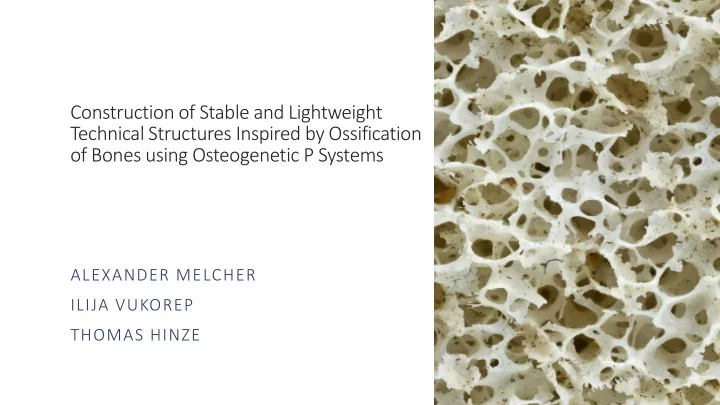
Construction of Stable and Lightweight Technical Structures Inspired by Ossification
- f Bones using Osteogenetic P Systems
Construction of Stable and Lightweight Technical Structures Inspired - - PowerPoint PPT Presentation
Construction of Stable and Lightweight Technical Structures Inspired by Ossification of Bones using Osteogenetic P Systems ALEXANDER MELCHER ILIJA VUKOREP THOMAS HINZE Bone formation and its use for technical structures Ossification of Bones
Osteoblasts Osteoclasts Bone tissue
1 – Initial Structure 3 – Osteoblasts/-clasts 5 – Loop Start 7 - Elimination 9 – Static Calculation 11.1 – Filament Modification 12 – Loop End 2 – Static Analysis 4 – Filament Bounds 6 – Structure Analysis 8 - Simplification 10 – Filament Search 11.2 – Filament Analysis & Motion Output
11.1 Out 1 3 2 4 5 6 7 8 9 10 11.2 11.2 11.1 12 Out
Rhinoceros 3D - Robert McNeel & Associates Karamba - Clemens Preisinger Grasshopper - Robert McNeel & Associates HoopSnake - Yconst
1 3 2 4 5 6 7 8 9 10 11.2 11.2 11.1 12 Out
1 3 2 4 5 6 7 8 9 10 11.2 11.2 11.1 12 Out
1 – Initial Structure 3 – Osteoblasts/-clasts 5 – Loop Start 7 - Elimination 9 – Static Calculation 11.1 – Filament Modification 12 – Loop End 2 – Static Analysis 4 – Filament Bounds 6 – Structure Analysis 8 - Simplification 10 – Filament Search Output
11.1 Out 1 3 2 4 5 6 7 8 9 10 11.2 11.2 11.1 12 Out
11.2 – Filament Analysis & Motion
The technique of natural neighbour interpolation (Lloyd's algorithm) based on Voronoi diagrams is employed to create the initial filament structure.
1 – Initial Structure 3 – Osteoblasts/-clasts 5 – Loop Start 7 - Elimination 9 – Static Calculation 11.1 – Filament Modification 12 – Loop End 2 – Static Analysis 4 – Filament Bounds 6 – Structure Analysis 8 - Simplification 10 – Filament Search Output
11.1 Out 1 3 2 4 5 6 7 8 9 10 11.2 11.2 11.1 12 Out
11.2 – Filament Analysis & Motion
At this point the forces affecting the structure are taken into consideration. In this case, all the upper nodes are affected by a vertical force and all lower nodes act as bearings.
1 – Initial Structure 3 – Osteoblasts/-clasts 5 – Loop Start 7 - Elimination 9 – Static Calculation 11.1 – Filament Modification 12 – Loop End 2 – Static Analysis 4 – Filament Bounds 6 – Structure Analysis 8 - Simplification 10 – Filament Search Output
11.1 Out 1 3 2 4 5 6 7 8 9 10 11.2 11.2 11.1 12 Out
11.2 – Filament Analysis & Motion
Osteoblasts and Osteoclasts are being disturbed randomly throughout the initial bounding box of the structural element.
1 – Initial Structure 3 – Osteoblasts/-clasts 5 – Loop Start 7 - Elimination 9 – Static Calculation 11.1 – Filament Modification 12 – Loop End 2 – Static Analysis 4 – Filament Bounds 6 – Structure Analysis 8 - Simplification 10 – Filament Search Output
1 3 2 4 5 6 7 8 9 10 11.2 11.2 11.1 12 Out
11.2 – Filament Analysis & Motion
Defining the bounds
important for the following static calculations and the calculation of the motion direction for the Osteoblasts and Osteoclasts.
1 – Initial Structure 3 – Osteoblasts/-clasts 5 – Loop Start 7 - Elimination 9 – Static Calculation 11.1 – Filament Modification 12 – Loop End 2 – Static Analysis 4 – Filament Bounds 6 – Structure Analysis 8 - Simplification 10 – Filament Search 11.2 – Filament Analysis Output
11.1 Out 1 3 2 4 5 6 7 8 9 10 11.2 11.2 11.1 12 Out
11.2 – Filament Analysis & Motion
All information generated during the step 1 to 4 are being used to initiate the artificial ossification. At this point indicators for the termination of the process can be taken into consideration.
1 – Initial Structure 3 – Osteoblasts/-clasts 5 – Loop Start 7 - Elimination 9 – Static Calculation 11.1 – Filament Modification 12 – Loop End 2 – Static Analysis 4 – Filament Bounds 6 – Structure Analysis 8 - Simplification 10 – Filament Search Output
1 3 2 4 5 6 7 8 9 10 11.2 11.2 11.1 12 Out
11.2 – Filament Analysis & Motion
At this point, the lists of all the Osteoblasts, Osteoclasts and filaments are being reorganized. Depending on if filaments were eliminated within the last cycle, the corresponding element of the static calculation is being deactivated.
1 – Initial Structure 3 – Osteoblasts/-clasts 5 – Loop Start 7 - Elimination 9 – Static Calculation 11.1 – Filament Modification 12 – Loop End 2 – Static Analysis 4 – Filament Bounds 6 – Structure Analysis 8 - Simplification 10 – Filament Search Output
11.1 Out 1 3 2 4 5 6 7 8 9 10 11.2 11.2 11.1 12 Out
11.2 – Filament Analysis & Motion
Any filament which has gotten too thin and falls below a minimum threshold will be eliminated. Any “dangling” filaments will also be eliminated as they’re unable to contribute to the transmission of forces.
1 – Initial Structure 3 – Osteoblasts/-clasts 5 – Loop Start 7 - Elimination 9 – Static Calculation 11.1 – Filament Modification 12 – Loop End 2 – Static Analysis 4 – Filament Bounds 6 – Structure Analysis 8 - Simplification 10 – Filament Search Output
1 3 2 4 5 6 7 8 9 10 11.2 11.2 11.1 12 Out
11.2 – Filament Analysis & Motion
2D reduction multiple filaments 3D reduction three filaments 2D reduction of two filaments
Through elimination may occur a situation in which two or more filaments form corners which would disturb the transmission of forces and generate additional moments
In order to „smooth“ the corners the adjacent filaments are joined into one single filament.
1 – Initial Structure 3 – Osteoblasts/-clasts 5 – Loop Start 7 - Elimination 9 – Static Calculation 11.1 – Filament Modification 12 – Loop End 2 – Static Analysis 4 – Filament Bounds 6 – Structure Analysis 8 - Simplification 10 – Filament Search Output
11.1 Out 1 3 2 4 5 6 7 8 9 10 11.2 11.2 11.1 12 Out
11.2 – Filament Analysis & Motion
Mechanical force – side view
The given external forces get diverted throughout the filaments and filamentary junctions inside the network towards the ground. Calculation of forces in the inner part of the network requires a strategy of successive determination from the nodes affected by external forces to adjacent filaments and junctions towards the nodes at the bottom.
1 – Initial Structure 3 – Osteoblasts/-clasts 5 – Loop Start 7 - Elimination 9 – Static Calculation 11.1 – Filament Modification 12 – Loop End 2 – Static Analysis 4 – Filament Bounds 6 – Structure Analysis 8 - Simplification 10 – Filament Search Output
1 3 2 4 5 6 7 8 9 10 11.2 11.2 11.1 12 Out
11.2 – Filament Analysis & Motion
Each Osteablast and Osteoclasts searches for the closest filaments in their area of effect. This step is taken in order to
modifying the filaments and movement of the Osteoblasts and Osteoclasts.
1 – Initial Structure 3 – Osteoblasts/-clasts 5 – Loop Start 7 - Elimination 9 – Static Calculation 11.1 – Filament Modification 12 – Loop End 2 – Static Analysis 4 – Filament Bounds 6 – Structure Analysis 8 - Simplification 10 – Filament Search Output
11.1 Out 1 3 2 4 5 6 7 8 9 10 11.2 11.2 11.1 12 Out
11.2 – Filament Analysis & Motion
D B C A
Depending on whether an Osteoblast or an Osteoclast is close enough to a filament, the filament‘s mass is either increased or reduced by increasing or decreasing the radius of the filament within the area of effect of the Osteoblast/-clast.
1 – Initial Structure 3 – Osteoblasts/-clasts 5 – Loop Start 7 - Elimination 9 – Static Calculation 11.1 – Filament Modification 12 – Loop End 2 – Static Analysis 4 – Filament Bounds 6 – Structure Analysis 8 - Simplification 10 – Filament Search Output
1 3 2 4 5 6 7 8 9 10 11.2 11.2 11.1 12 Out
11.2 – Filament Analysis & Motion
Amount of forces The element‘s cross-sections
The direction of movement for the osteoblasts and osteoclasts depend on the level of mechanical stress found in the filaments. The mechanical stress σ present in an element is defined as the amount of force F affecting element's cross-sectional area A by σ = F / A .
Direction of movement
1 – Initial Structure 3 – Osteoblasts/-clasts 5 – Loop Start 7 - Elimination 9 – Static Calculation 11.1 – Filament Modification 12 – Loop End 2 – Static Analysis 4 – Filament Bounds 6 – Structure Analysis 8 - Simplification 10 – Filament Search Output
11.1 Out 1 3 2 4 5 6 7 8 9 10 11.2 11.2 11.1 12 Out
11.2 – Filament Analysis & Motion
All information generated during the
Ossification is being used to initiate the next cycle. The step count increments with each cycle until the indicator for termination is reached.
1 – Initial Structure 3 – Osteoblasts/-clasts 5 – Loop Start 7 - Elimination 9 – Static Calculation 11.1 – Filament Modification 12 – Loop End 2 – Static Analysis 4 – Filament Bounds 6 – Structure Analysis 8 - Simplification 10 – Filament Search Output
1 3 2 4 5 6 7 8 9 10 11.2 11.2 11.1 12 Out
11.2 – Filament Analysis & Motion
At any point of the artificial ossification an
structure can be produced.
Intial properties:
external forces on all top nodes
buttom nodes
0 cycles 300 cycles 600 cycles 900 cycles 1200 cycles 1500 cycles
Intial properties:
external forces on all top nodes
buttom nodes
0 cycles 300 cycles 600 cycles 900 cycles 1200 cycles 1500 cycles
Overlaying all sections Visible main force lines Intial properties:
external forces on all top nodes
buttom nodes
Bearing version A Bearing version B
Intial properties:
external forces on all top nodes
400 cycles 500 cycles 200 cycles 300 cycles 0 cycles 100 cycles
Intial properties:
external forces on all top nodes
500 cycles 0 cycles
Intial properties:
external forces on all top nodes
Main force lines - silhouette Main force lines - model
Intial properties:
external forces on all top nodes