
SLIDE 1
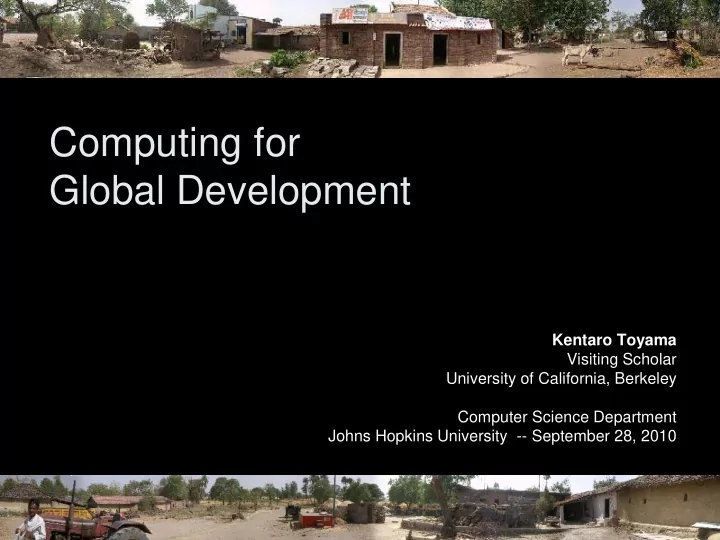
Computing for Global Development
Kentaro Toyama Visiting Scholar University of California, Berkeley Computer Science Department Johns Hopkins University -- September 28, 2010
Computing for Global Development Kentaro Toyama Visiting Scholar - - PowerPoint PPT Presentation
Computing for Global Development Kentaro Toyama Visiting Scholar University of California, Berkeley Computer Science Department Johns Hopkins University -- September 28, 2010 Photo credit: Nimmi Rangaswamy Kids in the developing world
Kentaro Toyama Visiting Scholar University of California, Berkeley Computer Science Department Johns Hopkins University -- September 28, 2010
Photo credit: Nimmi Rangaswamy
– Bill Gates (WRI Conference, Seattle, 2000)
– Nicholas Negroponte (OLPC website, 2005)
Microsoft Research India Bangalore, India
Photo credit: Natalie Linnell
Microsoft Confidential
– Methodology: ethnography
– Methodology: iterated prototyping
– Methodology: randomized control trial
– Methodology: partnership
NGOs, governments, local firms, communities
4.11 4.56 3.7 3.76 2.93 4.53 3.6 2.8 4.4 4.3 4.5 4.1 1 2 3 4 5ALL STUDENTS BOYS GIRLS Average No. of Words Learnt SS MS MM-R MM-V SS MS MM-R MM-V
Joint work with… Udai Singh Pawar, Joyojeet Pal (UC Berkeley), Divya
Kumar (Intuit), Rahul Gupta (BITS Pilani), Sushma Uppala (SUNY Stony Brook), Sukumar Anikar (Azim Premji Foundation) NGO Partners: Azim Premji Foundation, Hope Foundation, CLT India, Christel House
300M children aged 6-18; 210M enrolled in school; 105M actively attending. Typically children of poor families earning $1-2 a day Plenty of challenges…
buildings, walls, equipment, blackboards, toilets…
Teacher-less class in Chinhat, Uttar Pradesh
Photo: Randy Wang
Photos: Joyojeet Pal
Provide a mouse for every student
– One cursor for each mouse, with different colours or shapes – USB mice
– Reduces per-student cost of interaction – Content modified
Screenshot of first MultiPoint alphabet-learning game
Basic approach:
modifications
separately for each mouse ID
dynamic link library
as for regular GUI programming
Issues:
and unplug events
environments
existing applications
Questions
– Can students understand MultiPoint paradigm? – How do children interact with MultiPoint? – Does MultiPoint increase engagement?
Methodology
– Trials:
– 3 trials of 6-10 children
Before MultiPoint
Everyone wants a mouse. Young children understand MultiPoint immediately. All students more engaged for longer periods of time.
– Even children without mice engage longer.
Self-reporting is positive.
– Exception: one student didn’t like MultiPoint because of competitive atmosphere
After MultiPoint Before MultiPoint
Four modes:
– SS (single-user / single-mouse) – MS (multi-user / single-mouse) – MM-R (MultiPoint, racing) – MM-V (MultiPoint, voting)
Subjects:
– 11-12 yrs; 6-7th grades – Very basic English ability – Some exposure to PCs – Rural government schools
Subject grouping:
– Mixed groups (some all male, some all female) of 5 each – 238 subjects total
Randomized assignment to modes Task:
– 7 minutes pre-test – 30 minutes PC usage – 7 minutes post-test
Measured:
– Change in vocabulary – All on-screen activity logged
All comments recorded; some trials video-recorded.
More rigorous study of learning with an English-vocabulary learning task.
MM-V unique among non-SS configurations in showing equal learning MS okay, but not with boys Strong gender effects:
– All-girl groups do better in all multiple person configurations. – Boys learn much less in competitive scenarios; rampant clicking.
Average number of words learned during PC usage
4.11 4.56 3.7 3.76 2.93 4.53 3.6 2.8 4.4 4.3 4.5 4.1 1 2 3 4 5
ALL STUDENTS BOYS GIRLS Average No. of Words Learnt SS MS MM-R MM-V
SS MS MM-R MM-V
Number of words learned under MM-V roughly the same as with SS (no statistically significant difference)
0.5 1 1.5 2 2.5 3 1 5 9 13 17 21 25 29 33 37 41 45 49 53 57 61 65 69 73 77 81 85
Rate of clicks over time (blue line), for one group of boys in MM-R configuration
Work by Andrea Moed, Owen Otto, Joyojeet Pal, Matthew Kam, Udai Pawar, Kentaro Toyama Can we combine the best aspects of competitive and cooperative play through team games? Challenges:
– Mouse as a text-entry device – Restricted screen real estate – Occlusion among cursors
Status: studies completed; paper accepted to CSCL 2009
Further Research with MultiPoint
Ongoing work by Miguel Nussbaum, Heinz Susaeta, Kentaro Toyama; related efforts by Neema Moraveji, Taemie Kim What kinds of educational games can be effective for 20-40 children and multiple mice? Challenges:
– Restricted screen real estate – Varying distance to screen – Pedagogical model
Status: Prototypes built; studies in Chile begun; planning comparative studies in India
Further Research with MultiPoint
Photo: Miguel Nussbaum
Ongoing work by Kurtis Heimerl, Emma Brunskill, Joyojeet Pal, Saleema Amershi, etc. Problems:
– Can MultiPoint be retroactively fitted to existing applications? – Can software adapt to different rates of learning? – What other input devices would work? – What about text entry using a mouse?
Further Research with MultiPoint
Screenshot: Saleema Amershi
Shared PC Nothing personal Personal mouse (MultiPoint) Shared processor, monitor & keyboard Shared processor & monitor Shared processor Nothing shared Personal mouse & keyboard (Split Screen) Personal mouse, keyboard & monitor (Multi-console, Thin client) True personal computer
Preliminary studies at an IT training centre in a busy low-income urban community
– Computer basics – Office productivity software
No problems with usability; individual Split- Screen users can accomplish as much as single-screen users. Minor technical problems. Collaboration effects strongly correlated with existing degree of friendship between users
Photo: Divya Kumar
MultiPoint
– Technical issues of multiple mice – “Single Display Groupware”
– 2-student education scenario – Cursor control toggles between two mice
– 3-person collaborative “education”
– Multiple mice for collaborative work
Split Screen
– Frame-based split with one user on keyboard, one on mouse One mouse is not enough for some.
Photo: Udai Pawar
Microsoft released free MultiPoint SDK, June 2007 Related research efforts ongoing at several institutions. New hypothesis: Better anywhere for primary education, over one PC per child?
Pawar, U. S., Pal, J., and Toyama, K. (2006) Multiple mice for computers in education in developing countries, IEEE/ACM Int’l Conf. on Information & Communication Technologies for Development, ICTD 2006. Pawar, U.S., Pal, J., Gupta. R., and Toyama, K. (2007) Multiple Mice for Retention Tasks in Disadvantaged Schools, In Proceedings of ACM CHI’07, ACM Press.
http://thescooterlounge.com/images/124IndianFamily.jpg
Sharing hardware
Paper-and-Digital Forms Digital Slates in Microcredit Secure Mobile Banking Accent-Robust Speech ‘Tooning for Text-Free UIs Gaudy Photo Editing Increasing Online Donations
Vision and Graphics Computer Vision Embedded Systems Cryptography and Security Speech Recognition Machine Learning, Vision, HCI HCI, Social Computing
Technology for easing the burden of digitizing records in microfinance transactions Photo-editing tools designed for a culture- specific aesthetics Creating cartoons from photographs to support creation
non-literate Speech recognition that is robust to differences and accents and dialects Tools to support generation of easy-to-use forms that can also be easily digitized Can sites such as Kiva.org increase online donations through design tweaks?
1τ
π2 π1
rem aini ng dat at
Cost-Aware Data Transfer
Networking
Cost-aware transfer of data across heterogeneous channels, e.g., for mobiles
Mobility and Systems
Information systems that deliver content
messaging
SMS Server Toolkit
Security for mobile banking, especially where transmission channels are flakey
Children attend school more, if they have an opportunity to interact with PCs. [anecdotal] Computers in schools don’t automatically lead to better test scores. Computers can help good schools, but they don’t do much for poor schools.
A Shanti Bhavan 6th grader, and potential computer engineer, with her mother
Photo: Leba Haber
Sources: Barrera-Osorio, Felipe and Linden, Leigh L. The Use and Misuse of Computers in Education: Evidence from a Randomized Controlled Trial of a Language Arts Program, Policy Research Working Paper Series 4836, The World Bank. 2009. Warschauer, M. Laptops and Literacy: Learning in the Wireless Classroom. Teachers College Press. 2006. Pal, J., M. Lakshmanan, and K. Toyama, My Child Will be Respected': Parental Perspectives on Computers in Rural India, Proceedings of ICTD2007.
Or, “the Internet democratizes…” Or, “the world is flat (because of technology)”
– Technology is multiplicative, not additive (e.g., Tichenor et al., 1970; Agre, 2002)
Photo credit: Rikin Gandhi References: Tichenor, P.J., Donohue, G.A., & Olien, C.N. (1970). Mass media and the differential growth in knowledge. Public Opinion Quarterly, 34, 158-70. Agre, Philip. Real-time politics. The Information Society. 2002.
Myth 6
Sources: http://www.google.com/search?q=how+to+be+rich http://ocw.mit.edu http://zenhabits.net/2007/06/a-guide-to-cultivating-compassion-in-your-life-with-7-practices/
Information is just one of many deficiencies in developing world.
– Other deficiencies:
– Information ≠ education – Communication ≠ commerce
Myth 10
“… X has never been used to its full capacity in support
economic
impossible to use it in this way. But still the possibility is tantalizing: What is the full power and vividness of X teaching were to be used to help the schools develop a country’s new educational pattern? What if the full persuasive and instructional power of X were to be used in support of community development and the modernization
farming? Where would the break-even point come? Where would the saving in rate of change catch up with the increased cost?” X = “television” Source: Schramm, Wilbur. (1964) Mass Media and National Development: The Role of Information in the Developing Countries. Pp. 231
Wasn’t true for X = radio, TV, or landline phone, despite initial expectations and significant penetration. Doesn’t seem true for X = PC. How about X = mobile phone?
– There are still poor communities with no phones. – Many poor villages have only a few phones. – Ownership ≠ usage – Usage ≠ sophisticated usage – Sophisticated usage ≠ increase in welfare
Photo credit: Tom Pirelli
Myth 1
Financial
maintenance, training
Digital
hardware, software, connectivity, content
Physical
building, goods, transport, roads
Human
education, computer literacy, motivation, awareness
Social
institutions, norms, political support
Financial
maintenance, training
Human
education, computer literacy, motivation, awareness
Social
institutions, norms, political support
Digital
hardware, software, connectivity, content
Physical
building, goods, transport, roads
(includes wealthier segments of developing countries)
Digital
hardware, software, connectivity, content
– Technology counteracts socio-economic disparities. – Information is the bottleneck. – Technology X will save the world.
Computer science can support international development, but best impact is likely when it is in support of existing, successful development efforts.
Co-founded by MSR India, UC Berkeley, MIT, CMU, IIIT-Bangalore Focus on rigorous academic work, with all papers double-blind peer-reviewed Established a multidisciplinary community of academic researchers in technology for development First: May 25-26, 2006, Berkeley (UCB) Second: Dec 15-16, 2007, Bangalore (MSR) Third: April 17-19 2009, Doha, Qatar (CMU) Fourth: December 13-16, 2010, London (followed by ACM DEV conference)
IEEE/ACM International Conference on Information and Communication Technologies and Development
UC Berkeley, site of ICTD 2006
Photo: Udai Pawar