Chapter 4: SQL Basic Structure Set Operations Aggregate Functions - - PDF document

chapter 4 sql
SMART_READER_LITE
LIVE PREVIEW

Chapter 4: SQL Basic Structure Set Operations Aggregate Functions - - PDF document

' $ Chapter 4: SQL Basic Structure Set Operations Aggregate Functions Null Values Nested Subqueries Derived Relations Views Modification of the Database Joined Relations Data Definition Language Embedded


slide-1
SLIDE 1 ' & $ %

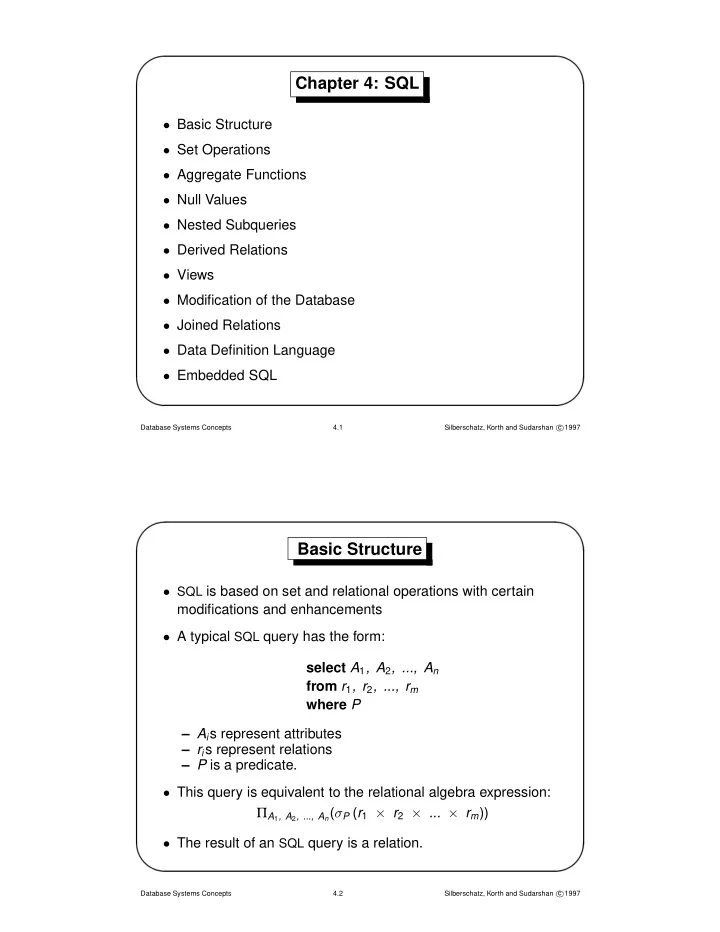
Chapter 4: SQL

  • Basic Structure
  • Set Operations
  • Aggregate Functions
  • Null Values
  • Nested Subqueries
  • Derived Relations
  • Views
  • Modification of the Database
  • Joined Relations
  • Data Definition Language
  • Embedded SQL

Database Systems Concepts 4.1 Silberschatz, Korth and Sudarshan c 1997

' & $ %

Basic Structure

  • SQL is based on set and relational operations with certain

modifications and enhancements

  • A typical SQL query has the form:

select A1, A2, ..., An from r1, r2, ..., rm where P – Ais represent attributes – ris represent relations – P is a predicate.

  • This query is equivalent to the relational algebra expression:

ΠA1, A2, ..., An(σP (r1 × r2 × ... × rm))

  • The result of an SQL query is a relation.

Database Systems Concepts 4.2 Silberschatz, Korth and Sudarshan c 1997

slide-2
SLIDE 2 ' & $ %

The select Clause

  • The select clause corresponds to the projection operation of

the relational algebra. It is used to list the attributes desired in the result of a query.

  • Find the names of all branches in the loan relation

select branch-name from loan In the “pure” relational algebra syntax, this query would be: Πbranch-name (loan)

  • An asterisk in the select clause denotes “all attributes”

select ∗ from loan

Database Systems Concepts 4.3 Silberschatz, Korth and Sudarshan c 1997

' & $ %

The select Clause (Cont.)

  • SQL allows duplicates in relations as well as in query results.
  • To force the elimination of duplicates, insert the keyword

distinct after select. Find the names of all branches in the loan relation, and remove duplicates select distinct branch-name from loan

  • The keyword all specifies that duplicates not be removed.

select all branch-name from loan

Database Systems Concepts 4.4 Silberschatz, Korth and Sudarshan c 1997

slide-3
SLIDE 3 ' & $ %

The select Clause (Cont.)

  • The select clause can contain arithmetic expressions involving

the operators, +, −, ∗, and /, and operating on constants or attributes of tuples.

  • The query:

select branch-name, loan-number, amount ∗ 100 from loan would return a relation which is the same as the loan relation, except that the attribute amount is multiplied by 100

Database Systems Concepts 4.5 Silberschatz, Korth and Sudarshan c 1997

' & $ %

The where Clause

  • The where clause corresponds to the selection predicate of

the relational algebra. It consists of a predicate involving attributes of the relations that appear in the from clause.

  • Find all loan numbers for loans made at the Perryridge branch

with loan amounts greater than $1200. select loan-number from loan where branch-name = “Perryridge” and amount > 1200

  • SQL uses the logical connectives and, or, and not. It allows

the use of arithmetic expressions as operands to the comparison operators.

Database Systems Concepts 4.6 Silberschatz, Korth and Sudarshan c 1997

slide-4
SLIDE 4 ' & $ %

The where Clause (Cont.)

  • SQL includes a between comparison operator in order to

simplify where clauses that specify that a value be less than or equal to some value and greater than or equal to some other value.

  • Find the loan number of those loans with loan amounts

between $90,000 and $100,000 (that is, ≥ $90,000 and ≤ $100,000) select loan-number from loan where amount between 90000 and 100000

Database Systems Concepts 4.7 Silberschatz, Korth and Sudarshan c 1997

' & $ %

The from Clause

  • The from clause corresponds to the Cartesian product
  • peration of the relational algebra. It lists the relations to be

scanned in the evaluation of the expression.

  • Find the Cartesian product borrower × loan

select ∗ from borrower, loan

  • Find the name and loan number of all customers having a loan

at the Perryridge branch. select distinct customer-name, borrower.loan-number from borrower, loan where borrower.loan-number = loan.loan-number and branch-name = “Perryridge”

Database Systems Concepts 4.8 Silberschatz, Korth and Sudarshan c 1997

slide-5
SLIDE 5 ' & $ %

The Rename Operation

  • The SQL mechanism for renaming relations and attributes is

accomplished through the as clause:

  • ld-name as new-name
  • Find the name and loan number of all customers having a loan

at the Perryridge branch; replace the column name loan-number with the name loan-id. select distinct customer-name, borrower.loan-number as loan-id from borrower, loan where borrower.loan-number = loan.loan-number and branch-name = “Perryridge”

Database Systems Concepts 4.9 Silberschatz, Korth and Sudarshan c 1997

' & $ %

Tuple Variables

  • Tuple variables are defined in the from clause via the use of

the as clause.

  • Find the customer names and their loan numbers for all

customers having a loan at some branch. select distinct customer-name, T.loan-number from borrower as T, loan as S where T.loan-number = S.loan-number

  • Find the names of all branches that have greater assets than

some branch located in Brooklyn. select distinct T.branch-name from branch as T, branch as S where T.assets > S.assets and S.branch-city = “Brooklyn”

Database Systems Concepts 4.10 Silberschatz, Korth and Sudarshan c 1997

slide-6
SLIDE 6 ' & $ %

String Operations

  • SQL includes a string-matching operator for comparisons on

character strings. Patterns are described using two special characters: – percent (%). The % character matches any substring. – underscore ( ). The character matches any character.

  • Find the names of all customers whose street includes the

substring ‘Main’. select customer-name from customer where customer-street like “%Main%”

  • Match the name “Main%”

like “Main\%” escape “\”

Database Systems Concepts 4.11 Silberschatz, Korth and Sudarshan c 1997

' & $ %

Ordering the Display of Tuples

  • List in alphabetic order the names of all customers having a

loan at Perryridge branch select distinct customer-name from borrower, loan where borrower.loan-number = loan.loan-number and branch-name = “Perryridge”

  • rder by customer-name
  • We may specify desc for descending order or asc for

ascending order, for each attribute; ascending order is the default.

  • SQL must perform a sort to fulfill an order by request. Since

sorting a large number of tuples may be costly, it is desirable to sort only when necessary.

Database Systems Concepts 4.12 Silberschatz, Korth and Sudarshan c 1997

slide-7
SLIDE 7 ' & $ %

Duplicates

  • In relations with duplicates, SQL can define how many copies
  • f tuples appear in the result.
  • Multiset versions of some of the relational algebra operators –

given multiset relations r1 and r2:

  • 1. If there are c1 copies of tuple t1 in r1, and t1 satisfies

selection σθ, then there are c1 copies of t1 in σθ(r1).

  • 2. For each copy of tuple t1 in r1, there is a copy of tuple ΠA(t1)

in ΠA(r1), where ΠA(t1) denotes the projection of the single tuple t1.

  • 3. If there are c1 copies of tuple t1 in r1 and c2 copies of tuple

t2 in r2, there are c1 × c2 copies of the tuple t1.t2 in r1 × r2.

Database Systems Concepts 4.13 Silberschatz, Korth and Sudarshan c 1997

' & $ %

Duplicates (Cont.)

  • Suppose relations r1 with schema (A, B) and r2 with schema

(C) are the following multisets: r1 = {(1, a), (2, a)} r2 = {(2), (3), (3)}

  • Then ΠB(r1) would be {(a), (a)}, while ΠB(r1) × r2 would be

{(a, 2), (a, 2), (a, 3), (a, 3), (a, 3), (a, 3)}

  • SQL duplicate semantics:

select A1, A2, ..., An from r1, r2, ..., rm where P is equivalent to the multiset version of the expression: ΠA1, A2, ..., An(σP (r1 × r2 × ... × rm))

Database Systems Concepts 4.14 Silberschatz, Korth and Sudarshan c 1997

slide-8
SLIDE 8 ' & $ %

Set Operations

  • The set operations union, intersect, and except operate on

relations and correspond to the relational algebra operations ∪, ∩, and −.

  • Each of the above operations automatically eliminates

duplicates; to retain all duplicates use the corresponding multiset versions union all, intersect all and except all. Suppose a tuple occurs m times in r and n times in s, then, it

  • ccurs:

– m + n times in r union all s – min(m, n) times in r intersect all s – max(0, m − n) times in r except all s

Database Systems Concepts 4.15 Silberschatz, Korth and Sudarshan c 1997

' & $ %

Set Operations

  • Find all customers who have a loan, an account, or both:

(select customer-name from depositor) union (select customer-name from borrower)

  • Find all customers who have both a loan and an account.

(select customer-name from depositor) intersect (select customer-name from borrower)

  • Find all customers who have an account but no loan.

(select customer-name from depositor) except (select customer-name from borrower)

Database Systems Concepts 4.16 Silberschatz, Korth and Sudarshan c 1997

slide-9
SLIDE 9 ' & $ %

Aggregate Functions

These functions operate on the multiset of values of a column of a relation, and return a value avg: average value min: minimum value max:maximum value sum: sum of values count: number of values

Database Systems Concepts 4.17 Silberschatz, Korth and Sudarshan c 1997

' & $ %

Aggregate Functions (Cont.)

  • Find the average account balance at the Perryridge branch.

select avg (balance) from account where branch-name = “Perryridge”

  • Find the number of tuples in the customer relation.

select count (*) from customer

  • Find the number of depositors in the bank

select count (distinct customer-name) from depositor

Database Systems Concepts 4.18 Silberschatz, Korth and Sudarshan c 1997

slide-10
SLIDE 10 ' & $ %

Aggregate Functions – Group By

  • Find the number of depositors for each branch.

select branch-name, count (distinct customer-name) from depositor, account where depositor.account-number = account.account-number group by branch-name Note: Attributes in select clause outside of aggregate functions must appear in group by list.

Database Systems Concepts 4.19 Silberschatz, Korth and Sudarshan c 1997

' & $ %

Aggregate Functions – Having Clause

  • Find the names of all branches where the average account

balance is more than $1,200 select branch-name, avg (balance) from account group by branch-name having avg (balance) > 1200 Note: predicates in the having clause are applied after the formation of groups

Database Systems Concepts 4.20 Silberschatz, Korth and Sudarshan c 1997

slide-11
SLIDE 11 ' & $ %

Null Values

  • It is possible for tuples to have a null value, denoted by null, for

some of their attributes; null signifies an unknown value or that a value does not exist.

  • The result of any arithmetic expression involving null is null.
  • Roughly speaking, all comparisons involving null return false.

More precisely, – Any comparison with null returns unknown – (true or unknown) = true,

(false or unknown) = unknown (unknown or unknown) = unknown, (true and unknown) = unknown, (false and unknown) = false, (unknown and unknown) = unknown

– Result of where clause predicate is treated as false if it evaluates to unknown – “P is unknown” evaluates to true if predicate P evaluates to unknown

Database Systems Concepts 4.21 Silberschatz, Korth and Sudarshan c 1997

' & $ %

Null Values (Cont.)

  • Find all loan numbers which appear in the loan relation with

null values for amount. select loan-number from loan where amount is null

  • Total all loan amounts

select sum (amount) from loan Above statement ignores null amounts; result is null if there is no non-null amount.

  • All aggregate operations except count(*) ignore tuples with

null values on the aggregated attributes.

Database Systems Concepts 4.22 Silberschatz, Korth and Sudarshan c 1997

slide-12
SLIDE 12 ' & $ %

Nested Subqueries

  • SQL provides a mechanism for the nesting of subqueries.
  • A subquery is a select-from-where expression that is nested

within another query.

  • A common use of subqueries is to perform tests for set

membership, set comparisons, and set cardinality.

Database Systems Concepts 4.23 Silberschatz, Korth and Sudarshan c 1997

' & $ %

Set Membership

  • F in r ⇔ ∃ t ∈ r (t = F)

(5 in 4 ) = true 5 (5 in 4 ) = false 6 (5 not in 4 ) = true 6

Database Systems Concepts 4.24 Silberschatz, Korth and Sudarshan c 1997

slide-13
SLIDE 13 ' & $ %

Example Query

  • Find all customers who have both an account and a loan at

bank. select distinct customer-name from borrower where customer-name in (select customer-name from depositor)

  • Find all customers who have a loan at the bank but do not have

an account at the bank. select distinct customer-name from borrower where customer-name not in (select customer-name from depositor)

Database Systems Concepts 4.25 Silberschatz, Korth and Sudarshan c 1997

' & $ %

Example Query

  • Find all customers who have both an account and a loan at the

Perryridge branch. select distinct customer-name from borrower, loan where borrower.loan-number = loan.loan-number and branch-name = “Perryridge” and (branch-name, customer-name) in (select branch-name, customer-name from depositor, account where depositor.account-number = account.account-number)

Database Systems Concepts 4.26 Silberschatz, Korth and Sudarshan c 1997

slide-14
SLIDE 14 ' & $ %

Set Comparison

  • Find all branches that have greater assets than some branch

located in Brooklyn. select distinct T.branch-name from branch as T, branch as S where T.assets > S.assets and S.branch-city = “Brooklyn”

Database Systems Concepts 4.27 Silberschatz, Korth and Sudarshan c 1997

' & $ %

The Some Clause

  • F <comp> some r ⇔ ∃ t(t ∈ r∧ [F <comp> t])

Where <comp> can be: <, ≤, >, ≥, =, = (5 < some 5 ) = true 6 (read: 5 < some tuple in the relation) (5 < some 5 ) = false (5 = some 5 ) = true (5 = some 5 ) = true (since 0 = 5)

  • (= some) ≡ in
  • However, (= some) ≡ not in

Database Systems Concepts 4.28 Silberschatz, Korth and Sudarshan c 1997

slide-15
SLIDE 15 ' & $ %

Example Query

  • Find all branches that have greater assets than some branch

located in Brooklyn. select branch-name from branch where assets > some (select assets from branch where branch-city = “Brooklyn”)

Database Systems Concepts 4.29 Silberschatz, Korth and Sudarshan c 1997

' & $ %

The All Clause

  • F <comp> all r ⇔ ∀ t (t ∈ r ∧ [F <comp> t])

(5 < all 5 ) = false 6 6 (5 < all 10 ) = true 4 (5 = all 5 ) = false 4 (5 = all 6 ) = true (since 5 = 4 and 5 = 6)

  • (= all) ≡ not in
  • However, (= all) ≡ in

Database Systems Concepts 4.30 Silberschatz, Korth and Sudarshan c 1997

slide-16
SLIDE 16 ' & $ %

Example Query

  • Find the names of all branches that have greater assets than

all branches located in Brooklyn. select branch-name from branch where assets > all (select assets from branch where branch-city = “Brooklyn”)

Database Systems Concepts 4.31 Silberschatz, Korth and Sudarshan c 1997

' & $ %

Test for Empty Relations

  • The exists construct returns the value true if the argument

subquery is nonempty.

  • exists r ⇔ r = ∅
  • not exists r ⇔ r = ∅

Database Systems Concepts 4.32 Silberschatz, Korth and Sudarshan c 1997

slide-17
SLIDE 17 ' & $ %

Example Query

  • Find all customers who have an account at all branches

located in Brooklyn. select distinct S.customer-name from depositor as S where not exists ( (select branch-name from branch where branch-city = “Brooklyn”) except (select R.branch-name from depositor as T, account as R where T.account-number = R.account-number and S.customer-name = T.customer-name))

  • Note that X − Y = ∅ ⇔ X ⊆ Y

Database Systems Concepts 4.33 Silberschatz, Korth and Sudarshan c 1997

' & $ %

Test for Absence of Duplicate Tuples

  • The unique construct tests whether a subquery has any

duplicate tuples in its result.

  • Find all customers who have only one account at the

Perryridge branch. select T.customer-name from depositor as T where unique ( select R.customer-name from account, depositor as R where T.customer-name = R.customer-name and R.account-number = account.account-number and account.branch-name = “Perryridge”)

Database Systems Concepts 4.34 Silberschatz, Korth and Sudarshan c 1997

slide-18
SLIDE 18 ' & $ %

Example Query

  • Find all customers who have at least two accounts at the

Perryridge branch. select distinct T.customer-name from depositor T where not unique ( select R.customer-name from account, depositor as R where T.customer-name = R.customer-name and R.account-number = account.account-number and account.branch-name = “Perryridge”)

Database Systems Concepts 4.35 Silberschatz, Korth and Sudarshan c 1997

' & $ %

Derived Relations

  • Find the average account balance of those branches where the

average account balance is greater than $1200. select branch-name, avg-balance from (select branch-name, avg (balance) from account group by branch-name) as result (branch-name, avg-balance) where avg-balance > 1200 Note that we do not need to use the having clause, since we compute in the from clause the temporary relation result, and the attributes of result can be used directly in the where clause.

Database Systems Concepts 4.36 Silberschatz, Korth and Sudarshan c 1997

slide-19
SLIDE 19 ' & $ %

Views

  • Provide a mechanism to hide certain data from the view of

certain users. To create a view we use the command: create view v as <query expression> where: – <query expression> is any legal expression – the view name is represented by v

Database Systems Concepts 4.37 Silberschatz, Korth and Sudarshan c 1997

' & $ %

Example Queries

  • A view consisting of branches and their customers

create view all-customer as (select branch-name, customer-name from depositor, account where depositor.account-number = account.account-number) union (select branch-name, customer-name from borrower, loan where borrower.loan-number = loan.loan-number)

  • Find all customers of the Perryridge branch

select customer-name from all-customer where branch-name = “Perryridge”

Database Systems Concepts 4.38 Silberschatz, Korth and Sudarshan c 1997

slide-20
SLIDE 20 ' & $ %

Modification of the Database – Deletion

  • Delete all account records at the Perryridge branch

delete from account where branch-name = “Perryridge”

  • Delete all accounts at every branch located in Needham.

delete from account where branch-name in (select branch-name from branch where branch-city = “Needham”) delete from depositor where account-number in (select account-number from branch, account where branch-city = “Needham” and branch.branch-name = account.branch-name)

Database Systems Concepts 4.39 Silberschatz, Korth and Sudarshan c 1997

' & $ %

Example Query

  • Delete the records of all accounts with balances below the

average at the bank delete from account where balance < (select avg (balance) from account) – Problem: as we delete tuples from deposit, the average balance changes – Solution used in SQL:

  • 1. First, compute avg balance and find all tuples to delete
  • 2. Next, delete all tuples found above (without recomputing

avg or retesting the tuples)

Database Systems Concepts 4.40 Silberschatz, Korth and Sudarshan c 1997

slide-21
SLIDE 21 ' & $ %

Modification of the Database – Insertion

  • Add a new tuple to account

insert into account values (“Perryridge”, A-9732, 1200)

  • r equivalently

insert into account (branch-name, balance, account-number) values (“Perryridge”, 1200, A-9732)

  • Add a new tuple to account with balance set to null

insert into account values (“Perryridge”, A-777, null)

Database Systems Concepts 4.41 Silberschatz, Korth and Sudarshan c 1997

' & $ %

Modification of the Database – Insertion

  • Provide as a gift for all loan customers of the Perryridge

branch, a $200 savings account. Let the loan number serve as the account number for the new savings account insert into account select branch-name, loan-number, 200 from loan where branch-name = “Perryridge” insert into depositor select customer-name, loan-number from loan, borrower where branch-name = “Perryridge” and loan.account-number = borrower.account-number

Database Systems Concepts 4.42 Silberschatz, Korth and Sudarshan c 1997

slide-22
SLIDE 22 ' & $ %

Modification of the Database – Updates

  • Increase all accounts with balances over $10,000 by 6%, all
  • ther accounts receive 5%.

– Write two update statements: update account set balance = balance ∗ 1.06 where balance > 10000 update account set balance = balance ∗ 1.05 where balance ≤ 10000 – The order is important – Can be done better using the case statement (Exercise 4.11)

Database Systems Concepts 4.43 Silberschatz, Korth and Sudarshan c 1997

' & $ %

Update of a View

  • Create a view of all loan data in the loan relation, hiding the

amount attribute create view branch-loan as select branch-name, loan-number from loan

  • Add a new tuple to branch-loan

insert into branch-loan values (“Perryridge”, “L-307”) This insertion must be represented by the insertion of the tuple (“Perryridge”, “L-307”, null) into the loan relation.

  • Updates on more complex views are difficult or impossible to

translate, and hence are disallowed.

Database Systems Concepts 4.44 Silberschatz, Korth and Sudarshan c 1997

slide-23
SLIDE 23 ' & $ %

Joined Relations

  • Join operations take two relations and return as a result

another relation.

  • These additional operations are typically used as subquery

expressions in the from clause.

  • Join condition – defines which tuples in the two relations

match, and what attributes are present in the result of the join.

  • Join type – defines how tuples in each relation that do not

match any tuple in the other relation (based on the join condition) are treated. Join Types inner join left outer join right outer join full outer join Join Conditions natural

  • n <predicate>

using (A1, A2, . . ., An)

Database Systems Concepts 4.45 Silberschatz, Korth and Sudarshan c 1997

' & $ %

Joined Relations – Datasets for Examples

  • Relation loan

branch-name loan-number amount Downtown L-170 3000 Redwood L-230 4000 Perryridge L-260 1700

  • Relation borrower

customer-name loan-number Jones L-170 Smith L-230 Hayes L-155

Database Systems Concepts 4.46 Silberschatz, Korth and Sudarshan c 1997

slide-24
SLIDE 24 ' & $ %

Joined Relations – Examples

  • loan inner join borrower on

loan.loan-number = borrower.loan-number

branch-name loan-number amount customer-name loan-number Downtown L-170 3000 Jones L-170 Redwood L-230 4000 Smith L-230

  • loan left outer join borrower on

loan.loan-number=borrower.loan-number

branch-name loan-number amount customer-name loan-number Downtown L-170 3000 Jones L-170 Redwood L-230 4000 Smith L-230 Perryridge L-260 1700 null null

Database Systems Concepts 4.47 Silberschatz, Korth and Sudarshan c 1997

' & $ %

Joined Relations – Examples

  • loan natural inner join borrower

branch-name loan-number amount customer-name Downtown L-170 3000 Jones Redwood L-230 4000 Smith

  • loan natural right outer join borrower

branch-name loan-number amount customer-name Downtown L-170 3000 Jones Redwood L-230 4000 Smith null L-155 null Hayes

Database Systems Concepts 4.48 Silberschatz, Korth and Sudarshan c 1997

slide-25
SLIDE 25 ' & $ %

Joined Relations – Examples

  • loan full outer join borrower using (loan-number)

branch-name loan-number amount customer-name Downtown L-170 3000 Jones Redwood L-230 4000 Smith Perryridge L-260 1700 null null L-155 null Hayes

  • Find all customers who have either an account or a loan (but

not both) at the bank. select customer-name from (depositor natural full outer join borrower) where account-number is null or loan-number is null

Database Systems Concepts 4.49 Silberschatz, Korth and Sudarshan c 1997

' & $ %

Data Definition Language (DDL)

Allows the specification of not only a set of relations but also information about each relation, including:

  • The schema for each relation.
  • The domain of values associated with each attribute.
  • Integrity constraints.
  • The set of indices to be maintained for each relation.
  • Security and authorization information for each relation.
  • The physical storage structure of each relation on disk.

Database Systems Concepts 4.50 Silberschatz, Korth and Sudarshan c 1997

slide-26
SLIDE 26 ' & $ %

Domain Types in SQL

  • char(n). Fixed length character string, with user-specified

length n.

  • varchar(n). Variable length character strings, with

user-specified maximum length n.

  • int. Integer (a finite subset of the integers that is

machine-dependent).

  • smallint. Small integer (a machine-dependent subset of the

integer domain type).

  • numeric(p,d). Fixed point number, with user-specified

precision of p digits, with n digits to the right of decimal point.

Database Systems Concepts 4.51 Silberschatz, Korth and Sudarshan c 1997

' & $ %

Domain Types in SQL (Cont.)

  • real, double precision. Floating point and double-precision

floating point numbers, with machine-dependent precision.

  • float(n). Floating point number, with user-specified precision of

at least n digits.

  • date. Dates, containing a (4 digit) year, month and date.
  • time. Time of day, in hours, minutes and seconds.

– Null values are allowed in all the domain types. Declaring an attribute to be not null prohibits null values for that attribute. – create domain construct in SQL-92 creates user-defined domain types create domain person-name char(20) not null

Database Systems Concepts 4.52 Silberschatz, Korth and Sudarshan c 1997

slide-27
SLIDE 27 ' & $ %

Create Table Construct

  • An SQL relation is defined using the create table command:

create table r (A1 D1, A2 D2, . . . , An Dn, integrity-constraint1, . . ., integrity-constraintk) – r is the name of the relation – each Ai is an attribute name in the schema of relation r – Di is the data type of values in the domain of attribute Ai

  • Example:

create table branch (branch-name char(15) not null, branch-city char(30), assets integer)

Database Systems Concepts 4.53 Silberschatz, Korth and Sudarshan c 1997

' & $ %

Integrity Constraints In Create Table

  • not null
  • primary key (A1, . . ., An)
  • check (P), where P is a predicate

Example: Declare branch-name as the primary key for branch and ensure that the values of assets are non-negative. create table branch (branch-name char(15) not null, branch-city char(30), assets integer, primary key (branch-name), check (assets >= 0))

  • primary key declaration on an attribute automatically ensures

not null in SQL-92

Database Systems Concepts 4.54 Silberschatz, Korth and Sudarshan c 1997

slide-28
SLIDE 28 ' & $ %

Drop and Alter Table Constructs

  • The drop table command deletes all information about the

dropped relation from the database.

  • The alter table command is used to add attributes to an

existing relation. All tuples in the relation are assigned null as the value for the new attribute. The form of the alter table command is alter table r add A D where A is the name of the attribute be added to relation r and and D is the domain of A.

  • The alter table command can also be used to drop attributes
  • f a relation

alter table r drop A where A is the name of an attribute of relation r.

Database Systems Concepts 4.55 Silberschatz, Korth and Sudarshan c 1997

' & $ %

Embedded SQL

  • The SQL standard defines embeddings of SQL in a variety of

programming languages such as such as Pascal, PL/I, Fortran, C, and Cobol.

  • A language in which SQL queries are embedded is referred to

as a host language, and the SQL structures permitted in the host language comprise embedded SQL.

  • The basic form of these languages follows that of the System

R embedding of SQL into PL/I.

  • EXEC SQL statement is used to identify embedded SQL

requests to the preprocessor

EXEC SQL <embedded SQL statement > END EXEC

Database Systems Concepts 4.56 Silberschatz, Korth and Sudarshan c 1997

slide-29
SLIDE 29 ' & $ %

Example Query

From within a host language, find the names and account numbers

  • f customers with more than the variable amount dollars in some

account.

  • Specify the query in SQL and declare a cursor for it

EXEC SQL

declare c cursor for select customer-name, account-number from depositor, account where depositor.account-number = account.account-number and account.balance > :amount

END-EXEC

Database Systems Concepts 4.57 Silberschatz, Korth and Sudarshan c 1997

' & $ %

Embedded SQL (Cont.)

  • The open statement causes the query to be evaluated

EXEC SQL open c END-EXEC

  • The fetch statement causes the values of one tuple in the

query result to be placed in host language variables.

EXEC SQL fetch c into :cn :an END-EXEC

Repeated calls to fetch get successive tuples in the query result; a variable in the SQL communication area indicates when end-of-file is reached.

  • The close statement causes the database system to delete

the temporary relation that holds the result of the query.

EXEC SQL close c END-EXEC

Database Systems Concepts 4.58 Silberschatz, Korth and Sudarshan c 1997

slide-30
SLIDE 30 ' & $ %

Dynamic SQL

  • Allows programs to construct and submit SQL queries at run

time.

  • Example of the use of dynamic SQL from within a C program.

char * sqlprog = “update account set balance = balance ∗1.05 where account-number = ?”

EXEC SQL prepare dynprog from :sqlprog;

char account[10] = “A-101”;

EXEC SQL execute dynprog using :account;

  • The dynamic SQL program contains a ?, which is a place

holder for a value that is provided when the SQL program is executed.

Database Systems Concepts 4.59 Silberschatz, Korth and Sudarshan c 1997

' & $ %

Other SQL Features

  • Fourth-generation languages – special language to assist

application programmers in creating templates on the screen for a user interface, and in formatting data for report generation; available in most commercial database products

  • SQL sessions – provide the abstraction of a client and a server

(possibly remote) – client connects to an SQL server, establishing a session – executes a series of statements – disconnects the session – can commit or rollback the work carried out in the session

  • An SQL environment contains several components, including a

user identifier, and a schema, which identifies which of several schemas a session is using.

Database Systems Concepts 4.60 Silberschatz, Korth and Sudarshan c 1997