Chapter 1 Analog vs. Digital Positional Number Systems Number - - PDF document

chapter 1
SMART_READER_LITE
LIVE PREVIEW

Chapter 1 Analog vs. Digital Positional Number Systems Number - - PDF document

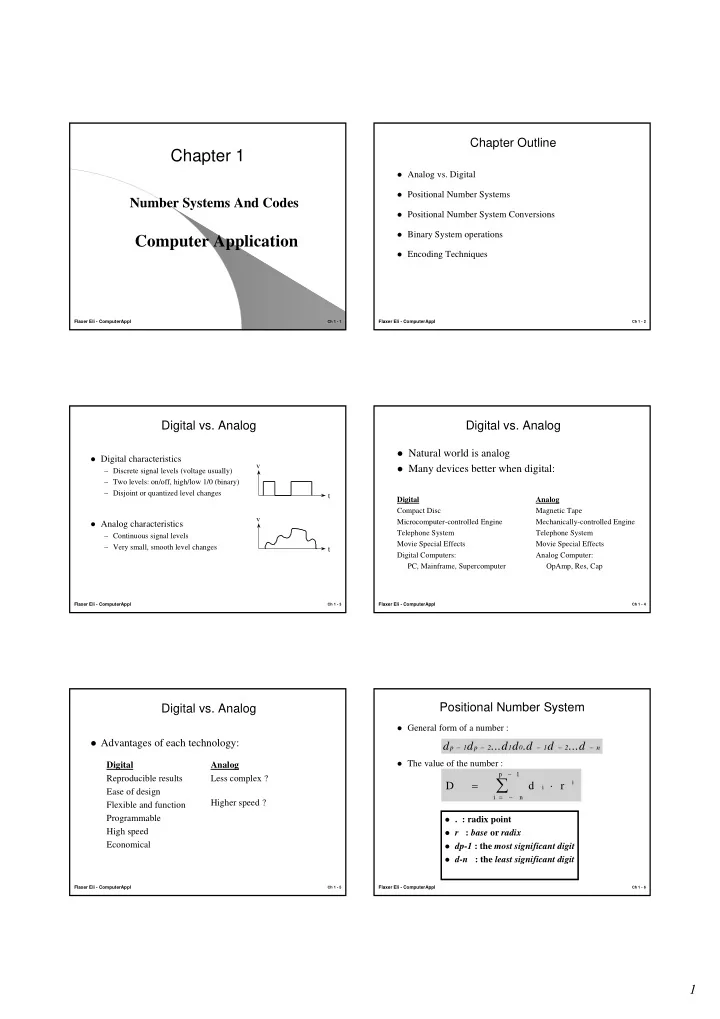
Chapter Outline Chapter 1 Analog vs. Digital Positional Number Systems Number Systems And Codes Positional Number System Conversions Binary System operations Computer Application Encoding Techniques Flaxer Eli - ComputerAppl


slide-1
SLIDE 1

1

Flaxer Eli - ComputerAppl

Ch 1 - 1

Chapter 1

Number Systems And Codes

Computer Application

Flaxer Eli - ComputerAppl

Ch 1 - 2

Chapter Outline

Analog vs. Digital Positional Number Systems Positional Number System Conversions Binary System operations Encoding Techniques

Flaxer Eli - ComputerAppl

Ch 1 - 3

Digital vs. Analog

Digital characteristics

– Discrete signal levels (voltage usually) – Two levels: on/off, high/low 1/0 (binary) – Disjoint or quantized level changes

Analog characteristics

– Continuous signal levels – Very small, smooth level changes t v v t

Flaxer Eli - ComputerAppl

Ch 1 - 4

Digital vs. Analog

Digital Compact Disc Microcomputer-controlled Engine Telephone System Movie Special Effects Digital Computers: PC, Mainframe, Supercomputer Analog Magnetic Tape Mechanically-controlled Engine Telephone System Movie Special Effects Analog Computer: OpAmp, Res, Cap Natural world is analog Many devices better when digital:

Flaxer Eli - ComputerAppl

Ch 1 - 5

Digital vs. Analog

Advantages of each technology:

Digital Reproducible results Ease of design Flexible and function Programmable High speed Economical Analog Less complex ? Higher speed ?

Flaxer Eli - ComputerAppl

Ch 1 - 6

General form of a number : The value of the number :

Positional Number System

. : radix point r : base or radix dp-1 : the most significant digit d-n : the least significant digit

d d ...d d .d d ...d

p 1 p 2 1 1 2 n − − − − −

D d r

i i n p 1 i

= ⋅

= − −

slide-2
SLIDE 2

2

Flaxer Eli - ComputerAppl

Ch 1 - 7

Decimal System

d : 0 , 1 , 2 , . . . , 9 r = 10 Example : 2081.35

p = 4 , n = 2

208135 2 10 0 10 8 10 1 10 3 10 5 10

3 2 1 1 2

. = ⋅ + ⋅ + ⋅ + ⋅ + ⋅ + ⋅

− −

208135 2 1000 0 100 8 10 1 1 3 01 5 0 01 . . . = ⋅ + ⋅ + ⋅ + ⋅ + ⋅ + ⋅

2 0 8 1 3 5 1 0

2 3

. = ⋅

= −

d i

i i

d d d d d d

3 2 1 1 2

2 8 1 3 5 = = = = = =

− −

, , , , ,

Flaxer Eli - ComputerAppl

Ch 1 - 8

Binary System

r = 2 ( binary radix ) . : binary point bi ( binary digit = bit ) : 0 , 1 bp-1 : the most significant bit ( MSB ) b-n : the least significant bit ( LSB )

B b r

i i n p i

= ⋅

= − −

1

The decimal value of the number is:

b b b b b b b

p p n − − − − − 1 2 1 1 2

... . ...

The form of a binary number is:

Flaxer Eli - ComputerAppl

Ch 1 - 9

Example :

11101.01 p = 5 , n = 2

b b b b b b b

4 3 2 1 1 2

1 1 1 1 1 = = = = = = =

− −

, , , , , ,

B b i

i i

= ⋅

= −

2 4

2

B = ⋅ + ⋅ + ⋅ + ⋅ + ⋅ + ⋅ + ⋅

− −

1 2 1 2 1 2 0 2 1 2 0 2 1 2

4 3 2 1 1 2

B = + + + + + + = 16 8 4 0 1 0 025 29 25 . .

Flaxer Eli - ComputerAppl

Ch 1 - 10

Exercise

Calculate the equivalent decimal numbers :

1 , 10 , 11 , 100 , 101, 10101.11

Answer :

1 (2) = 1 (10) 10 (2) = 2 (10) 11 (2) = 3 (10) 100 (2) = 4 (10) 101 (2) = 5 (10) 10101.11 (2) = 21.75 (10)

Flaxer Eli - ComputerAppl

Ch 1 - 11

Octal and Hexadecimal Numbers

Octal number System :

  • r = 8
  • d : 0 , 1 , 2 , . . . , 7

Hexadecimal number System :

  • r = 16
  • d : 0 , 1 , 2 , . . . , 9, A, B, C, D, E, F

The radices are powers of 2 Used for shorthand representations of long

binary numbers

Binary, Decimal, Octal and Hexadecimal Numbers

Decimal Binary Octal Hexadecimal

0 0 0 1 1 1 1 2 10 2 2 3 11 3 3 4 100 4 4 5 101 5 5 6 110 6 6 7 111 7 7 8 1000 10 8 9 1001 11 9 10 1010 12 A 11 1011 13 B 12 1100 14 C 13 1101 15 D 14 1110 16 E 15 1111 17 F

slide-3
SLIDE 3

3

Flaxer Eli - ComputerAppl

Ch 1 - 13

Binary - Octal/Hexadecimal Conversion

Binary to Octal/Hexadecimal :

Starting from the decimal point :

  • Separate the bits into groups of three/four
  • Replace each group with its corresponding Octal/Hexadecimal

digit

Examples :

  • 100011110.10101(2) = 100 011 110.101 010 = 436.52(8)
  • 1011101000.001111(2) = 0010 1110 1000.0011 1100 = 2E8.3C(16)

Flaxer Eli - ComputerAppl

Ch 1 - 14

Binary - Octal/Hexadecimal Conversion

Octal/Hexadecimal to Binary:

Convert each Octal/Hexadecimal digit into its corresponding 3 / 4 bit string

Examples :

  • 621.3(8) = 110010001.011(2)
  • F5A.2C(16) = 111101011010.00101100(2)

Flaxer Eli - ComputerAppl

Ch 1 - 15

Exercise

Convert 101100.101 into hexadecimal, octal and

decimal.

Convert F4A into binary Answers :

  • 101100.101 (2) = 2C.A (16) = 44.625 (10)
  • 101100.101 (2) = 54.5 (8)
  • F4A (16 )=111101001010 (2)

Flaxer Eli - ComputerAppl

Ch 1 - 16

General Positional Number Conversion

radix-r to decimal :

decimal to radix-r :

  • Successive division of D by r
  • The remainder of the long divsion will give the digits

starting from the least significant digit

D d r

i i n p 1 i

= ⋅

= − −

Flaxer Eli - ComputerAppl

Ch 1 - 17

Example - Decimal to Binary :

179 (10)

179/2 = 89 ( 1 ) LSB 89/2 = 44 ( 1 ) 44/2=22 ( 0 ) 22/2=11 ( 0 ) 11/2=5 ( 1 ) 5/2=2 ( 1 ) 2/2=1 ( 0 ) 1/2=0 (1)MSB

Result : 10110011 (2)

Flaxer Eli - ComputerAppl

Ch 1 - 18

Exercise

Convert 154 into binary. Answer : 10011010

slide-4
SLIDE 4

4

Flaxer Eli - ComputerAppl

Ch 1 - 19

Example - Decimal to Binary (Fraction):

.375 (10)

.375 * 2 = 0.75 ( 0 ) .75 * 2 = 1.5 ( 1 ) .5 * 2 = 1.0 ( 1 )

Result : .011 (2)

Fin

Flaxer Eli - ComputerAppl

Ch 1 - 20

Binary Addition

Example :

1 0 0 0 1 0 1 1 0 0 0 x 1 7 3 1 0 1 0 1 1 0 1 y + 4 4 0 0 1 0 1 1 0 0 _____ ____________ 2 1 7 1 1 0 1 1 0 0 1

Binary addition table :

0 0 0 0 0 0 1 1 0 0 1 0 1 0 0 1 1 0 1 1 0 0 1 0 1 0 1 0 1 1 1 0 0 1 1 1 1 1 1

carry(in) x y x+y carry(out)

Flaxer Eli - ComputerAppl

Ch 1 - 21

Exercise

  • 1 1 0 1 0 0 1 0 1 0 1

+ 0 1 1 1 1 + 0 1 1 0 0 1 _________ __________

  • 1 0 1 0 0 1 1 0 1 1 1 0

26+15 = 41 21+25=46

Flaxer Eli - ComputerAppl

Ch 1 - 22

Representation of Natural Numbers in Binary Systems (Unsigned Number)

There has 2n parmutation in order n bits The range for n-bit is :

from 0 to +(2n - 1)

Flaxer Eli - ComputerAppl

Ch 1 - 23

Binary Subtraction

Binary Subtraction table :

0 0 0 0 1 1 1 0 1 0 1 0 0 1 1 0 0 1 0 0 1 1 1 0 1 0 1 1 1 0 0 0 1 1 1 1 1

borrow(in) x y x-y borrow(out)

Example :

0 1 0 1 1 0 1 1 0 1 0 x 2 1 0 1 1 0 1 0 0 1 0 y - 1 0 9 0 1 1 0 1 1 0 1 _____ ____________ 1 0 1 0 1 1 0 0 1 0 1

Flaxer Eli - ComputerAppl

Ch 1 - 24

Exercise

  • 1 1 0 1 0 1 1 1 0 1
  • 0 1 1 1 1 - 1 0 1 1 1

________ _________

  • 0 1 0 1 1 0 0 1 1 0

26 - 15 = 11 29 - 23 = 6

slide-5
SLIDE 5

5

Flaxer Eli - ComputerAppl

Ch 1 - 25

Representation of Negative Numbers in Binary Systems

Signed-magnitude Representation. Two’s-Complement Representation. One’s-Complement Representation.

Flaxer Eli - ComputerAppl

Ch 1 - 26

  • The MSB represents the sign bit ( 0 = +ve , 1 = -ve )
  • The range for n-bit is :
  • Disadvantages :

1- Two possible representations of zero 2- Complicated digital adders

Signed Magnitude Representation

Example: n=5 * Range : from -15 to 15 * 10011= -3 , 01100 = +12 * 00000= 0 , 10000 = - 0

from -(2n-1 - 1) to +(2n-1 - 1)

Flaxer Eli - ComputerAppl

Ch 1 - 27

Two’s Complement Representation

The MSB represents the sign bit ( 0 = +ve , 1 = -ve ) To calculate the value of negative number :

1- Complement all bits of the positive number (one’s complement) 2- Add 1

The range for n-bit is : Advantages :

1- Only one zero 2- Addition and subtraction can be performed directly

  • Disadvantage : One extra negative number ( not symmetric )

from -(2n-1) to +(2n-1 - 1)

Flaxer Eli - ComputerAppl

Ch 1 - 28

Two’s Complement Example

n= 8

  • range from -128( 10000000) to 127 ( 01111111)

+100(10) = 01100100 10011011 1 + 10011100 = -100(10) 0(10) = 00000000 11111111 1 + 1 00000000 = 0(10)

Flaxer Eli - ComputerAppl

Ch 1 - 29

One’s Complement Representation

The MSB represents the sign bit ( 0 = +ve , 1 = -ve ) To calculate the negative number, complement all bits of the positive

number

The range for n-bit is : Advantages :

1- Symmetry 2- The ease of complementation

Disadvantages:

1- Two possible representations of zero 2- Complicated digital Adders

from -(2n-1 - 1) to +(2n-1 - 1)

Flaxer Eli - ComputerAppl

Ch 1 - 30

One’s-Complement Example

n= 8

range form -127( 10000000) to 127 ( 01111111)

  • +100(10) = 01100100
  • 100(10) = 10011011
  • 0(10) = 00000000
  • 0(10) = 11111111
slide-6
SLIDE 6

6

Flaxer Eli - ComputerAppl

Ch 1 - 31

Comparison ( n=4 )

  • 8 -
  • 1000
  • 7 1111

1000 1001

  • 6 1110

1001 1010

  • 5 1101

1010 1011

  • 4 1100

1011 1100

  • 3 1011

1100 1101

  • 2 1010

1101 1110

  • 1 1001

1110 1111 0 0000 or 1000 0000 or 1111 0000 1 0001 0001 0001 2 0010 0010 0010 3 0011 0011 0011 4 0100 0100 0100 5 0101 0101 0101 6 0110 0110 0110 7 0111 0111 0111

Decimal Signed Magnitude One’s Complement Two’s Complement

Flaxer Eli - ComputerAppl

Ch 1 - 32

Exercise

What is the representation of +21, - 21 in :

6-bit signed magnitude representation 6-bit one’s complement 6-bit two’s complement

Answer :

+21= 010101 in the three represntations

  • 21 = 110101 in the signed magnitude representation
  • 21 = 101010 in one’s complement
  • 21 = 101011 in two’s complement

Flaxer Eli - ComputerAppl

Ch 1 - 33

Two’s Complement Addition

Addition rules ( A+B )

1- Use binary addition rules. 2- Ignore any carry beyond the sign bit

If the range is not exceeded addition result will be correct

including the sign bit . Examples: (-2) 1 1 1 0 (-3) 1 1 0 1 + (-4) 1 1 0 0 (+3) 0 0 1 1 ______ ______ (-6) 1 1 0 1 0 (0) 1 0 0 0 0

Flaxer Eli - ComputerAppl

Ch 1 - 34

Addition overflow

Overflow detection rule :

  • The sign bit of the sum is different from the sign bit of

the two addends Or,

  • The carry in( Cin) and the carry out (Cout) of the sign bit

are different Example : 0 1 0 0 0 1 0 0 0 0 (4) 0 1 0 0 (-4) 1 1 0 0 +(5) 0 1 0 1 + (-5) 1 0 1 1 ______ ______ 1 0 0 1 1 0 1 1 1

Flaxer Eli - ComputerAppl

Ch 1 - 35

Two’s Complement Subtraction

Method 1 : [ A - B ]

1- Use binary Subtraction rules 2- Ignore any borrow beyond the sign bit

  • Example :

(2) 0 0 1 0

  • (4) 0 1 0 0

______ (-2) 1 1 1 0

Flaxer Eli - ComputerAppl

Ch 1 - 36

Two’s Complement Subtraction

Method 2 : [ A + (-B) ]

Add A to the Two’s complement of B : 1- Take the Ones’s complement of B 2- Add it to A with initial carry =1

Example ( 2 - 4)

1 0 0 1 0 (2) 1 0 1 1 (One’s Complement of 4 ) _______ 1 1 1 0 (-2)

Overflow detection rule :

  • The sign bit of the result is different from the sign bit of

A and the two’s complement of B

slide-7
SLIDE 7

7

Flaxer Eli - ComputerAppl

Ch 1 - 37

Exercise

Perform the following operations in 7 bit two’s complement

arithmetic : 35+42, 26-42, -12-56

  • 35 : 0100011

26 : 0011010 +42 : 0101010

  • 42 : 0101010
  • 51 1001101 (Overflow)
  • 16 1110000

Flaxer Eli - ComputerAppl

Ch 1 - 38

Exercise

  • 12-56= -12+(-56) = -12+( Two’s complement of 56 )
  • 12 : 1110100 , 56 : 0111000 , -56 : 1000111+1=1001000
  • 1110100

+ 1001000

  • 0111100 ( overflow )

Flaxer Eli - ComputerAppl

Ch 1 - 39

Coding

Coding : Representing a set of objects by a set of

strings.

Code : The set of bit strings. Code Word : A particular bit string in the Code. Examples :

1- Data Objects : Decimal Numbers, Characters. 2- Nondata Objects : Machine states, Control Actions.

Flaxer Eli - ComputerAppl

Ch 1 - 40

Binary Codes For Decimal Numbers

To represent the 10 decimal digits we need a

minimum of 4 bits.

Examples :

  • 4 bits Codes

1- BCD (8421)- Binary Coded Decimal 2- 2421 3- Excess-3

  • Other Decimal codes

1- Biquinary ( 7 bits ) 2- 1-out-of-10 ( 10 bits )

Flaxer Eli - ComputerAppl

Ch 1 - 41

Decimal Codes ( Table )

0 0000 0000 0011 0100001 1000000000 1 0001 0001 0100 0100010 0100000000 2 0010 0010 0101 0100100 0010000000 3 0011 0011 0110 0101000 0001000000 4 0100 0100 0111 0110000 0000100000 5 0101 1011 1000 1000001 0000010000 6 0110 1100 1001 1000010 0000001000 7 0111 1101 1010 1000100 0000000100 8 1000 1110 1011 1001000 0000000010 9 1001 1111 1100 1010000 0000000001

Decimal BCD(8421) 2421 Excess-3 Biquinary 1-out-of-10

Flaxer Eli - ComputerAppl

Ch 1 - 42

Exercise

Write the BCD code, 2421 code, and Excess-3 code for 369 Answer :

BCD: 0011 0110 1001 2421: 0011 1100 1111 Excess 3 : 0110 1001 1100

slide-8
SLIDE 8

8

Flaxer Eli - ComputerAppl

Ch 1 - 43

Gray Code

One bit changes between two successive code words Binary Code and Gray Code ( n = 3 ) :

0 000 000 1 001 001 2 010 011 3 011 010 4 100 110 5 101 111 6 110 101 7 111 100

Application :

  • Electromechanical applications - The Mechanical

Encoding disk

Decimal Binary Code Gray Code

Flaxer Eli - ComputerAppl

Ch 1 - 44

Character Codes

Each character is represented by a bit string ASCII - the American Standard Code for Information

Interchange. * Characters are encoded into 7 bits strings * Contains 128 characters :

  • uppercase and lowercase letters
  • numbers
  • punctuation marks
  • control characters

Flaxer Eli - ComputerAppl

Ch 1 - 45

b6b5b4 000 001 010 011 100 101 110 111 b3b2b1b0 0000 SP 0 @ ‘ 0001 ! 1 A a 0010 “ 2 B b 0011 # 3 C c 1111

ASCII Table

The Code for a is 1100001

Flaxer Eli - ComputerAppl

Ch 1 - 46

Summary

Digital Systems manipulate data in binary form. Arithmetic operations can be performed on Binary

numbers.

Hexadecimal numbers are used for shorthand

representation of binary numbers.

Arithmetic operations rules can be performed

directly on negative numbers represented in Two’s complement.

Decimal numbers , characters, actions, states can be

encoded into binary strings.