
SLIDE 1
CBRAIN
An Integrated Web Platform for Neuroimaging
Tarek Sherif EGI User Forum April 2011
- Dr. Alan Evans Laboratory
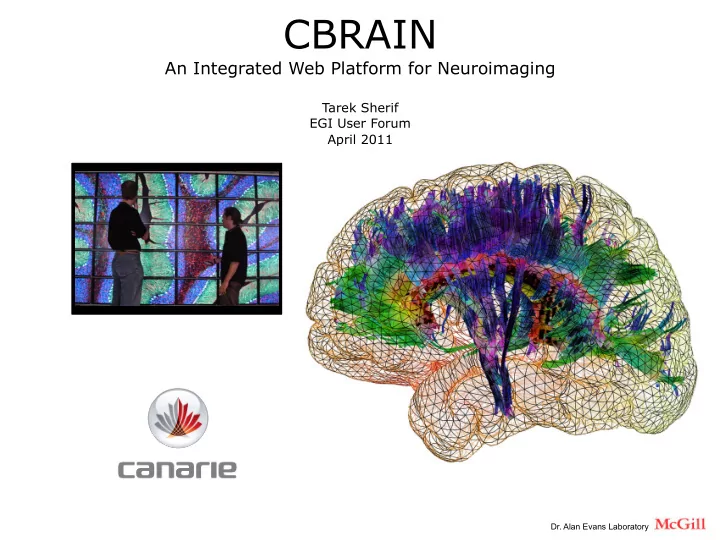
CBRAIN An Integrated Web Platform for Neuroimaging Tarek Sherif - - PowerPoint PPT Presentation
CBRAIN An Integrated Web Platform for Neuroimaging Tarek Sherif EGI User Forum April 2011 Dr. Alan Evans Laboratory Funded by CANARIE CANADA'S ADVANCED RESEARCH AND INNOVATION NETWORK http://www.canarie.ca Network: CAnet & Global
An Integrated Web Platform for Neuroimaging
Tarek Sherif EGI User Forum April 2011
CANADA'S ADVANCED RESEARCH AND INNOVATION NETWORK http://www.canarie.ca
High Performance Computing Clinical Expertise Physical Sciences Imaging Technology Basic Neuroscience
3 Tesla MRI Brain Imaging Techniques:
Alzheimer loss of cortical thickness Multiple Sclerosis lesions Normal Brain Development in Children
Not Registered Registered
lobe-based cortical thickness complexity
MS Lesion Model
Distributed Data Distributed Computing
Nothing specific to Neuroimaging
Distributed Users
MetaData DB
Database (MySQL)
Instances: data, users, jobs, tools, HPCs States
CBRAIN Portal
Presentation Models, Logic, Coordination
Execution Servers
Control of resources (HPC, Web Services...)
Data Providers
Networked File Servers, Databases
Files
LIGHT network & compute
HTTP SSL XML SQL SSH
HEAVY network & compute
Data sync SSH
Scientist
PORTAL
DB Montréal
Data Provider
DATA
DB Vancouver
Scientist
PORTAL
DB Montréal
Data Provider
DATA
DB Vancouver
COMPUTE
Sherbrooke RQCHP
Scientist
PORTAL
DB Montréal
Data Provider
DATA
DB Vancouver
COMPUTE
Sherbrooke RQCHP
Scientist
PORTAL
DB Montréal
1
Data Provider
DATA
DB Vancouver
COMPUTE
Sherbrooke RQCHP
Scientist
PORTAL
DB Montréal
1
Execution Controller Cluster Head Node
2
Data Provider
DATA
DB Vancouver
COMPUTE
Sherbrooke RQCHP
Scientist
PORTAL
DB Montréal
1
Execution Controller Cluster Head Node
2 3
Workers
Data Provider
DATA
DB Vancouver
COMPUTE
Sherbrooke RQCHP
Scientist
PORTAL
DB Montréal
1
Execution Controller Cluster Head Node
2 3
Workers
4
Data Provider
DATA
DB Vancouver
COMPUTE
Sherbrooke RQCHP
Scientist
PORTAL
DB Montréal
1
Execution Controller Cluster Head Node
2 Scheduler 5 3
Workers
4
Data Provider
DATA
DB Vancouver
COMPUTE
Sherbrooke RQCHP
Scientist
PORTAL
DB Montréal
1
Execution Controller Cluster Head Node
2 Scheduler 5 6 3
Workers
4
Data Provider
DATA
DB Vancouver
COMPUTE
Sherbrooke RQCHP
Scientist
PORTAL
DB Montréal
1
Execution Controller Cluster Head Node
2 Scheduler 5 6
Vancouver
COMPUTE
Execution Controller Cluster Head Node Workers
Scheduler 2 3 4 5 6 3
Workers
4
Data Provider
DATA
DB Vancouver
COMPUTE
Sherbrooke RQCHP
Scientist
PORTAL
DB Montréal
1
Execution Controller Cluster Head Node
2 Scheduler 5 6
Vancouver
COMPUTE
Execution Controller Cluster Head Node Workers
Scheduler 2 3 4 5 6 3
Workers
4
Status Job Control
7
NIH-Pediatric-Obj1: up to 3 visits per subject 866 CIVET pipeline runs to generate cortical thickness maps Input: 866 x 3 x 5Mb = 15Gb Output: 866 x 250 Mb = 211Gb Cluster Total CPU-hrs Maximum Performance Maximum Performance Typical Performance ypical Performance # cores Execution time (h) # cores Execution time (h) mammouth-ms2 (RQCHP -Sherbrooke) 866 x 4 = 3464 ~500 3 176 20 CLUMEQ-Krylov (McGill) 866 x 6 = 5196 ~90 58 24 216 BIC (Linux) 866 x 8 = 6928 ~100 69 40 173
(8 compute installations, 80,000+ core)
Orcinus - Westgrid (3072 cores) Kraken - SHARCNET (3774 cores) McGill - CLUMEQ & Local Servers (350 - 16000 cores) GPC - SciNET (30240 cores) Mammouth II - RQCHP (2464 cores) Colosse - CLUMEQ (7616 cores) JUROPA – Julich (26304 cores)
Project.
UCLA
McGILL
FBF
CBRAIN Community neuGRID Community LONI Community
them, avoid redundancy, etc.
tsherif@bic.mni.mcgill.ca alan.evans@mcgill.ca
http://cbrain.mcgill.ca
Montreal Neurological Institute, McGill University (Lead)
Principal Investigator: Alan Evans Program Manager: Reza Adalat System Architect: Marc Rousseau Developers: Pierre Rioux, Tarek Sherif, Angela McCloskey, Nicolas Kassis, Samir Das, David Brownlee System Administrator: Tien Duc Nguyen McGill Office of Technology Transfer (OTT): Francoys Labonte Canada National Research Council: Louis Borgeat Consultants: Rosanne Aleong, Claude Lepage, Pierre Bellec, Andrew Janki, Robert Vincent
Remote Sites: Rotman Research Institute, University of Toronto
Principal Investigators: Stephen Strother and Randy McIntosh Developers: Anda Pacurar, Anita Oder, Jacques Waller
Robarts Research Institute, University of Western Ontario
Principal Investigators: Ravi Menon and Mel Goodale Developers: Martyn Klassen, Ronghai Tu
Unité de Neuroimagerie Fonctionnelle, Université de Montréal
Principal Investigators: Julien Doyon and Rick Hoge Developer: Mathieu Desrosiers
Division of Neurology, University of British Colombia
Principal Investigators: Jon Stoessl and Max Cynader Developers: Ryan Thomson, Nasim Vafai
NCMIR, University of California San Diego, USA
Principal Investigators: Mark Ellisman System Administrator: Raj Singh
INM, Julich Forschungszentrum, Germany
Principal Investigators: Karl Ziles and Uwe Pietrzyk Scientist: Hartmut Mohlberg
CNA, Hanyang University, South Korea
Principal Investigators: Jong-min Lee
LONI, University of California Los Angeles, USA
Principal Investigators: Arthur Toga
30
Cloud computing (Wiki) describes computation, software, data access, and storage services that do not require end-user knowledge of the physical location and configuration of the system that delivers the services. Grid computing (Wiki) is a term referring to the combination of computer resources from multiple administrative domains to reach a common goal.
Cloud computing (Wiki) describes computation, software, data access, and storage services that do not require end-user knowledge of the physical location and configuration of the system that delivers the services. Grid computing (Wiki) is a term referring to the combination of computer resources from multiple administrative domains to reach a common goal.
Cloud computing (Wiki) describes computation, software, data access, and storage services that do not require end-user knowledge of the physical location and configuration of the system that delivers the services. Grid computing (Wiki) is a term referring to the combination of computer resources from multiple administrative domains to reach a common goal.
http://markusklems.files.wordpress.com/2008/06/egee-grid-cloud-comparison1.jpg
Light
NIH - Normal Brain Development ~500 U.S. Children (0 to 48 months)
J Talairach & P Tournoux “Co-planar stereotaxic atlas
ed: Georg Thieme, 1988