Cardinal axiom A user interface is well -designed when the program - - PDF document

cardinal axiom
SMART_READER_LITE
LIVE PREVIEW

Cardinal axiom A user interface is well -designed when the program - - PDF document

1/24/2018 User Interface Design CSC 4700 Software Engineering Dr. Tom Way CSC 4700 1 Why study user interfaces? Good UIs are critical to success UI programming is easy (sophisticated algorithms not required) straightforward


slide-1
SLIDE 1

1/24/2018 1

  • Dr. Tom Way

CSC 4700 1

User Interface Design

CSC 4700 Software Engineering

Why study user interfaces?

 Good UIs are critical to success  UI programming is

 easy (sophisticated algorithms not required)  straightforward (can immediately correct mistakes)  fun (results are immediately visible)  rational (apply simple rules)

 UI design is not graphic design

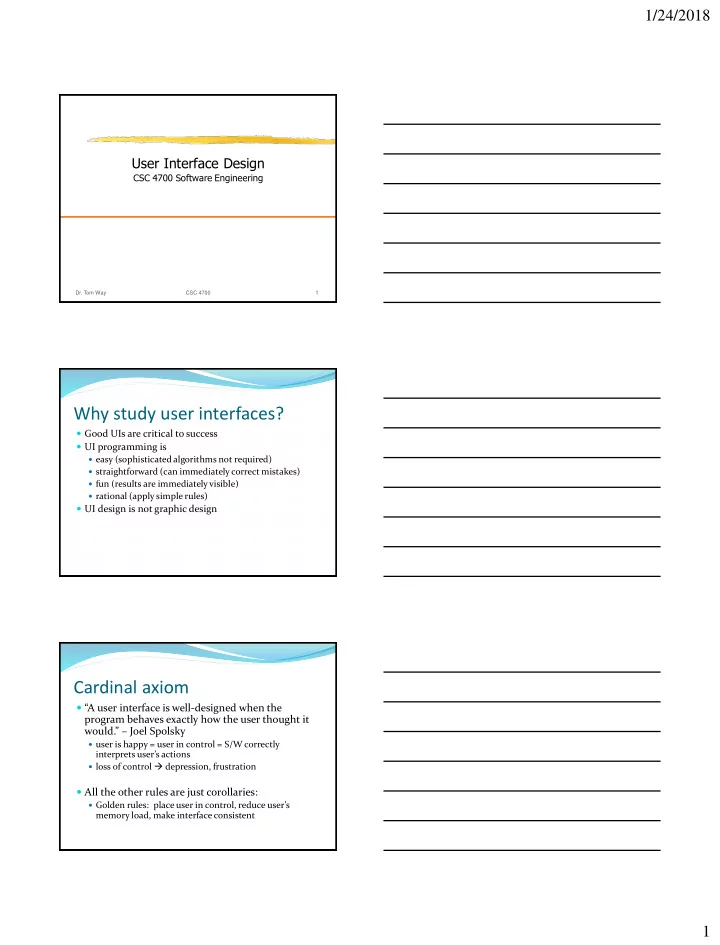
Cardinal axiom

 “A user interface is well-designed when the program behaves exactly how the user thought it would.” – Joel Spolsky

 user is happy = user in control = S/W correctly

interprets user’s actions

 loss of control  depression, frustration

 All the other rules are just corollaries:

 Golden rules: place user in control, reduce user’s

memory load, make interface consistent

slide-2
SLIDE 2

1/24/2018 2

User and program models

 User model: User’s idea of what’s happening  Program model: Program’s idea of what’s happening (i.e., what’s actually happening)  Successful UI when program model corresponds to user model

 Speak user’s language  Follow real-world conventions, make information

appear in natural and logical order

 Use metaphors from real world

Example

 Pictures in documents are

 embedded in word processor (e.g., Word)  not embedded in HTML (pix in separate files!)

 With WYSIWYG HTML editor (e.g., FrontPage), what do you do?

 change user model (describe in manual, explain with

popup dialog box)

 change program model (make copy of picture in

subfolder)

How do you get the user model?

 Ask the users!  The 50-cent usability test

 Usually 5-6 people is enough, will start to see consensus  Don’t need formal usability lab, or “people off the street”  Just sketch or prototype and ask your neighbor

slide-3
SLIDE 3

1/24/2018 3

User models are simple

 If your program model is nontrivial, it’s probably wrong

(“invisible sheets” in Excel) Click here This window comes to top!

Choices

 “Every time you provide an option, you're asking the user to make a decision.” – Joel Spolsky

This is “unequivocally the most moronic ‘wizard’ dialog in the history of the Windows operating

  • system. This dialog is so stupid

that it deserves some kind of

  • award. A whole new category of

award.”

Too much freedom is dangerous

floating menu bar huge system tray

How many users want these?

slide-4
SLIDE 4

1/24/2018 4

Metaphors

Also desktop, folders, paintbrush, ...

vs.

Affordance

afford – to make available or provide naturally (door with metal plate affords pushing)

vs.

(30% usability) (100% usability)

Affordance (cont.)

Where to grab? Where to click? What to drag?

slide-5
SLIDE 5

1/24/2018 5

Consistency, not creativity

 “A foolish consistency is the hobgoblin of little minds” – Emerson  Application should be consistent with itself and with other programs  Examples: FrontPage, Visio  Beware of creativity:

 Less like user model  More work to implement  Do not leverage future/hidden features  “Just because Microsoft does it, doesn't mean it's right”  Examples: Tab from name to password, Netscape’s

reimplementation of common controls

Make explanations brief

 “Users don’t read the manual” – Spolsky

 May not have the manual (on airplane, demo version)  Too busy / distracted / impatient

 “Users don’t read anything” – Spolsky

 advanced too busy  novice hope defaults are ok  in-between try to read but get confused

vs.

Many users are intimidated by computers

vs. vs.

(no dialog) Which is better for an intimidated user?

slide-6
SLIDE 6

1/24/2018 6

Users can’t control the mouse well

 What’s the problem?

 sub-optimal pointing devices  bad conditions (dirty, old, or cheap mouse; crowded desk)  medical disabilities (young, old, arthritis, ...)  in a hurry

 “Mile-high menu bar”

 Macintosh: slam mouse to top, get menu  Windows: ½ by ¼-inch target

 Easiest places to point: four corners

 (Windows 95 start menu blunder: 2 pixels from corner)

 Programmers generally stick to 0, 1, or n

 They want to avoid magic numbers (Why can you only open 20 windows?)  But all n>1 are not equally likely

(window close to edge should snap in place)

Don’t tax the user’s memory

 Make objects, actions, and options visible  User should not have to remember (too much) information

Some bad designs

adaptive menu What principle is being violated?

  • ffice

“assistant”

slide-7
SLIDE 7

1/24/2018 7

The bell curve

 Users lie on a bell curve

 98% can use a TV  70% can use Windows  15% can use Linux  1% can program

 Users are not dolts  But, the easier you make the program, the more people can use it (10% more usable  50% more users)

Activity-based UI

 Two ways of designing UI:

 What features should be there?

 Greeting card example: add text, add picture, get predesigned card from

library, send by email, print  What activities will users do?

 Greeting card example: birthday greeting, party invitation, anniversary

greeting (leads to unexpected features: remind to send next year)

 Example:

 Excel was designed for financial number-crunching, but many use it

for lists

 Improv was to be “killer app” for NeXT

 great for complicated multi-dimensional financial models  painful for lists

Open-ended vs. sequential operation

 History of UI goes back-and-forth b/w

 user-in-control (command-line, Word, ...)  sequential steps (wizards, ...) vs.

slide-8
SLIDE 8

1/24/2018 8

Visual perception

color-blind: 8% of men, 0.5% of women

[from Michael Black]

color constancy font spacing:

Web-safe colors

216 can be reproduced on all displays (including 8-bit) dithering may produce

  • ther colors

Dangers of color

traffic light is green Driving at night in San Jose, where the street lights are yellow traffic light is yellow

slide-9
SLIDE 9

1/24/2018 9

Beyond WIMP

 WIMP (windows, icons, menus, pointers)  WYSIWYG is WYSIAYG  Importance of language

 grouping, conditionals, referring to objects not

immediately visible or future

 support novice and power-user  provide concrete and abstract ways of manipulation  keyboard shortcuts / macros

 Shared control

 Delegation of routine or complex tasks to computer

References

Joel Spolsky, User Interface Design for Programmers abridged version available at

http://www.joelonsoftware.com

Based on slides by Stan Birchfield, Clemson University