C Language Types dimensions type bytes char 1 or 2 short 2 - - PDF document

c language types dimensions
SMART_READER_LITE
LIVE PREVIEW

C Language Types dimensions type bytes char 1 or 2 short 2 - - PDF document

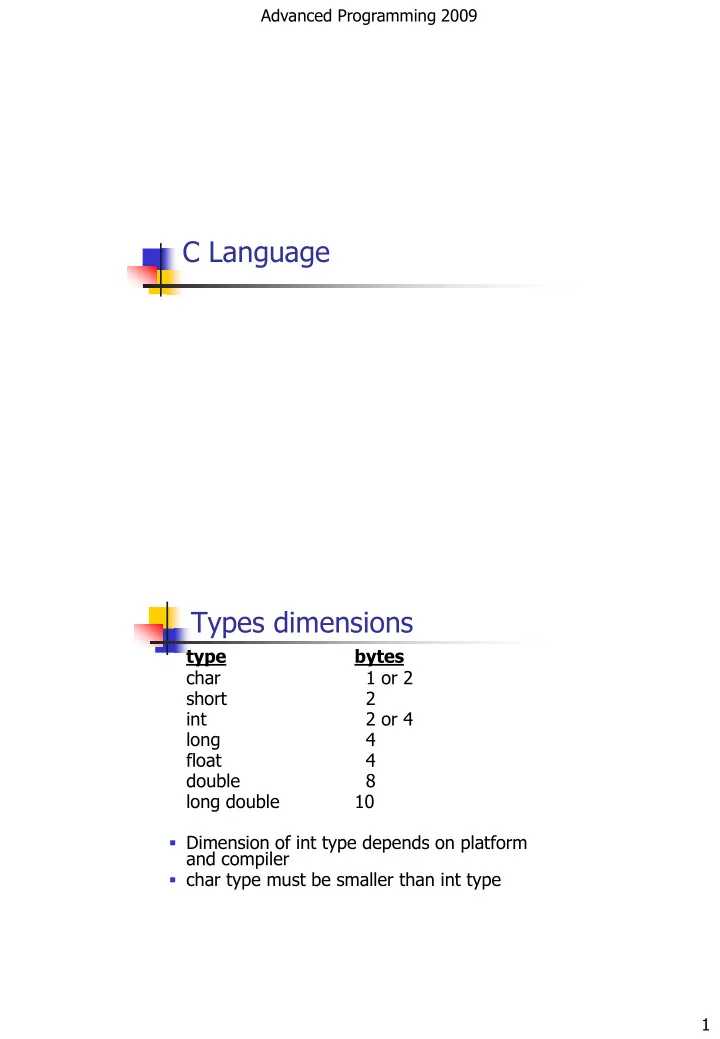
Advanced Programming 2009 C Language Types dimensions type bytes char 1 or 2 short 2 int 2 or 4 long 4 float 4 double 8 long double 10 Dimension of int type depends on platform and compiler char type must be smaller than


slide-1
SLIDE 1

Advanced Programming 2009 1

C Language Types dimensions

type bytes char 1 or 2 short 2 int 2 or 4 long 4 float 4 double 8 long double 10

  • Dimension of int type depends on platform

and compiler

  • char type must be smaller than int type
slide-2
SLIDE 2

Advanced Programming 2009 2

Example of integer constants

12312 int 12312u unsigned int 0xABCU unsigned int 12345678L long 12345678UL unsigned long 0x123ABCL long 0347 int 0347L long

Floating-point Constants

  • Floating-point number must contain :

 dot or  exponent (es. 12e-3) or  dot and exponent

  • A float constant is interpreted as "double"

unless suffixes are used:

 F, f => float constant  L, l => long double constant

slide-3
SLIDE 3

Advanced Programming 2009 3

5

Code blocks and Scope

 Each block is enclosed by braces { } and starts

a new scope for the variables

 All local variables declared within the block are

not visible from outside the block

for (int i=0; i<10; i++){ ... }

6

Control statements

 if -else,  switch,  while,  do-while,  for,  break,  continue

slide-4
SLIDE 4

Advanced Programming 2009 4

7

Conditions

 When the condition contain an expression

whose result is an int value

 If the value is equals to 0  condition false  If the value is different from 0 condition true

int x = 7; if(x){…}

 Better use relational operators

if (x != 0)

8

Operators (integer and floating-point)

 Arithmetical

+ - * / %

 Relational

> < >= <= == !=

 Return 1 for true, 0 for false

 Assignment

= += -= *= /= %= &= |= ^=

 Increment

++ --

 Prefix ( ++x ) and postfix ( x++ )

 Unary operators (i.e. with one operand, like ++, --) have

precedence on binary operators ( 2 operands)

 Arithmetical operators have precedence on relational

  • perators, which have precedence on logical operators
slide-5
SLIDE 5

Advanced Programming 2009 5

9

Logical operators

 Logical operators :

 && (and)  || (or)  ! (not)  ^ (xor, i.e. exclusive-or)

 Bitwise operators work on integers interpreted

as binary numbers

 & | ^ (and, or, xor)  << (left-shift)  >> (right-shift)  ~

(negation / complement)

10

Logical operators

 Logical operators :

 && (and) has precedence on || (or)  ! (not) is unary operator and has

precedence on all binary operators

 A logical expression is evaluated from left to

right and the evaluation stops as soon as the value is determined, e.g.:

int x= 3, y= 4; if (x<0 && ++y>0) y += 2;

 What’s the value of ‘y’ ?

slide-6
SLIDE 6

Advanced Programming 2009 6

scanf function

  • Can store inputs in variables from standard

input (keyboard)

  • scanf(format, variables list);

format is a string specifying input data

format;

Variables list is the comma-separeted list of

variables’ addresses)

Format strings in scanf

%d int (decimal) %i int (decimal, octal or hex) %o int octal %x int hex %c char %f %e %g floating point %s string of chars int a,b,c; char x,y,z; float f1,f2; . . . . . . . scanf("%c%c",&x, &y); scanf("%d%f%d",&a, &f1, &b); scanf("%c%d%f",&z, &c, &f2);

slide-7
SLIDE 7

Advanced Programming 2009 7

printf function

Can print variables on standard output (screen)

printf( format, variables list);

format is a string specifying output data format; Variables list is the comma-separeted list of variables int a=100, b=10; . . . . . . . printf("a = %d\nc = %d\n", a, b*3); This code produces this output a = 100 c = 30

sprintf() and sscanf()

  • sprintf can print variables on a string
  • sscanf can read variables from a string

sprintf( line, format, variables list);

line is the output string format is a string specifying output data format; Variables list is the comma-separeted list of variables

sscanf( line, format, variables list);

line is the input string format is a string specifying input data format; Variables list is the comma-separeted list of variables in which to store the parsed data

slide-8
SLIDE 8

Advanced Programming 2009 8

Example with sprintf() - sscanf()

#include <stdio.h> int main( ) { int numbers[5] = {74, 18,33,30,97}; int result[5], index; char line[80]; /* sprintf builds a string „line‟ out of many elements */ sprintf(line,"%d %d %d %d %d\n", numbers[0],numbers[1],numbers[2],numbers[3],numbers[4]); printf("%s",line); /* sscanf parses many elements from a string „line‟ */ sscanf(line,"%d %d %d %d %d", &result[4],&result[3],(result+2),(result+1),result); for (index = 0;index < 5;index++) printf("The final result is %d\n",result[index]); getchar(); }

15

fgets(): read text from a File

#include "stdio.h" main( ) { FILE *fp1; char oneword[100]; char * c; fp1 = fopen("TENLINES.TXT","r"); do { c = fgets(oneword,100,fp1); /* get one line from the file */ if (c != NULL) printf("%s", oneword); /* display it on the monitor */ } while (c != NULL); /* repeat until NULL */ fclose(fp1); /* this releases Operating System resources */ }

16
slide-9
SLIDE 9

Advanced Programming 2009 9

fprintf(): output to a file

#include "stdio.h" main( ) { FILE *fp; char stuff[25]; int index; fp = fopen("TENLINES.TXT","w"); /* open for writing */ strcpy(stuff,"This is an example line."); for (index = 1;index <= 10;index++) fprintf (fp,"%s Line number %d\n",stuff,index); fclose(fp); /* close the file before ending program */ }

17

Punctuation and typography

Parentheses ( ) square brackets [ ] Braces { } colon : comma , dot/period . semicolon ; question mark ? exclamation mark ! quotation marks “ ” Apostrophe ‟ tilde ~ slash ⁄ backslash \ underscore _ dash - at sign @ asterisk/star * Hash # Ampersand & pipe | caret ^ Less than < more than > percent/modulo %

18