Benefits of Methods Chapter 5 Methods Write a method once and - - PDF document

benefits of methods chapter 5 methods write a method once
SMART_READER_LITE
LIVE PREVIEW

Benefits of Methods Chapter 5 Methods Write a method once and - - PDF document

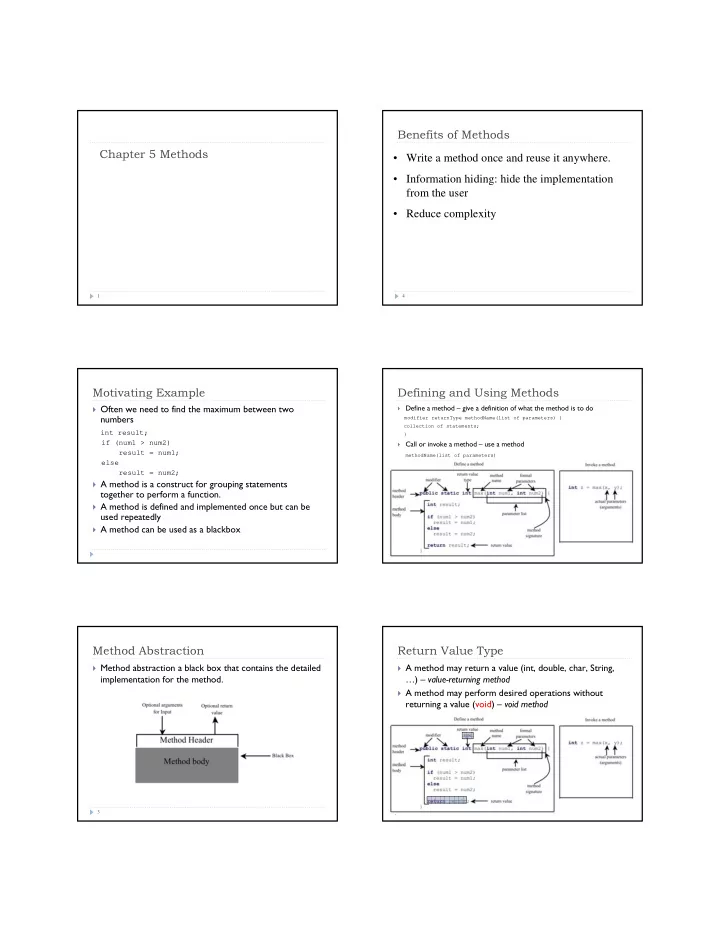
Benefits of Methods Chapter 5 Methods Write a method once and reuse it anywhere. Information hiding: hide the implementation from the user Reduce complexity 1 4 Motivating Example Defining and Using Methods Often we need to


slide-1
SLIDE 1

Chapter 5 Methods

1

Motivating Example

 Often we need to find the maximum between two

numbers

int result; if (num1 > num2) result = num1; else result = num2;  A method is a construct for grouping statements

together to perform a function.

 A method is defined and implemented once but can be

used repeatedly

 A method can be used as a blackbox

Method Abstraction

3

 Method abstraction a black box that contains the detailed

implementation for the method.

Benefits of Methods

4

  • Write a method once and reuse it anywhere.
  • Information hiding: hide the implementation

from the user

  • Reduce complexity

Defining and Using Methods

5  Define a method – give a definition of what the method is to do modifier returnType methodName(list of parameters) { collection of statements; }  Call or invoke a method – use a method methodName(list of parameters)

Return Value Type

6

 A method may return a value (int, double, char, String,

…) – value-returning method

 A method may perform desired operations without

returning a value (void) – void method

slide-2
SLIDE 2

Method Signature

7

 Method signature

 The combination of the method name and the parameter list

Parameters

 The variables defined in the method header are known as formal parameters  When invoking a method, a value is passed to the parameter and this value is

referred to as actual parameter or argument.

 The arguments must match the parameters in order, number, and compatible

type

 Parameters are optional 8

Method Body

9

 The method body contains a collection of statements  A return statement is required for a value-returning

method

main method

 The main method is a method that’s invoked by JVM  The main method’s header is always the same public static void main(String[] args) { //method body }  The statements in main method may invoke other

methods that are defined in the class or in other classes

System.out.println(“Hello World!”); int number = (int) (Math.random()*100);

Example

11

 A program that defines and uses a method max to

return the larger of the two int values TestMax.java

Calling Methods

12

public static void main(String[] args) { int i = 5; int j = 2; int k = max(i, j); System.out.println( "The maximum between " + i + " and " + j + " is " + k); } public static int max(int num1, int num2) { int result; if (num1 > num2) result = num1; else result = num2; return result; }

pass the value of i pass the value of j

slide-3
SLIDE 3

Trace Method Invocation

13

public static void main(String[] args) { int i = 5; int j = 2; int k = max(i, j); System.out.println( "The maximum between " + i + " and " + j + " is " + k); } public static int max(int num1, int num2) { int result; if (num1 > num2) result = num1; else result = num2; return result; }

i is now 5

Trace Method Invocation

14

public static void main(String[] args) { int i = 5; int j = 2; int k = max(i, j); System.out.println( "The maximum between " + i + " and " + j + " is " + k); } public static int max(int num1, int num2) { int result; if (num1 > num2) result = num1; else result = num2; return result; }

j is now 2

Trace Method Invocation

15

public static void main(String[] args) { int i = 5; int j = 2; int k = max(i, j); System.out.println( "The maximum between " + i + " and " + j + " is " + k); } public static int max(int num1, int num2) { int result; if (num1 > num2) result = num1; else result = num2; return result; }

invoke max(i, j)

Trace Method Invocation

16

public static void main(String[] args) { int i = 5; int j = 2; int k = max(i, j); System.out.println( "The maximum between " + i + " and " + j + " is " + k); } public static int max(int num1, int num2) { int result; if (num1 > num2) result = num1; else result = num2; return result; }

invoke max(i, j) Pass the value of i to num1 Pass the value of j to num2

Trace Method Invocation

17

public static void main(String[] args) { int i = 5; int j = 2; int k = max(i, j); System.out.println( "The maximum between " + i + " and " + j + " is " + k); } public static int max(int num1, int num2) { int result; if (num1 > num2) result = num1; else result = num2; return result; }

declare variable result

Trace Method Invocation

18

public static void main(String[] args) { int i = 5; int j = 2; int k = max(i, j); System.out.println( "The maximum between " + i + " and " + j + " is " + k); } public static int max(int num1, int num2) { int result; if (num1 > num2) result = num1; else result = num2; return result; }

(num1 > num2) is true since num1 is 5 and num2 is 2

slide-4
SLIDE 4

Trace Method Invocation

19

public static void main(String[] args) { int i = 5; int j = 2; int k = max(i, j); System.out.println( "The maximum between " + i + " and " + j + " is " + k); } public static int max(int num1, int num2) { int result; if (num1 > num2) result = num1; else result = num2; return result; }

result is now 5

Trace Method Invocation

20

public static void main(String[] args) { int i = 5; int j = 2; int k = max(i, j); System.out.println( "The maximum between " + i + " and " + j + " is " + k); } public static int max(int num1, int num2) { int result; if (num1 > num2) result = num1; else result = num2; return result; }

return result, which is 5

Trace Method Invocation

21

public static void main(String[] args) { int i = 5; int j = 2; int k = max(i, j); System.out.println( "The maximum between " + i + " and " + j + " is " + k); } public static int max(int num1, int num2) { int result; if (num1 > num2) result = num1; else result = num2; return result; }

return max(i, j) and assign the return value to k

Trace Method Invocation

22

public static void main(String[] args) { int i = 5; int j = 2; int k = max(i, j); System.out.println( "The maximum between " + i + " and " + j + " is " + k); } public static int max(int num1, int num2) { int result; if (num1 > num2) result = num1; else result = num2; return result; }

Execute the print statement

Call Stacks

 Each time a method is invoked, the system stores

parameters and variables in an area of memory, known as a stack

 When a method calls another method, the caller's stack

space is kept intact

 New space is created to handle the new method call

 When a method finishes, its associated space is

released.

23

Trace Call Stack

24 public static void main(String[] args) { int i = 5; int j = 2; int k = max(i, j); System.out.println( "The maximum between " + i + " and " + j + " is " + k); } public static int max(int num1, int num2) { int result; if (num1 > num2) result = num1; else result = num2; return result; }

i is declared and initialized

slide-5
SLIDE 5

Trace Call Stack

25 public static void main(String[] args) { int i = 5; int j = 2; int k = max(i, j); System.out.println( "The maximum between " + i + " and " + j + " is " + k); } public static int max(int num1, int num2) { int result; if (num1 > num2) result = num1; else result = num2; return result; }

j is declared and initialized

Trace Call Stack

26 public static void main(String[] args) { int i = 5; int j = 2; int k = max(i, j); System.out.println( "The maximum between " + i + " and " + j + " is " + k); } public static int max(int num1, int num2) { int result; if (num1 > num2) result = num1; else result = num2; return result; }

Declare k

Trace Call Stack

27 public static void main(String[] args) { int i = 5; int j = 2; int k = max(i, j); System.out.println( "The maximum between " + i + " and " + j + " is " + k); } public static int max(int num1, int num2) { int result; if (num1 > num2) result = num1; else result = num2; return result; }

Invoke max(i, j)

Trace Call Stack

28 public static void main(String[] args) { int i = 5; int j = 2; int k = max(i, j); System.out.println( "The maximum between " + i + " and " + j + " is " + k); } public static int max(int num1, int num2) { int result; if (num1 > num2) result = num1; else result = num2; return result; }

pass the values of i and j to num1 and num2

Trace Call Stack

29 public static void main(String[] args) { int i = 5; int j = 2; int k = max(i, j); System.out.println( "The maximum between " + i + " and " + j + " is " + k); } public static int max(int num1, int num2) { int result; if (num1 > num2) result = num1; else result = num2; return result; }

pass the values of i and j to num1 and num2

Trace Call Stack

30 public static void main(String[] args) { int i = 5; int j = 2; int k = max(i, j); System.out.println( "The maximum between " + i + " and " + j + " is " + k); } public static int max(int num1, int num2) { int result; if (num1 > num2) result = num1; else result = num2; return result; }

(num1 > num2) is true

slide-6
SLIDE 6

Trace Call Stack

31 public static void main(String[] args) { int i = 5; int j = 2; int k = max(i, j); System.out.println( "The maximum between " + i + " and " + j + " is " + k); } public static int max(int num1, int num2) { int result; if (num1 > num2) result = num1; else result = num2; return result; }

Assign num1 to result

Trace Call Stack

32 public static void main(String[] args) { int i = 5; int j = 2; int k = max(i, j); System.out.println( "The maximum between " + i + " and " + j + " is " + k); } public static int max(int num1, int num2) { int result; if (num1 > num2) result = num1; else result = num2; return result; }

Return result and assign it to k

Trace Call Stack

33 public static void main(String[] args) { int i = 5; int j = 2; int k = max(i, j); System.out.println( "The maximum between " + i + " and " + j + " is " + k); } public static int max(int num1, int num2) { int result; if (num1 > num2) result = num1; else result = num2; return result; }

Execute print statement

CAUTION

34

 A return statement is required for a value-returning

method

 Compiler error when it is possible that a method does

not return a value

public static int sign(int x) { if (x < 0) { return -1; } } public static int sign(int x) { if (x < 0) { return -1; } else { return 1; } }

Reuse Methods from Other Classes

35

 A method can be invoked from other classes  Invoking a static method defined in other classes ClassName.methodName (list of parameters)

 Example int number = (int) (Math.random()*100);

 If you create a new class Test, you can invoke the max

method using

int number = TestMax.max(3,5);

void Method Example

 If a method does not return any value, it is said to return

void type. The method is called a void method

 The main method is a void method  Program example – defines and uses a method which

prints the grade for a given score TestVoidMethod.java

36

public static void main(String[] args) { System.out.println(“Hello world!”); }

slide-7
SLIDE 7

Passing Parameters

37

public static void nPrintln(String message, int n) { for (int i = 0; i < n; i++) System.out.println(message); } public static void main(String[] args) { nPrintln(“Hello!”, 3); nPrintln(“So that’s how the methods work”, 10); }  When calling a method, the arguments must match the

parameters in order, number, and compatible type

 When invoking a method, the value of the argument is

passed to the parameter. The variable itself is not

  • affected. This is referred to as pass-by-value.

Pass by Value – Trace call stack

38

x: 3 main stack

Pass by Value

39

x: 3 main stack someMethod stack x: 3

Pass by Value

40

x: 3 main stack someMethod stack x: 4

Pass by Value

41

x: 3 main stack someMethod stack x: 4

Pass by Value

42

x: 3 main stack

slide-8
SLIDE 8

Program Example - Pass by Value

 The program demonstrates the effect of pass-by-value  It creates a method for swapping two variables  The values of the arguments are not changed after the

method is invoked

 What if we change the method to swap(int num1, int num2)

TestPassByValue.java

43

Modulizing code

44

 Write a method once and reuse it anywhere.  Methods can be used to reduce redundant code

and enable code reuse

 Methods can also be used to modularize code

and reduce complexity of the program

45

Problem Revisited: Displaying Prime Numbers

Problem: Write a program that displays the first 50 prime numbers in five lines, each of which contains 10 numbers. An integer greater than 1 is prime if its only positive divisor is 1 or itself. For example, 2, 3, 5, and 7 are prime numbers, but 4, 6, 8, and 9 are not. Solution: The problem can be broken into the following tasks:

  • Start with number 1
  • Determine whether the number is prime.
  • Print the number if it is prime
  • Count the prime numbers so far.
  • If count < 50, repeat the above steps

Displaying Prime Numbers - Algorithm

Set an initial count to 0 (to track the number of prime numbers) Set an initial number to 2 while (count < 50) {

test whether number is prime; if number is prime { print the number; update count;

} } Define a method to test whether a number is prime - check whether it is divisible by 2, 3, 4, up to number/2. PrimeNumberMethod.java

Overloading methods

 Method overloading: multiple methods can have the same

name but different parameter lists

 Compiler determines which method is used based on the

method signature (method name and parameters)

Overloading Methods

48

public static double max(double num1, double num2) { if (num1 > num2) return num1; else return num2; } public static int max(int num1, int num2) { if (num1 > num2) return num1; else return num2; } max(1, 3); max(1.0, 3.0); max(1.0, 3);

slide-9
SLIDE 9

Scope of Local Variables

49

 A local variable: a variable defined inside a method  Scope: the part of the program where the variable can be

referenced

 The scope of a local variable starts from its declaration

and continues to the end of the block that contains the variable

 A local variable must be declared before it can be used.

Scope of Local Variables

50

public static void main(String[] args) { int a = 0; . . . if (a == 1) { int x = 0; ... } System.out.println(“x=” + x); }

Error

Scope of a Scope of x

public static void main(String[] args) { int a = 0; . . . if (a == 1) { int x = 0; //do some calculations on x } int x = 2; }

Scope of a Scope of x

Okay

Scope of Local Variables

51

Scope of Local Variables

52

Scope of Local Variables, cont.

53

public static void method() { int sum = 0; for (int i = 0; i < 5; i++) { int sum = 0; sum += i; } System.out.println(“sum: ” + sum); }

What does the following method print?

The Math Class

54

 Class constants:

 PI  E

 Class methods:

 Trigonometric Methods  Exponent Methods  Rounding Methods  min, max, abs, and random Methods

slide-10
SLIDE 10

Trigonometric Methods

55  sin(double a)  cos(double a)  tan(double a)  acos(double a)  asin(double a)  atan(double a)  toRadians(double

degree)

 toDegrees(double

radians) Examples: Math.sin(0) //returns 0.0 Math.sin(Math.PI / 6) //returns 0.5 Math.sin(Math.PI / 2) //returns 1.0 Math.cos(0) //returns 1.0 Math.cos(Math.PI / 6) //returns 0.866 Math.cos(Math.PI / 2) //returns 0

Exponent Methods

56 

exp(double a) Returns e raised to the power of a.

log(double a) Returns the natural logarithm of a.

log10(double a) Returns the 10-based logarithm of a.

pow(double a, double b) Returns a raised to the power of b.

sqrt(double a) Returns the square root of a.

Rounding Methods

57 

double ceil(double x) x rounded up to its nearest integer. This integer is returned as a double value.

double floor(double x) x is rounded down to its nearest integer. This integer is returned as a double value.

double round(double x) x is rounded to its nearest integer. Returns (int)Math.floor(x+0.5)

min, max, and abs

58

 max(a, b)and min(a, b)

Returns the maximum or minimum of two parameters.

 abs(a)

Returns the absolute value of the parameter.

 The max, min, and abs methods are overloaded so they work for

int, long, float or double

The random Method

59

 random()

Generates a random double value greater than or equal to 0.0 and less than 1.0 (0 <= Math.random() < 1.0).

Examples: In general,

Generating Random Characters

60

 Solution: generate random number in range 65 - 90

 How do you generate random capital character?

slide-11
SLIDE 11

The RandomCharacter Class

 Generalization

 We want to generate character from range ch1 to ch2  Remember: characters can be treated as integers

61

TestRandomCharacter.java RandomCharacter.java

(char)(ch1 + Math.random() * (ch2 – ch1 + 1))

Stepwise Refinement

 The concept of method abstraction can be applied to the

process of developing programs

 When writing a large program, you can use the “divide

and conquer” strategy to decompose it into subproblems

 The subproblems can be further decomposed into

smaller, more manageable problems

62

PrintCalender Case Study

63

Write a program that reads year and month and prints

  • ut a calendar.

PrintCalendar.java Enter full year (e.g., 2001): 2009 Enter month in number between 1 and 12: 2 February 2009

  • Sun Mon Tue Wed Thu Fri Sat

1 2 3 4 5 6 7 8 9 10 11 12 13 14 15 16 17 18 19 20 21 22 23 24 25 26 27 28

Design Diagram

64

Enter full year (e.g., 2001): 2009 Enter month in number between 1 and 12: 2 February 2009

  • Sun Mon Tue Wed Thu Fri Sat

1 2 3 4 5 6 7 8 9 10 11 12 13 14 15 16 17 18 19 20 21 22 23 24 25 26 27 28

Design Diagram

65 printCalendar (main)

readInput

printMonth getStartDay printMonthTitle printMonthBody getTotalNumOfDays

getNumOfDaysInMonth

getMonthName isLeapYear

Enter full year (e.g., 2001): 2009 Enter month in number between 1 and 12: 2 February 2009

  • Sun Mon Tue Wed Thu Fri Sat

1 2 3 4 5 6 7 8 9 10 11 12 13 14 15 16 17 18 19 20 21 22 23 24 25 26 27 28

Design Diagram

66 printCalendar (main)

readInput

printMonth getStartDay printMonthTitle printMonthBody getTotalNumOfDays

getNumOfDaysInMonth

getMonthName isLeapYear

Enter full year (e.g., 2001): 2009 Enter month in number between 1 and 12: 2 February 2009

  • Sun Mon Tue Wed Thu Fri Sat

1 2 3 4 5 6 7 8 9 10 11 12 13 14 15 16 17 18 19 20 21 22 23 24 25 26 27 28

slide-12
SLIDE 12

Design Diagram

67 printCalendar (main)

readInput

printMonth getStartDay printMonthTitle printMonthBody getTotalNumOfDays

getNumOfDaysInMonth

getMonthName isLeapYear

Enter full year (e.g., 2001): 2009 Enter month in number between 1 and 12: 2 February 2009

  • Sun Mon Tue Wed Thu Fri Sat

1 2 3 4 5 6 7 8 9 10 11 12 13 14 15 16 17 18 19 20 21 22 23 24 25 26 27 28

Design Diagram

68 printCalendar (main)

readInput

printMonth getStartDay printMonthTitle printMonthBody getTotalNumOfDays

getNumOfDaysInMonth

getMonthName isLeapYear

How to get the start day for the first date in a month, assuming we know that Jan 1, 1800, was Wednesday?

Enter full year (e.g., 2001): 2009 Enter month in number between 1 and 12: 2 February 2009

  • Sun Mon Tue Wed Thu Fri Sat

1 2 3 4 5 6 7 8 9 10 11 12 13 14 15 16 17 18 19 20 21 22 23 24 25 26 27 28

Implementation

69

 Top-down

 Implement one method in the structure chart at a time from the top to

bottom

 Stubs can be used for the methods waiting to be implemented

 Bottom-up

 Implement one method in the structure chart at a time from the

bottom to the top

 For each method implemented, write a test program to test it