Before we start: define the heading of this chapter INF1100 - - PowerPoint PPT Presentation

before we start define the heading of this chapter
SMART_READER_LITE
LIVE PREVIEW

Before we start: define the heading of this chapter INF1100 - - PowerPoint PPT Presentation

Before we start: define the heading of this chapter INF1100 Lectures, Chapter 9: Object-Oriented Programming Object-oriented programming (OO) means different things to different people: Hans Petter Langtangen programming with classes (better:


slide-1
SLIDE 1

INF1100 Lectures, Chapter 9: Object-Oriented Programming

Hans Petter Langtangen

Simula Research Laboratory University of Oslo, Dept. of Informatics

November 10, 2011

Before we start: define the heading of this chapter

Object-oriented programming (OO) means different things to different people:

programming with classes (better: object-based programming) programming with class hierarchies (class families)

The 2nd def. is most widely accepted and used here

New concept: collect classes in families (hierarchies)

What is a class hierarchy? A family of closely related classes A key concept is inheritance: child classes can inherit attributes and methods from parent class(es) – this saves much typing and code duplication As usual, we shall learn through examples OO is a Norwegian invention – one of the most important inventions in computer science, because OO is used in all big computer systems today

Warnings: OO is difficult and takes time to master

The OO concept might be difficult to understand Let ideas mature with time and try to work with it OO is less important in Python than in C++, Java and C#, so the benefits of OO are less obvious in Python Our examples here on OO employ numerical methods for differentiation, integration og ODEs – make sure you understand the simplest of these numerical methods before you study the combination of OO and numerics Ambitions: write simple OO code and understand how to make use of ready-made OO modules

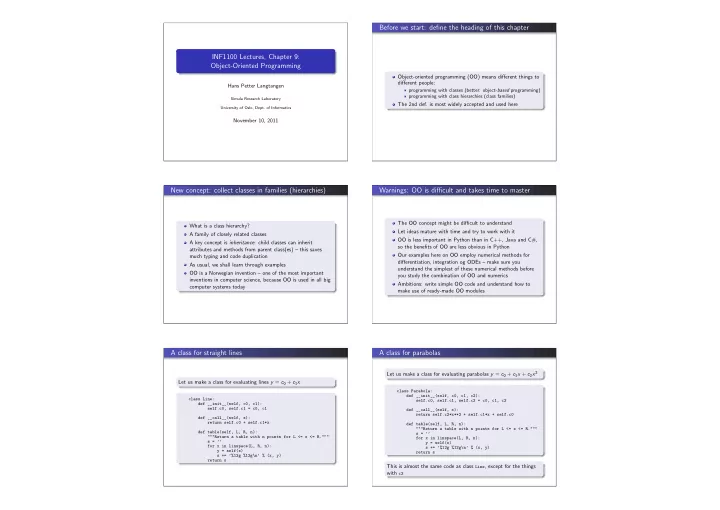
A class for straight lines

Let us make a class for evaluating lines y = c0 + c1x

class Line: def __init__(self, c0, c1): self.c0, self.c1 = c0, c1 def __call__(self, x): return self.c0 + self.c1*x def table(self, L, R, n): """Return a table with n points for L <= x <= R.""" s = ’’ for x in linspace(L, R, n): y = self(x) s += ’%12g %12g\n’ % (x, y) return s

A class for parabolas

Let us make a class for evaluating parabolas y = c0 + c1x + c2x2

class Parabola: def __init__(self, c0, c1, c2): self.c0, self.c1, self.c2 = c0, c1, c2 def __call__(self, x): return self.c2*x**2 + self.c1*x + self.c0 def table(self, L, R, n): """Return a table with n points for L <= x <= R.""" s = ’’ for x in linspace(L, R, n): y = self(x) s += ’%12g %12g\n’ % (x, y) return s

This is almost the same code as class Line, except for the things with c2

slide-2
SLIDE 2

Class Parabola as a subclass of Line; principles

Parabola code = Line code + a little extra with the c2 term

Can we utilize class Line code in class Parabola? This is what inheritance is about! Writing

class Parabola(Line): pass

makes Parabola inherit all methods and attributes from Line, so Parabola has attributes c0 and c1 and three methods

Line is a superclass, Parabola is a subclass

(parent class, base class; child class, derived class) Class Parabola must add code to Line’s constructor (an extra

c2 attribute), call

(an extra term), but table can be used unaltered The principle is to reuse as much code in Line as possible and avoid duplicating code

Class Parabola as a subclass of Line; code

A subclass method can call a superclass method in this way:

superclass_name.method(self, arg1, arg2, ...)

Class Parabola as a subclass of Line:

class Parabola(Line): def __init__(self, c0, c1, c2): Line.__init__(self, c0, c1) # Line stores c0, c1 self.c2 = c2 def __call__(self, x): return Line.__call__(self, x) + self.c2*x**2

What is gained? class Parabola just adds code to the already existing code in class Line – no duplication of storing c0 and

c1, and computing c0 + c1x

Class Parabola also has a table method – it is inherited The constructor and

call

are overridden, meaning that the subclass redefines these methods (here: redefined method = call superclass method + something extra)

Demo of class Parabola

Main program:

p = Parabola(1, -2, 2) p1 = p(2.5) print p1 print p.table(0, 1, 3)

Output:

8.5 1 0.5 0.5 1 1

Follow the program flow of p(2.5)!

Checking class types and class relations

>>> l = Line(-1, 1) >>> isinstance(l, Line) True >>> isinstance(l, Parabola) False >>> p = Parabola(-1, 0, 10) >>> isinstance(p, Parabola) True >>> isinstance(p, Line) True >>> issubclass(Parabola, Line) True >>> issubclass(Line, Parabola) False >>> p.__class__ == Parabola True >>> p.__class__.__name__ # string version of the class name ’Parabola’

Next example: class for functions (part 1)

Suppose we want to implement mathematical functions f (x; p1, . . . , pn) with parameters as classes. These classes should also support computation of df /dx and d2f /dx2 Example on such a class:

class SomeFunc: def __init__(self, parameter1, parameter2, ...) # store parameters def __call__(self, x): # evaluate function def df(self, x): # evaluate the first derivative def ddf(self, x): # evaluate the second derivative

If we do not bother to derive the analytical derivatives, we can use numerical differentation formulas in df and ddf

Next example: class for functions (part 2)

Observation: with numerical differentiation, all such classes contain the same df and ddf methods Such duplication of code is considered a bad thing Better: collect df and ddf in a superclass and let subclasses automatically inherit these methods

slide-3
SLIDE 3

Super- and subclass for functions

class FuncWithDerivatives: def __init__(self, h=1.0E-5): self.h = h # spacing for numerical derivatives def __call__(self, x): raise NotImplementedError (’___call__ missing def df(self, x): # compute 1st derivative by a finite difference: h = float(self.h) # short form return (self(x+h) - self(x-h))/(2*h) def ddf(self, x): # compute 2nd derivative by a finite difference: h = float(self.h) # short form return (self(x+h) - 2*self(x) + self(x-h))/h**2

The superclass is not useful in itself – a subclass is needed to implement a specific mathematical function

How to implement a specific function as a subclass

Inherit from superclass FuncWithDerivatives Store parameters in constructor Implement function formula in

call

Rely on inherited df and ddf for numerical derivatives, or reimplement df and ddf with exact expressions

A subclass for a function; no direct use of superclass

Say we want to implement f (x) = cos(ax) + x3 We do this in a subclass:

class MyFunc(FuncWithDerivatives): def __init__(self, a): self.a = a def __call__(self, x): return cos(self.a*x) + x**3 def df(self, x): a = self.a return -a*sin(a*x) + 3*x**2 def ddf(self, x): a = self.a return -a*a*cos(a*x) + 6*x

This subclass inherits from the superclass, but does not make use of anything from the superclass – no practical use of the superclass in this example

A subclass for a function; use of superclass

Say we want to implement f (x) = ln |p tanh(qx cos rx)| We are lazy and want to avoid hand derivation of long expressions for f ′(x) and f ′′(x) – use finite differences instead Implementation as a subclass:

class MyComplicatedFunc(FuncWithDerivatives): def __init__(self, p, q, r, h=1.0E-9): FuncWithDerivatives.__init__(self, h) self.p, self.q, self.r = p, q, r def __call__(self, x): p, q, r = self.p, self.q, self.r return log(abs(p*tanh(q*x*cos(r*x))))

This time we inherit df and ddf Note also that we must pass h on to the superclass constructor It is always a good habit to call the superclass constructor

Interactive example

f (x) = ln |p tanh(qx cos rx)| compute f (x), f ′(x), f ′′(x) for x = π/2

>>> from math import * >>> f = MyComplicatedFunc(1, 1, 1) >>> x = pi/2 >>> f(x)

  • 36.880306514638988

>>> f.df(x)

  • 60.593693618216086

>>> f.ddf(x) 3.3217246931444789e+19

Recall the class for numerical differentiation (Ch. 9)

Simplest numerical differentiation formula: f ′(x) ≈ f (x + h) − f (x) h for a small h, say h = 10−9 Class Derivative stores f and h as attributes and applies the differentation formula in the call special method

class Derivative: def __init__(self, f, h=1E-5): self.f = f self.h = float(h) def __call__(self, x): f, h = self.f, self.h # make short forms return (f(x+h) - f(x))/h

slide-4
SLIDE 4

There are numerous formulas numerical differentiation

f ′(x) = f (x + h) − f (x) h + O(h) f ′(x) = f (x) − f (x − h) h + O(h) f ′(x) = f (x + h) − f (x − h) 2h + O(h2) f ′(x) = 4 3 f (x + h) − f (x − h) 2h − 1 3 f (x + 2h) − f (x − 2h) 4h + O(h4) f ′(x) = 3 2 f (x + h) − f (x − h) 2h − 3 5 f (x + 2h) − f (x − 2h) 4h + 1 10 f (x + 3h) − f (x − 3h) 6h + O(h6) f ′(x) = 1 h

  • −1

6f (x + 2h) + f (x + h) − 1 2f (x) − 1 3f (x − h)

  • + O(h3)

Why should these formulas be implemented in a class hierarchy?

A numerical differentiation formula can be implemented as a class: h and f are attributes and a call special method evaluates the formula The Derivative class appears as a plain function in use All classes for different differentiation formulas are similar: the constructor is the same, only

call

differs Code duplication (of the constructors) is a bad thing (=rule!) The general OO idea: place code common to many classes in a superclass and inherit that code – here we let a superclass implement the common constructor Subclasses extend the superclass with code specific to a math formula

Class hierarchy for numerical differentiation

Superclass:

class Diff: def __init__(self, f, h=1E-5): self.f = f self.h = float(h)

Subclass for simple forward formula:

class Forward1(Diff): def __call__(self, x): f, h = self.f, self.h return (f(x+h) - f(x))/h

Subclass for 4-th order central formula:

class Central4(Diff): def __call__(self, x): f, h = self.f, self.h return (4./3)*(f(x+h)

  • f(x-h))

/(2*h) -

Use of the differentiation classes

Interactive example: f (x) = sin x, compute f ′(x) for x = π

>>> from Diff import * >>> from math import sin >>> mycos = Central4(sin) >>> # compute sin’(pi): >>> mycos(pi)

  • 1.000000082740371

Note: Central4(sin) calls inherited constructor in superclass, while mycos(pi) calls

call

in the subclass Central4

A flexible main program for numerical differentiation

Suppose we want to differentiate function expressions from the command line:

Unix/DOS> python df.py ’exp(sin(x))’ Central 2 3.1

  • 1.04155573055

Unix/DOS> python df.py f(x) difftype difforder x f’(x)

With eval and the Diff class hierarchy this main program can be realized in a few lines (many lines in C# and Java!):

import sys from Diff import * from math import * from scitools.StringFunction import StringFunction f = StringFunction(sys.argv[1]) difftype = sys.argv[2] difforder = sys.argv[3] classname = difftype + difforder df = eval(classname + ’(f)’) x = float(sys.argv[4]) print df(x)

Investigating numerical approximation errors

We can empirically investigate the accuracy of our family of 6 numerical differentiation formulas Sample function: f (x) = exp (−10x) See the book for a little program that computes the errors:

. h Forward1 Central2 Central4 6.25E-02 -2.56418286E+00 6.63876231E-01 -5.32825724E-02 3.12E-02 -1.41170013E+00 1.63556996E-01 -3.21608292E-03 1.56E-02 -7.42100948E-01 4.07398036E-02 -1.99260429E-04 7.81E-03 -3.80648092E-01 1.01756309E-02 -1.24266603E-05 3.91E-03 -1.92794011E-01 2.54332554E-03 -7.76243120E-07 1.95E-03 -9.70235594E-02 6.35795004E-04 -4.85085874E-08

halving h from row to row reduces the errors by a factor of 2, 4 and 16, i.e, the errors go like h, h2, and h4 Observe the superior accuracy of Central4 compared with the simple

f (x + h) − f (x) h Forward1

slide-5
SLIDE 5

Alternative implementations (in the book)

Pure Python functions downside: more arguments to transfer, cannot apply formulas twice to get 2nd-order derivatives etc. Functional programming gives the same flexibility as the OO solution One class and one common math formula applies math notation instead of programming techniques to generalize code These techniques are beyond scope in the course, but place OO into a bigger perspective

Formulas for numerical integration

There are numerous formulas for numerical integration and all

  • f them can be put into a common notation:

b

a

f (x)dx ≈

n−1

  • i=0

wif (xi) wi: weights, xi: points (specific to a certain formula) The Trapezoidal rule has h = (b − a)/(n − 1) and xi = a + ih, w0 = wn−1 = h 2, wi = h (i = 0, n − 1) The Midpoint rule has h = (b − a)/n and xi = a + h 2 + ih, wi = h

More formulas

Simpson’s rule has xi = a + ih, h = b − a n − 1 w0 = wn−1 = h 6 wi = h 3 for i even, wi = 2h 3 for i odd Other rules have more complicated formulas for wi and xi

Why should these formulas be implemented in a class hierarchy?

A numerical integration formula can be implemented as a class: a, b and n are attributes and an integrate method evaluates the formula We argued in the class chapter that this is smart All such classes are quite similar: the evaluation of

j wjf (xj)

is the same, only the definition of the points and weights differ among the classes Recall: code duplication is a bad thing! The general OO idea: place code common to many classes in a superclass and inherit that code – here we put

j wjf (xj) in

a superclass (method integrate) Subclasses extend the superclass with code specific to a math formula, i.e., definition of wi and xi in this case, in a method

construct rule

The superclass for integration

class Integrator: def __init__(self, a, b, n): self.a, self.b, self.n = a, b, n self.points, self.weights = self.construct_method() def construct_method(self): raise NotImplementedError(’no rule in class %s’ % def integrate(self, f): s = 0 for i in range(len(self.weights)): s += self.weights[i]*f(self.points[i]) return s def vectorized_integrate(self, f): # f must be vectorized return dot(self.weights, f(self.points))

A subclass: the Trapezoidal rule

class Trapezoidal(Integrator): def construct_method(self): h = (self.b - self.a)/float(self.n - 1) x = linspace(self.a, self.b, self.n) w = zeros(len(x)) w[1:-1] += h w[0] = h/2; w[-1] = h/2 return x, w

slide-6
SLIDE 6

Another subclass: Simpson’s rule

Simpson’s rule is more tricky to implement because of different formulas for odd and even points Don’t bother with the details of wi and xi in Simpson’s rule now – focus on the class design!

class Simpson(Integrator): def construct_method(self): if self.n % 2 != 1: print ’n=%d must be odd, 1 is added’ % self.n self.n += 1 <code for computing x and w> return x, w

About the program flow

Let us integrate 2

0 x2dx using 101 points:

def f(x): return x*x m = Simpson(0, 2, 101) print m.integrate(f) m = Simpson(...): this invokes the superclass constructor,

which calls construct method

m.integrate(f) invokes the inherited integrate method

Applications of the family of integration classes

We can empirically test out the accuracy of different integration methods Midpoint, Trapezoidal, Simpson,

GaussLegendre2, ...

Sample integral:

1

  • 1 + 1

m

  • t
1 m dt = 1

This integral is ”difficult” numerically for m > 1 Key problem: the error in numerical integration formulas is of the form Cn−r, mathematical theory can predict r (the ”order”), but we can estimate r empirically too See the book for computational details Here we focus on the conclusions

Convergence rates for m < 1 (easy case)

Simpson and Gauss-Legendre reduce the error faster than Midpoint and Trapezoidal (plot has ln(error) versus ln n)

  • 30
  • 25
  • 20
  • 15
  • 10
  • 5
2 2.5 3 3.5 4 4.5 5 5.5 6 6.5 ln(error) ln(n) m=0.25 Midpoint Trapezoidal Simpson GaussLegendre2

Convergence rates for m > 1 (problematic case)

Simpson and Gauss-Legendre, which are theoretically ”smarter” than Midpoint and Trapezoidal do not show superior behavior!

  • 14
  • 13
  • 12
  • 11
  • 10
  • 9
  • 8
  • 7
  • 6
  • 5
  • 4
2 2.5 3 3.5 4 4.5 5 5.5 6 6.5 ln(error) ln(n) m=2 Midpoint Trapezoidal Simpson GaussLegendre2

A class hierarchy for geometric shapes

Goal: make a drawing program where simple figures can be drawn by simple Python commands (statements) Example:

l1 = Line(start=(0,0), stop=(1,1)) # define line l1.draw() # make plot data display() # display the plot data r1 = Rectangle(lower_left_corner=(0,1), width=3, height=5) r1.draw() Circle(center=(5,7), radius=1).draw() Wheel(center=(6,2), radius=2, inner_radius=0.5, nlines=7).draw() display() hardcopy(’tmp’) # create PNG file tmp.png

slide-7
SLIDE 7

The resulting figure... How can we realize this drawing tool?

We need objects for geometric shapes: Line, Rectangle, Circle, Arc, Wheel, Arrow, Spring, Man, Car, etc. Objects are naturally related in a family Superclass Shape provides functionality (code) common for all geometric shapes, and subclasses add code for a specific shape Line is a subclass of Shape Arc is a subclass of Shape Circle is a subclass of Arc (special Arc of 360 degrees) Wheel has two Circles and several Lines

Is-a versus has-a relationships

In OO one distinguishes between is-a and has-a relationships An Arc is a Shape A Circle is an Arc ⇒ is-a means subclass of A Wheel has two Circle objects many Line objects ⇒ has-a means attribute Note: a shape is (in general) built of other shapes, so a shape is another shape and has other shapes

Overview of the class hierarchy

Superclass Shape has a drawing tool (we omit the details) The drawing tool can draw a curve, set the linetype, thickness, color, etc., make hardcopies, display all curves defined so far on the screen, etc. (We use Gnuplot) Class Curve represents some set of connected x and y points Basic shapes just define their curve More complicated shapes are built of other shapes (and curves) Class Shape contains

the common parts of all constructors a draw method for drawing all shapes/curves of a class

  • ther common methods for geometric transforms (later)

Subclasses (Line, Circle, ...) define their shapes/curves in a method subshapes, which returns a list of Shape subclass

  • bjects – the superclass Shape can perform common
  • perations on this list

Let us show some code to be specific: the superclass

class Shape: def __init__(self): self.shapes = self.subshapes() if isinstance(self.shapes, Shape): self.shapes = [self.shapes] # turn to list def subshapes(self): """Define self.shapes as list of Shape instances.""" raise NotImplementedError(self.__class__.__name__) def draw(self): for shape in self.shapes: shape.draw()

The subclass Line

class Line(Shape): def __init__(self, start, stop): self.start, self.stop = start, stop Shape.__init__(self) def subshapes(self): x = [self.start[0], self.stop[0]] y = [self.start[1], self.stop[1]] return Curve(x,y)

The subclass stores geometric info about its shape in the constructor and defines, in the subshape method, enough coordinates to draw the shape

slide-8
SLIDE 8

A Rectangle has slightly more code

Specification: lower left corner point + width + height

class Rectangle(Shape): def __init__(self, lower_left_corner, width, height): self.lower_left_corner = lower_left_corner # 2-tuple self.width, self.height = width, height Shape.__init__(self) def subshapes(self): ll = self.lower_left_corner # short form x = [ll[0], ll[0]+self.width, ll[0]+self.width, ll[0], ll[0]] y = [ll[1], ll[1], ll[1]+self.height, ll[1]+self.height, ll[1]] return Curve(x,y)

And here is an Arc

class Arc(Shape): def __init__(self, center, radius, start_degrees, opening_degrees, resolution=180): self.center = center self.radius = radius self.start_degrees = start_degrees*pi/180 self.opening_degrees = opening_degrees*pi/180 self.resolution = resolution Shape.__init__(self) def subshapes(self): t = linspace(self.start_degrees, self.start_degrees + self.opening_degrees, self.resolution+1) x0 = self.center[0]; y0 = self.center[1] R = self.radius x = x0 + R*cos(t) y = y0 + R*sin(t) return Curve(x,y)

A Circle is a special kind of an Arc

class Circle(Arc): def __init__(self, center, radius, resolution=180): Arc.__init__(self, center, radius, 0, 360, resolution)

A Wheel is more complicated...

class Wheel(Shape): def __init__(self, center, radius, inner_radius, nlines=10): self.center = center self.radius = radius self.inner_radius = inner_radius self.nlines = nlines Shape.__init__(self) def subshapes(self):

  • uter = Circle(self.center, self.radius)

inner = Circle(self.center, self.inner_radius) lines = [] t = linspace(0, 2*pi, self.nlines) Ri = self.inner_radius; Ro = self.radius x0 = self.center[0]; y0 = self.center[1] xinner = x0 + Ri*cos(t) yinner = y0 + Ri*sin(t) xouter = x0 + Ro*cos(t) youter = y0 + Ro*sin(t) lines = [Line((xi,yi),(xo,yo)) for xi, yi, xo, yo in return [outer, inner] + lines

And now to the real strength of OO!

We now have a lot of different geometric shapes we can draw But can we make a wheel roll? Yes, if the wheel can be rotated and translated The great thing is that we can implement general formulas for translation and rotation of a set of points in class Curve, and class Shape can translate and rotate any subclass figure just as it can draw any subclass figure All subclasses automatically inherit general functionality for translating and rotating themselves! See the book for details This is a good example on the power of mathematics and OO!

Let the Wheel roll...

center = (6,2) radius = 2 angle = 2 total_rotation_angle = 200 w1 = Wheel(center=center, radius=radius, inner_radius=0.5, nlines=7) for i in range(int(total_rotation_angle/angle)): w1.draw() display() L = radius*angle*pi/180 # translation = arc length w1.rotate(angle, center[0], center[1]) w1.translate(-L, 0) center = (center[0] - L, center[1]) erase()

slide-9
SLIDE 9

Summary of object-orientation principles

A subclass inherits everything from the superclass When to use a subclass/superclass?

if code common to several classes can be placed in a superclass if the problem has a natural child-parent concept

The program flow jumps between super- and sub-classes It takes time to master when and how to use OO Study examples!

Recall the class hierarchy for differentiation

Mathematical principles

Collection of difference formulas for f ′(x). For example, f ′(x) ≈ f (x + h) − f (x − h) 2h Superclass Diff contains common code (constructor), subclasses implement various difference formulas.

Implementation example (superclass and one subclass)

class Diff: def __init__(self, f, h=1E-5): self.f = f self.h = float(h) class Central2(Diff): def __call__(self, x): f, h = self.f, self.h return (f(x+h) - f(x-h))/(2*h)

Recall the class hierarchy for integration (part 1)

Mathematical principles General integration formula for numerical integration: b

a

f (x)dx ≈

n−1

  • j=0

wif (xi) Superclass Integrator contains common code (constructor,

  • j wif (xi)), subclasses implement definition of wi and xi.

Recall the class hierarchy for integration (part 2)

Implementation example (superclass and one subclass)

class Integrator: def __init__(self, a, b, n): self.a, self.b, self.n = a, b, n self.points, self.weights = self.construct_method() def integrate(self, f): s = 0 for i in range(len(self.weights)): s += self.weights[i]*f(self.points[i]) return s class Trapezoidal(Integrator): def construct_method(self): x = linspace(self.a, self.b, self.n) h = (self.b - self.a)/float(self.n - 1) w = zeros(len(x)) + h w[0] /= 2; w[-1] /= 2 # adjust end weights return x, w

Recall the class hierarchy for solution of ODEs (part 1)

Mathematical principles Many different formulas for solving ODEs numerically: u′ = f (u, t), Ex: uk+1 = uk + ∆tf (uk, tk) Superclass ODESolver implements common code (constructor, set initial condition u(0) = u0, solve), subclasses implement definition

  • f stepping formula (advance method).

Recall the class hierarchy for solution of ODEs (part 2)

Implementation example (superclass and one subclass)

class ODESolver: def __init__(self, f, dt): self.f, self.dt = f, dt def set_initial_condition(self, u0): ... def solve(self, T): ... while t < T: unew = self.advance() # unew is array # update t, store unew and t return numpy.array(self.u), numpy.array(self.t) class ForwardEuler(ODESolver): def advance(self): u, dt, f, k, t = self.u, self.dt, self.f, self.k, unew = u[k] + dt*f(u[k], t) return unew

slide-10
SLIDE 10

A summarizing example: generalized reading of input data

With a little tool, we can easily read data into our programs Example program: dump n f (x) values in [a, b] to file

  • utfile = open(filename, ’w’)

from numpy import linspace for x in linspace(a, b, n):

  • utfile.write(’%12g

%12g\n’ % (x, f(x)))

  • utfile.close()

I want to read a, b, n, filename and a formula for f from...

the command line a file of the form

a = 0 b = 2 filename = mydat.dat

similar commands in the terminal window questions in the terminal window a graphical user interface

Graphical user interface What we write in the application code

from ReadInput import * # define all input parameters as name-value pairs in a dict: p = dict(formula=’x+1’, a=0, b=1, n=2, filename=’tmp.dat’) # read from some input medium: inp = ReadCommandLine(p) # or inp = PromptUser(p) # questions in the terminal window # or inp = ReadInputFile(p) # read file or interactive commands # or inp = GUI(p) # read from a GUI # load input data into separate variables (alphabetic order) a, b, filename, formula, n = inp.get_all() # go!

About the implementation

A superclass ReadInput stores the dict and provides methods for getting input into program variables (get, get all) Subclasses read from different input sources

ReadCommandLine, PromptUser, ReadInputFile, GUI

See the book or ReadInput.py for implementation details For now the ideas and principles are more important than code details!