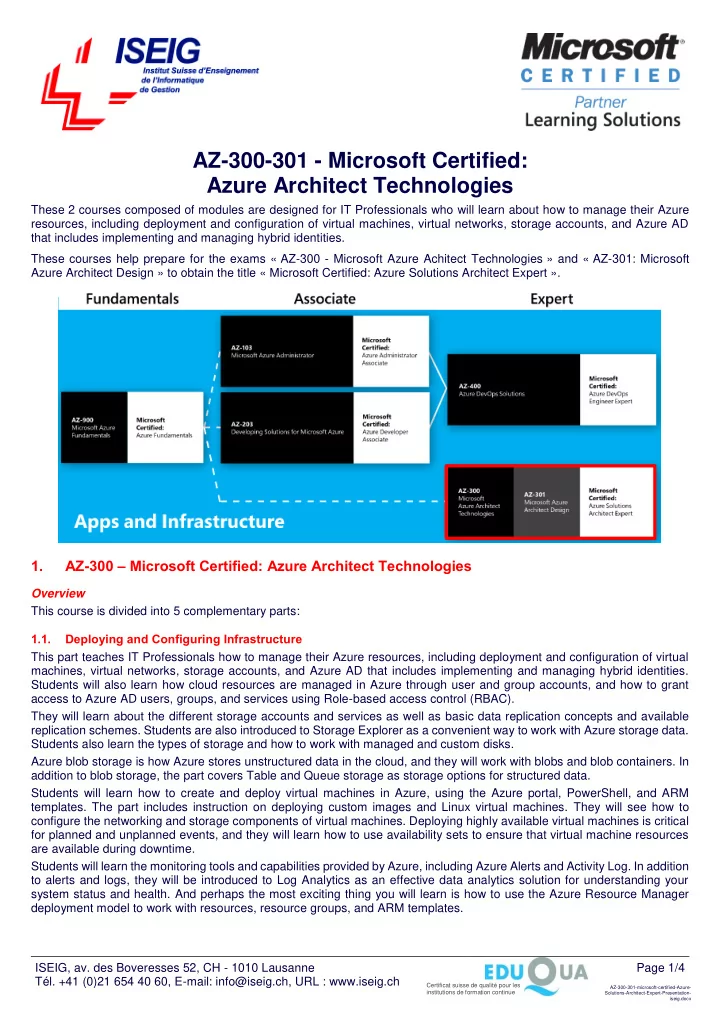

SLIDE 1
ISEIG, av. des Boveresses 52, CH - 1010 Lausanne Tél. +41 (0)21 654 40 60, E-mail: info@iseig.ch, URL : www.iseig.ch Page 1/4
Certificat suisse de qualité pour les institutions de formation continue
AZ-300-301-microsoft-certified-Azure- Solutions-Architect-Expert-Presentation- iseig.docx
AZ-300-301 - Microsoft Certified: Azure Architect Technologies
These 2 courses composed of modules are designed for IT Professionals who will learn about how to manage their Azure resources, including deployment and configuration of virtual machines, virtual networks, storage accounts, and Azure AD that includes implementing and managing hybrid identities. These courses help prepare for the exams « AZ-300 - Microsoft Azure Achitect Technologies » and « AZ-301: Microsoft Azure Architect Design » to obtain the title « Microsoft Certified: Azure Solutions Architect Expert ».
1. AZ-300 – Microsoft Certified: Azure Architect Technologies
Overview This course is divided into 5 complementary parts: 1.1. Deploying and Configuring Infrastructure This part teaches IT Professionals how to manage their Azure resources, including deployment and configuration of virtual machines, virtual networks, storage accounts, and Azure AD that includes implementing and managing hybrid identities. Students will also learn how cloud resources are managed in Azure through user and group accounts, and how to grant access to Azure AD users, groups, and services using Role-based access control (RBAC). They will learn about the different storage accounts and services as well as basic data replication concepts and available replication schemes. Students are also introduced to Storage Explorer as a convenient way to work with Azure storage data. Students also learn the types of storage and how to work with managed and custom disks. Azure blob storage is how Azure stores unstructured data in the cloud, and they will work with blobs and blob containers. In addition to blob storage, the part covers Table and Queue storage as storage options for structured data. Students will learn how to create and deploy virtual machines in Azure, using the Azure portal, PowerShell, and ARM
- templates. The part includes instruction on deploying custom images and Linux virtual machines. They will see how to