Assignments Demo CPSC 314 Computer Graphics project 1 animal - - PowerPoint PPT Presentation

assignments demo
SMART_READER_LITE
LIVE PREVIEW

Assignments Demo CPSC 314 Computer Graphics project 1 animal - - PowerPoint PPT Presentation

University of British Columbia Assignments Demo CPSC 314 Computer Graphics project 1 animal out of boxes and matrices Jan-Apr 2008 out today, due 6pm Wed Feb 6 projects will go out before weve covered all the material


slide-1
SLIDE 1

University of British Columbia CPSC 314 Computer Graphics Jan-Apr 2008 Tamara Munzner http://www.ugrad.cs.ubc.ca/~cs314/Vjan2008

Transformations II Week 2, Fri Jan 18

2

Assignments

3

Assignments

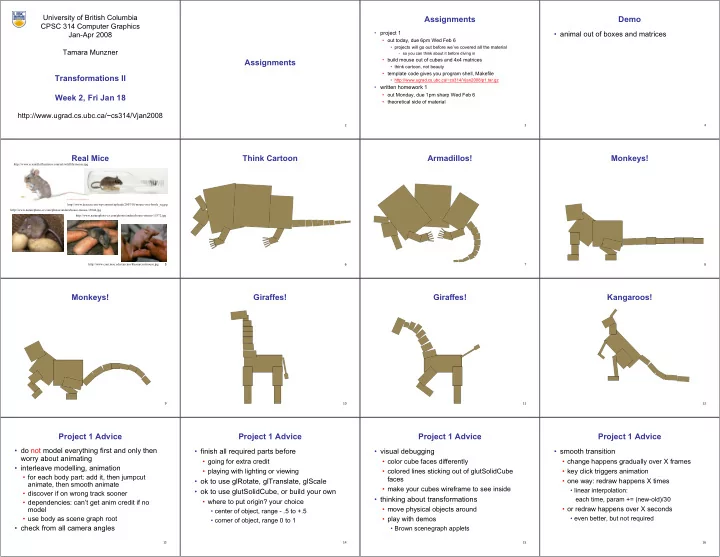
  • project 1
  • out today, due 6pm Wed Feb 6
  • projects will go out before we’ve covered all the material
  • so you can think about it before diving in
  • build mouse out of cubes and 4x4 matrices
  • think cartoon, not beauty
  • template code gives you program shell, Makefile
  • http://www.ugrad.cs.ubc.ca/~cs314/Vjan2008/p1.tar.gz
  • written homework 1
  • out Monday, due 1pm sharp Wed Feb 6
  • theoretical side of material
4

Demo

  • animal out of boxes and matrices
5

Real Mice

http://www.com.msu.edu/carcino/Resources/mouse.jpg http://www.naturephoto-cz.com/photos/andera/house-mouse-15372.jpg http://www.naturephoto-cz.com/photos/andera/house-mouse-13044.jpg http://www.scientificillustrator.com/art/wildlife/mouse.jpg http://www.dezeen.com/wp-content/uploads/2007/10/mouse-in-a-bottle_sq.jpg 6

Think Cartoon

7

Armadillos!

8

Monkeys!

9

Monkeys!

10

Giraffes!

11

Giraffes!

12

Kangaroos!

13

Project 1 Advice

  • do not model everything first and only then

worry about animating

  • interleave modelling, animation
  • for each body part: add it, then jumpcut

animate, then smooth animate

  • discover if on wrong track sooner
  • dependencies: can’t get anim credit if no

model

  • use body as scene graph root
  • check from all camera angles
14

Project 1 Advice

  • finish all required parts before
  • going for extra credit
  • playing with lighting or viewing
  • ok to use glRotate, glTranslate, glScale
  • ok to use glutSolidCube, or build your own
  • where to put origin? your choice
  • center of object, range - .5 to +.5
  • corner of object, range 0 to 1
15

Project 1 Advice

  • visual debugging
  • color cube faces differently
  • colored lines sticking out of glutSolidCube

faces

  • make your cubes wireframe to see inside
  • thinking about transformations
  • move physical objects around
  • play with demos
  • Brown scenegraph applets
16

Project 1 Advice

  • smooth transition
  • change happens gradually over X frames
  • key click triggers animation
  • one way: redraw happens X times
  • linear interpolation:

each time, param += (new-old)/30

  • or redraw happens over X seconds
  • even better, but not required
slide-2
SLIDE 2 17

Project 1 Advice

  • transitions
  • safe to linearly interpolate parameters for

glRotate/glTranslate/glScale

  • do not interpolate individual elements of 4x4

matrix!

18

Style

  • you can lose up to 15% for poor style
  • most critical: reasonable structure
  • yes: parametrized functions
  • no: cut-and-paste with slight changes
  • reasonable names (variables, functions)
  • adequate commenting
  • rule of thumb: what if you had to fix a bug two

years from now?

  • global variables are indeed acceptable
19

Version Control

  • bad idea: just keep changing same file
  • save off versions often
  • after got one thing to work, before you try starting something

else

  • just before you do something drastic
  • how?
  • not good: commenting out big blocks of code
  • a little better: save off file under new name
  • p1.almostworks.cpp, p1.fixedbug.cpp
  • much better: use version control software
  • strongly recommended
20

Version Control Software

  • easy to browse previous work
  • easy to revert if needed
  • for maximum benefit, use meaningful comments to describe

what you did

  • “started on tail”, “fixed head breakoff bug”, “leg code compiles but

doesn’t run”

  • useful when you’re working alone
  • critical when you’re working together
  • many choices: RCS, CVS, svn/subversion
  • all are installed on lab machines
  • svn tutorial is part of next week’s lab
21

Graphical File Comparison

  • installed on lab machines
  • xfdiff4 (side by side comparison)
  • xwdiff (in-place, with crossouts)
  • Windows: windiff
  • http://keithdevens.com/files/windiff
  • Macs: FileMerge
  • in /Developer/Applications/Utilities
22

Readings for Jan 16-25

  • FCG Chap 6 Transformation Matrices
  • except 6.1.6, 6.3.1
  • FCG Sect 13.3 Scene Graphs
  • RB Chap Viewing
  • Viewing and Modeling Transforms until Viewing Transformations
  • Examples of Composing Several Transformations through

Building an Articulated Robot Arm

  • RB Appendix Homogeneous Coordinates and Transformation

Matrices

  • until Perspective Projection
  • RB Chap Display Lists
23

Review: Event-Driven Programming

  • main loop not under your control
  • vs. procedural
  • control flow through event callbacks
  • redraw the window now
  • key was pressed
  • mouse moved
  • callback functions called from main loop

when events occur

  • mouse/keyboard state setting vs. redrawing
24

Review: 2D Rotation

θ

(x, y) (x′, y′)

x′ = x cos(θ) - y sin(θ) y′ = x sin(θ) + y cos(θ)

 counterclockwise, RHS

( ) ( ) ( ) ( )

  • =
  • y

x y x

  • cos

sin sin cos ' '

25

Review: Shear, Reflection

  • shear along x axis
  • push points to right in proportion to height
  • reflect across x axis
  • mirror

x y x y

  • +
  • =
  • 1

1 y x sh y x

x
  • +
  • =
  • 1

1 y x y x x x

26

Review: 2D Transformations

  • =
  • +

+ =

  • +
  • '

' y x b y a x b a y x

( ) ( ) ( ) ( )

  • =
  • y

x y x

  • cos

sin sin cos ' '

  • =
  • y

x b a y x ' ' scaling matrix rotation matrix

  • =
  • '

' y x y x d c b a translation multiplication matrix?? vector addition matrix multiplication matrix multiplication

) , ( b a

(x,y) (x′,y′)

27

Review: Linear Transformations

  • linear transformations are combinations of
  • shear
  • scale
  • rotate
  • reflect
  • properties of linear transformations
  • satisifes T(sx+ty) = s T(x) + t T(y)
  • origin maps to origin
  • lines map to lines
  • parallel lines remain parallel
  • ratios are preserved
  • closed under composition
  • =
  • y

x d c b a y x ' ' dy cx y by ax x + = + = ' '

28

3D Rotation About Z Axis

  • =
  • 1

1 1 cos sin sin cos 1 ' ' ' z y x z y x

  • glRotatef

glRotatef(angle,x,y,z); (angle,x,y,z);

  • P

y x z z y x y y x x = + =

  • =

' cos sin ' sin cos '

  • '

P

glRotatef(angle,0,0,1); glRotatef(angle,0,0,1);

 general OpenGL command  rotate in z 29

3D Rotation in X, Y

  • =
  • 1

1 cos sin sin cos 1 1 ' ' ' z y x z y x

  • glRotatef

glRotatef(angle,1,0,0); (angle,1,0,0);

around x axis:

  • =
  • 1

1 cos sin 1 sin cos 1 ' ' ' z y x z y x

  • glRotatef(angle,0,1,0);

glRotatef(angle,0,1,0);

around y axis:

30

3D Scaling

  • =
  • 1

1 1 ' ' ' z y x c b a z y x glScalef glScalef(a,b,c); (a,b,c);

31

3D Translation

  • =
  • 1

1 1 1 1 1 ' ' ' z y x c b a z y x

> < c b a , ,

glTranslatef glTranslatef(a,b,c); (a,b,c);

32

3D Shear

  • general shear
  • to avoid ambiguity, always say "shear along <axis> in direction of <axis>"
  • =
1 1 1 1 ) , , , , , ( hyz hxz hzy hxy hzx hyx hzy hzx hyz hyx hxz hxy shear shearAlongYinDirectionOfX(h) = 1 h 1 1 1
  • shearAlongYinDirectionOfZ(h) =
1 1 h 1 1
  • shearAlongXinDirectionOfY(h) =
1 h 1 1 1
  • shearAlongXinDirectionOfZ(h) =
1 h 1 1 1
  • shearAlongZinDirectionOfX(h) =
1 1 h 1 1
  • shearAlongZinDirectionOfY(h) =
1 1 h 1 1
slide-3
SLIDE 3 33

Summary: Transformations

  • =
  • 1

1 1 1 1 1 ' ' ' z y x c b a z y x translate(a,b,c) translate(a,b,c)

  • =
  • 1

1 cos sin sin cos 1 1 ' ' ' z y x z y x

  • )

, ( Rotate

  • x
  • =
  • 1

1 1 ' ' ' z y x c b a z y x scale(a,b,c) scale(a,b,c)

  • 1

cos sin 1 sin cos

  • )

, ( Rotate

  • y
  • 1

1 cos sin sin cos

  • )

, ( Rotate

  • z
34

Undoing Transformations: Inverses

T(x,y,z)1 = T(x,y,z) T(x,y,z) T(x,y,z) = I = RT(z,) = R(z,) R(z,) R(z,) = I S(sx,sy,sz)1 = S( 1 sx , 1 sy , 1 sz) R(z,)1

(R is orthogonal) (R is orthogonal)

S(sx,sy,sz)S( 1 sx , 1 sy , 1 sz) = I

35

Composing Transformations

36

Composing Transformations

  • translation

T1= T(dx1,dy1) = 1 dx1 1 dy1 1 1

  • T2 = T(dx 2,dy 2) =

1 dx2 1 dy2 1 1

  • P''= T2• P'= T2•[T1• P] = [T2•T1]• P,where

T2•T1= 1 dx1 + dx 2 1 dy1 + dy 2 1 1

  • so translations add

so translations add

37

Composing Transformations

  • scaling
  • rotation

S2• S1= sx1 dx 2 sy1 sy 2 1 1

  • so scales multiply

so scales multiply

  • +

+ +

  • +

=

  • 1

1 ) 2 1 cos( ) 2 1 sin( ) 2 1 sin( ) 2 1 cos( 1 2

  • R

R

so rotations add so rotations add

38

Composing Transformations

Ta Tb = Tb Ta, but Ra Ta Tb = Tb Ta, but Ra Rb Rb != != Rb Rb Ra and Ta Ra and Ta Rb Rb != != Rb Rb Ta Ta

  • translations commute
  • rotations around same axis commute
  • rotations around different axes do not commute
  • rotations and translations do not commute
39

Composing Transformations

j

F Fh

h

F FW

W

suppose we want suppose we want i i

j

40

Composing Transformations

j

F Fh

h

F FW

W

suppose we want suppose we want F FW

W

F Fh

h

Rotate(z,-90) Rotate(z,-90)

p'= R(z,90)p

i i

j

41

Composing Transformations

j

F Fh

h

F FW

W

suppose we want suppose we want F FW

W

F Fh

h

Rotate(z,-90) Rotate(z,-90)

p'= R(z,90)p

i i

j

F FW

W

F Fh

h

Translate(2,3,0) Translate(2,3,0)

p''= T(2,3,0)p'

42

Composing Transformations

j

F Fh

h

F FW

W

suppose we want suppose we want F FW

W

F Fh

h

Rotate(z,-90) Rotate(z,-90)

p'= R(z,90)p

i i

j

F FW

W

F Fh

h

Translate(2,3,0) Translate(2,3,0)

p''= T(2,3,0)p' p''= T(2,3,0)R(z,90)p = TRp

43

p'= TRp Composing Transformations

  • which direction to read?
  • right to left
  • interpret operations wrt fixed coordinates
  • moving object
  • left to right
  • interpret operations wrt local coordinates
  • changing coordinate system
44

p'= TRp Composing Transformations

  • which direction to read?
  • right to left
  • interpret operations wrt fixed coordinates
  • moving object
  • left to right
  • interpret operations wrt local coordinates
  • changing coordinate system

OpenGL pipeline ordering!

45

p'= TRp Composing Transformations

  • which direction to read?
  • right to left
  • interpret operations wrt fixed coordinates
  • moving object
  • left to right
  • interpret operations wrt local coordinates
  • changing coordinate system
  • OpenGL updates current matrix with postmultiply
  • glTranslatef(2,3,0);
  • glRotatef(-90,0,0,1);
  • glVertexf(1,1,1);
  • specify vector last, in final coordinate system
  • first matrix to affect it is specified second-to-last

OpenGL pipeline ordering!

46 (2,1) (1,1) (1,1)

changing coordinate system moving object translate by (-1,0)

Interpreting Transformations

  • same relative position between object and

basis vectors

intuitive? OpenGL

47

Matrix Composition

  • matrices are convenient, efficient way to represent series of

transformations

  • general purpose representation
  • hardware matrix multiply
  • matrix multiplication is associative
  • p′ = (T*(R*(S*p)))
  • p′ = (T*R*S)*p
  • procedure
  • correctly order your matrices!
  • multiply matrices together
  • result is one matrix, multiply vertices by this matrix
  • all vertices easily transformed with one matrix multiply
48

Rotation About a Point: Moving Object

F FW

W

translate p translate p to origin to origin

  • p = (x,y)

rotate about rotate about p by : p by :

  • rotate about

rotate about

  • rigin
  • rigin

translate p translate p back back

T(x,y,z)R(z,)T(x,y,z)

slide-4
SLIDE 4 49

Rotation: Changing Coordinate Systems

  • same example: rotation around arbitrary

center

50

Rotation: Changing Coordinate Systems

  • rotation around arbitrary center
  • step 1: translate coordinate system to rotation

center

51

Rotation: Changing Coordinate Systems

  • rotation around arbitrary center
  • step 2: perform rotation
52

Rotation: Changing Coordinate Systems

  • rotation around arbitrary center
  • step 3: back to original coordinate system
53

General Transform Composition

  • transformation of geometry into coordinate

system where operation becomes simpler

  • typically translate to origin
  • perform operation
  • transform geometry back to original

coordinate system

54

Rotation About an Arbitrary Axis

  • axis defined by two points
  • translate point to the origin
  • rotate to align axis with z-axis (or x or y)
  • perform rotation
  • undo aligning rotations
  • undo translation

Arbitrary Rotation

  • arbitrary rotation: change of basis
  • given two orthonormal coordinate systems XYZ and ABC
  • A’s location in the XYZ coordinate system is (ax, ay, az, 1), ...
  • transformation from one to the other is matrix R whose

columns are A,B,C:

Y Z X B C A Y Z X B C A (cx, cy, cz, 1) (ax, ay, az, 1) (bx, by, bz, 1)

R(X) = ax bx cx ay by cy az bz cz 1

  • 1

1

  • = (ax,ay,az,1) = A