Applications & Client/Server computing link Example - - PowerPoint PPT Presentation

applications
SMART_READER_LITE
LIVE PREVIEW

Applications & Client/Server computing link Example - - PowerPoint PPT Presentation

COMP 431 Application-Layer Protocols Internet Services & Protocols Outline application application transport The architecture of distributed systems network Applications & Client/Server computing link Example


slide-1
SLIDE 1

1

COMP 431 Internet Services & Protocols

Applications & Application-Layer Protocols: The Domain Name System

Jasleen Kaur

February 6, 2020

2

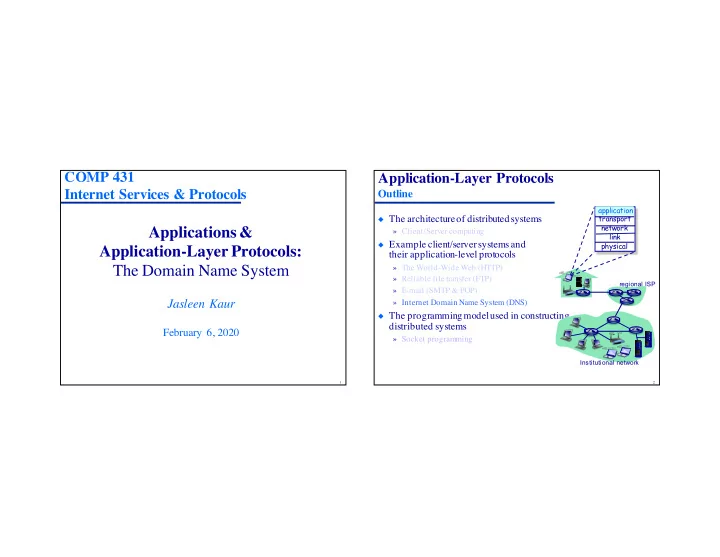
Application-Layer Protocols

Outline

◆ The architecture of distributed systems

» Client/Server computing

◆ Example client/server systems and

their application-level protocols

» The World-Wide Web (HTTP) » Reliable file transfer (FTP) » E-mail (SMTP & POP) » Internet Domain Name System (DNS)

◆ The programming model used in constructing

distributed systems

» Socket programming

application transport network link physical application

regional ISP Institutional network

slide-2
SLIDE 2

3

Application-Layer Protocols

The Domain Name System (DNS)

◆ Computers (hosts, routers) connected to the Internet have two

forms of names:

» IP address — a 32 bit identifier used for addressing hosts and routing data to them » Hostname — an ASCII string used by applications

◆ The DNS is an Internet-wide service that provides mappings

between IP addresses and hostnames

» The DNS is a distributed database implemented in a hierarchy of name servers » The DNS is also an application-layer protocol

◆ Hosts and routers use name servers to resolve names

(address/name translation)

» Name resolution is an essential Internet function implemented as application-layer protocol

4

The Domain Name System

Web browsing (HTTP) example

◆ The DNS is mainly used by applications, not end-users

» And virtually all applications use the DNS for every request they generate

◆ Web browsing: User enters URL www.someSchool.edu

» In order to create the socket to www.someSchool.edu, the OS (TCP) must resolve the hostname to an IP address » The OS contacts a DNS name server to learn the web server’s IP address » The IP address is then used by TCP to create the socket to the server » All this happens transparently to the user and the browser!

Web Server Browser DNS Server

slide-3
SLIDE 3

5

The Domain Name System

Name Hierarchy in DNS

◆ hostname = “dot”separated concatenation of domain names

along path toward the root

» unc.edu

◆ There are name servers associated with every domain

» cs.unc.edu com edu net

  • rg

gov npr yahoo amazon unc cornell sprint bellsouth cs med cs srv www » classroom.cs.unc.edu

6

Name Hierarchy in the DNS

Top level domains

◆ Generic domains:

» (1980) .com, .org, .net, .edu, .gov, .mil, .int » (2000) .biz, .info, .name, .pro

◆ Special sponsored names

» (2000) .aero, .coop, .museum » (2003) .asia, .cat, .jobs, .mobi, .tel, .travel

◆ Country code domains

» .uk, .de, .jp, .us, … (250 more!) com edu net

  • rg

gov

slide-4
SLIDE 4

7

Names Are Valuable

And prices are “more” rational

smoking.com $500,000 beef.com $250,000 sample.com $90,000 upscale.com $80,000 clerical.com $75,000 snake.com $50,000 barbecues.com $30,000 geeky.com $25,000 mime.com SOLD! dinner.com $20,000 career.net $150,000 invest.net $75,000 dunk.net $50,000 pornos.net $35,000 wholesale.net $30,000 exploring.net $20,000 bonded.net $15,000 worked.net $10,000 wealthy.net $8,000 russians.net $7,000 now.tv $150,000 science.tv $100,000 british.tv $25,000 dancing.tv $20,000 cafes.tv $10,000 performer.tv $10,000 bowling.tv $10,000 merger.tv $10,000 article.tv $5,000 grandma.tv $5,000 mr.com $350,000 teeth.net $55,000 saving.net $45,000 pen.net $35,000 gems.org $20,000 train.net $15,000 equestrians.com $10,000 motorcars.tv $10,000 storms.us $8,000 burnable.net $6,000

“New”

9

smoking.com $500,000 beef.com $250,000 sample.com $90,000 upscale.com $80,000 clerical.com $75,000 snake.com $50,000 barbecues.com $30,000 geeky.com $25,000 mime.com SOLD! dinner.com $20,000 career.net $150,000 invest.net $75,000 dunk.net $50,000 pornos.net $35,000 wholesale.net $30,000 exploring.net $20,000 bonded.net $15,000 worked.net $10,000 wealthy.net $8,000 russians.net $7,000 now.tv $150,000 science.tv $100,000 british.tv $25,000 dancing.tv $20,000 cafes.tv $10,000 performer.tv $10,000 bowling.tv $10,000 merger.tv $10,000 article.tv $5,000 grandma.tv $5,000 mr.com $350,000 teeth.net $55,000 saving.net $45,000 pen.net $35,000 gems.org $20,000 train.net $15,000 equestrians.com $10,000 motorcars.tv $10,000 storms.us $8,000 burnable.net $6,000

“New”

Names Are Valuable

And prices are “more” rational
slide-5
SLIDE 5

10

Growth of DNS Registrations

Source: Internet Systems Consortium (http://www.isc.org/)

11

The Domain Name System

Designing a distributed service

◆ Why not centralize the DNS

» A server process on a big, well connected supercomputer?

◆ Centralized systems do not scale!

» Poor reliability: centralized = single point of failure » Poor performance: centralized = “remote access” for most users » Difficult to manage: centralized = all customer traffic goes to one location, a large staff has to be present to handle registrations

◆ A centralized system is not politically feasible in an

international network

com edu net

  • rg

gov npr yahoo amazn unc cornell sprint bellsouth cs med cs srv

slide-6
SLIDE 6

12

Designing a Distributed Service

DNS Name Servers

◆ No server has every hostname-to-IP

address mapping

◆ Authoritative name server:

» Every host is registered with at least one authoritative server that stores that host’s IP address and name » The authoritative name server can perform name/address translation for that host’s name/address

◆ Local authoritative name servers:

» Each ISP, university, company, has a local (default) name server authoritative for its own hosts » Resolvers always query a name server local to it to resolve any host name Local host

classroom.cs.unc.edu

Local name server

bristol.cs.unc.edu

What if the name is not a local host (e.g.,

www.yahoo.com)?

Name resolution: Query and Reply

13

DNS Name Servers

Root name servers

◆ A root name server is contacted when a local name server that can’t

resolve a name

» The root server either resolves the name or provides pointers to authoritative servers at lower level of name hierarchy

◆ In 1998, there were a dozen root name servers worldwide

slide-7
SLIDE 7

14

DNS Name Servers

2011 Root name servers

◆ In 2011 there were a few more servers…

15

13 independent sites

DNS Name Servers

Generic TLD servers (Verisign Corp.)

◆ .com, .org, .net server locations (separated from root servers)

slide-8
SLIDE 8

16

The Domain Name System

Name Hierarchy in DNS

◆ hostname = “dot”separated concatenation of domain names

along path toward the root

» unc.edu

◆ There are name servers associated with every domain

» cs.unc.edu com edu net

  • rg

gov npr yahoo amazon unc cornell sprint bellsouth cs med cs srv www » classroom.cs.unc.edu

17

DNS Name Servers

Using a server hierarchy for resolving names

Requesting host

swift.cs.unc.edu

Root name server

a.root-servers.net

Local name server

bristol.cs.unc.edu www.yahoo.com

Authoritative name server

dns.yahoo.com

◆ Example: Host swift.cs.unc.edu

wants to know the IP address of www.yahoo.com

» Swift contacts its local DNS server bristol.cs.unc.edu

◆ The root server contacts the

authoritative server dns.yahoo.com (if necessary)

1 6 2 5 3 4 ◆ Results propagate back to swift ◆ To resolve a non-local name the

local name server queries the root server (if necessary)

slide-9
SLIDE 9

18

DNS Name Servers

Using a server hierarchy for resolving names

Requesting host

estore.yahoo.com

Root name server

a.root-servers.net

Local name server

dns.yahoo.com

Intermediate name server

dns.unc.edu

◆ It’s possible that the root name

server may not know the authoritative name server for a domain

◆ The root server contacts an

intermediate name server that knows the authoritative name server

1 8 2 7 3 6 ◆ Results propagate back to the

requesting host

Authortative name server

dns.cs.unc.edu

4 5 ◆ The intermediate name server

contacts the authoritative name server

19

DNS Name Servers

Using a server hierarchy for resolving names

Requesting host

estore.yahoo.com

Root name server

a.root-servers.net

Local name server

dns.yahoo.com

Intermediate name server

dns.unc.edu

◆ The DNS supports two forms

  • f queries:

» Recursive queries » Iterative queries

◆ Recursive queries place the

burden of name resolution (recursively) on the contacted server

◆ In an iterated query the contacted

server simply replies with the name of the server to contact

» “I don’t know; trying asking X”

1 8 2 7 3 6

Authortative name server

dns.cs.unc.edu

4 5

slide-10
SLIDE 10

20

DNS Name Servers

Iterated queries

Requesting host

swift.cs.unc.edu

Root name server

a.root-servers.net

Local name server

bristol.cs.unc.edu www.yahoo.com

◆ Swift wants to know the IP

address of www.yahoo.com

» Swift contacts its local DNS server bristol.cs.unc.edu

◆ The root server returns the

name and IP address of the server it knows is the closest match to the query

» “Try dns.yahoo.com”

1 2 3 ◆ If necessary, the local name

server queries the root server

» “What server is the authority for www.yahoo.com?”

Authoritative name server

dns.yahoo.com

21

DNS Name Servers

Iterated queries

Requesting host

swift.cs.unc.edu

Root name server

a.root-servers.net

Local name server

bristol.cs.unc.edu www.yahoo.com

Authoritative name server

dns.yahoo.com

◆ The local DNS server sends

the same query to the closest match server

» “What server is the authority for www.yahoo.com?”

◆ The process can be iterated

until the local authoritative name server is found and responds

◆ (And iterated and recursive

queries can be combined!)

1 6 2 3 4 5

slide-11
SLIDE 11

22

DNS Name Servers

Caching and updating DNS entries

Requesting host

swift.cs.unc.edu

Root name server

a.root-servers.net

Local name server

bristol.cs.unc.edu www.yahoo.com

Authoritative name server

dns.yahoo.com

◆ Every server caches all the

mappings it learns

» TLD servers typically cached in local name servers » (Thus root name servers not often queried)

◆ So cached entries can be out of date! ◆ DNS cache update/notify mechanisms

under design by the IETF

» See RFC 2136

1 6 2 3 4 5 ◆ Cache entries are “soft state”

» They timeout (are deleted) after some time period » Called the “time to live” (“TTL”)

23

DNS Name Servers

DNS resource records

◆ The DNS is a distributed database storing resource records

(RRs)

◆ Type = NS

» name is a domain » value is name of authoritative name server for this domain

RR format: <name, value, type, time_to_live>

◆ Type = A

» name is a hostname » value is hostname’s IP address

◆ Type = CNAME

» name is an alias name for some “canonical” (the real) name » value is canonical name

◆ Type = MX

» value is name of mail server host associated with name

slide-12
SLIDE 12

24

The Domain Name System

Inserting records into the DNS

◆ Example: New startup “Network Utopia” ◆ Register name networkuptopia.com at DNS registrar

(e.g., Network Solutions)

» You provide names & IP addresses of authoritative name server (primary and secondary) » The registrar inserts two RRs into .com TLD server:

❖ networkutopia.com, dns1.networkutopia.com, NS ❖ dns1.networkutopia.com, 212.212.212.1, A

◆ You stand up dns1.networkutopia.com running BIND

and create:

» Authoritative server type A record for www.networkuptopia.com » MX record for networkutopia.com

www.networkutopia.com dns1.networkutopia.com

25

Fixed Length Header V ariable Length Payload/Body

The Domain Name System

The DNS protocol

◆ The DNS service is implemented by the DNS

protocol

◆ A request/response

protocol run on top of UDP

» Uses port 53

◆ Why UDP?!

» Doesn’t reliability matter?!

variable 12 bytes 32 bits

slide-13
SLIDE 13

26

Identification Flags

Number of questions Number of authority RRs Number of answer RRs Number of additional RRs

Questions (variable number) Answers (variable number of records) Authority (variable number of records) Additional Information (variable number of records)

DNS Protocol

DNS query and reply messages

◆ DNS query and reply messages both have the same

message format

◆ Messages have a fixed length

message header

» Identification — 16 bit query/reply identifier used to match replies to queries » Flags:

❖ Query/Reply bit ❖ “Reply is authoritative” bit ❖ “Recursion desired” bit ❖ ....

variable 12 bytes 32 bits

27

Identification Flags

Number of questions Number of authority RRs Number of answer RRs Number of additional RRs

Questions (variable number) Answers (variable number of records) Authority (variable number of records) Additional Information (variable number of records)

DNS Protocol

DNS query and reply messages

◆ Messages have a variable-length “question & answer”body ◆ Questions:

» The name and type fields (type A or MX) for a query —

hotmail.com MX ◆ Answers:

» One RR for each IP address answering query

◆ Authority:

» Resource records of other authoritative servers

variable 12 bytes 32 bits

slide-14
SLIDE 14

28

DNS Resource Records

nslookup query/reply message example

(parris) 101> nslookup > set debug > www.yahoo.com Server: bristol.cs.unc.edu Address: 152.2.131.228 QUESTIONS: www.yahoo.com, type = A, class = IN

29

DNS Resource Records

nslookup query/reply message example

ANSWERS:

  • > www.yahoo.com

canonical name = www.yahoo-ht3.akadns.net

  • > www.yahoo-ht3.akadns.net

internet address = 69.147.114.210 AUTHORITY RECORDS:

  • > akadns.net

nameserver = zc.akadns.org.

  • > akadns.net

nameserver = zd.akadns.org.

  • > akadns.net

nameserver = eur1.akadns.net.

  • > akadns.net

nameserver = use3.akadns.net.

  • > akadns.net

nameserver = use4.akadns.net.

  • > akadns.net

nameserver = usw2.akadns.net.

  • > akadns.net

nameserver = asia9.akadns.net.

  • > akadns.net

nameserver = za.akadns.org.

  • > akadns.net

nameserver = zb.akadns.org.

slide-15
SLIDE 15

30

DNS Resource Records

nslookup query/reply message example

ADDITIONAL RECORDS:

  • > za.akadns.org

internet address = 195.219.3.169

  • > zb.akadns.org

internet address = 206.132.100.105

  • > zc.akadns.org

internet address = 124.211.40.4

  • > zd.akadns.org

internet address = 63.209.3.132

  • > eur1.akadns.net

internet address = 213.254.204.197

  • > use3.akadns.net

internet address = 204.2.178.133

  • > use4.akadns.net

internet address = 208.44.108.137

  • > usw2.akadns.net

internet address = 63.209.3.132

  • > asia9.akadns.net

internet address = 220.73.220.4 Non-authoritative answer: www.yahoo.com canonical name = www.yahoo-ht3.akadns.net. Name: www.yahoo-ht3.akadns.net Address: 69.147.114.210

31

DNS Example

DNS processing for an iterated query

◆ Resolve the hostname in

http://www.cnn.com

com. NS A.GTLD-SERVERS.NET (A) 198.41.0.1 cnn.com NS DNS.CNN.COM (A) 128.2.232.1 www.cnn.com A 207.25.71.28

root com edu net cnn

Local Server

slide-16
SLIDE 16

32

root com edu net cnn

DNS Example

DNS processing for an iterated query

◆ Resolve the hostname www2.cnn.comwith a

warm cache

Local Server com. NS A.GTLD-SERVERS.NET (A) 198.41.0.1 cnn.com NS DNS.CNN.COM (A) 128.2.232.1 www.cnn.com A 207.25.71.28 www2.cnn.com A 66.40.26.232

34

The Domain Name System

Attacking the DNS

◆ DDoS attacks: Bombard root servers with requests

» Not successful to date(!) » Defeated by traffic filtering » Local DNS servers cache IPs of TLD servers, allowing root server bypass » Bombard TLD servers — Potentially more dangerous

◆ Redirect attacks

» “Man-in-middle” (Intercept queries) » DNS poisoning: Send bogus replies to a DNS server, which will cache them & return to others

◆ Exploit DNS for DDoS

» Send queries with spoofed source address! » (Requires amplification)

www.networkutopia.com dns1.networkutopia.com

slide-17
SLIDE 17

35

The Domain Name System

Summary

◆ F gets 270,000,000+

hits per day

» Other servers have comparable load

◆ The Verisign TLD

servers answer 5,000,000,000 queries per day

◆ Clearly the DNS

would collapse without:

» Hierarchy » Distributed processing » Caching

◆ If DNS fails, Internet services stop

working!