Announcements P4: Graded Will resolve all Project grading issues - - PDF document

announcements
SMART_READER_LITE
LIVE PREVIEW

Announcements P4: Graded Will resolve all Project grading issues - - PDF document

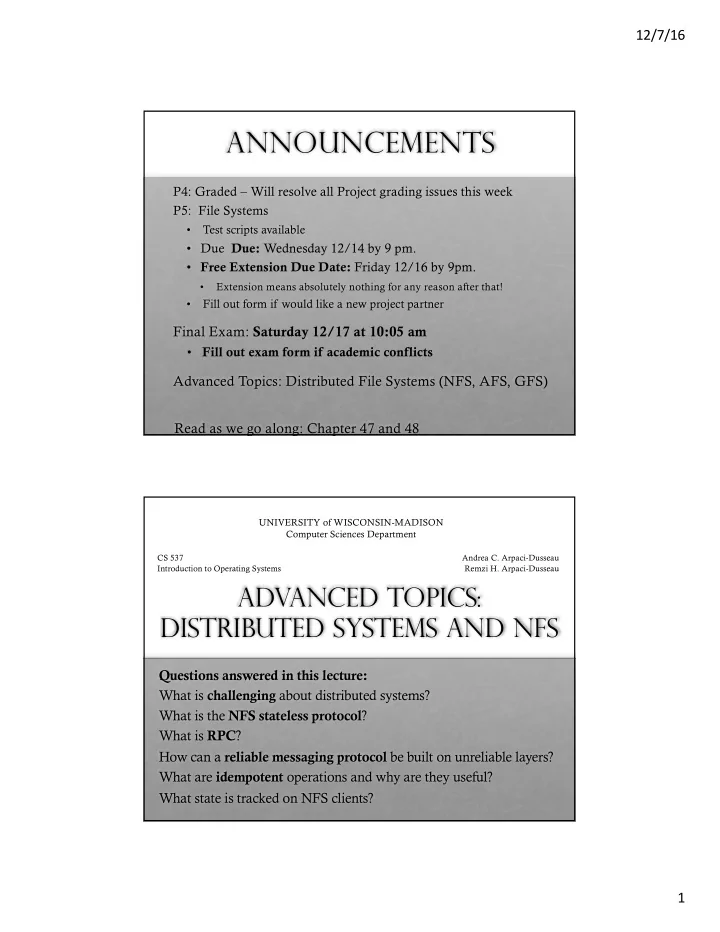
12/7/16 Announcements P4: Graded Will resolve all Project grading issues this week P5: File Systems Test scripts available Due Due: Wednesday 12/14 by 9 pm. Free Extension Due Date: Friday 12/16 by 9pm. Extension means


slide-1
SLIDE 1

12/7/16 1

Announcements

P4: Graded – Will resolve all Project grading issues this week P5: File Systems

  • Test scripts available
  • Due Due: Wednesday 12/14 by 9 pm.
  • Free Extension Due Date: Friday 12/16 by 9pm.
  • Extension means absolutely nothing for any reason after that!
  • Fill out form if would like a new project partner

Final Exam: Saturday 12/17 at 10:05 am

  • Fill out exam form if academic conflicts

Advanced Topics: Distributed File Systems (NFS, AFS, GFS) Read as we go along: Chapter 47 and 48

Advanced Topics: Distributed Systems and NFS

Questions answered in this lecture: What is challenging about distributed systems? What is the NFS stateless protocol? What is RPC? How can a reliable messaging protocol be built on unreliable layers? What are idempotent operations and why are they useful? What state is tracked on NFS clients?

UNIVERSITY of WISCONSIN-MADISON Computer Sciences Department

CS 537 Introduction to Operating Systems Andrea C. Arpaci-Dusseau Remzi H. Arpaci-Dusseau

slide-2
SLIDE 2

12/7/16 2

What is a Distributed System?

A distributed system is one where a machine I’ve never heard of can cause my program to fail.

— Leslie Lamport

Definition: More than 1 machine working together to solve a problem Examples:

  • client/server: web server and web client
  • cluster: page rank computation

Why Go Distributed?

More computing power

  • throughput
  • latency

More storage capacity Fault tolerance Data sharing

slide-3
SLIDE 3

12/7/16 3

New Challenges

System failure: need to worry about partial failure Communication failure: network links unreliable

  • bit errors
  • packet loss
  • link failure

Individual nodes crash and recover Motivation example:

Why are network sockets less reliable than pipes?

Writer Process

Pipe

Reader Process user kernel

slide-4
SLIDE 4

12/7/16 4 Writer Process

Pipe

Reader Process user kernel Writer Process

Pipe

Reader Process user kernel

slide-5
SLIDE 5

12/7/16 5 Writer Process

Pipe

Reader Process user kernel Writer Process

Pipe

Reader Process user kernel

slide-6
SLIDE 6

12/7/16 6 Writer Process

Pipe

Reader Process user kernel Writer Process

Pipe

Reader Process user kernel

slide-7
SLIDE 7

12/7/16 7 Writer Process

Pipe

Reader Process user kernel

write waits for space

Writer Process

Pipe

Reader Process user kernel

write waits for space

slide-8
SLIDE 8

12/7/16 8 Writer Process

Pipe

Reader Process user kernel Writer Process

Network Socket

user kernel Machine A Reader Process user kernel Machine B Router

slide-9
SLIDE 9

12/7/16 9 Writer Process

Network Socket

user kernel Machine A Reader Process user kernel Machine B Router what if B’s buffer is full? Can’t tell writer on Machine A to stop; Can’t allocate more memory Solution: Drop arriving packets on machine B Writer Process

Network Socket

user kernel Machine A Reader Process user kernel Machine B Router what if router’s buffer is full?

slide-10
SLIDE 10

12/7/16 10 Writer Process

Network Socket

user kernel Machine A

?

From A’s view, network and B are largely a black box

Messages may get dropped, duplicated, re-ordered

Distributed File Systems

File systems are great use case for distributed systems Local FS (FFS, ext3/4, LFS): Processes on same machine access shared files Network FS (NFS, AFS): Processes on different machines access shared files in same way

slide-11
SLIDE 11

12/7/16 11

Goals for distributed file systems

Fast + simple crash recovery

  • both clients and file server may crash

Transparent access

  • can’t tell accesses are over the network
  • normal UNIX semantics

Reasonable performance

NFS: Network File System

Think of NFS as more of a protocol than a particular file system Many companies have implemented NFS since 1980s: Oracle/Sun, NetApp, EMC, IBM We’re looking at NFSv2

  • NFSv4 has many changes

Why look at an older protocol?

  • Simpler, focused goals (simplified crash recovery, stateless)
  • To compare and contrast NFS with AFS (next lecture)
slide-12
SLIDE 12

12/7/16 12

Overview

Architecture Network API Caching

NFS Architecture

File Server Client Client Client Client

RPC RPC RPC RPC Local FS

RPC: Remote Procedure Call Cache individual blocks of NFS files

Cache Cache Cache Cache

slide-13
SLIDE 13

12/7/16 13

General Strategy: Export FS

Local FS Local FS

Client Server

NFS

  • /dev/sda1 on /
  • /dev/sdb1 on /backups
  • AFS on /home/tyler

/ backups home bak1 bak2 bak3 etc bin tyler 537 p1 p2 .bashrc

Client

Mount: device or fs protocol on namespace

slide-14
SLIDE 14

12/7/16 14

General Strategy: Export FS

Local FS Local FS

Client Server read

NFS

General Strategy: Export FS

Local FS Local FS

Client Server

NFS

read

slide-15
SLIDE 15

12/7/16 15

Overview

Architecture Network API Caching

Strategy 1

Attempt: Wrap regular UNIX system calls using RPC

  • open() on client calls open() on server
  • open() on server returns fd back to client
  • read(fd) on client calls read(fd) on server
  • read(fd) on server returns data back to client

Client Server

Local FS Local FS NFS

read

slide-16
SLIDE 16

12/7/16 16

RPC

Remote Procedure Call Motivation: What could be easier than calling a function? Strategy: create wrappers so calling function on remote machine appears like calling local function Very common abstraction

RPC

int main(…) { int x = foo(”hello”); } int foo(char *msg) { send msg to B recv msg from B }

Machine A

int foo(char *msg) { … } void foo_listener() { while(1) { recv, call foo } }

Machine B How RPC appears to programmer

slide-17
SLIDE 17

12/7/16 17

RPC

int main(…) { int x = foo(”hello”); } int foo(char *msg) { send msg to B recv msg from B }

Machine A

int foo(char *msg) { … } void foo_listener() { while(1) { recv, call foo } }

Machine B Actual calls

RPC

int main(…) { int x = foo(”hello”); } int foo(char *msg) { send msg to B recv msg from B }

Machine A

int foo(char *msg) { … } void foo_listener() { while(1) { recv, call foo } }

Machine B Wrappers

(ignore how messages are sent for now…) client wrapper server wrapper

slide-18
SLIDE 18

12/7/16 18

RPC Tools

RPC packages help with two roles: (1) Runtime library

  • Thread pool
  • Socket listeners call functions on server

(2) Stub/wrapper generation at compile time

  • Create wrappers automatically
  • Many tools available (rpcgen, thrift, protobufs)

int main(…) { int x = foo(”hello”); } int foo(char *msg) { send msg to B recv msg from B }

Machine A

int foo(char *msg) { … } void foo_listener() { while(1) { recv, call foo } }

Machine B

Wrapper Generation

Wrappers must do conversions:

  • client arguments to message
  • message to server arguments
  • convert server return value to message
  • convert message to client return value

Need uniform endianness (wrappers do this) Conversion is called

  • marshaling/unmarshaling
  • serializing/deserializing

int main(…) { int x = foo(”hello”); } int foo(char *msg) { send msg to B recv msg from B }

Machine A

int foo(char *msg) { … } void foo_listener() { while(1) { recv, call foo } }

Machine B

slide-19
SLIDE 19

12/7/16 19

Wrapper Generation: Pointers

Why are pointers problematic? Address passed from client not valid on server Solutions?

  • Smart RPC package: follow pointers and copy data

int main(…) { int x = foo(”hello”); } int foo(char *msg) { send msg to B recv msg from B }

Machine A

int foo(char *msg) { … } void foo_listener() { while(1) { recv, call foo } }

Machine B

Back to NSF: Strategy 1

Attempt: Wrap regular UNIX system calls using RPC

  • open() on client calls open() on server
  • open() on server returns fd back to client
  • read(fd) on client calls read(fd) on server
  • read(fd) on server returns data back to client

Client Server

Local FS Local FS NFS

read

slide-20
SLIDE 20

12/7/16 20

File Descriptors

Local FS Local FS

Client Server

NFS client fds

In memory

File Descriptors

Local FS Local FS

Client Server

NFS client fds

  • pen() = 2
slide-21
SLIDE 21

12/7/16 21

File Descriptors

Local FS Local FS

Client Server

NFS client fds

read(2)

File Descriptors

Local FS Local FS

Client Server

NFS client fds

read(2)

slide-22
SLIDE 22

12/7/16 22

Strategy 1 Problems

What about server crashes? (and reboots)

int fd = open(“foo”, O_RDONLY); read(fd, buf, MAX); read(fd, buf, MAX); … read(fd, buf, MAX);

Server crash! Goal: behave like slow read

Local FS Local FS

Client Server

NFS client fds read(2)

Potential Solutions

  • 1. Run some crash recovery protocol upon reboot
  • Complex
  • 2. Persist fds on server disk
  • Slow for disks
  • How long to keep fds? What if client crashes? misbehaves?

Local FS Local FS

Client Server

NFS client fds read(2)

slide-23
SLIDE 23

12/7/16 23

Strategy 2: put all info in requests

Use “stateless” protocol!

  • server maintains no state about clients
  • server can still keep other state (cached copies)
  • can crash and reboot with no correctness problems

(just performance)

Eliminate File Descriptors

Local FS Local FS

Client Server

NFS

slide-24
SLIDE 24

12/7/16 24

Strategy 2: put all info in requests

Use “stateless” protocol!

  • server maintains no state about clients

Need API change. One possibility:

pread(char *path, buf, size, offset); pwrite(char *path, buf, size, offset);

Specify path and offset in each message Server need not remember anything from clients Pros? Cons?

Too many path lookups Server can crash and reboot transparently to clients

Strategy 3: inode requests

inode = open(char *path); pread(inode, buf, size, offset); pwrite(inode, buf, size, offset); This is pretty good! Any correctness problems? If file is deleted, the inode could be reused

  • Inode not guaranteed to be unique over time
slide-25
SLIDE 25

12/7/16 25

Strategy 4: file handles

fh = open(char *path); pread(fh, buf, size, offset); pwrite(fh, buf, size, offset); File Handle = <volume ID, inode #, generation #> Opaque to client (client should not interpret internals)

Can NFS Protocol include Append?

fh = open(char *path); pread(fh, buf, size, offset); pwrite(fh, buf, size, offset); append(fh, buf, size); Problem with append()? If RPC library resends messages, what happens when append() is retried? Background: Why would RPC call same procedure multiple times?

slide-26
SLIDE 26

12/7/16 26

Communication Overview

How are RPCs built on top of messages?

  • How can RPC ensure remote procedure is called

exactly once??

Raw messages: UDP Reliable messages: TCP

int main(…) { int x = foo(”hello”); } int foo(char *msg) { send msg to B recv msg from B }

Machine A

int foo(char *msg) { … } void foo_listener() { while(1) { recv, call foo } }

Machine B

Raw Messages: UDP

UDP : User Datagram Protocol

API

  • reads and writes over socket file descriptors
  • messages sent from/to ports to target a process on machine

Provide minimal reliability features:

  • messages may be lost
  • messages may be reordered
  • messages may be duplicated
  • nly protection: checksums to ensure data not corrupted
slide-27
SLIDE 27

12/7/16 27

Raw Messages: UDP

Advantages

  • Lightweight
  • Some applications make better reliability decisions

themselves (e.g., video conferencing programs)

Disadvantages

  • More difficult to write applications correctly

Reliable Messages: Layering strategy

TCP: Transmission Control Protocol Using software, build reliable, logical connections over unreliable connections

  • Make sure each message is received
  • Make sure messages are received in order
  • Make sure no duplicates are received

Techniques:

  • acknowledgment (ACK)
slide-28
SLIDE 28

12/7/16 28

Technique #1: ACK

Sender

[send message] [recv ack]

Receiver

[recv message] [send ack]

Sender knows message was received

ACK

Sender

[send message]

Receiver Sender doesn’t receive ACK… What to do?

slide-29
SLIDE 29

12/7/16 29

Technique #2: Timeout

Sender

[send message] [start timer] … waiting for ack … [timer goes off] [send message] [recv ack]

Receiver

[recv message] [send ack]

Lost ACK: Issue 1

How long to wait? Too long?

  • System feels unresponsive

Too short?

  • Messages needlessly re-sent (duplicates!!)
  • Messages may have been dropped due to overloaded server.

Resending makes overload worse!

Sender

[send message] [start timer] … waiting for ack … [timer goes off] [send message] [recv ack]

Receiver

[recv message] [send ack]

slide-30
SLIDE 30

12/7/16 30

Lost Ack: Issue 1

How long to wait? One strategy: be adaptive Adjust time based on how long acks usually take For each missing ack, wait longer between retries

Sender

[send message] [start timer] … waiting for ack … [timer goes off] [send message] [recv ack]

Receiver

[recv message] [send ack]

Lost Ack: Issue 2

What does not receiving an ACK really mean?

slide-31
SLIDE 31

12/7/16 31 Sender

[send message] [timeout]

Receiver Sender

[send message] [timeout]

Receiver

[recv message] [send ack]

Case 1 Case 2 Lost ACK: How can sender tell between these two cases?

ACK: message received exactly once No ACK: message may or may not have been received What if message is command to increment counter?

Proposed Solution

Proposal: Sender could send an AckAck so receiver knows whether to retry sending an Ack Sound good?

Sender

[send message] [timeout]

Receiver

[recv message] [send ack]

Case 2

slide-32
SLIDE 32

12/7/16 32

Aside: Two Generals’ Problem

Suppose generals agree after N messages Did the arrival of the N’th message change decision?

  • if yes: then what if the N’th message had been lost?
  • if no: then why bother sending N messages?

general 1 general 2 enemy

Reliable Messages: Layering Strategy

Using software, build reliable, logical connections over unreliable connections

  • Make sure each message is received
  • Make sure messages are received in order
  • Make sure no duplicates are received

Techniques:

  • acknowledgment
  • timeout
  • remember received messages
slide-33
SLIDE 33

12/7/16 33

Technique #3: Receiver Remembers Messages

Sender

[send message] [timout] [send message] [recv ack]

Receiver

[recv message] [send ack] [ignore message] [send ack]

how does receiver know to ignore?

Solutions

Solution 1: remember every message ever received Solution 2: sequence numbers

  • senders gives each message an increasing unique seq number
  • receiver tracks N

knows it has seen all messages before N receiver remembers seq number of messages received after N

Suppose message K is received. TCP suppresses message if:

  • K < N
  • Msg K is already buffered (potentially adjust N)

Sequence numbers also enables TCP to sort msgs to be received in order

slide-34
SLIDE 34

12/7/16 34

TCP

TCP: Transmission Control Protocol – Very Popular Based on sequece numbers Buffers and sorts messages so arrive in order Timeouts are adaptive

RPC Over TCP?

Sender

[send message] [timout] [send message] [recv ack]

Receiver

[recv message] [send ack] [ignore message] [send ack]

TCP suppresses repeated message

Problem: TCP tracks sequence numbers à stateful If server crashes, forgets which RPC’s have been executed! Might replay!

slide-35
SLIDE 35

12/7/16 35 Sender

[call] [tcp send] [recv] [ack]

Receiver

[recv] [ack] [exec call] … [return] [tcp send]

RPC over TCP?

Why wasteful?

RPC over UDP

Use function return as implicit ACK

  • Piggybacking technique

What if function takes long time?

  • Receiver sends separate ACK

How can receiver suppress duplicates?

  • Must do similar work as TCP…
  • Requires remembering state...

Sender

[call] [tcp send] [recv] [ack]

Receiver

[recv] [ack] [exec call] … [return] [tcp send] If server crashes, forgets which RPC’s have been executed! Might replay!

slide-36
SLIDE 36

12/7/16 36

So: Can NFS Protocol include Append?

fh = open(char *path); pread(fh, buf, size, offset); pwrite(fh, buf, size, offset); append(fh, buf, size); Problem with append()? If RPC library retries, what happens when append() is retried? Could wrongly append() multiple times if server crashes and reboots

Idempotent Operations

Solution: Design API so no harm if execute function more than once If f() is idempotent, then:

f() has the same effect as f(); f(); … f(); f()

slide-37
SLIDE 37

12/7/16 37

pwrite is idempotent

AAAA AAAA

file pwrite

ABBA AAAA

file pwrite

ABBA AAAA

file pwrite

ABBA AAAA

file

append is NOT idempotent

A

file append

AB

file append

ABB

file append

ABBB

file

slide-38
SLIDE 38

12/7/16 38

What operations are Idempotent?

Idempotent

  • any sort of read that doesn’t change anything
  • pwrite

Not idempotent

  • append

What about these?

  • mkdir
  • creat

Strategy 4: file handles

fh = open(char *path); pread(fh, buf, size, offset); pwrite(fh, buf, size, offset); append(fh, buf, size); File Handle = <volume ID, inode #, generation #>

slide-39
SLIDE 39

12/7/16 39

Strategy 5: client logic

Build normal UNIX API on client side on top of idempotent, RPC-based API Client open() creates a local fd object Local fd object contains:

  • file handle
  • current offset

File Descriptors

Local FS Local FS

Client Server

NFS client fds

read(5, 1024)

fh=<…>

  • ff=123

pread(fh, 123, 1024)

local FS

fd 5

local RPC local

slide-40
SLIDE 40

12/7/16 40

Overview

Architecture Network API Cache

Cache Consistency

NFS can cache data in three places:

  • server memory
  • client disk
  • client memory

How to make sure all versions are in sync?

slide-41
SLIDE 41

12/7/16 41

Write Buffers

Local FS

Client Server

NFS

write

write buffer write buffer Often buffer writes to improve performance; Server might acknowledges write before write is pushed to disk; what happens if server crashes?

client: write A to 0 write B to 1 write C to 2

Server Write Buffer Lost

server mem:

A B C

server disk:

server acknowledges write before write is pushed to disk

slide-42
SLIDE 42

12/7/16 42 client: write A to 0 write B to 1 write C to 2

Server Write Buffer Lost

server mem:

A B C

server disk:

A B C server acknowledges write before write is pushed to disk client: write A to 0 write B to 1 write C to 2 write X to 0

Server Write Buffer Lost

server mem:

X B C

server disk:

A B C server acknowledges write before write is pushed to disk

slide-43
SLIDE 43

12/7/16 43

client: write A to 0 write B to 1 write C to 2 write X to 0

Server Write Buffer Lost

server mem:

X B C

server disk:

X B C server acknowledges write before write is pushed to disk client: write A to 0 write B to 1 write C to 2 write X to 0 write Y to 1

Server Write Buffer Lost

server mem:

X Y C

server disk:

X B C server acknowledges write before write is pushed to disk

slide-44
SLIDE 44

12/7/16 44

Server Write Buffer Lost

server mem: server disk:

X B C

crash!

client: write A to 0 write B to 1 write C to 2 write X to 0 write Y to 1 server acknowledges write before write is pushed to disk

Server Write Buffer Lost

server mem: server disk:

X B C client: write A to 0 write B to 1 write C to 2 write X to 0 write Y to 1 server acknowledges write before write is pushed to disk

slide-45
SLIDE 45

12/7/16 45

client: write A to 0 write B to 1 write C to 2 write X to 0 write Y to 1 write Z to 2

Server Write Buffer Lost

server mem:

Z

server disk:

X B C server acknowledges write before write is pushed to disk

Server Write Buffer Lost

server mem:

Z

server disk:

X B Z client: write A to 0 write B to 1 write C to 2 write X to 0 write Y to 1 write Z to 2 Problem: No write failed, but disk state doesn’t match any point in time Solutions????

slide-46
SLIDE 46

12/7/16 46

Write Buffers

Local FS

Client Server

NFS

write

write buffer

  • 1. Don’t use server write buffer

(persist data to disk before acknowledging write) Problem: Slow!

Write Buffers

Local FS

Client Server

NFS

write

write buffer

  • 2. use persistent write buffer (more expensive)

write buffer

battery backed

slide-47
SLIDE 47

12/7/16 47

Distributed Cache

Local FS

Client 1 Server

NFS cache: A cache:

Client 2

NFS cache:

Cache

Local FS

Client 1 Server

NFS cache: A cache: A read

Client 2

NFS cache:

slide-48
SLIDE 48

12/7/16 48

Cache

Local FS

Client 1 Server

NFS cache: A cache: A

Client 2

NFS cache: A read

Cache

Local FS

Client 1 Server

NFS cache: A cache: B

Client 2

NFS cache: A write!

“Update Visibility” problem: server doesn’t have latest version What happens if Client 2 (or any other client) reads data? Sees old version (different semantics than local FS)

slide-49
SLIDE 49

12/7/16 49

Cache

Local FS

Client 1 Server

NFS cache: B cache: B

Client 2

NFS cache: A flush “Stale Cache” problem: client 2 doesn’t have latest version What happens if Client 2 reads data? Sees old version (different semantics than local FS)

Cache

Local FS

Client 1 Server

NFS cache: B cache: B

Client 2

NFS cache: B read

slide-50
SLIDE 50

12/7/16 50

Problem 1: Update Visibility

When client buffers a write, how can server (and other clients) see update?

  • Client flushes cache entry to server

When should client perform flush????? (3 reasonable options??) NFS solution: flush on fd close

Local FS

Client 1 Server

NFS cache: A cache: B write!

Problem 2: Stale Cache

Problem: Client 2 has stale copy of data; how can it get the latest? One possible solution:

  • If NFS had state, server could push out update to relevant clients

NFS solution:

  • Clients recheck if cached copy is current before using data

Local FS

Server

cache: B

Client 2

NFS cache: A

slide-51
SLIDE 51

12/7/16 51

Stale Cache Solution

Client cache records time when data block was fetched (t1) Before using data block, client does a STAT request to server

  • get’s last modified timestamp for this file (t2) (not block…)
  • compare to cache timestamp
  • refetch data block if changed since timestamp (t2 > t1)

Local FS

Server

cache: B

Client 2

NFS cache: A

t1 t2

Measure then Build

NFS developers found stat accounted for 90% of server requests Why? Because clients frequently recheck cache

slide-52
SLIDE 52

12/7/16 52

Reducing Stat Calls

Solution: cache results of stat calls What is the result? Partial Solution: Make stat cache entries expire after a given time (e.g., 3 seconds) (discard t2 at client 2) What is the result?

Local FS

Server

cache: B

Client 2

NFS cache: A

t1 t2 Could read data that is up to 3 seconds old Never see updates on server!

NFS Summary

NFS handles client and server crashes very well; robust APIs are often:

  • stateless: servers don’t remember clients
  • idempotent: repeating operations gives same results

Caching and write buffering is harder in distributed systems, especially with crashes Problems:

  • Consistency model is odd (client may not see updates until 3

seconds after file is closed)

  • Scalability limitations as more clients call stat() on server
slide-53
SLIDE 53

12/7/16 53

AFS Goals

Primary goal: scalability! (many clients per server) More reasonable semantics for concurrent file access

AFS Design

NFS: Server exports local FS AFS: Directory tree stored across many server machines (helps scalability!) Break directory tree into “volumes” I.e., partial sub trees

slide-54
SLIDE 54

12/7/16 54

Server Server Server V1 V2 V5 V6 V4 V3 collection of servers store different volumes that together form directory tree

Volume Architecture

Server Server Server V1 V2 V5 V6 V4 V3 volumes may be moved by an administrator.

Volume Architecture

slide-55
SLIDE 55

12/7/16 55

Volume Architecture

Server Server Server V1 V2 V5 V4 V3 volumes may be moved by an administrator. V6 Client Server Server V1 V2 V5 V4 Client library gives seamless view of directory tree by automatically finding volumes Server V3 V6 Communication via RPC Servers store data in local file systems

Volume Architecture

slide-56
SLIDE 56

12/7/16 56

AFS Cache Consistency

Update visibility Stale cache

Local FS

Client 1 Server

NFS cache: A cache: A

Client 2

NFS cache: A

Update Visibility

slide-57
SLIDE 57

12/7/16 57

Local FS

Client 1 Server

NFS cache: A cache: B

Client 2

NFS cache: A write!

Update Visibility

“Update Visibility” problem: server doesn’t have latest.

Update Visibility

NFS solution is to flush blocks

  • on close()
  • other times too – e.g., when low on memory

Problems

  • flushes not atomic (one block at a time)
  • two clients flush at once: mixed data
slide-58
SLIDE 58

12/7/16 58

Update Visibility

AFS solution:

  • also flush on close
  • buffer whole files on local disk; update file on server

atomically

Concurrent writes?

  • Last writer (i.e., last file closer) wins
  • Never get mixed data on server

Local FS

Client 1 Server

NFS cache: B cache: B Client 2 NFS cache: A

“Stale Cache” problem: client 2 doesn’t have latest

Cache Consistency

slide-59
SLIDE 59

12/7/16 59

Stale Cache

NFS rechecks cache entries compared to server before using them, assuming check hasn’t been done “recently” How to determine how recent? (about 3 seconds) “Recent” is too long? “Recent” is too short?

server overloaded with stats client reads old data

Stale Cache

AFS solution: Tell clients when data is overwritten

  • Server must remember which clients have this file open right now

When clients cache data, ask for “callback” from server if changes

  • Clients can use data without checking all the time

Server no longer stateless! Local FS

Server

cache: B Client 2 NFS cache: A

slide-60
SLIDE 60

12/7/16 60

Callbacks: Dealing with STATE

What if client crashes? What if server runs out of memory? What if server crashes?

Client Crash

What should client do after reboot? (remember cached data can be on disk too…) Concern? Option 1: evict everything from cache Option 2: ??? Local FS

Server

cache: B Client 2 NFS cache: A recheck entries before using may have missed notification that cached copy changed

slide-61
SLIDE 61

12/7/16 61

Low Server Memory

Strategy: tell clients you are dropping their callback What should client do? Option 1: Discard entry from cache Option 2: ??? Local FS

Server

cache: B Client 2 NFS cache: A Mark entry for recheck

Server Crashes

What if server crashes? Option: tell all clients to recheck all data before next read Handling server and client crashes without inconsistencies

  • r race conditions is very difficult…
slide-62
SLIDE 62

12/7/16 62

Prefetching

AFS paper notes: “the study by Ousterhout et al. has shown that most files in a 4.2BSD environment are read in their entirety.” What are the implications for client prefetching policy?

Aggressively prefetch whole files.

Whole-File Caching

Upon open, AFS client fetches whole file (even if huge), storing in local memory or disk Upon close, client flushes file to server (if file was written) Convenient and intuitive semantics:

  • AFS needs to do work only for open/close
  • Only check callback on open, not every read
  • reads/writes are local
  • Use same version of file entire time between open and close
slide-63
SLIDE 63

12/7/16 63

AFS Summary

State is useful for scalability, but makes handling crashes hard

  • Server tracks callbacks for clients that have file cached
  • Lose callbacks when server crashes…

Workload drives design: whole-file caching

  • More intuitive semantics (see version of file that existed

when file was opened)

AFS vs nfs Protocols

When will server be contacted for NFS? For AFS? What data will be sent? What will each client see?

slide-64
SLIDE 64

12/7/16 64

Nfs Protocol AFS Protocol