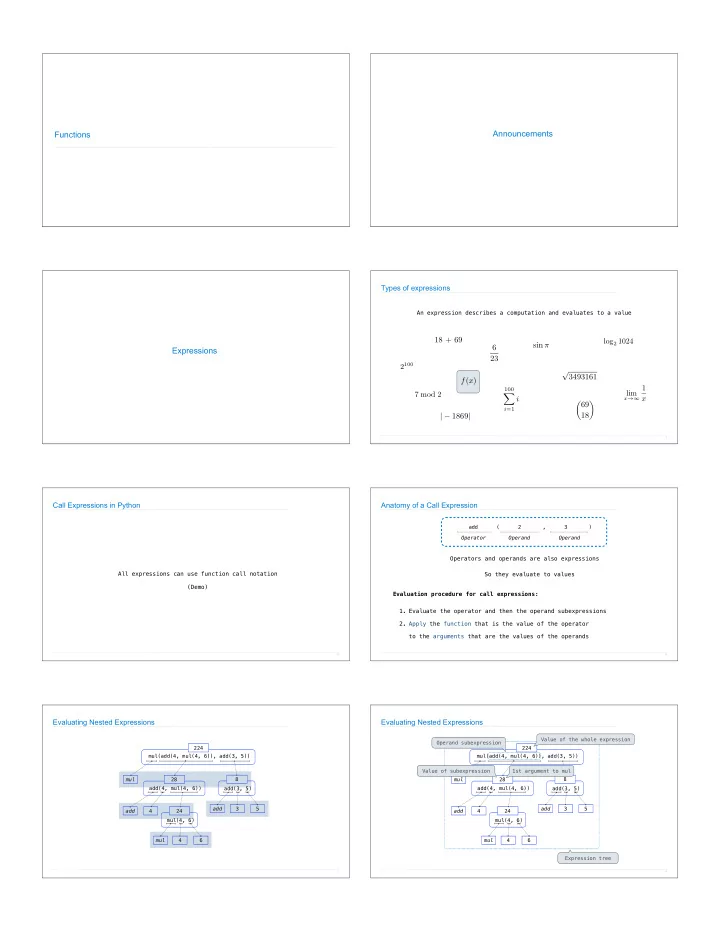
Announcements Functions Types of expressions An expression - - PDF document

announcements functions
SMART_READER_LITE
LIVE PREVIEW

Announcements Functions Types of expressions An expression - - PDF document

Announcements Functions Types of expressions An expression describes a computation and evaluates to a value 18 + 69 log 2 1024 sin 6 Expressions 23 2 100 3493161 f ( x ) 1 100 lim 7 mod 2 X i x x 69 i =1 |


slide-1
SLIDE 1

Functions Announcements Expressions 18 + 69 6 23 √ 3493161 sin π f(x)

100

X

i=1

i | − 1869| ✓69 18 ◆ 2100 log2 1024 7 mod 2 lim

x→∞

1 x Types of expressions

4

An expression describes a computation and evaluates to a value

Call Expressions in Python

All expressions can use function call notation (Demo)

5

Anatomy of a Call Expression

6

Evaluation procedure for call expressions:

add ( 2 , 3 ) Operator Operand Operand

Operators and operands are also expressions

  • 1. Evaluate the operator and then the operand subexpressions
  • 2. Apply the function that is the value of the operator

to the arguments that are the values of the operands So they evaluate to values

224 mul(add(4, mul(4, 6)), add(3, 5)) add(4, mul(4, 6))

Evaluating Nested Expressions

7

28 mul add 4 mul(4, 6) mul 4 6 24 add(3, 5) add 3 5 8 224 mul(add(4, mul(4, 6)), add(3, 5)) add(4, mul(4, 6)) 28 mul add 4 mul(4, 6) mul 4 6 24 add(3, 5) add 3 5 8

Evaluating Nested Expressions

8

Expression tree Operand subexpression 1st argument to mul Value of the whole expression Value of subexpression

slide-2
SLIDE 2

Names, Assignment, and User-Defined Functions

(Demo)

Types of Expressions

Primitive expressions: Call expressions: 2 add 'hello' max ( 2 , 3 ) Operator Operand Operand max(min(pow(3, 5), -4), min(1, -2)) Number or Numeral Name String

10

An operand can also be a call expression

Discussion Question 1

What is the value of the final expression in this sequence? >>> f = min >>> f = max >>> g, h = min, max >>> max = g >>> max(f(2, g(h(1, 5), 3)), 4)

???

11

Environment Diagrams

Environment Diagrams

(Demo) Name Value Import statement Each name is bound to a value Within a frame, a name cannot be repeated Statements and expressions Arrows indicate evaluation order Frames (right): Code (left): Environment diagrams visualize the interpreter’s process.

13

Just executed Next to execute Assignment statement

http://pythontutor.com/composingprograms.html#code=from%20math%20import%20pi%0Atau%20%3D%202%20*%20pi&cumulative=false&curInstr=1&mode=display&origin=composingprograms.js&py=3&rawInputLstJSON=%5B%5D

Assignment Statements

Execution rule for assignment statements:

  • 1. Evaluate all expressions to the right of = from left to right.
  • 2. Bind all names to the left of = to those resulting values in the current frame.

14

Just executed Just executed Next to execute

http://pythontutor.com/composingprograms.html#code=a%20%3D%201%0Ab%20%3D%202%0Ab,%20a%20%3D%20a%20%2B%20b,%20b&cumulative=false&curInstr=0&mode=display&origin=composingprograms.js&py=3&rawInputLstJSON=%5B%5D

Discussion Question 1 Solution

15

func min(...) 4 3 f(2, g(h(1, 5), 3)) 3 g(h(1, 5), 3) 3 func max(...) 2 3 h(1, 5) func min(...) 5 5 func max(...) 1

3

(Demo)

http://pythontutor.com/composingprograms.html#code=f%20%3D%20min%0Af%20%3D%20max%0Ag,%20h%20%3D%20min,%20max%0Amax%20%3D%20g%0Amax%28f%282,%20g%28h%281,%205%29,%203%29%29,%204%29&cumulative=false&curInstr=0&mode=display&origin=composingprograms.js&py=3&rawInputLstJSON=%5B%5D

Defining Functions

slide-3
SLIDE 3

Defining Functions

Assignment is a simple means of abstraction: binds names to values Function definition is a more powerful means of abstraction: binds names to expressions <name>(<formal parameters>): return <return expression> >>> def Execution procedure for def statements:

  • 1. Create a function with signature <name>(<formal parameters>)
  • 2. Set the body of that function to be everything indented after the first line
  • 3. Bind <name> to that function in the current frame

Function signature indicates how many arguments a function takes Function body defines the computation performed when the function is applied

17

Calling User-Defined Functions

Procedure for calling/applying user-defined functions (version 1):

  • 1. Add a local frame, forming a new environment
  • 2. Bind the function's formal parameters to its arguments in that frame
  • 3. Execute the body of the function in that new environment

Local frame Original name of function called Formal parameter bound to argument Return value (not a binding!) Built-in function User-defined function

18

http://pythontutor.com/composingprograms.html#code=from%20operator%20import%20mul%0Adef%20square%28x%29%3A%0A%20%20%20%20return%20mul%28x,%20x%29%0Asquare%28-2%29&cumulative=true&curInstr=0&mode=display&origin=composingprograms.js&py=3&rawInputLstJSON=%5B%5D

Calling User-Defined Functions

A function’s signature has all the information needed to create a local frame

19

Procedure for calling/applying user-defined functions (version 1):

  • 1. Add a local frame, forming a new environment
  • 2. Bind the function's formal parameters to its arguments in that frame
  • 3. Execute the body of the function in that new environment

http://pythontutor.com/composingprograms.html#code=from%20operator%20import%20mul%0Adef%20square%28x%29%3A%0A%20%20%20%20return%20mul%28x,%20x%29%0Asquare%28-2%29&cumulative=true&curInstr=0&mode=display&origin=composingprograms.js&py=3&rawInputLstJSON=%5B%5D

Looking Up Names In Environments

Every expression is evaluated in the context of an environment. So far, the current environment is either:

  • The global frame alone, or
  • A local frame, followed by the global frame.

Most important two things I’ll say all day: An environment is a sequence of frames. A name evaluates to the value bound to that name in the earliest frame of the current environment in which that name is found. E.g., to look up some name in the body of the square function:

  • Look for that name in the local frame.
  • If not found, look for it in the global frame.

(Built-in names like “max” are in the global frame too, but we don’t draw them in environment diagrams.) (Demo)

20