Animal Management Module 1. Animal orders will be in this module - - PDF document

animal management module 1 animal orders will be in this
SMART_READER_LITE
LIVE PREVIEW

Animal Management Module 1. Animal orders will be in this module - - PDF document

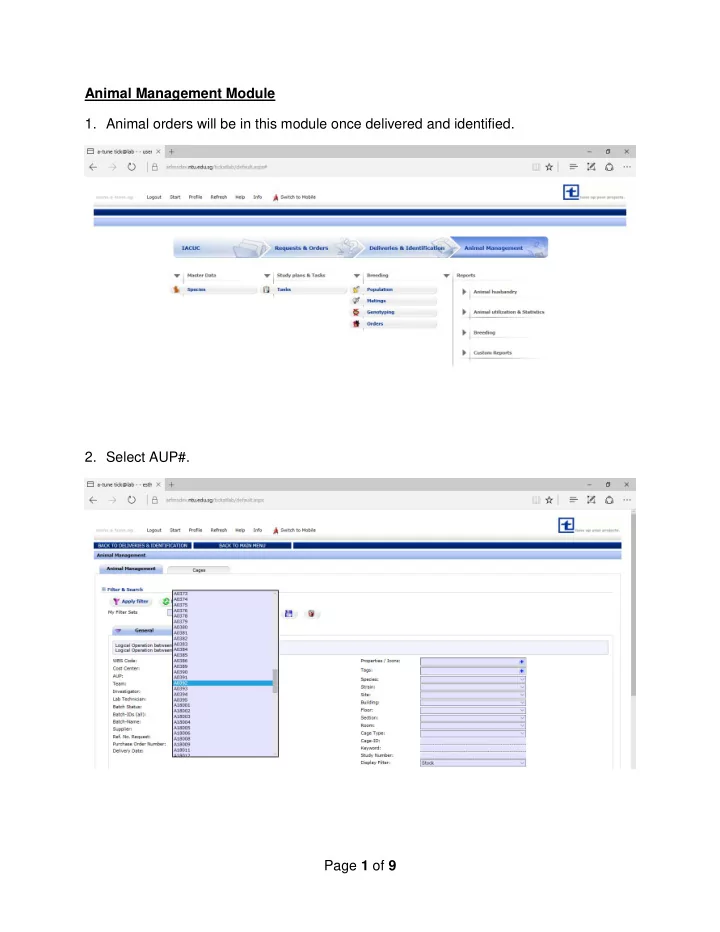
Animal Management Module 1. Animal orders will be in this module once delivered and identified. 2. Select AUP#. Page 1 of 9 3. Apply filter. 4. Order can be found in the No. of entries section. Page 2 of 9 5. Right click and select In


slide-1
SLIDE 1

Page 1 of 9 Animal Management Module

  • 1. Animal orders will be in this module once delivered and identified.
  • 2. Select AUP#.
slide-2
SLIDE 2

Page 2 of 9

  • 3. Apply filter.
  • 4. Order can be found in the “No. of entries” section.
slide-3
SLIDE 3

Page 3 of 9

  • 5. Right click and select “In Experiment”.
  • 6. Input comment box type of experiment.
slide-4
SLIDE 4

Page 4 of 9

  • 7. Status changed to “In Experiment”.
  • 8. Termination of animals.
slide-5
SLIDE 5

Page 5 of 9

  • 9. Input “Date” and “Exit Reason” for termination.

10. Input “Pain Category”.

slide-6
SLIDE 6

Page 6 of 9 11. Save input and detail will show in “Termination” section. 12. Go back to Main Menu and select “Animal Exits”.

slide-7
SLIDE 7

Page 7 of 9 13. Click “Apply Filter” to display animals that have exited from the colony.

Animals that are NOT used for experiments (For e.g. moribund/sick, too old for breeding/experiments) For animals that are purchased but not used for experiments, the pain classification has to be input in the animal details before termination. To do this, please follow the steps below:

  • 1. Select the required animal, right click and select “Details”. The animal’s status will be “Ready” since it

has not been used for experiments.

slide-8
SLIDE 8

Page 8 of 9

  • 2. A pop-up window will appear. Input the pain classification 1 and click “Save”.

Note: Please do NOT select Pain Classification 4 as this pain category is used for AVA annual reporting of animals that are in stock.

  • 3. Proceed to terminate the animals. Right click “Termination”.
slide-9
SLIDE 9

Page 9 of 9

  • 4. Enter the No. of Animals for Termination and Input “Exit Reason”.