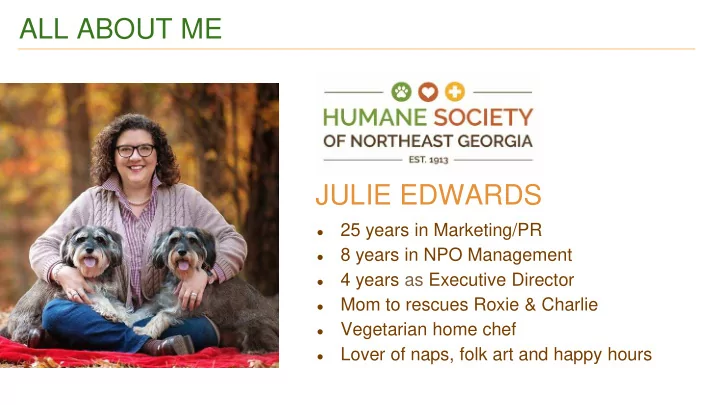
ALL ABOUT ME JULIE EDWARDS 25 years in Marketing/PR 8 years in - - PowerPoint PPT Presentation

all about me julie edwards
SMART_READER_LITE
LIVE PREVIEW

ALL ABOUT ME JULIE EDWARDS 25 years in Marketing/PR 8 years in - - PowerPoint PPT Presentation

ALL ABOUT ME JULIE EDWARDS 25 years in Marketing/PR 8 years in NPO Management 4 years as Executive Director Mom to rescues Roxie & Charlie Vegetarian home chef Lover of naps, folk art and happy hours Show


slide-1
SLIDE 1

ALL ABOUT ME

  • 25 years in Marketing/PR
  • 8 years in NPO Management
  • 4 years as Executive Director
  • Mom to rescues Roxie & Charlie
  • Vegetarian home chef
  • Lover of naps, folk art and happy hours

JULIE EDWARDS

slide-2
SLIDE 2

Show Love Live!

Using Facebook Live to Connect with Donors

slide-3
SLIDE 3

GET STARTED

  • Very first LIVE Facebook video on June 20, 2016
  • Soon after began LIVE @ LUNCH weekly
  • In August, started using LIVE spots to update on special cases
slide-4
SLIDE 4

NEXT STEPS

  • Began using for “live updates” on giving days/special campaigns
  • Started “day of rescue” lives
  • Began adding “DONATE” button where appropriate

56 SHARES, 4K Views, 187 Reactions, 26 Comments 58 SHARES, 5K Views, 183 Reactions, 34 Comments, $625 Donated

slide-5
SLIDE 5

GO PRO

Use LIVE to provide impact reports for your supporters! NOTE: You can download Facebook videos and send in email, so “repurpose” to send to donors individually or as a segmented group!

9 SHARES, 2.3K Views, 44 Reactions, 5 Comments

slide-6
SLIDE 6

EQUIPMENT

  • iPhone or Webcam
  • Tripod
  • Microphone (outside v. inside)
slide-7
SLIDE 7

PREP IS EVERYTHING!

  • Notify people videoing is happening
  • Check the background/video area
  • Make a bullet list of points if needed
  • Have “props” within reach
  • Prep co-presenters
  • Review flow with camera person
slide-8
SLIDE 8

TIME TO ROLL

  • Film HORIZONTALLY!
  • Introduce yourself/your organization
  • Shoot for minimum of 15 minutes
  • Repeat, repeat, repeat
  • Include topic and links
slide-9
SLIDE 9

PRESENTER POINTS

  • Be authentic, don’t read from a script
  • Conversational tone
  • Greet viewers/answer comments
  • Roll with the punches
slide-10
SLIDE 10

BENEFITS

  • Shows team as warm, caring

professionals

  • Gives supporters an “insider” look

at your organization

  • Shows “first-hand” how their support

is making a difference

slide-11
SLIDE 11

BOTTOM LINE

  • … makes you comfortable
  • … you can do well
  • … works for your organization

PS, Check out our LIVE videos at Facebook.com/HSNEGA

DO WHAT…