Algorithms and Data Structures IS311 Algorithm Sequence of steps - - PowerPoint PPT Presentation

algorithms and data structures
SMART_READER_LITE
LIVE PREVIEW

Algorithms and Data Structures IS311 Algorithm Sequence of steps - - PowerPoint PPT Presentation

Algorithms and Data Structures IS311 Algorithm Sequence of steps used to solve a problem Data Structures and Operates on collection of data Each element of collection - > data structure Java Collections Framework


slide-1
SLIDE 1

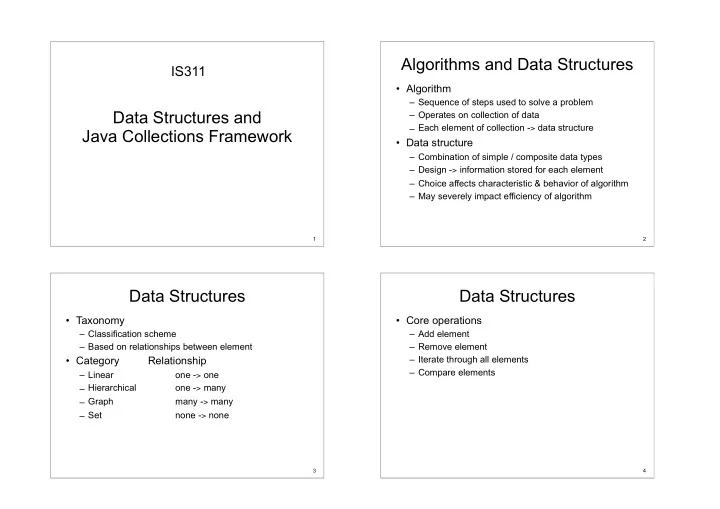
Data Structures and
 Java Collections Framework

IS311

1

Algorithms and Data Structures

  • Algorithm

– Sequence of steps used to solve a problem – Operates on collection of data – Each element of collection -> data structure

  • Data structure

– Combination of simple / composite data types – Design -> information stored for each element – Choice affects characteristic & behavior of algorithm – May severely impact efficiency of algorithm

2

Data Structures

  • Taxonomy

– Classification scheme – Based on relationships between element

  • Category

Relationship

– Linear

  • ne -> one

– Hierarchical

  • ne -> many

– Graph many -> many – Set none -> none

3

Data Structures

  • Core operations

– Add element – Remove element – Iterate through all elements – Compare elements

4

slide-2
SLIDE 2

Linear Data Structures

One-to-one relationship between elements (ส้วน ย้อย, องคํประกอบมฺลฐาน)

– Each element has unique predecessor (ตาวนิหน๊า) – Each element has unique successor (ตาวตามหลาง)

5

Linear Data Structures

  • Core operations

– Find first element (head - หาว) – Find next element (successor) – Find last element (tail - หาง)

  • Terminology

– Head -> no predecessor – Tail -> no successor

6

Example Linear Data Structures

  • List

– Collection of elements in order

  • Queue

– Elements removed in order of insertion – First-in, First-out (FIFO)

  • Stack

– Elements removed in opposite order of insertion – First-in, Last-out (FILO)

7

Hierarchical Data Structures

  • One-to-many relationship between elements

– Each element has unique predecessor – Each element has multiple successors

1 2 3 5 4 6 7 8 9 10 8

slide-3
SLIDE 3

Hierarchical Data Structures

  • Terminology

– Root -> no predecessor – Leaf -> no successor – Interior -> non-leaf – Children -> successors – Parent -> predecessor

  • Core operations

– Find first element (root) – Find successor elements (children) – Find predecessor element (parent)

9

Example Hierarchical Data Structures

  • Tree

– Single root

  • Forest

– Multiple roots

  • Binary tree

– Tree with 0–2 children per node Tree Binary Tree

10

Graph Data Structures

  • Many-to-many relationship between elements

– Each element has multiple predecessors – Each element has multiple successors

11

Graph Data Structures

  • Terminology

– Directed -> traverse edges in one direction – Undirected -> traverse edges in both directions – Neighbor -> adjacent node – Path -> sequence of edges – Cycle -> path returning to same node – Acyclic -> no cycles

  • Core operations

– Find successor nodes – Find predecessor nodes – Find adjacent nodes (neighbors)

12

slide-4
SLIDE 4

Example Graph Data Structures

  • Undirected graph

– Undirected edges

  • Directed graph

– Directed edges

  • Directed acyclic graph (DAG)

– Directed edges, no cycles Undirected Directed DAG

13

Set Data Structures

  • No relationship between elements

– Elements have no predecessor / successor – Only one copy of element allowed in set Set B Set C Set A

14

Set Data Structures

  • Terminology

– Subset -> elements contained by set – Union -> select elements in either set – Intersection -> select elements in both sets – Set difference -> select elements in one set only

  • Core operations

– Add set, remove set, compare set

15

Example Set Data Structures

  • Set

– Basic set

  • Map

– Map value to element in set

  • Hash Table

– Maps value to element in set using hash function Set Map Hash Table

h(n)

16

slide-5
SLIDE 5

Software Framework

software framework is an abstraction in which software providing generic functionality can be selectively changed by additional user-written code, thus providing application-specific software. A software framework is a universal, reusable software environment that provides particular functionality as part of a larger software platform to facilitate development of software applications, products and solutions. Software frameworks may include support programs, compilers, code libraries, tool sets, and application programming interfaces (APIs) that bring together all the different components to enable development of a project or solution.

17

ดฺเพิ้มเตีมที้ https://en.wikipedia.org/wiki/Software_framework

Java Collections Framework

  • Collection

– Object that groups multiple elements into one unit – Also called container

  • Collection framework consists of

– Interfaces

  • Abstract data type

– Implementations

  • Reusable data structures

– Algorithms

  • Reusable functionality

18

Java Collections Framework

  • Goals

– Reduce programming effort – Make APIs easier to learn – Make APIs easier to design and implement – Reuse software – Increase performance

19

Core Collection Interfaces

  • Collection

– Group of elements

  • Set

– No duplicate elements

  • List

– Ordered collection

  • Map

– Maps keys to elements

  • SortedSet, SortedMap

– Sorted ordering of elements

20

slide-6
SLIDE 6

Core Collection Hierarchy

21

Collections Interface Implementations

  • General implementations

– Primary public implementation – Example

  • List – ArrayList, LinkedList
  • Set – TreeSet, HashSet
  • Map – TreeMap, HashMap

22

Collections Interface Methods

  • boolean add(Object o)

– Add specified element

  • boolean contains(Object o)

– True if collection contains specified element

  • boolean remove(Object o)

– Removes specified element from collection

  • boolean

equals(Object o)

– Compares object with collection for equality

  • 23

Collections Interface Methods

  • boolean addAll(Collection c)

– Adds all elements in specified collection

  • boolean containsAll(Collection c)

– True if collection contains all elements in collection

  • boolean removeAll(Collection c)

– Removes all elements in specified collection

  • boolean

retainAll(Collection c)

– Retains only elements contained in specified collection

24

slide-7
SLIDE 7

Collections Interface Methods

  • void clear()

– Removes all elements from collection

  • boolean isEmpty()

– True if collection contains no elements

  • int size()

– Returns number of elements in collection

  • Object[] toArray()

– Returns array containing all elements in collection

  • Iterator iterator()

– Returns an iterator over the elements in collection

25

Iterator Interface

  • Iterator

– Common interface for all Collection classes – Used to examine all elements in collection

  • Properties

– Order of elements is unspecified (may change) – Can remove current element during iteration – Works for any collection

26

Iterator Interface

  • Interface

public interface Iterator { boolean hasNext(); Object next(); void remove(); // optional, called once per next() }

  • Example usage

Iterator i = myCollection.iterator(); while (i.hasNext()) { myCollectionElem x = (myCollectionElem) i.next(); }

27

New Features in Java 1.5

  • Enumerated types
  • Enhanced for loop
  • Autoboxing & unboxing
  • Scanner
  • Generic types
  • Variable number of arguments (varargs)
  • Static imports
  • Annotations

28

slide-8
SLIDE 8

Generics – Motivating Example

  • Problem

– Utility classes handle arguments as Objects – Objects must be cast back to actual class – Casting can only be checked at runtime

  • Example

class A { … } class B { … } List myL = new List(); myL.add(new A()); // Add an object of type A … B b = (B) myL.get(0);// throws runtime exception // java.lang.ClassCastException

29

Solution – Generic Types

  • Generic types

– Provides abstraction over types – Can parameterize classes, interfaces, methods – Parameters defined using <x> notation

  • Examples

– public class foo<x, y, z> { … } – public class List<String> { … }

  • Improves

– Readability & robustness

  • Used in Java Collections Framework

30

Generics – Usage

  • Using generic types

– Specify <type parameter> for utility class – Automatically performs casts – Can check class at compile time

  • Example

class A { … } class B { … } List<A> myL = new List<A>(); myL.add(new A()); // Add an object of type A myL.add(new B()); // cause compile time error A a = myL.get(0); // myL element -> class A … B b = (B) myL.get(0); // causes compile time error

31

Generics – Issues

  • Generics and subtyping

– Even if class A extends class B – List<A> does not extend List<B>

  • Example

class B { … } class A extends B { … } // A is subtype of B B b = new A(); // A used in place of B List<B> myL = new List<A>(); // compile time error // List<A> used in place of List<B> // List<A> is not subtype of List<B>

32

slide-9
SLIDE 9

Linear Data Structures

33

Static vs. Dynamic Structures

  • A static data structure has a fixed size
  • This meaning is different from the meaning of the

static modifier

  • Arrays are static; once you define the number of

elements it can hold, the number doesn’t change

  • A dynamic data structure grows and shrinks at execution

time as required by its contents

  • A dynamic data structure is implemented using links

34

Linked Lists

  • A linked list is a series of connected nodes
  • Each node contains at least

– A piece of data (any type) – Pointer to the next node in the list

  • Head: pointer to the first node
  • The last node points to NULL

A ∅ Head B C A

data pointer node

35

Object References

  • Recall that an object reference is a variable that

stores the address of an object

  • A reference also can be called a pointer
  • References often are depicted graphically:

student John Smith 40725 3.58

36

slide-10
SLIDE 10

References as Links

  • Object references can be used to create links

between objects

  • Suppose a Student class contains a reference

to another Student object

John Smith 40725 3.57 Jane Jones 58821 3.72

37 39

References as Links

  • References can be used to create a variety of

linked structures, such as a linked list:

studentList

38

Intermediate Nodes

  • The objects being stored should not be concerned

with the details of the data structure in which they may be stored

  • For example, the Student class should not have

to store a link to the next Student object in the list

  • Instead, we can use a separate node class with

two parts: 1) a reference to an independent object and 2) a link to the next node in the list

  • The internal representation becomes a linked list of

nodes

39

Inserting a Node

  • A method called insert could be defined to add a

node anywhere in the list, to keep it sorted, for example

  • Inserting at the front of a linked list is a special case

40

slide-11
SLIDE 11

42

Inserting a Node

  • When inserting a node in the middle of a linked

list, we must first find the spot to insert it

  • Let current refer to the node before the spot

where the new node will be inserted

41

Deleting a Node

  • A method called delete could be defined to

remove a node from the list

  • Again the front of the list is a special case:

➢ Deleting from the middle of the list:

42

Other Dynamic List Representations

It may be convenient to implement as list as a doubly linked list, with next and previous references

list

43

Other Dynamic List Implementations

It may be convenient to use a separate header node, with a count and references to both the front and rear of the list

count: 4 front rear

list

44

slide-12
SLIDE 12

Other Dynamic List Implementations

  • A linked list can be circularly linked in which case the last

node in the list points to the first node in the list

  • If the linked list is doubly linked, the first node in the list

also points to the last node in the list

  • The representation should facilitate the intended
  • perations and should make them easy to implement

45

Queues

  • A queue is similar to a list but adds items only to the rear
  • f the list and removes them only from the front
  • It is called a FIFO data structure: First-In, First-Out
  • Analogy: a line of people at a bank teller’s window

46

Queues

  • We can define the operations for a queue

– enqueue() - add an item to the rear of the queue – dequeue() - remove an item from the front of the queue – isEmpty() - returns true if the queue is empty

  • Queues often are helpful in simulations or any situation in

which items get “backed up” while awaiting processing

  • Java provides a Queue interface, which the LinkedList

class implements: Queue<String> q = new LinkedList<String>();

47

public interface Queue<E> extends Collection<E>

public interface Queue<E> extends Collection<E> {
 boolean add(E e) เพิ่มรายการใหม่เข้าไปในคิว
 boolean offer(E e) เพิ่มรายการใหม่เข้าไปในคิว
 E element(); คืนค่าเป็นอ๊อบเจ็กต์ตัวหน้าสุดโดยไม่ ลบออก E peek(); คืนค่าเป็นอ๊อบเจ็กต์ตัวหน้าสุดโดยไม่ลบออก boolean offer(E e); ใส่รายการใหม่ e เข้าไปในคิว E remove(); คืนค่าเป็นอ๊อบเจ็กต์ตัวหน้าสุดและลบออก E poll(); คืนค่าเป็นอ๊อบเจ็กต์ตัวหน้าสุดและลบออก }

48

slide-13
SLIDE 13
  • In a priority queue, some elements get to “cut in line”
  • The enqueue and isEmpty operations behave the same

as with normal queues

  • The dequeue operation removes the element with the

highest priority

49

Priority Queues กองซ๊อน (Stacks)

  • A stack ADT is also linear, like a list or a queue
  • Items are added and removed from only one end of a

stack

  • It is therefore LIFO: Last-In, First-Out
  • Analogies: a stack of plates in a cupboard, a stack of

bills to be paid, or a stack of hay bales in a barn

50

Stacks

  • Stacks often are drawn vertically:

pop push

51

Plate Lowerator/Stacker
 ภาพจาก http://www.southernhospitality.co.nz/

Stacks

  • Some stack operations:

– push() - add an item to the top of the stack – pop() - remove an item from the top of the stack – peek() - retrieves the top item without removing it – isEmpty() - returns true if the stack is empty – search(Object o) - Returns the 1-based position

  • A stack can be represented by a singly-linked list; it

doesn’t matter whether the references point from the top toward the bottom or vice versa

  • A stack can be represented by an array

52

slide-14
SLIDE 14

Stacks

  • The Stack class is part of the Java Collections

API and thus is a generic class

Stack<String> strStack = new Stack<String>();

53

อีนเทอรํเฟส ListIterator <E>

  • เป่น subinterface ของ Iterator <E> สิหราบใช๊กาบ LinkedList
  • มึเมท่อดเพิ้มเตีมจาก Iterator คุอ

– void add(E e) เพิ้มส้วนย้อยลงใน list ตรงติแหน้งก้อนที้จะเรึยกเมท่อด next() – boolean hasPrevious() มีตัวที่มาก่อนหน้าหรือไม่ – E previous() เดินถอยหลัง 1 ตําแหน่งแล้วคืนค่าเป็นอ๊อบเจ๊กต์ ณ ตําแหน่งนั้น – void remove() ลบส้วนย้อยตาวล้าสูดที้ได๊จากการเรึยกเมท่อด next() หรุอ previous ออกจาก list – void set(E e) นิส้วนย้อย e เข๊าแทนที้ติแหน้งส้วนย้อยตาวล้าสูดที้ได๊จากการเรึยก
 เมท่อด next() หรุอ previous() – int nextIndex() คุนค้าเป่น index ของส้วนย้อยที้จะได๊จากการเรึยกเมท่อด next() ในลิดาบถาดไป – int previousIndex() คุนค้าเป่น index ของส้วนย้อยที้จะได๊จากการเรึยก
 เมท่อด previous() ในลิดาบถาดไป

54