Algorithms and Data Structures: Overview Algorithms and data - - PowerPoint PPT Presentation

algorithms and data structures overview
SMART_READER_LITE
LIVE PREVIEW

Algorithms and Data Structures: Overview Algorithms and data - - PowerPoint PPT Presentation

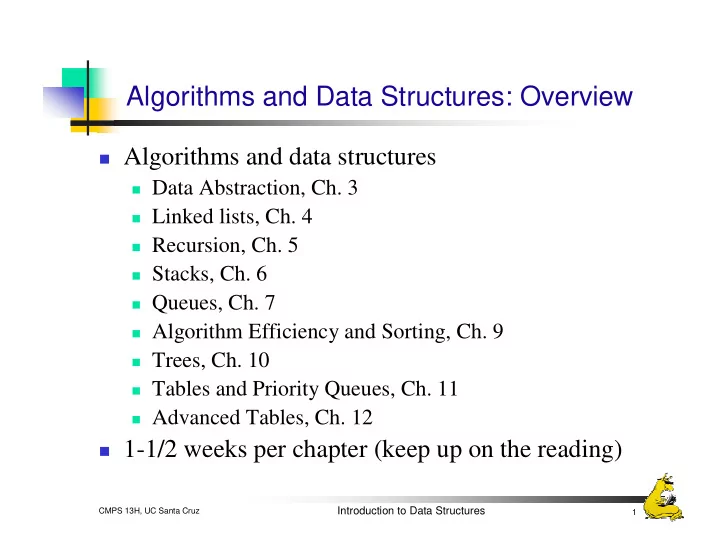
Algorithms and Data Structures: Overview Algorithms and data structures Data Abstraction, Ch. 3 Linked lists, Ch. 4 Recursion, Ch. 5 Stacks, Ch. 6 Queues, Ch. 7 Algorithm Efficiency and Sorting, Ch. 9 Trees, Ch. 10


slide-1
SLIDE 1

Introduction to Data Structures

1 CMPS 13H, UC Santa Cruz

Algorithms and Data Structures: Overview

Algorithms and data structures

Data Abstraction, Ch. 3 Linked lists, Ch. 4 Recursion, Ch. 5 Stacks, Ch. 6 Queues, Ch. 7 Algorithm Efficiency and Sorting, Ch. 9 Trees, Ch. 10 Tables and Priority Queues, Ch. 11 Advanced Tables, Ch. 12

1-1/2 weeks per chapter (keep up on the reading)

slide-2
SLIDE 2

Introduction to Data Structures

Chapter 3: Data Abstraction

Data Abstraction and Problem Solving with Java: Walls and Mirrors By Carrano and Pritchard

slide-3
SLIDE 3

Introduction to Data Structures

3 CMPS 13H, UC Santa Cruz

Modularity

Modularity is:

Well-defined components, with Well-defined interfaces

Technique: split each object/procedure into simpler

  • bjects/procedures until you have trivial
  • bjects/procedures that are easy to design and

implement

A technique for managing complexity

Design and implementation focuses on one

component at a time

Easier to write, read, and modify Isolates errors and eliminates redundancy

slide-4
SLIDE 4

Introduction to Data Structures

4 CMPS 13H, UC Santa Cruz

Modular Design

Interface:

What each component does How you communicate with it (inputs and outputs)

Design:

How a component does what it does, using other

components

Build up complex components from simple ones

Top-down design

Start with a high-level design, then refine until each

component until you get to trivial ones

Bottom-up Implementation

Build simple modules and put them together to get

complex functionality

slide-5
SLIDE 5

Introduction to Data Structures

5 CMPS 13H, UC Santa Cruz

Data Abstraction

  • 1. Decide what data elements you will be operating on
  • 2. Decide what operations you will be doing to each

data element

  • 3. Define a clean interface to these operations
  • That is independent of the implementation
  • 4. Implement the objects
  • Data and data structures
  • Interfaces
  • Procedures
  • Now you have an Abstract Data Type (ADT)
slide-6
SLIDE 6

Introduction to Data Structures

6 CMPS 13H, UC Santa Cruz

ADTs vs. Data Structures

An ADT is a description of some type of data (or a

collection of data) and the operations on that data

Example: A Bank

It stores money You can deposit, withdraw, write checks, check balance

A data structure is a way of structuring some

collection of data

Example: A pile of money, a safe full of money, etc.

ADTs have clean interfaces, and the implementation

details are hidden

Data structures are often used to implement ADTs

slide-7
SLIDE 7

Introduction to Data Structures

7 CMPS 13H, UC Santa Cruz

ADT Examples

Student record Class List A Student’s Transcript A complex number Graphical elements (e.g., shapes) Formatted documents A GUI button Notice that each of these is a collection of objects

Sometimes the objects in the collection are of the same

type, and sometimes different types

Basic objects vs. container objects

Let’s specify these in more detail

slide-8
SLIDE 8

Introduction to Data Structures

8 CMPS 13H, UC Santa Cruz

Example: A List

Think of a list of words:

A shopping list A todo list A schedule A list of people in this class Etc.

In some order All of the items are of the same type Operations: <discuss> Variations: order, type, common operations, size, …

slide-9
SLIDE 9

Introduction to Data Structures

9 CMPS 13H, UC Santa Cruz

ADT List Operations

  • 1. Create an empty list
  • 2. Determine whether a list is empty
  • 3. Determine the number of items on a list
  • 4. Add an item at a given position in a list
  • 5. Remove the item at a given position in a list
  • 6. Remove all the items from a list
  • 7. Get the item at a given position in a list
  • 8. Other operations?
slide-10
SLIDE 10

Introduction to Data Structures

10 CMPS 13H, UC Santa Cruz

Specifications: createList()

Description:

Creates a new, empty list

Inputs:

Nothing or Type of items in list

Outputs:

None

Result:

A new empty list is created

What haven’t we specified?

Size Maybe type Anything else?

slide-11
SLIDE 11

Introduction to Data Structures

11 CMPS 13H, UC Santa Cruz

Specifications: isEmpty()

Description:

Checks to see if a list is empty

Inputs:

None

Outputs:

true if the list is empty false if the list is not empty

Result:

The list is unchanged

slide-12
SLIDE 12

Introduction to Data Structures

12 CMPS 13H, UC Santa Cruz

Specifications: add(index, item)

Description:

Adds an item to a list

Inputs:

index: where in the list to add the item item: the item to add to the list

Outputs:

Throws an exception if the index is out of range, or if the

list is full

Otherwise, the list now contains item

Result:

If index is valid, item is now in the list and all items after

index have moved up one position

slide-13
SLIDE 13

Introduction to Data Structures

13 CMPS 13H, UC Santa Cruz

Specifications: remove(index)

Description:

Removes an item from a list

Inputs:

index: which item to remove

Outputs:

Throws an exception if the index is out of range, or if the

list is empty

Result:

If index is valid, the item has been removed from the list

and all items above index have been moved down one position

slide-14
SLIDE 14

Introduction to Data Structures

14 CMPS 13H, UC Santa Cruz

Specifications: removeAll()

Description:

Removes all items from a list

Inputs:

None

Outputs:

None

Results:

The list is now empty

slide-15
SLIDE 15

Introduction to Data Structures

15 CMPS 13H, UC Santa Cruz

Specifications: get(index)

Description:

Gets an item from a list

Inputs:

index: the item to get

Outputs:

Returns the item at the specified index Throws an exception if index is out of range

Results:

The list is unchanged

slide-16
SLIDE 16

Introduction to Data Structures

16 CMPS 13H, UC Santa Cruz

Example Usage

Assume lists contains strings

new List aList; aList

slide-17
SLIDE 17

Introduction to Data Structures

17 CMPS 13H, UC Santa Cruz

Example Usage

Assume lists contains strings

New List aList; aList = aList.createList();

slide-18
SLIDE 18

Introduction to Data Structures

18 CMPS 13H, UC Santa Cruz

Example Usage

Assume lists contains strings

New List aList; aList aList.createList(); Milk aList.add(1, “Milk”);

slide-19
SLIDE 19

Introduction to Data Structures

19 CMPS 13H, UC Santa Cruz

Example Usage

Assume lists contains strings

New List aList; aList aList.createList(); Milk aList.add(1, “Milk”); Eggs aList.add(2, “Eggs”);

slide-20
SLIDE 20

Introduction to Data Structures

20 CMPS 13H, UC Santa Cruz

Example Usage

Assume lists contains strings

New List aList; aList aList.createList(); Milk aList.add(1, “Milk”); Eggs aList.add(2, “Eggs”); Butter aList.add(3, “Butter”);

slide-21
SLIDE 21

Introduction to Data Structures

21 CMPS 13H, UC Santa Cruz

Example Usage

Assume lists contains strings

New List aList; aList aList.createList(); Milk aList.add(1, “Milk”); Eggs aList.add(2, “Eggs”); Butter aList.add(3, “Butter”); Apple aList.add(4, “Apple”);

slide-22
SLIDE 22

Introduction to Data Structures

22 CMPS 13H, UC Santa Cruz

Example Usage

Assume lists contains strings

New List aList; aList aList.createList(); Milk aList.add(1, “Milk”); Eggs aList.add(2, “Eggs”); Butter aList.add(3, “Butter”); Apple aList.add(4, “Apple”); Bread aList.add(5, “Bread”);

slide-23
SLIDE 23

Introduction to Data Structures

23 CMPS 13H, UC Santa Cruz

Example Usage

Assume lists contains strings

New List aList; aList aList.createList(); Milk aList.add(1, “Milk”); Eggs aList.add(2, “Eggs”); Butter aList.add(3, “Butter”); Apple aList.add(4, “Apple”); Bread aList.add(5, “Bread”); Chicken aList.add(6, “Chicken”);

slide-24
SLIDE 24

Introduction to Data Structures

24 CMPS 13H, UC Santa Cruz

Example Usage

Assume lists contains strings

New List aList; aList aList.createList(); Milk aList.add(1, “Milk”); Eggs aList.add(2, “Eggs”); Butter aList.add(3, “Butter”); aList.add(4, “Apple”); aList.add(5, “Bread”); aList.add(6, “Chicken”); aList.add(4, “Nuts”); Apple Bread Chicken Nuts

slide-25
SLIDE 25

Introduction to Data Structures

25 CMPS 13H, UC Santa Cruz

Example Usage

Assume lists contains strings

New List aList; aList aList.remove(5); Milk Eggs Butter Nuts Bread Chicken Apple

slide-26
SLIDE 26

Introduction to Data Structures

26 CMPS 13H, UC Santa Cruz

ADTs Revisited

ADTS specify

What is stored What operations can be performed on that data How to request the operations What is returned The state of the data after the operations

They do not specify

How the data is stored

Or even that it is stored at all

Think of the Bank analogy again

How the operations are performed

slide-27
SLIDE 27

Introduction to Data Structures

27 CMPS 13H, UC Santa Cruz

Our List Operations

add() adds data to a data collection remove() and removeAll() remove data from a data

collection

isEmpty(), size(), and get() ask questions about the

data in a data collection

Other operations

displayList() replace() List operations or external operations?

slide-28
SLIDE 28

Introduction to Data Structures

28 CMPS 13H, UC Santa Cruz

Using a List: displayList(List aList)

// Display the items in a List // Note: independent of List implementation void displayList(List list) { for(int index = 1; index < aList.size(); index++) { String dataItem = aList.get(index); System.out.println(“item ” + index + “: ” + dataItem); } }

slide-29
SLIDE 29

Introduction to Data Structures

29 CMPS 13H, UC Santa Cruz

Using a List: replace(List a, int i, String item)

// Replace the list element at index i with item // Note: independent of List implementation void replace(List a, int i, String item) { if(i >= 1 && i <= a.size()) { a.remove(i); a.add(i, item); } }

slide-30
SLIDE 30

Introduction to Data Structures

30 CMPS 13H, UC Santa Cruz

Alternate replace(List a, int i, String item)

// Replace the list element at index i with item // returns true if the operation succeeded boolean replace(List a, int i, String item) { try { a.remove(i); } catch(ListException e) { return false; } a.add(i, item); return true; }

slide-31
SLIDE 31

Introduction to Data Structures

31 CMPS 13H, UC Santa Cruz

Example

See List code

slide-32
SLIDE 32

Introduction to Data Structures

32 CMPS 13H, UC Santa Cruz

Example: A Sorted List

Often data is kept in a specified order

We call this sorted data

Static lists can be sorted once Dynamic lists (with things being added and deleted)

require that either

The modifications maintain the sorted order, or The data be resorted before certain operations.

Operations: create(), isEmpty(),size(), add(item),

remove(index), removeAll(), get(index), find(item).

How is this different from a List?

slide-33
SLIDE 33

Introduction to Data Structures

33 CMPS 13H, UC Santa Cruz

Example: A Phone Book

Data:

Phone records

Operations:

Add an entry Remove an entry Look up someone’s phone number (by name) View all entries View one entry at a time, in order Get the number of entries

Details:

Stored in alphabetical order

slide-34
SLIDE 34

Introduction to Data Structures

34 CMPS 13H, UC Santa Cruz

Phone Book Data and Operations

  • 1. void add(String firstName, String lastName, String

Number);

  • 2. boolean remove(int index);
  • 3. int find(String firstName, String lastName);
  • 4. String get(index); // returns the number
  • 5. int size();
slide-35
SLIDE 35

Introduction to Data Structures

35 CMPS 13H, UC Santa Cruz

Implementing an ADT

Once you have clearly defined data and operation,

you can implement your ADT

The implementation must respect the interface that

you have defined

The implementation should be flexible

Don’t arbitrarily limit the size Don’t make assumptions about how it will be used

The implementation should be efficient

Flexibility and efficiency are sometimes at odds

slide-36
SLIDE 36

Introduction to Data Structures

36 CMPS 13H, UC Santa Cruz

Encapsulation

Encapsulation: Placing the data and all of the

  • perations together in one well-defined place

Java supports encapsulation with Classes Classes define a new data type (an ADT, in fact) Classes contain both the data and the code for the

type

Called the member data and member functions (or

methods) of that type

How about C? How about C++?

slide-37
SLIDE 37

Introduction to Data Structures

37 CMPS 13H, UC Santa Cruz

Public vs. Private

Members (data and methods) can be public or

private

Private members are accessible only to methods in

that class

Private members support data hiding By default, everything is private

Public members are accessible to any method, inside

  • r outside the class

These are the interface methods

In general, the member data should always be

private, and all data access should be through methods.

slide-38
SLIDE 38

Introduction to Data Structures

38 CMPS 13H, UC Santa Cruz

Member Data vs. Local Variables

Member variables are part of the class

They last as long as the object lasts They are accessible by any method in the class

Local variables are part of a method

They last as long as the method is running The are accessible only within the method that they are

defined in

slide-39
SLIDE 39

Introduction to Data Structures

39 CMPS 13H, UC Santa Cruz

Constructors

Constructors are special methods They are called exactly once, when an object is

created using new

They initialize member variables, and do anything

else necessary at object creation

Constructors always have the same name as the class Constructors can take parameters Constructors never return anything There can be more than one constructor, with

different numbers and/or types of parameters

slide-40
SLIDE 40

Introduction to Data Structures

40 CMPS 13H, UC Santa Cruz

Example

See Phone Book code

slide-41
SLIDE 41

Introduction to Data Structures

41 CMPS 13H, UC Santa Cruz

Inheritance

Inheritance creates new classes as subclasses of

existing classes

Anywhere the base class would work, but subclass also

works (is-a relationship)

Example:

Class SortedList extends List { // Adds in sorted order public void add(item) { <the new add code> } }

slide-42
SLIDE 42

Introduction to Data Structures

42 CMPS 13H, UC Santa Cruz

Object Equality

Be careful when comparing objects Be default every object inherits from Object Object supports equals() But, equals() tests whether or not two objects are the

same object

If you want to be able to compare two objects, write

your own equals() method to replace the equals() method in the Object base class

Your method should compare the data members for

equality

slide-43
SLIDE 43

Introduction to Data Structures

43 CMPS 13H, UC Santa Cruz

Java Interfaces

An Interface is a specification of the methods that an

  • bject supports

A class may implement an interface

It must support all of the methods in the interface, exactly

as they are defined in the interface

A class that implements an interface may be used

anywhere that the interface is expected

slide-44
SLIDE 44

Introduction to Data Structures

44 CMPS 13H, UC Santa Cruz

Java Exceptions

Exceptions allow objects to signal exceptional

conditions to the objects that called them

They typically indicate run-time errors that are

serious, but not fatal

Array index out of bounds, invalid parameter, etc.

In C you would return an error code In Java you throw an exception The exception must be specified in the definition of

the method that may throw it

The calling method must use try and catch See examples