
SLIDE 1
CS 142 Lecture Notes: Ajax Slide 1
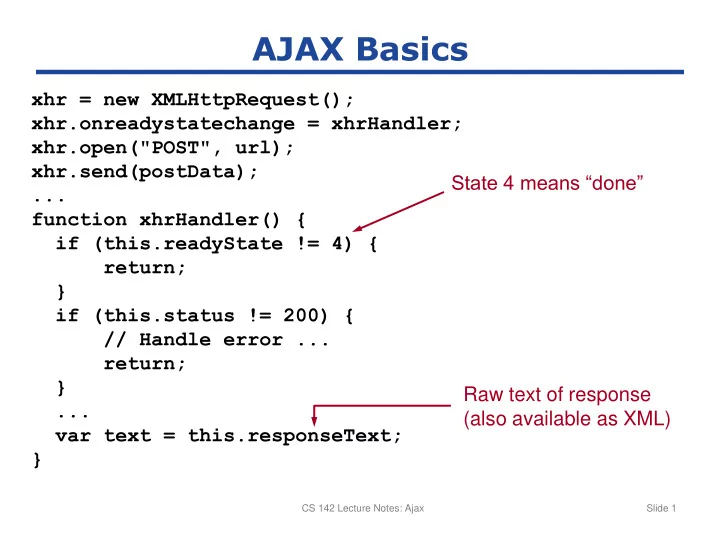
AJAX Basics xhr = new XMLHttpRequest(); xhr.onreadystatechange = - - PowerPoint PPT Presentation
AJAX Basics xhr = new XMLHttpRequest(); xhr.onreadystatechange = xhrHandler; xhr.open("POST", url); xhr.send(postData); State 4 means done ... function xhrHandler() { if (this.readyState != 4) { return; } if (this.status !=
CS 142 Lecture Notes: Ajax Slide 1
CS 142 Lecture Notes: Ajax Slide 2
Class StudentsController < ApplicationController def get_students @students = Student.find(:all) render :text => @students.to_json); end end [{"advisor_id":"2","birth":"1987-10-22", "gpa":3.9,"grad":2009,"id":1, "name":"Anderson"}, {"advisor_id":"1","birth":"1990-04-16", "gpa":3.1,"grad":2012,"id":2, "name":"Jones"}, ... ]
var students = eval(xhr.responseText);
Slide 3
CS 142 Lecture Notes: Cookies Slide 4