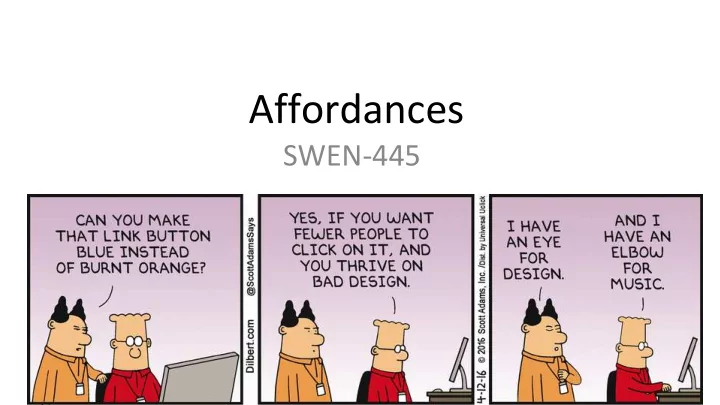
Affordances SWEN-445 What is an Affordance? Psychologist James - - PowerPoint PPT Presentation
Affordances SWEN-445 What is an Affordance? Psychologist James Gibson, Theory of Affordances, 1977 article The affordances of the environment are what it offers the animal, what it provides or furnishes, either for good or ill.
What is an Affordance?
- Psychologist James Gibson, “Theory of
Affordances”, 1977 article
– “The affordances of the environment are what it offers the animal, what it provides or furnishes, either for good or ill.
- Cognitive scientist Don Norman, studied
under Gibson.
– “... the term affordance refers to the perceived and actual properties of the thing, primarily those fundamental properties that determine just how the thing could possibly be used... Affordances provide strong cues to the operation of things.”
http://www.kkstudio.gr/projects/the-uncomfortable
Affordances in UX Design
- UX design must consider affordances and their role in
- Appearance
- Content and meaning
- Manipulation characteristics
- Software functionality connection
- Potential for emotional impact
- Affordances work together. Types of Affordances in
Interaction Design:
- Physical
- Cognitive
- Sensory
- Functional
- Emotional
Physical Affordances
- A design feature that facilitates or enables users to do
their physical actions
- Clicking, touching, pointing, gesturing, and moving things
- E.g., button size and location
- In non-computer designs, it is about handles, levers, gripping,
turning, moving things
- Design issues
- Physical characteristics of interaction devices
- Physical disabilities
Example - Physical Affordance
- Shape determines grasp strategy
Example - Physical Affordance
- Buttons afford pushing.
- Sliders and scroll bars afford dragging.
Fitts’ Law
- An empirical model explaining speed-accuracy tradeoff characteristics of
human muscle movement, 1954.
- The time taken to hit a target (e.g. a button, menu or icon on screen) is a
function of the size of the target and the distance that has to be moved to the target
- A larger target is easier to hit than a small one
- A close target is easier to hit than a distant one
- Time T to move your hand to a target of size S at distance D
– T= RT + MT
- RT is reaction time (get hand moving), and
- MT is movement time
– MT = a + b log(D/S + 1) – Where log(D/S + 1) is the index of difficulty
D S
Fitts’ Law Demo
Fitts Law Simulator
- Basis: physiological feedback loop
1. Perceptual processor perceives hand location 2. Cognitive processor compares to target location to determine remaining distance 3. Motor system corrects to move remaining distance (may overshoot)
Implications of Fitts’ Law
- Large targets and small distances between targets are advantageous
- Screen elements should occupy as much of the available screen space as
possible
- The largest Fitts-based pixel is the one under the cursor (why?)
- Screen elements should take advantage of the screen edge whenever possible
- The edges of the screen have infinite depth and no targeting required
- Steering tasks – moving linearly in a “tunnel” of length D and size S is more
difficult than pointing
Limitations of Fitts’ Law
- Grouped targets that are too close lead to
- vershoot errors
- Differing sizes conflict with consistency
- Frequency-based widget arrangements may be
less efficient to find things than logic-based arrangements
- Pop-up menus not visible until activated
- Speed-accuracy tradeoff - fast decision –
more errors and vice versa
Cognitive Affordances
- A design feature that facilitates or enables users to do their cognitive
actions
- Thinking
- Deciding
- Learning
- Understanding
- Remembering
- Knowing about things
- Precise words and symbols for communicating
- E.g., clear precise error messages
- E.g., Icon symbol clearly conveys its meaning
Examples: Good or Bad or ?
False cognitive affordances misinform, mislead
Sensory Affordances
- A design feature that facilitates or enables users to
sense things
- Seeing, hearing, feeling (and tasting and smelling) something
- Used in supporting role to help user sense cognitive and
physical affordances
- Visibility and legibility of text
- Audibility of sound
- Devices associated with haptic/tactile sensations
- Example, legibility of button label text supported by
- Adequate size font
- Appropriate color contrast between text and background
Example - Good or Bad?
Functional Affordances
- Connect physical user actions to invoke system (back-
end) functionality
- Link usability to usefulness
- Add purpose to physical affordance
- For example, it’s the reason a users clicks on a button
Emotional Affordances
- A design feature that facilitates or
enables a quality emotional impact
- Features or design elements that
make an emotional connection with users
- Derived from the cumulative impact
- f how well the other affordances
succeed
- Example, the ambiance inside Ikea
stores
User-created affordances as wake-up calls to designers
Example
- Affordances in the design of a “sort” button
- First question – is the functionality useful?
- Cognitive affordance
- Clear and unambiguous label
- Context to let the user know when it is appropriate to use it
- Physical affordance – button size and location relative to other objects
- Sensory affordance – in support of cognitive and physical affordances –
text size and font, color, background contrast
Project Activity
- Start working on the detailed design of your project
- Discuss its UI elements’ affordances
– What physical, cognitive, sensory, and emotional affordances do you recognize? – How can they be improved?
UI Id UI Type
Functional affordance Cognitive affordance Physical affordance Sensory affordance Emotional affordance
B1 Button