Administrative Administrative Policies and Procedures Policies and - - PDF document

administrative administrative policies and procedures
SMART_READER_LITE
LIVE PREVIEW

Administrative Administrative Policies and Procedures Policies and - - PDF document

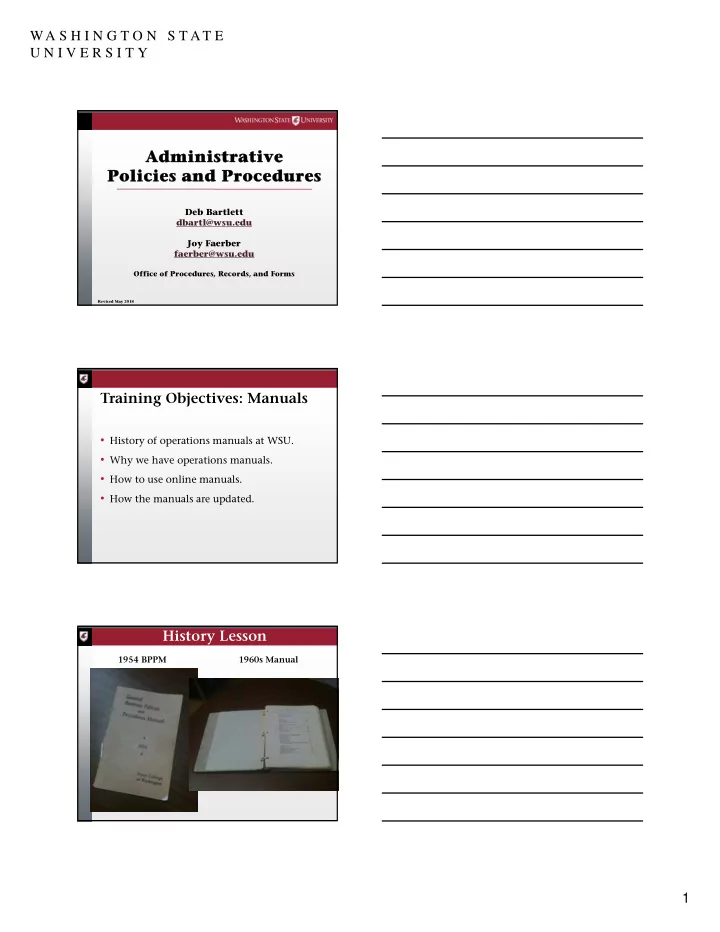
WA S H I N G T O N S T AT E U N I V E R S I T Y Administrative Administrative Policies and Procedures Policies and Procedures Deb Bartlett dbartl@wsu.edu Joy Faerber faerber@wsu.edu Office of Procedures, Records, and Forms Revised May


slide-1
SLIDE 1

1 WA S H I N G T O N S T AT E U N I V E R S I T Y

Administrative Administrative Policies and Procedures Policies and Procedures

Revised May 2018

Deb Bartlett dbartl@wsu.edu Joy Faerber faerber@wsu.edu

Office of Procedures, Records, and Forms

  • History of operations manuals at WSU.
  • Why we have operations manuals.
  • How to use online manuals.
  • How the manuals are updated.

Training Objectives: Manuals

1954 BPPM 1960s Manual

History Lesson

slide-2
SLIDE 2

2 WA S H I N G T O N S T AT E U N I V E R S I T Y

  • 1972 State Audit Report
  • Hard Copy BPPM, SPPM
  • 1997 Online Manuals
  • 2000 Executive Policy Manual
  • 2016 Board of Regents Policy Manual
  • 2018 WordPress CMS website

History Lesson

  • Serves as a quasi-supervisor. Always in.

No trips or leave. Fewer phone calls. Fewer errors.

  • Primary communications device. Provides

knowledge of laws, regulations, and institutional practices.

Why have manuals?

  • Institutional memory.
  • Levels playing field.
  • Standardizes practices. Promotes

efficiency.

  • Consolidates location.

Why have manuals?

slide-3
SLIDE 3

3 WA S H I N G T O N S T AT E U N I V E R S I T Y

  • Uniform Resource Locator (URL):

https://policies.wsu.edu/prf/index/manuals/

  • WSU Home Page
  • A-Z Index

Where to Find Manuals

slide-4
SLIDE 4

4 WA S H I N G T O N S T AT E U N I V E R S I T Y

  • Search engine
  • Contents pages
  • Forms Index
  • Cross references

How to Find Information

slide-5
SLIDE 5

5 WA S H I N G T O N S T AT E U N I V E R S I T Y

slide-6
SLIDE 6

6 WA S H I N G T O N S T AT E U N I V E R S I T Y

slide-7
SLIDE 7

7 WA S H I N G T O N S T AT E U N I V E R S I T Y

  • Procedures, Records, and Forms sends out an

e-mail message on WSU Insider Announcements.

  • To subscribe refer to:

https://insider.wsu.edu/ NOTE: Be sure to select the Daily Announcements link at the end of each day’s WSU Insider news e-mail message to view all

  • f the day’s announcements.
  • Revision announcements are linked to the

Manuals web page.

Announcing Revisions

slide-8
SLIDE 8

8 WA S H I N G T O N S T AT E U N I V E R S I T Y

  • Auditors
  • Statutes/regulations
  • Administrators
  • Users

Revising Manuals: Sources

  • Input
  • Prepare draft
  • Review and approval

Revising Manuals: Process

slide-9
SLIDE 9

9 WA S H I N G T O N S T AT E U N I V E R S I T Y

  • Convert to HTML and PDF
  • Upload to UNIX
  • Notify University
  • Save old section in archive media

Distribution

  • How to locate manuals online.
  • How to find information in manuals.
  • How manuals are updated and how to find
  • ut when manuals are updated.

You should now know:

Records Retention

Deb Bartlett dbartl@wsu.edu Joy Faerber faerber@wsu.edu

Office of Procedures, Records, and Forms 509-335-2005

slide-10
SLIDE 10

10 WA S H I N G T O N S T AT E U N I V E R S I T Y

  • State definition of records.
  • How to find out how long to keep records.
  • Which records are confidential.
  • How to dispose of records.

Training Objectives: Records

Management of records for the period of time between record creation and record disposition. What we do with it and how long we keep it.

Records Retention: What are we talking about? Why do we keep records at WSU?

  • We need to document our business.
  • We need to meet requirements of

laws/regulations.

  • We need to be able to recreate the history of

WSU.

slide-11
SLIDE 11

11 WA S H I N G T O N S T AT E U N I V E R S I T Y

Any paper, photograph, film, sound recording, map drawing, machine-readable material or other document, regardless of physical form, made or received by the state in connection with the transaction of public business. (From RCW 40.14.010)

State of Washington Records

University records are public records. Public records may not be destroyed, microfilmed,

  • r transferred to archives without

authorization.

Legal Requirement:

RCW 40.14 (Preservation and Destruction of Public Records)

  • Coordinates University's records retention

program.

  • Prepares retention schedules.
  • Liaison with State Records Committee.

Records Officer

slide-12
SLIDE 12

12 WA S H I N G T O N S T AT E U N I V E R S I T Y

  • Primary responsibility resides with each

individual University office.

  • The unit director/manager/chair designates a

departmental records coordinator.

Responsibility for Records

  • Liaison with Records Officer
  • Notifies Records Officer changes in office

records.

  • Files and refers to records retention schedules.
  • Applies retention standards to records.
  • Ensures that department personnel apply

retention standards to records held in their files and computers.

Records Coordinator

  • Must look through it.
  • Must track it.
  • Takes up expensive

space.

  • Causes additional

processing in litigation, audit, or public records requests.

Why not just keep everything?

slide-13
SLIDE 13

13 WA S H I N G T O N S T AT E U N I V E R S I T Y Some records are essential records.

Records you would need to restart your operation after a catastrophe. See 90.15. Back up and store offsite.

1997 Kincaid Fire - UW

BPPM 90.01

All-University Records Retention Schedule

slide-14
SLIDE 14

14 WA S H I N G T O N S T AT E U N I V E R S I T Y

slide-15
SLIDE 15

15 WA S H I N G T O N S T AT E U N I V E R S I T Y

slide-16
SLIDE 16

16 WA S H I N G T O N S T AT E U N I V E R S I T Y

slide-17
SLIDE 17

17 WA S H I N G T O N S T AT E U N I V E R S I T Y

  • WAC 434-662-040, effective January 1, 2009
  • Electronic records must be retained in

electronic format and remain usable, searchable, retrievable and authentic for the length of the designated retention period.

  • Printing and retaining a hard copy is not a

substitute for the electronic version.

State Requirement

State Imaging Standards

  • Must be observed when agency wants to use

the image as the record copy and dispose of paper original.

  • Not required when agency uses the image as a

working copy and retains the paper original for the approved retention period.

  • To obtain a copy of or a link to the standards,

contact Office of Procedures, Records, and

  • Forms. See also BPPM 90.21.
  • Most e-mail, text, voicemail, and social

media messages are transitory communications.

  • Some e-mail, text, voicemail, and social

media messages are public records requiring

  • retention. Evidence of official policies,

actions, decisions, or transactions.

  • See BPPM 90.03.

E-Mail, Text, Voicemail, and Social Media

slide-18
SLIDE 18

18 WA S H I N G T O N S T AT E U N I V E R S I T Y

  • To save text or social media messages,

manually:

  • Send the messages to a University email account.

Save as email.

  • Save the messages to a University-controlled

server or content management system.

  • To save voicemail messages:
  • Contact applicable telephone provider.
  • Use Single Inbox Messaging to save message as

.WAV file attachment to University email

Saving Text, Voicemail, and Social Media Messages

  • Don't let thousands of e-mail messages clutter

your e-mail account.

  • Delete immediately if you don't need it.
  • Have a timetable for reviewing e-mail.
  • Store e-mails with longer-term retentions in

special folders in Outlook or elsewhere (e.g., your computer, a shared drive).

Manage Your E-mail

E-mail, text, social media, and voicemail messages created to conduct University business are public records EVEN IF the messages are sent from or received on personal devices, e.g., cell phones, tablets, laptops.

Important to Remember:

slide-19
SLIDE 19

19 WA S H I N G T O N S T AT E U N I V E R S I T Y

  • Legal requirements.
  • Fiscal and audit requirements
  • Functional needs of office
  • Historical and archival

requirements.

Determining Retention

  • Check the All-University Schedule in BPPM

90.01.

  • Check any unique departmental schedule.
  • Complete a Retention Schedule Review form

(see 90.01.8). Route to PR&F.

  • Procedures, Records, and Forms prepares a draft.
  • Approvals by department, records officer, State

Records Committee.

To schedule a record:

slide-20
SLIDE 20

20 WA S H I N G T O N S T AT E U N I V E R S I T Y

  • Litigation holds
  • Public records requests
  • Audits

Retention Schedule Superseded

  • WSU Pullman: Facilities Services, Capital at

509-335-5571

  • Other locations: Campus facilities

management

  • Store records at State Records Center in

Olympia

  • Store inactive electronic records offline,

e.g., tape, external hard drive, dedicated storage server

  • NOTE: State records must be kept in a state

Storage of Inactive Records

slide-21
SLIDE 21

21 WA S H I N G T O N S T AT E U N I V E R S I T Y

  • Send to Manuscripts, Archives, and Special

Collections (MASC).

  • See BPPM 90.02 for more information regarding

archival records.

  • Recycle.
  • Make illegible if confidential.

Records Disposal

All records which are exempt from public disclosure in accordance with state law. (RCW 42.56) Refer to BPPM 90.05, 90.06, 90.07.

Which records are confidential?

slide-22
SLIDE 22

22 WA S H I N G T O N S T AT E U N I V E R S I T Y

  • Personal information
  • Lists for commercial purposes
  • Application information
  • Tests
  • Library records

Partial list of confidential records

Records must be reduced to an illegible condition. (WAC 434-640-020)

Disposal of Confidential Records

  • University Recycling at WSU

Pullman

  • Commercial shredder (Iron

Mountain)

  • Departmental shredder

Shredding

slide-23
SLIDE 23

23 WA S H I N G T O N S T AT E U N I V E R S I T Y

  • Hard Drives
  • CDs and DVDs
  • Tapes
  • See “Specific Item or Transaction

Requirements” in BPPM 20.76 for more information regarding destruction of digital media.

Destruction of Electronic Records

  • State definition of records
  • How to read a records retention schedule
  • How to schedule a record
  • What to do with old records
  • How to determine if a record is confidential
  • How to dispose of records

You should now know:

  • Telephone 509-335-2005
  • E-mail dbartl@wsu.edu
  • E-mail faerber@wsu.edu
  • E-mail prf.forms@wsu.edu

Questions??? Contact PR&F

slide-24
SLIDE 24

Template-WSU Hrz 201.ppt 24 WA S H I N G T O N S T AT E U N I V E R S I T Y

If you attended this live training session and wish to have your attendance documented in your training history, please notify Human Resource Services within 24 hours of today's date:

hrstraining@wsu.edu

This has been a WSU Training Videoconference