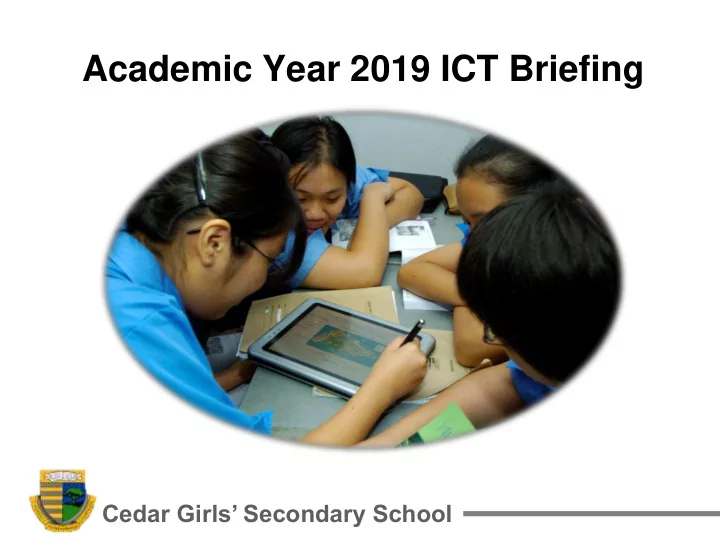
Academic Year 2019 ICT Briefing Cedar Girls Secondary School Key - - PowerPoint PPT Presentation

academic year 2019 ict briefing
SMART_READER_LITE
LIVE PREVIEW

Academic Year 2019 ICT Briefing Cedar Girls Secondary School Key - - PowerPoint PPT Presentation

Academic Year 2019 ICT Briefing Cedar Girls Secondary School Key Briefing points Use of Technology @ Cedar MOEs Student Learning Space (SLS) Parents announcement portal (LMS) Cedar Girls Secondary School Use of


slide-1
SLIDE 1

Cedar Girls’ Secondary School

Academic Year 2019 ICT Briefing

slide-2
SLIDE 2

Cedar Girls’ Secondary School

Key Briefing points

  • Use of Technology @ Cedar
  • MOE’s Student Learning Space (SLS)
  • Parents’ announcement portal (LMS)
slide-3
SLIDE 3

Cedar Girls’ Secondary School

For:

  • E-learning
  • Collaborative Learning
  • Self-Directed Learning
  • Online Research
  • Exploring Online Learning Platforms
  • Inculcate Responsible Digital Citizenry

Use of Technology

slide-4
SLIDE 4

Cedar Girls’ Secondary School

The traditional classroom The modern classroom

slide-5
SLIDE 5

Cedar Girls’ Secondary School

The Use of Information, Communication and Technology (ICT) in a classroom

slide-6
SLIDE 6

Cedar Girls’ Secondary School

Examples

  • For most

subjects (Student Learning Space)

  • Mathematics

(Ace-Learning)

  • Science

(amBook)

  • Geography

(Titan Pad)

  • Music (Padlet)
slide-7
SLIDE 7

Cedar Girls’ Secondary School

Recommended Laptop Minimum Specifications

Laptops (Windows OS) Mac Books (Mac OS) Operating System Windows 7 / 10 Mac OSX 10.11 & above (Recommended to install and run parallel Windows OS) Processor Speed Intel Core i3 Intel i5 Display/ Resolution 13” / 1366 x 768 13” / 1280 x 800 Memory (RAM)

  • Min. 2GB
  • Min. 4GB

Wireless LAN 802.11g 802.11g

slide-8
SLIDE 8

Cedar Girls’ Secondary School

Other recommendations…

Hardware

  • 2 USB 2.0 Ports.
  • Screen size of 13” for easier reading.

Software

  • Equipped with Anti-Virus Software.
  • Microsoft Office or Open pre-installed.
  • Google Suite (free download from web), E.g. Google

mail, Google classroom, Google doc, Google sheets, etc. *All Cedarians will be issued with a cedar gmail account. Details will be provided at a later date.

slide-9
SLIDE 9

Cedar Girls’ Secondary School

Other recommendations…

Other Info

  • Recycled Laptops from parents / older siblings.
  • MOE FAS or eligible students may apply for the PC-

Bundle scheme from IMDA. More information of this programme can be found on the following website https://www.imda.gov.sg/community/consumer- education/digital-inclusion/neu-pc-plus- programme/schemes/pc-bundle-scheme (*For more information, please access the link later when we post the slides in our website.)

slide-10
SLIDE 10

Cedar Girls’ Secondary School

slide-11
SLIDE 11

Cedar Girls’ Secondary School

  • Please register only

after the 2nd week of January 2019.

  • Parents log in will be

activated from Term 1 week 3 onwards.

Parents’ Announcement - LMS

slide-12
SLIDE 12

Cedar Girls’ Secondary School

slide-13
SLIDE 13

Cedar Girls’ Secondary School

Useful Links

  • Cedar Links

https://cedargirlssec.moe.edu.sg/about-cedar/links

  • Direct LMS link

https://lms.asknlearn.com/CEDARGIRLSS/login.as px

  • Parents’ registration user guide for LMS

https://lms.asknlearn.com/edulearnnetupload/help/ doc/LMS_ParentsPortal_UserGuide.pdf

slide-14
SLIDE 14

Cedar Girls’ Secondary School

Your confidentiality

  • Your registration is voluntary and will be

held to the strictest confidence.

  • Your particulars will only be used to

disseminate information regarding your daughter’s school related activities and any other emergencies.

slide-15
SLIDE 15

Cedar Girls’ Secondary School

Thank you!

If there are any further queries, please email andyong@cedargirls.edu.sg