1945: Vannevar Bush The Internet End-End As we may think, Atlantic - - PowerPoint PPT Presentation

1945 vannevar bush the internet end end
SMART_READER_LITE
LIVE PREVIEW

1945: Vannevar Bush The Internet End-End As we may think, Atlantic - - PowerPoint PPT Presentation

2/24/2019 1945: Vannevar Bush The Internet End-End As we may think, Atlantic The Web Monthly, July, 1945. Describes the idea of a 15-441 Spring 2018 distributed hypertext system Profs Peter Steenkiste & Justine Sherry A


slide-1
SLIDE 1

2/24/2019 1

The Internet End-End The Web

15-441 Spring 2018 Profs Peter Steenkiste & Justine Sherry

Thanks to Scott Shenker, Sylvia Ratnasamay, Peter Steenkiste, and Srini Seshan for slides.

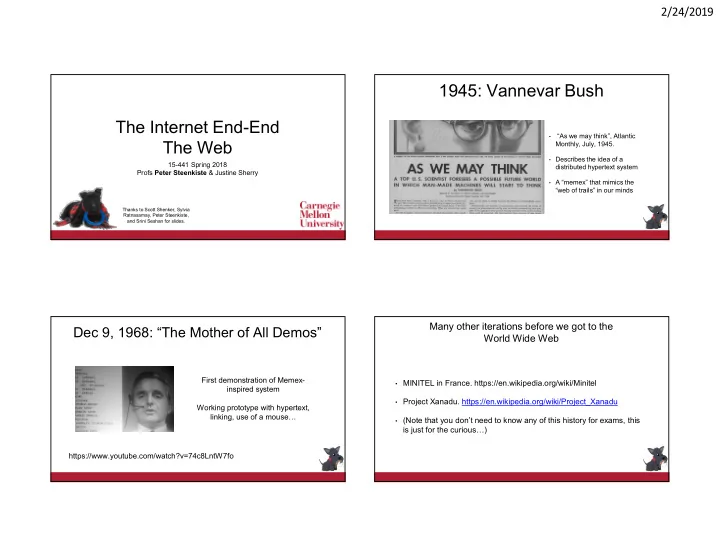
1945: Vannevar Bush

  • “As we may think”, Atlantic

Monthly, July, 1945.

  • Describes the idea of a

distributed hypertext system

  • A “memex” that mimics the

“web of trails” in our minds

Dec 9, 1968: “The Mother of All Demos”

https://www.youtube.com/watch?v=74c8LntW7fo First demonstration of Memex- inspired system Working prototype with hypertext, linking, use of a mouse…

Many other iterations before we got to the World Wide Web

  • MINITEL in France. https://en.wikipedia.org/wiki/Minitel
  • Project Xanadu. https://en.wikipedia.org/wiki/Project_Xanadu
  • (Note that you don’t need to know any of this history for exams, this

is just for the curious…)

slide-2
SLIDE 2

2/24/2019 2

1989: Tim Berners-Lee

1989: Tim Berners-Lee (CERN) writes internal proposal to develop a distributed hypertext system

  • Connects “a web of notes with links”.
  • Intended to help CERN physicists in large projects share and

manage information 1990: TBL writes graphical browser for Next machines 1992-1994: NCSA/Mosaic/Netscape browser release

Lots of Traffic!

exabyte petabyte

What is an Exabyte?

Kilo Kilo 3 10 10 Mega Mega 6 20 20 Giga Giga 9 30 30 Tera Tera 12 12 40 40 Peta Peta 15 15 50 50 Exa Exa 18 18 60 60 Zetta Zetta 21 21 70 70 10x 10x 10x 10x Network 1,000,000,000,000,000,000 Bytes Yotta Yotta 24 24 80 80 Storage 1,099,511,627,776 MByte Today In a few years A few years ago

Hyper Text Transfer Protocol (HTTP)

  • Client-server architecture
  • Server is “always on” and “well known”
  • Clients initiate contact to server
  • Synchronous request/reply protocol
  • Runs over TCP, Port 80
  • Stateless
  • ASCII format
slide-3
SLIDE 3

2/24/2019 3

Steps in HTTP Request/Response

Client Server

. . .

Establish connection Request response Client request Close connection

GET /somedir/page.html HTTP/1.1 Host: www.someschool.edu User-agent: Mozilla/4.0 Connection: close Accept-language: fr

(blank line)

Client-to-Server Communication

  • HTTP Request Message
  • Request line: method, resource, and protocol version
  • Request headers: provide information or modify request
  • Body: optional data (e.g., to “POST” data to the server)

request line header lines carriage return line feed indicates end of message

13

Server-to-Client Communication

  • HTTP Response Message
  • Status line: protocol version, status code, status phrase
  • Response headers: provide information
  • Body: optional data

HTTP/1.1 200 OK Connection close Date: Thu, 06 Aug 2006 12:00:15 GMT Server: Apache/1.3.0 (Unix) Last-Modified: Mon, 22 Jun 2006 ... Content-Length: 6821 Content-Type: text/html

(blank line)

data data data data data ... status line

(protocol, status code, status phrase)

header lines data

e.g., requested HTML file

HTTP is Stateless

  • Each request-response treated independently
  • Servers not required to retain state
  • Good: Improves scalability on the server-side
  • Failure handling is easier
  • Can handle higher rate of requests
  • Order of requests doesn’t matter
  • Bad: Some applications need persistent state
  • Need to uniquely identify user or store temporary info
  • e.g., Shopping cart, user profiles, usage tracking, …
slide-4
SLIDE 4

2/24/2019 4

How to Maintain State in a Stateless Protocol: Cookies

  • Client-side state maintenance
  • Client stores small state on behalf of server
  • Client sends state in future requests to the server
  • Can provide authentication

Request Response Set-Cookie: XYZ Request Cookie: XYZ

Performance Issues Performance Goals

  • User
  • fast downloads (not identical to low-latency commn.!)
  • high availability
  • Content provider
  • happy users (hence, above)
  • cost-effective infrastructure
  • Network (secondary)
  • avoid overload

Solutions?

Improve HTTP to compensate for TCP’s weak spots

  • User
  • fast downloads (not identical to low-latency commn.!)
  • high availability
  • Content provider
  • happy users (hence, above)
  • cost-effective delivery infrastructure
  • Network (secondary)
  • avoid overload
slide-5
SLIDE 5

2/24/2019 5

  • User
  • fast downloads (not identical to low-latency commn.!)
  • high availability
  • Content provider
  • happy users (hence, above)
  • cost-effective delivery infrastructure
  • Network (secondary)
  • avoid overload

Solutions?

Caching and Replication Improve HTTP to compensate for TCP’s weak spots

Solutions?

  • User
  • fast downloads (not identical to low-latency commn.!)
  • high availability
  • Content provider
  • happy users (hence, above)
  • cost-effective delivery infrastructure
  • Network (secondary)
  • avoid overload

Caching and Replication Exploit economies of scale (Webhosting, CDNs, datacenters) Improve HTTP to compensate for TCP’s weak spots

HTTP Performance

  • Most Web pages have multiple objects
  • e.g., HTML file and a bunch of embedded images
  • How do you retrieve those objects (naively)?
  • One item at a time, i.e., one “GET” per TCP connection
  • Solution used in HTTP 0.9, and 1
  • New TCP connection per (small) object!
  • Lots of handshakes
  • Congestion control state lost across connections

Typical Workload (Web Pages)

  • Multiple (typically small) objects per page
  • File sizes
  • Heavy-tailed
  • Pareto distribution for tail
  • Lognormal for body of distribution
  • Embedded references
  • Number of embedded objects also Pareto

Pr(X>x) = (x/xm)-k

  • This plays havoc with performance. Why?
  • Solutions?
  • Lots of small objects versus TCP
  • 3-way handshake
  • Lots of slow starts
  • Extra connection state
slide-6
SLIDE 6

2/24/2019 6

Improving HTTP Performance:

Persistent Connections

  • Maintain TCP connection across multiple requests
  • Including transfers subsequent to current page
  • Client or server can tear down connection
  • Performance advantages:
  • Avoid overhead of connection set-up and tear-down
  • Allow TCP to learn more accurate RTT estimate
  • Allow TCP congestion window to increase
  • i.e., leverage previously discovered bandwidth
  • Drawback? Head of line blocking
  • A “slow object” blocks retrieval of all later requests, including “fast” objects
  • Default in HTTP/1.1

Improving HTTP Performance:

Pipelined Requests & Responses

Client Server

  • Batch requests and responses to

reduce the number of packets

  • Multiple requests can be contained

in one TCP segment

  • Head of line blocking issues

remains: a delay in Transfer 2 delays all later transfers

Improving HTTP Performance:

Concurrent Requests & Responses

  • Use multiple connections in parallel
  • Speeds up retrieval by ~m
  • Does not necessarily maintain order
  • f responses
  • Partially deals with HOL blocking
  • Client =
  • Content provider =
  • Network =

Why?

R1 R2 R3 T1 T2 T3

Scorecard: Getting n Small Objects

Time dominated by latency

  • One-at-a-time: ~2n RTT
  • M concurrent: ~2[n/m] RTT
  • Persistent: ~ (n+1)RTT
  • Pipelined: ~2 RTT
  • Pipelined/Persistent: ~2 RTT first time, RTT later
slide-7
SLIDE 7

2/24/2019 7 Scorecard: Getting n Large Objects

Time dominated by bandwidth

  • One-at-a-time: ~ nF/B
  • M concurrent: ~ [n/m] F/B
  • assuming shared with large population of users
  • and each TCP connection gets the same bandwidth
  • Pipelined and/or persistent: ~ nF/B
  • The only thing that helps is getting more bandwidth..

Improving HTTP Performance:

Caching

  • Why does caching work?
  • Exploits locality of reference
  • How well does caching work?
  • Very well, up to a limit
  • Large overlap in content
  • But many unique requests
  • Trend: increase in dynamic content
  • E.g., customizing of web pages
  • Reduces benefits of caching
  • Some exceptions, e.g., video
  • Baseline: Many clients transfer same information
  • Generate unnecessary server and network load
  • Clients experience unnecessary latency
  • Everywhere!
  • Client
  • Forward proxies
  • Reverse proxies
  • Content Distribution Network

Server Clients Tier-1 ISP

ISP-1 ISP-2 Improving HTTP Performance:

Caching: Where?

  • Clients keep a local cache of recently

accessed objects

  • Clients often have a small number of web

pages they access frequently

  • Leads to reuse of logos, old content, java

scripts, …

  • Cheap: no additional

infrastructure needed

  • But caching closer to server can lead to

higher hit rates!

Server Clients Tier-1 ISP

ISP-1 ISP-2 Improving HTTP Performance:

Caching: Clients

slide-8
SLIDE 8

2/24/2019 8

31

Improving HTTP Performance:

Caching with Reverse Proxies

  • Cache documents close to server

 decrease server load

  • Typically done by content provider

Clients Backbone ISP ISP-1 ISP-2 Server Reverse proxies

Improving HTTP Performance:

Caching with Forward Proxies

  • Cache documents close to clients

 decrease latency

  • Typically done by ISPs or enterprises

 reduce provider traffic load

Clients Backbone ISP ISP-1 ISP-2 Server Reverse proxies Forward proxies

Improving HTTP Performance:

Caching: How to Avoid Stale Content

  • Modifier to GET requests:
  • If-modified-since – returns “not modified” if resource

not modified since specified time

GET /~ee122/fa13/ HTTP/1.1 Host: inst.eecs.berkeley.edu User-Agent: Mozilla/4.03 If-modified-since: Sun, 27 Oct 2013 22:25:50 GMT <CRLF>

  • Client specifies “if-modified-since” time in request
  • Server compares this against “last modified” time of resource
  • Server returns “Not Modified” if resource has not changed
  • …. or a “OK” with the latest version otherwise

Improving HTTP Performance:

Caching: Helping the Cache

  • Modifier to GET requests:
  • If-modified-since – returns “not modified” if resource

not modified since specified time

  • Response header:
  • Expires – how long it’s safe to cache the resource
  • No-cache – ignore all caches; always get resource

directly from server

slide-9
SLIDE 9

2/24/2019 9

  • Replicate popular Web site across many machines
  • Spreads load on servers
  • Places content closer to clients
  • Helps when content isn’t cacheable
  • Problem: Want to direct client to particular replica
  • Balance load across server replicas
  • Pair clients with nearby servers
  • Common solution:
  • DNS returns different addresses based on client’s geo

location, server load, etc.

Improving HTTP Performance:

Replication

Improving HTTP Performance:

Content Distribution Networks

  • Caching and replication as a service
  • Large-scale distributed storage infrastructure (usually)

administered by one entity

  • e.g., Akamai has servers in 20,000+ locations
  • Combination of (pull) caching and (push) replication
  • Pull: Direct result of clients’ requests
  • Push: Expectation of high access rate
  • Also do some processing
  • Handle dynamic web pages
  • Transcoding

Recall:

CDN Example – Akamai

  • Akamai creates new domain names for each client
  • e.g., a128.g.akamai.net for cnn.com
  • The CDN’s DNS servers are authoritative for the new domains
  • The client content provider modifies its content so that embedded

URLs reference the new domains.

  • “Akamaize” content
  • e.g.: http://www.cnn.com/image-of-the-day.gif becomes

http://a128.g.akamai.net/image-of-the-day.gif

  • Requests for embedded objects are sent to CDN’s infrastructure…

Cost-Effective Content Delivery

  • General theme: multiple sites hosted on shared

physical infrastructure

  • efficiency of statistical multiplexing
  • economies of scale (volume pricing, etc.)
  • amortization of human operator costs
  • Examples:
  • Web hosting companies
  • CDNs
  • Cloud infrastructure
slide-10
SLIDE 10

2/24/2019 10

Performance Issues Are We Done Yet?

Some Challenges with HTTP 1.1

  • Head of line blocking: “slow” objects delay later requests
  • E.g., objects from remote storage versus objects in local memory
  • Browsers open multiple TCP connections to achieve parallel transfers
  • Increases throughput and reduces impact HOL blocking
  • Increases load on servers and network
  • HTTP headers are big
  • Cost higher for small objects
  • Objects have dependencies, different priorities
  • Javascript versus images
  • Extra RTTs for “dependent” objects

40

Example of Head of Line Blocking

41 Source: http://chimera.labs.oreilly.com/books/1230000000545/ch11.html

Other objects could have been sent

HTTP 2.0 to the Rescue

  • Responses are multiplexed over single TCP connection
  • Server can send response data whenever it is ready
  • “Fast” objects can bypass slow objects – avoids HOL blocking
  • Fewer handshakes, more traffic (help cong. ctl., e.g., drop tail)
  • Multiplexing uses prioritized flow controlled streams
  • Urgent responses can bypasses non-critical responses
  •  multiple parallel prioritized TCP connections, but over one TCP connection
  • HTTP headers are compressed
  • A PUSH features allows server to push embedded objects to the

client without waiting for a client request

  • Avoids an RTT
  • Default is to use TLS – fall back on 1.1 otherwise

42

slide-11
SLIDE 11

2/24/2019 11

HTTP/2 Multi-Streams Multiplexing

https://tools.ietf.org/html/rfc7540

HTTP/2 Binary Framing

Multiplexing

  • Traffic sent as frames over prioritized streams
  • Frames types: headers, data, settings, window updates and push

promise

  • Sender sends high priority frames first
  • Frames are pulled from a per-stream queue when TCP is ready to

accept more data

  • Reduces queueing delay
  • Each stream is flow controlled
  • Receiver opens window faster for high priority streams
  • Replicates TCP function but at finer granularity
  • Clearly adds complexity to HTTP library

44

HTTP/2 Server Push

45

HTTP 2 PUSH Features

  • Server can “push” objects that it knows (or thinks) the client will need
  • Avoids delay of having client parse the page and requesting the
  • bjects (> RTT)
  • But what happens if object is in the client cache – Oops!
  • Server sends PUSH_PROMISE before the PUSH
  • Client can cancel/abort the PUSH
  • How does server know what to PUSH?
  • Very difficult problem with dynamic content
  • Javascripts can rewrite web page – changes URLs
  • Also: benefits limited to objects from the origin server

46

slide-12
SLIDE 12

2/24/2019 12

Next Tuesday: Midterm Review Use Piazza to request topics Use midterm_review folder