18 As you arrive: 1. Start up your computer and plug it in. Log - - PowerPoint PPT Presentation

18
SMART_READER_LITE
LIVE PREVIEW

18 As you arrive: 1. Start up your computer and plug it in. Log - - PowerPoint PPT Presentation

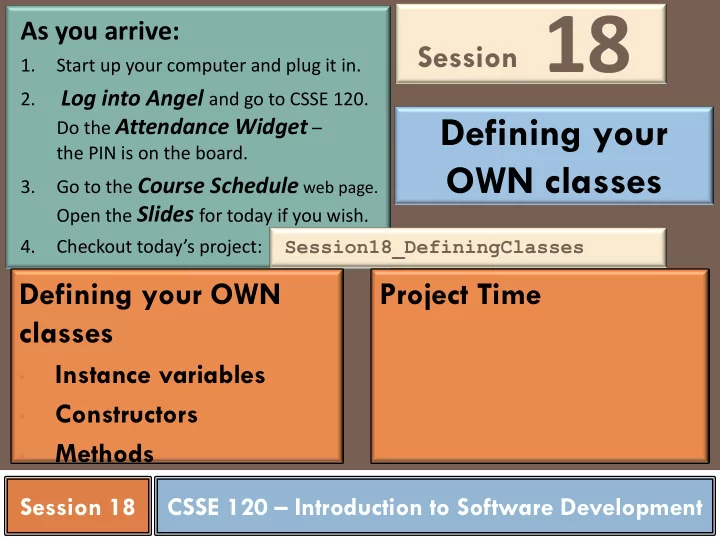
Session 18 As you arrive: 1. Start up your computer and plug it in. Log into Angel and go to CSSE 120. 2. Defining your Do the Attendance Widget the PIN is on the board. OWN classes Go to the Course Schedule web page. 3.


slide-1
SLIDE 1

CSSE 120 – Introduction to Software Development

As you arrive:

1. Start up your computer and plug it in. 2. Log into Angel and go to CSSE 120. Do the Attendance Widget – the PIN is on the board. 3. Go to the Course Schedule web page. Open the Slides for today if you wish. 4. Checkout today’s project:

Session XX

Session

Session18_DefiningClasses

Project Time Defining your OWN classes

  • Instance variables
  • Constructors
  • Methods

Session 18

Defining your OWN classes

18

slide-2
SLIDE 2

Checkout today’s project: Session18_DefiningClasses

Are you in the Pydev perspective? If not:

Window ~ Open Perspective ~ Other then Pydev

Messed up views? If so:

Window ~ Reset Perspective

No SVN repositories view (tab)? If it is not there:

Window ~ Show View ~ Other then SVN ~ SVN Repositories 1. In your SVN repositories view (tab), expand your repository (the top-level item) if not already expanded.

  • If no repository, perhaps you are in the wrong Workspace. Get help.
  • 2. Right-click on today’s project, then select Checkout.

Press OK as needed. The project shows up in the Pydev Package Explorer to the left. Expand and browse the modules under src as desired.

Troubles getting today’s project? If so:

slide-3
SLIDE 3

Review: What is an Object?

 An Object is an active data-type:

knows things about itself

fields a.k.a. instance variables (or fields)

can be asked to (based on what it knows)

do things

 mutator methods

provide info about itself and/or other objects

that it knows about

 accessor methods

slide-4
SLIDE 4

Review: Object Terminology

 Objects are data types that

might be considered active

 They store information

in instance variables

 They manipulate their data

through methods

 Objects are instances of

some class

 Objects are created by

calling constructors

 UML class diagram:

x y … Point getX() getY() move(dx,dy) …

Instance variables written here Methods written here

slide-5
SLIDE 5

Class analogies – Key Concept!

 A class is an "object factory"  Calling the constructor tells the classes to make a new object  Parameters to constructor are like "factory options", used to

set instance variables

 Or think of class like a "rubber stamp"  Calling the constructor stamps out a new object shaped like

the class

 Parameters to constructor "fill in the blanks". That is, they

are used to initialize instance variables.

slide-6
SLIDE 6

Review: Using Objects in Python

Look at object_example.py in today’s project In that example, make sure you understand:

  • What is win?
  • What is GraphWin?
  • What is .setStyle?
slide-7
SLIDE 7

Example

 p = Point(200, 100)  t = Text(p, 'Go Colts!')

Point x _______ y _______ fill _______

  • utline _______

getX() … getY() … … 200 100 'black' 'black' Text anchor _______ text _______ getAnchor() … getText() … setText(text) setStyle(style) … p 'Go Colts' Point x _______ y _______ fill _______

  • utline _______

getX() … getY() … … 200 100 'black' 'black' t This is a clone of p

slide-8
SLIDE 8

Creating Custom Objects: Defining Your Own Classes

 Custom objects:  Hide complexity  Provide another way to break problems into pieces  Make it easier to pass information around  Example:

Moving "Smiley" class.

Let’s create our own custom class and use it to instantiate objects.

Use modules in project you checked out earlier

slide-9
SLIDE 9

Coding MovingSmileys

 Create constructor noting default parameters  Defaults are size, color, and isSmiling  Study the code for creating parts  Explore how parts list is created  Create draw() method and run scene1  Add move() method, and run scene1  Add smile and frown methods, which need to know about size  Run scene 2, point out that 3 other methods needed for

collisions to work

slide-10
SLIDE 10

Review of Key Ideas

 Constructor:  Defined with special name __init__  Called like ClassName()  Instance variables:  Created when we assign to them  Live as long as the object lives  self formal parameter:  Implicitly get the value before the dot in the call  Allows an object to "talk about itself" in a method

slide-11
SLIDE 11

 Meet with your project team  Consider having a standup meeting  Continue working on this Sprint  Decide on time/venue for next meeting  Sources of help after class:

Assistants in the CSSE lab Email

 You get faster response from the above than from just your instructor

Rest of Session

CSSE lab: Moench F-217 7 to 9 p.m. Sundays thru Thursdays

csse120-staff@rose-hulman.edu