1 Architecture vs. Software Engineering Problem Problem Design - - PDF document

1
SMART_READER_LITE
LIVE PREVIEW

1 Architecture vs. Software Engineering Problem Problem Design - - PDF document

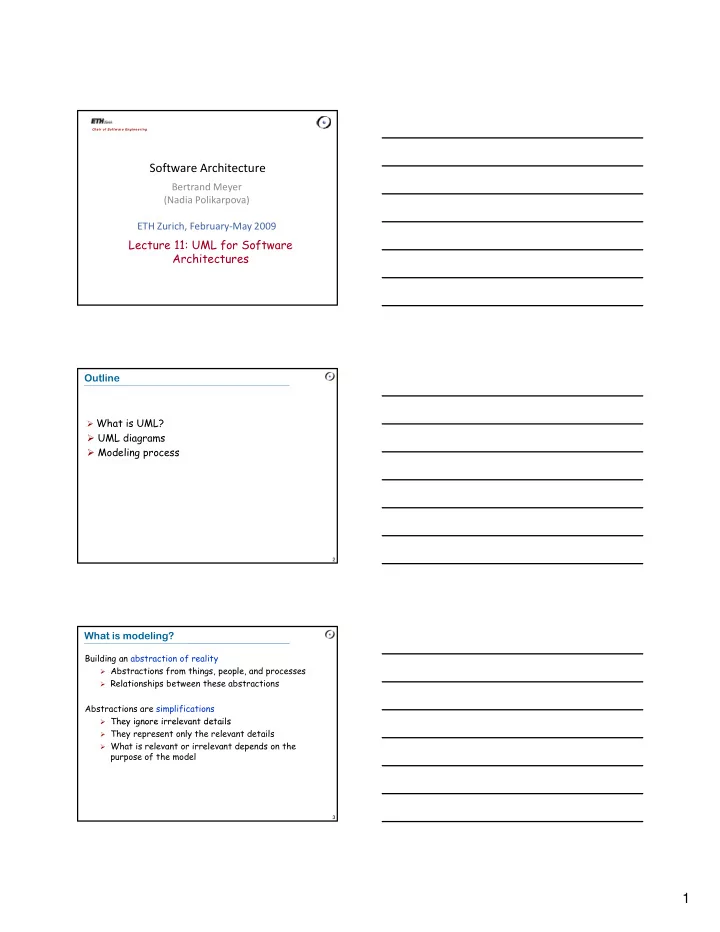
Chair of Softw are Engineering Software Architecture Bertrand Meyer (Nadia Polikarpova) ETH Zurich, February May 2009 Lecture 11: UML for Software Architectures Outline What is UML? UML diagrams Modeling process 2 What is


slide-1
SLIDE 1

1

Chair of Softw are Engineering

Software Architecture

Bertrand Meyer (Nadia Polikarpova) ETH Zurich, February‐May 2009

Lecture 11: UML for Software Architectures

Outline

What is UML?

UML diagrams Modeling process

2

What is modeling?

Building an abstraction of reality

Abstractions from things, people, and processes Relationships between these abstractions

Abstractions are simplifications

They ignore irrelevant details

3

They ignore irrelevant details They represent only the relevant details What is relevant or irrelevant depends on the

purpose of the model

slide-2
SLIDE 2

2

Architecture vs. Software Engineering

Problem Design Problem Model

4

Implementation Program Reverse engineering

The Unified Modeling Language, UML

Modeling language = language for describing models (mostly models of software) Model in UML = graph

vertices = entities edges = relations

5

Models can be represented in different formats (e.g. graphical, xmi) Diagrams are graphical representation of parts of a model

The Unified Modeling Language, UML

Authors: The Three Amigos

6

Importance

Recommended OMG (Object Management Group)

standard notation

De facto standard in industrial software

development Grady Booch James Rumbaugh Ivar Jacobson

slide-3
SLIDE 3

3

A bit of history (or why “unified”?)

7

Uses of UML

Specification: the language is supposed to be simple enough to be understood by the clients Visualization: models can be represented graphically plain text < text with pictures < comics Design: the language is supposed to be precise h t k d ti ibl

8

enough to make code generation possible Documentation: the language is supposed to be widespread enough to make your models understandable by other developers

What UML is not about?

Programming language

this would bound the language to a specific

computing architecture

however code generation is encouraged

Software development process

however the authors had their own process in

9

mind: RUP (Rational Unified Process) CASE tool specification

however tools do exist: Sun, IBM Rose,

Microsoft Visio, Borland Together e.t.c

slide-4
SLIDE 4

4

Entities in UML

Structural

Class – a description of a set of object

with common attributes and operations

Interface – a set of operations (a service),

provided by a class or component

Actor – an external entity that interacts

with the system

+operations()

  • attributes

Name

Interface

10

Use case – a description of a set of

scenarios (sequences of events and actions) that produce a result, significant for some actor

Component – physically replaceable

artifact that provides a certain set of interfaces

Node – a hardware resource

Actor Use case

Component Node

Entities in UML

Behavioral

State – a period in an object lifecycle,

during which the object is satisfying some property, performing an activity

  • r waiting for an event

Activity – a state, in which the object

is doing some work (instead of just passively waiting for an event)

State

Activity 11

Grouping

Package – a group of model elements

(maybe including other packages)

Annotating

Note – arbitrary text comment

attached to a model

Package

Note

Notation changes in UML 2.0

One notation for all structural entities - rectangle with a stereotype:

12

Special notation for provided and required interfaces:

slide-5
SLIDE 5

5

Relations in UML

Dependency – changing the independent entity may influence the dependent one Association – entities are directly connected (e.g. aggregation) Generalization – an entity

dependent independent entity1 entity2

13

y is a special case of another entity, they satisfy the substitution principle Implementation – an entity is an implementation

  • f another entity (e.g. a

class and an interface)

descendant ancestor implementation interface

Canonical diagrams in UML 2.0

Functional

Use case diagram (requirements, client’s point of view)

Static structure

Class diagram (classes and relationship between them) Object diagram (relationship between objects at an

interesting point in runtime)

Composite structure diagram (internal structure of a

l )

14

class)

Package diagram (packages and relationship between

them)

Implementation diagrams

  • Component diagram (physical components and

relationship between them)

  • Deployment diagram (assigning components to nodes)

Canonical diagrams in UML 2.0

Behavioral

State diagram (object lifecycle) Activity diagram (= flowchart, algorithm

description)

Interaction diagrams

  • Sequence diagram (message passing, ordered in

time)

15

time)

  • Communication diagram (message passing)
  • Interaction overview diagram (= activity diagram

with interaction diagrams in nodes)

  • Timing diagram (focus on timing constraints)
slide-6
SLIDE 6

6

The three views

Functional: What does the system do?

Interaction between the system and external

entities

Diagrams: use case

Structural: What does the system consist of?

Parts (modules) of the system and relationship

b t th

16

between them

Static (no notion of time) Diagrams: class, component, deployment

Behavioral: How does the system work?

Notion of time or sequence of events/actions Diagrams: state, activity, sequence, communication

Use case diagrams

Entities:

actors use cases

Relations:

association between an

actor and a use case

generalization between

Reader

List entries Search entries <<include>>

17

generalization between

actors

generalization between

use cases

dependencies between

use cases Comments:

system boundaries

Submitter

Log in OpenID Log in Refuse Log in <<extend>>

Reusing use cases

Withdraw Load Cash Card Authenticate <<include>> <<include>>

18

<<include>> stereotype to include use cases: reusing common functionality, no duplicates

Client Transfer <<include>>

slide-7
SLIDE 7

7

Separating variant behavior

Withdraw Client Refuse Withdrawal <<extend>> Not enough money <<initiates>> <<participates>>

19

<<extend>> stereotype to provide special case Normal case specifies point at which the behavior may diverge (extension point)

Host

Class diagrams

Entities:

classes (and

interfaces) Relations:

association between

classes

generalization Position

  • ccupy

free request_report send petition IChief send_petition ISubordinate report Department Report <<instantiate>>

20

g between classes

implementation

between a class and an interface

dependencies

between classes

send_petition IPosition

  • ccupy

free Manager <<call>>

UML 2.0: “Chupa-chups” notation

Entities:

classes (and

interfaces) Relations:

association between

classes

generalization Position

  • ccupy

free request_report send petition Department Report <<instantiate>> IChief ISubordinate <<realize>> <<realize>>

21

g between classes

implementation

between a class and an interface

dependencies

between classes

send_petition Manager IPosition <<realize>>

slide-8
SLIDE 8

8

Associations

Most widely used relation on class diagrams In general means that classes know about each other - their objects can send each other messages (call

  • perations, read attributes)

Special cases:

Class A has an attribute of type B

22

Class A creates instances of B Class A receives a message with argument of type B

Mostly are binary, but can be N-ary Can have different adornments that express additional information

Association adornments (1)

Name (possibly with direction) Multiplicity of an end – how many objects of the class take part in the relation

Person Company works for

23

1-to-1 1-to-many many-to-many City Country 1 1 is capital of Polygon Point 3..* Person Company works for * *

Association adornments (2)

Aggregation – part-of relation between objects

an object can be part of multiple objects part can be created and destroyed independently of

the aggregate

Curriculum Course *

24

Composition – strong aggregation

an object can only be part of a single object exists only together with the aggregate TicketMachine ZoneButton 3

slide-9
SLIDE 9

9

Association adornments (3)

Role of an end: name + interface

Position subordination * 0..1 chief: IChief subordinate:

25

Navigability of an end – whether the objects at this end can be accessed through this association

ISubordinate Password Hashcode 1 1

Association adornments (4)

Ordering of an end – whether the objects at this end are ordered Changeability of an end – whether the set of objects at this end can be changed after creation Qualifier of an end – is an attribute that allows retrieving one object from the set at this end

26

Polygon Point 3..* {ordered} {frozen, ordered} number 0..1

Component diagrams

Entities:

components

  • programs
  • documents
  • files
  • libraries
  • DB tables

i t f

<<component>> DataBase

ODBC <<realize>>

27

interfaces classes

  • bjects

Relations:

dependency association

(composition)

implementation

<<component>> Business

ODBC

slide-10
SLIDE 10

10

Deployment diagrams

Entities: + nodes Relations: + association between nodes + placement of a component on a

<<component>> DataBase

ODBC <<realize>>

<<component>> <<document>> Help LAN

28

p node

<<component>> Business

ODBC

<<component>> GUI 1 1..* Workstation Server

State diagrams

Entities:

states: name, activity, entry/exit action

Relations:

transitions between states: event, condition, action

29

State 1

do / activity entry / action exit / action

State 2

do / activity entry / action exit / action event (arg) [ condition ] / action

State diagrams: example 1

On loan

entry / book borrow( )

On shelf

entry / book return( )

return( ) borrow( ) Copy 1..* Book borrow return borrow return

Copy

30

entry / book.borrow( ) entry / book.return( )

Not borrowable Borrowable

return( ) borrow( ) [ last copy ] return( ) borrow( ) [ not last copy ]

Book

slide-11
SLIDE 11

11

State diagrams: example 2 (composite state)

Off On Working Blinking Red TurnOn T Off SwitchOn SwitchOff after 3 sec after 30 sec

TrafficLight

31

Yellow Yellow Green Red Green TurnOff after 45 sec after 5 sec

Activity diagrams

Entities:

activities

Relations:

transitions

between activities Sugar

Request service P Take order Customer Sales Stockroom

32

g

decisions forks swimlanes Pay Fill order Deliver order Collect order

Sequence diagrams

:Client :Terminal insertCard( )

Entities:

  • bjects (including

instances of actors) Relations: message passing Sugar: lifelines

33

insertPIN( )

Time

lifelines activations creations destructions frames

slide-12
SLIDE 12

12

Nested messages

:Client :Terminal insertCard( ) :ClientData check( data )

  • k / nok

:Display

34

The source of an arrow indicates the activation which sent the message An activation is as long as all nested activations

  • k / nok

displayMessage( text )

Creation and destruction

:Terminal :Session start( ) log( ) close( )

35

Creation is denoted by a message arrow pointing to the

  • bject

In garbage collection environments, destruction can be used to denote the end of the useful life of an object

close( )

Interaction frames

:Item :Container :Processor process() increase()

loop [for each item] alt [value < 100]

36

decrease()

[ ] [else]

slide-13
SLIDE 13

13

Communication diagrams

Entities:

  • bjects

Relations:

message passing

1 i tC d( ) 1 1 h k(d t )

37

:Client :Terminal :ClientData :Display

  • 1. insertCard( )

1.1 check(data) 1.2 displayMessage(text)

Modeling process

Modeling usage Functional view Structural view Behavioral view

38

Modeling structure Modeling behavior

Example: modeling the ATM

Withdraw <<include>> Refuse Withdrawal <<extend>>

Modeling usage: use case diagram

39

Client Load Cash Card Transfer Authenticate <<include>> <<include>>

slide-14
SLIDE 14

14

Use case example: Withdraw

Initiating actor: Client Entry condition

Client has opened a bank account with the bank and Client has received a bank card and PIN

40

Exit condition

Client has the requested cash or Client receives an explanation from the ATM about

why the cash could not be dispensed

Use case example: Withdraw event flow

Actor steps

  • 1. Authenticate
  • 3. Client selects “Withdraw CHF”
  • 5. Client enters amount

System Steps

  • 2. ATM displays options
  • 4. ATM queries amount

41

  • 5. Client enters amount
  • 6. ATM returns bank card
  • 7. ATM outputs specified amount

in CHF Anything missing? Exceptional cases Details of authentication

Withdraw event flow revisited

Actor steps

  • 1. Authenticate

(use case Authenticate)

  • 3. Client selects “Withdraw CHF”

System Steps

  • 2. ATM displays options

Referring to included use case

42

  • 5. Client enters amount
  • 4. ATM queries amount
  • 6. ATM returns bank card
  • 7. ATM outputs specified amount in

CHF (ext. point: Refuse Withdrawal) Listed as extension point

slide-15
SLIDE 15

15

:Account :Client :Terminal select (withdraw CHF) :Withdrawal initWithdraw (cur) :Display queryAmount( )

From use cases to sequence diagrams

43

select (option) withdraw (amount) withdraw (amount, cur) displayConfimation( ) ejectCard( ) taken check(amount, cur)

  • kay

dispense(amount, cur)

... and futher to class diagrams

Add a class for each object on the diagram For each object that receives an event add a public

  • peration in the associated class

:Account check (amount, cur)

  • kay

Account check (int Currency): boolean

44

Identify additional classes (e.g. for message arguments, messages with no receivers) Problem text analysis may help (nouns may correspond to classes, verbs – to operations)

withdraw (amount, cur)

  • kay

check (int, Currency): boolean withdraw (int, Currency)

Practical tips

Create component and deployment diagrams only for large, distributed systems Create state diagrams only for classes with complex, interesting behavior (usually classes representing entities from the problem domain or performing control) Create activity diagrams for complex algorithms and business processes (not for every operation)

45

business processes (not for every operation) Create sequence and communication diagrams for nontrivial collaborations and protocols (not for every scenario) Don’t put too much information on a diagram Choose the level of abstraction and maintain it