1 Baselines Version control Baseline: A specification or a - - PDF document

1
SMART_READER_LITE
LIVE PREVIEW

1 Baselines Version control Baseline: A specification or a - - PDF document

CONFIGURATION MANAGEMENT WHY CM? Today we talk about Software Configuration Multiple people are working on changing software Management (SCM for short): More than one version of the software needs to be - What? supported: - Why?


slide-1
SLIDE 1

1

11.10.2004 Software Engineering 2004 Jyrki Nummenmaa 1

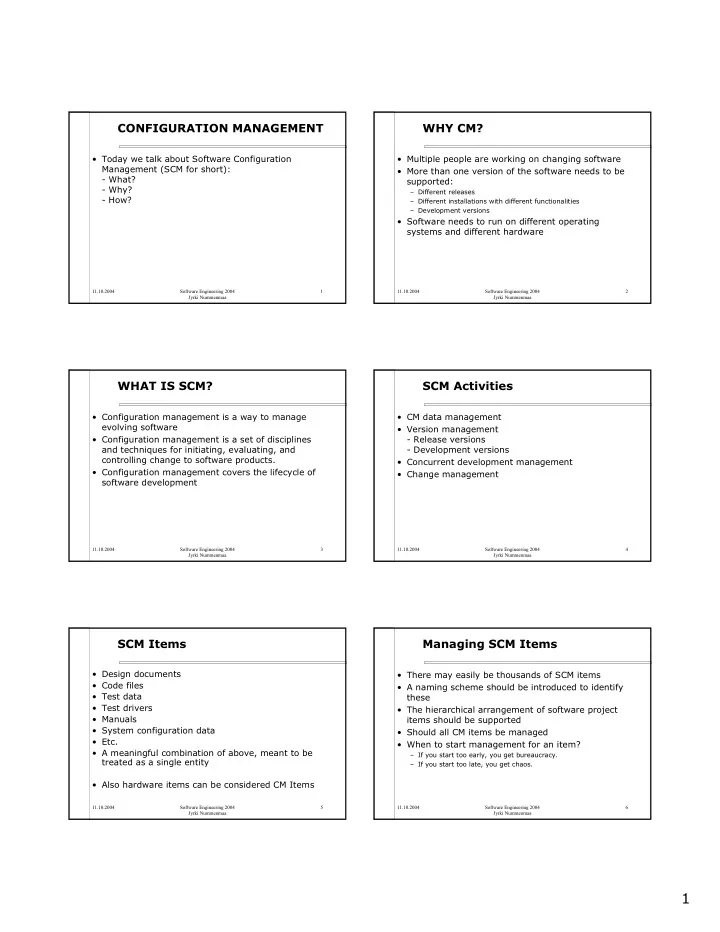
CONFIGURATION MANAGEMENT

  • Today we talk about Software Configuration

Management (SCM for short):

  • What?
  • Why?
  • How?

11.10.2004 Software Engineering 2004 Jyrki Nummenmaa 2

WHY CM?

  • Multiple people are working on changing software
  • More than one version of the software needs to be

supported:

– Different releases – Different installations with different functionalities – Development versions

  • Software needs to run on different operating

systems and different hardware

11.10.2004 Software Engineering 2004 Jyrki Nummenmaa 3

WHAT IS SCM?

  • Configuration management is a way to manage

evolving software

  • Configuration management is a set of disciplines

and techniques for initiating, evaluating, and controlling change to software products.

  • Configuration management covers the lifecycle of

software development

11.10.2004 Software Engineering 2004 Jyrki Nummenmaa 4

SCM Activities

  • CM data management
  • Version management
  • Release versions
  • Development versions
  • Concurrent development management
  • Change management

11.10.2004 Software Engineering 2004 Jyrki Nummenmaa 5

SCM Items

  • Design documents
  • Code files
  • Test data
  • Test drivers
  • Manuals
  • System configuration data
  • Etc.
  • A meaningful combination of above, meant to be

treated as a single entity

  • Also hardware items can be considered CM Items

11.10.2004 Software Engineering 2004 Jyrki Nummenmaa 6

Managing SCM Items

  • There may easily be thousands of SCM items
  • A naming scheme should be introduced to identify

these

  • The hierarchical arrangement of software project

items should be supported

  • Should all CM items be managed
  • When to start management for an item?

– If you start too early, you get bureaucracy. – If you start too late, you get chaos.

slide-2
SLIDE 2

2

11.10.2004 Software Engineering 2004 Jyrki Nummenmaa 7

Baselines

  • Baseline: A specification or a product, which is

formally reviewed and agreed on, and which can

  • nly be changed through formal change

procedures

  • Before an item becomes a baseline, changes can

be made quickly and informally.

  • Baseline is a kind of a milestone in software

development

  • Baseline typically creates new versions in SCIs.

11.10.2004 Software Engineering 2004 Jyrki Nummenmaa 8

Version control

  • Procedures and tools to manage different versions
  • f configuration objects
  • Versions may not always be created in sequential
  • rder, e.g. you create 1.0 -> 1.1 -> 1.2 -> 2.0

and then you need to create 1.3 for some customers who can not run 2.0 but need some changes or improvements.

  • With big software, you may e.g have 4.0 as the
  • fficial current version. You work on 5.0 to release

it as the next official version, but you have already started to create 6.0, as it takes so long to get it ready.

11.10.2004 Software Engineering 2004 Jyrki Nummenmaa 9

Change Control / 1

  • 1. Need for change is recognised
  • 2. Someone (like a user) makes a change request
  • 3. Developer evaluates
  • 4. Change report is generated
  • 5. Change control authority decides
  • Change is denied -> User is informed
  • Change is accepted -> go to next slide :)

11.10.2004 Software Engineering 2004 Jyrki Nummenmaa 10

Change Control / 2

  • 6. Change request is queued for action and and

engineering change order (technical descr) is made

  • 7. Assign individuals to make changes to configuration
  • bjects
  • 8. ”Check out” configuration items from project

repository

  • 9. Make the change
  • 10. Review (audit) the change
  • 11. ”Check in” the changed configuration items
  • 12. Establish a baseline for testing the change

go to next slide :)

11.10.2004 Software Engineering 2004 Jyrki Nummenmaa 11

Change Control / 3

  • 13. Perform quality assurance (QA) and testing

activities

  • 14. ”Promote” changes for inclusionin next release
  • 15. Rebuild appropriate version of software
  • 16. Review (audit) the change to all configuration

items

  • 17. Include changes in new version
  • 18. Distribute the new version

11.10.2004 Software Engineering 2004 Jyrki Nummenmaa 12

SCM Audit / 1

The following questions should be answered

  • 1. Has the change specified in the ECO been made?

Have any additional modifications been incorporated?

  • 2. Has formal technical review been conducted to

assess technical correctness?

  • 3. Has the software process been followed and SE

standards been applied?

  • 4. Has the change been appropriately recorded in

the SCIs?

slide-3
SLIDE 3

3

11.10.2004 Software Engineering 2004 Jyrki Nummenmaa 13

SCM Audit / 2

More questions to be answered:

  • 5. Have Software Configuration Management

procedures for the change been followed?

  • 6. Have all related SCIs been properly updated?