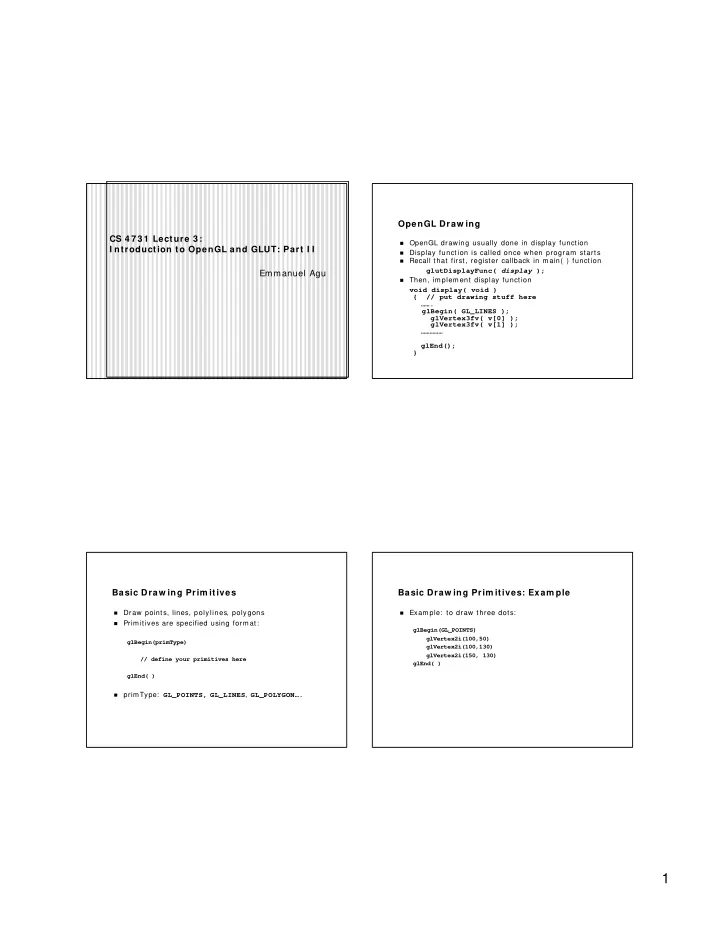
OpenGL Draw ing CS 4 7 3 1 Lecture 3 : � OpenGL drawing usually done in display function I ntroduction to OpenGL and GLUT: Part I I � Display function is called once when program starts � Recall that first, register callback in m ain( ) function glutDisplayFunc( display ); Emmanuel Agu � Then, im plem ent display function void display( void ) { // put drawing stuff here ……. glBegin( GL_LINES ); glVertex3fv( v[0] ); glVertex3fv( v[1] ); …………… glEnd(); } Basic Draw ing Prim itives Basic Draw ing Prim itives: Exam ple � Draw points, lines, polylines, polygons � Exam ple: to draw three dots: � Prim itives are specified using form at: glBegin(GL_POINTS) glVertex2i(100,50) glBegin(primType) glVertex2i(100,130) glVertex2i(150, 130) // define your primitives here glEnd( ) glEnd( ) � primType: GL_POINTS, GL_LINES , GL_POLYGON…. 1
glBegin( ) Param eters glBegin( ) Param eters glBegin(GL_LI NE_STRI P) glBegin( GL_POLYGON) glBegin(GL_POI NTS) glBegin(GL_LI NES) – polylines – convex filled polygon – draws dots – draws lines glBegin( ) Param eters OpenGL Com m and Form at glVertex2i(… ) � GL_POI NTS - dots � GL_LI NES – lines, in pairs type of basic number of GL_LI NE_STRI P – polylines � library argum ent command argum ents � GL_LI NE_LOOP – closed loop b – byte gl Vertex 2 – (x,y) � GL_TRI ANGLES – triangles, three vertices ub- unsigned byte Color 3 – ( x,y,z) glu s - short Clear 4 – (x,y,z,w) or GL_QUADS – quad, four vertices � us – unsigned short glut Flush (r,g,b,a) i – int � GL_POLYGON – convex filled polygon ui – unsigned int f – float d - double * - wildcard 2
Som e OpenGL Com m ands OpenGL Data Types C+ + OpenGL glVertex2i( ) – x,y vertex position � Signed char GLByte � glColor3f( ) – RGB color Short GLShort � glRecti( ) – aligned rectangled Int GLInt glClearColor – clear color in RGB � Float GLFloat � glClear( ) – clears screen Double GLDouble � glFlush( ) – forces im age drawing Unsigned char GLubyte Unsigned short GLushort Unsigned int GLuint Mouse I nteraction Keyboard I nteraction � Declare prototype � Declare prototype • myMouse(int button, int state, int x, int y) • myKeyboard(unsigned int key, int x, int y) • myMovedMouse � Register callback: � Register callbacks: • glutKeyboardFunc(myKeyboard): when keyboard is pressed • glutMouseFunc(myMouse): when mouse button pressed • glutMotionFunc(myMovedMouse): when mouse moves � Key values: Button returned values: � • ASCII value of key pressed • GLUT_LEFT_BUTTON, GLUT_MIDDLE_BUTTON, � X,Y values: GLUT_RIGHT_BUTTON • Coordinates of mouse location � State returned values: Large switch statem ent to check which key � • GLUT_UP, GLUT_DOWN X,Y returned values: � � x,y coordinat es of m ouse locat ion 3
Exam ple: Keyboard Callback OpenGL State How to use keyboard to control program ? OpenGL tracks states � � • Drawing color � 1. register callback in m ain( ) function • Point size glutKeyboardFunc( myKeyboard ); � Rendered objects appearance based on current state � 2. im plem ent keyboard function void myKeyboard(char key, int x, int y ) � State variable rem ains active till changed { // put keyboard stuff here ………. switch(key){ // check which key case ‘f’: // do stuff break; } …………… } m iniGL: W h a t ? m iniGL: How ? � Object- oriented wrapper in C+ + � Can run executables (gears, bounce, your code) using two options: � Allows you choose to either: � -ope n GL opt ion sim ply ca lls pur e Ope nGL ca ll � Call pure OpenGL call or � -cs4 7 3 1 GL opt ion ca lls y ou r code � Call your own OpenGL algorit hm im plem ent at ions � I n beginning, both options are set up to call pure OpenGL � First few projects will use pure openGL option call � Later, you will learn the algorithm s and im plem ent som e � Later, you will replace some parts, which are called by – OpenGL calls cs4731GL option (* gulp!!* ) � Google note: there exists another m iniGL, OpenGL port to Exam ple: � PDAs � I n beginning: -openGL , m gl. m glRotate m et hod calls glRotatlate � Lat er: = cs4731GL, m gl. m glRotate will call hom e_grown_glRotate 4
m iniGL: How ? m iniGL: W ho? m iniGL advantage: debugging, can test sam e code using m iniGL written initially by Mark Stevens � � both pure calls and your code Stevens, previously CS professor, taught this class before � � How? When coding your functions, can always use –openGL m iniGL extended by Em m anuel Agu � option to debug � Som e students (Paul Tessier, Tony Andrade, etc) subm itted � Design: bug fixes, corrections, etc � Encapsulat e OpenGL calls in class called m inigl � miniGL m ostly stable, been used in this course 3 or 4 � Encapsulat e GLUT calls in class called miniglut previous times � Use inst ance of m inigl class called mgl � Use inst ance of m iniglut class called m glut � Examples: � glRotate � m gl. m glRotate � glut MouseFunc � m glut . m glutMouseFunc Hom ew ork 1 Hom ew ork 1 � On class website � I f you called OpenGL calls directly, it would work Goal: to get you going, work out platform issues!! � � Don’t make openGL calls directly � Get OpenGL and GLUT � Always m ake call to m iniGL � Set up your program m ing environm ent � For exam ple: Com pile m iniGL code � � Do: mgl. m glBegin(m inigl: : MGL_QUADS) � Examples: � Don’t: glBegin( GL_QUADS) • Read sect ions of Hill book � miniGL calls either call openGL calls or cs4731app (your • Convert exam ples t o m iniGL form at hom e- grown functions). • Derive new HW1 class ( from cs4731app class) Due on Friday, Sept. 5, 2003 � • Modify m iniGL draw funct ion • Type in m issing funct ion( s) • Com pile and run 5
References Hill, chapter 2 � 6
Recommend
More recommend