01: Introduction Please read the class syllabus, policies, and - - PDF document

01 introduction
SMART_READER_LITE
LIVE PREVIEW

01: Introduction Please read the class syllabus, policies, and - - PDF document

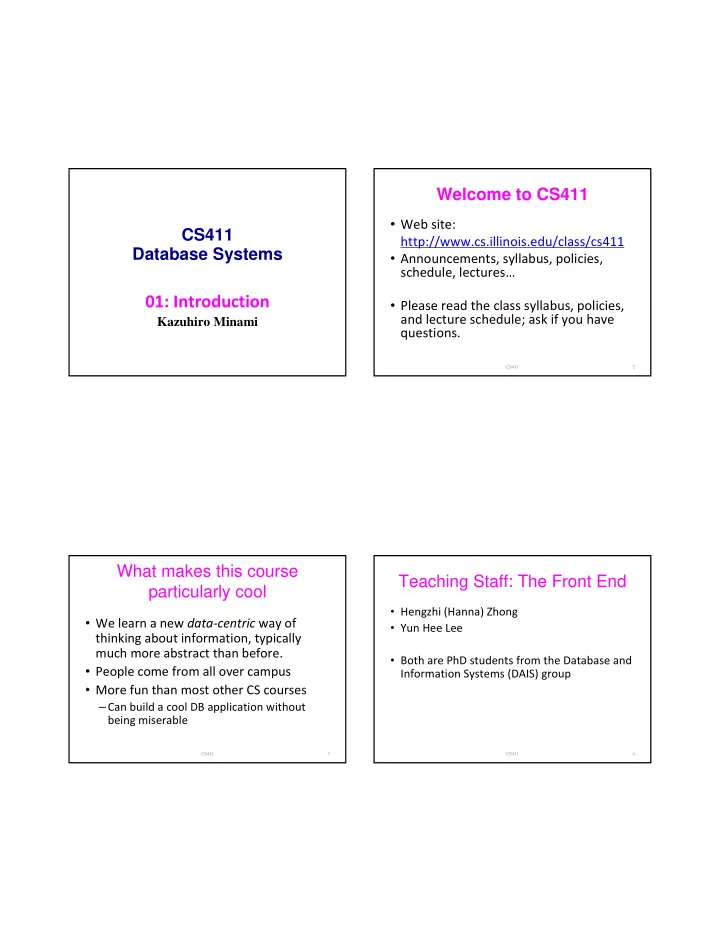
Welcome to CS411 Web site: CS411 http://www.cs.illinois.edu/class/cs411 Database Systems Announcements, syllabus, policies, schedule, lectures 01: Introduction Please read the class syllabus, policies, and lecture schedule; ask if


slide-1
SLIDE 1

CS411 Database Systems

01: Introduction

Kazuhiro Minami

Welcome to CS411

  • Web site:

http://www.cs.illinois.edu/class/cs411

  • Announcements, syllabus, policies,

schedule, lectures…

  • Please read the class syllabus, policies,

and lecture schedule; ask if you have questions.

CS411 2

What makes this course particularly cool

  • We learn a new data‐centric way of

thinking about information, typically much more abstract than before.

  • People come from all over campus
  • More fun than most other CS courses

–Can build a cool DB application without being miserable

CS411 3

Teaching Staff: The Front End

  • Hengzhi (Hanna) Zhong
  • Yun Hee Lee
  • Both are PhD students from the Database and

Information Systems (DAIS) group

CS411 4

slide-2
SLIDE 2

Teaching Staff: The Back End

Kazuhiro Minami

  • Research interests:

– Information security in distributed database systems – Privacy in ubiquitous computing

  • The past 10 years

– PhD in CS from Dartmouth – 3 years at UIUC (visiting lecturer & postdoc) – Taught CS411 in Fall 2007 and Fall 2008

CS411 5

CS411 presents two perspectives

  • n DBs
  • User perspective: externals (1/2)

– how to use a database system? – conceptual data modeling, relational and other data models, database schema design, relational algebra, and the SQL query language.

  • System perspective: internals (1/2)

– how to design and implement a database system? – data representation, indexing, query optimization and processing, transaction processing, concurrency control, and crash recovery

CS411 6

Prerequisites

  • Must have data structures and algorithms

background

– CS 225 or 400 equivalent

  • Good at C++ or Java

– project will require lot of programming – need C++ or Java to do a good job at talking with databases – you or your project group pick the language

  • Knowing only C will require more work

– more difficult to talk to databases in C

CS411 7

Textbook

  • Textbook:

Database Systems: The Complete Book (2nd edition), by Hector Garcia‐Molina, Jeffrey D. Ullman, and Jennifer D. Widom

  • Good references:

– Database Management Systems, by Raghu Ramakrishnan and Johannes Gehrke, McGraw‐Hill – Database System Concepts, by Abraham Silberschatz, Henry F. Korth, and S. Sudarshan, McGraw Hill (easiest) – Fundamentals of Database Systems, by Ramez Elmasri and Shamkant Navathe, Addison Wesley – An Introduction to Database Systems, by C. J. Date, Addison Wesley

CS411 8

slide-3
SLIDE 3

Course Format

  • For all students

– two 75‐min lectures / week – 4 homeworks – project – a midterm and a final exam

  • Graduate students do an extra project

– survey – or research‐oriented projects. discuss with TA.

CS411 9

Lectures

  • Lecture slides will be posted shortly before or after

the lecture

  • Lectures are important for guiding your reading of

textbook (and will be covered in exams and homeworks) – You can ask questions too :‐) – I plan to give in‐class exercises

CS411 10

Homeworks

  • Mostly paper‐based, some may

involve light programming

  • Due at the beginning of class on the

due date

  • No late homework will be accepted

CS411 11

Project

  • DBMS application

– select an application that needs a database – build a database application from start to finish – build its user interface (e.g., Web interface)

  • Significant amount of programming
  • Will be done in stages

– you will submit some work at the end of each stage

  • Will show a demo at semester end

CS411 12

slide-4
SLIDE 4

Project Groups

  • Project will be done in group of 3‐4 students

– learn how to work in a group: valuable skills – also use project group as study partners – people from other departments especially valuable

  • Try to form groups as soon as possible

– can start by posting requests on the class newsgroup

  • There will be a deadline soon for forming groups

– if you have not formed groups by then, we will help assign you to groups

  • Grading:

– all members receive the same project grade – if someone drops the course, the rest go on

CS411 13

Exams

  • Midterm and final
  • There will be a brief review before each

exam

  • Check dates and make sure no conflict!

–generally no makeup exams unless exceptional cases

CS411 14

Tentative Grading Breakdown

  • Homework: 35%
  • Project: 25%
  • Midterm: 15%
  • Final: 25%
  • Extra‐project: 20% (The overall scores

will be scaled proportionally.)

CS411 15

Office Hours

  • Often the best way for asking

questions and clarifications

  • Will have office hours every day

Monday‐Friday

  • See course web site for schedule

CS411 16

slide-5
SLIDE 5

Communications

  • http://www.cs.illinois.edu/class/cs411

– “Announcements” page

  • Newsgroup: class.cs411

– check it regularly for questions/clarifications – announcements will appear here and at the course web site

  • If you have a question/problem
  • 1. talk to people in your group first
  • 2. post your question on the newsgroup
  • 3. email TA
  • 4. go to office hours to talk to TA or instructor

Let me know if you are having trouble getting questions answered on newsgroups/email

CS411 17

Newsgroup: class.cs411

  • Designed for you and your peers

– to communicate and help one another – please do not post solutions/admin‐requests to the newsgroup

  • TAs will monitor and try their best to help with

your questions

  • But not always the best way to get answers

– TAs may not be able to answer all questions quickly – not good for more complex questions – can come to office hours or email TA

CS411 18

Don’t be afraid to come talk to us

So you are getting a C and don’t want to bother the TA/professor with your questions? Do you think Marc Andreessen got all As? Do you think Tom Siebel got all As? (maybe in CS311) Do you think our “most successful” alums got all As?

CS411 19

Data Management Evolution

Jim Gray: Evolution of Data Management. IEEE Computer 29(10): 38-46 (1996).

  • Manual processing: ‐‐ 1900
  • Mechanical punched‐cards: 1900‐1955
  • Stored‐program computer: sequential record processing:

1955‐1970

  • Online navigational network DBs: 1965‐1980

– many applications still run today!

  • Relational DBs: 1980‐present
  • Post‐relational and the Internet: 1995‐

CS411 20

slide-6
SLIDE 6

What is a database management system (DBMS)? System for providing efficient, convenient, and safe multi‐user storage of and access to massive amounts of persistent data Red words = key characteristics

CS411 21

DBMS Examples

  • Most familiar use: many Web sites rely

heavily on DBMS's –Examples?

  • And many non‐Web examples

CS411 22

Example: Banking system

  • Data = information on accounts,

customers, balances, current interest rates, transaction histories, etc.

  • Massive: many gigabytes at a minimum

for big banks, more if keep history of all transactions, even more if keep images

  • f checks ‐> Far too big for memory
  • Persistent: data outlives programs that
  • perate on it

CS411 23

Why is multi-user access hard?

Multi‐user: many people/programs accessing same db, or even same data, simultaneously ‐> need careful controls Alice @ ATM1: withdraw $100 from account #002

get balance from database;

if balance >= 100 then balance := balance ‐ 100; dispense cash; put new balance into database; Bob @ ATM2: withdraw $50 from account #002 get balance from database; if balance >= 50 then balance := balance ‐ 50; dispense cash; put new balance into database;

Initial balance = 200. Final balance = ??

CS411 24

slide-7
SLIDE 7

Example execution

CS411 25

Bob’s ATM Alice’s ATM Banking database #002 $200 Read $200 Dispense $100 $100 Read $200 Dispense $50 $150 Write $100 $100 $150 Write $150 $100 lost! $100 lost!

How can we implement a db?

  • Why don’t we just put all the data in an ordinary

file, and access it via an ordinary program?

– size limited by disk or address space – when system crashes we may lose data – file‐based authorization is insufficient

  • Query/update:

– need to write a new C++/Java program for every new query – need to worry about performance

CS411 26

  • Concurrency: limited protection

– need to worry about interfering with other users – need to offer different views to different users (e.g., BANNER and registrar, students, professors)

  • Schema change:

– entails changing file formats – need to rewrite virtually all applications

DBMSs were invented to solve all these problems!

CS411 27

Back to the red words

  • Safe:

– from system failures – from malicious users

  • Convenient:

– simple commands to debit account, get balance, write statement, transfer funds, etc. – also unexpected queries should be easy

  • Efficient:

– don't scan the entire file to get balance of one account, get all accounts with low balances, get large transactions, etc. – massive data! ‐> DBMS's carefully tuned for performance

CS411 28

slide-8
SLIDE 8

Commercial DBMSs

  • Buy, install, set up for particular application
  • Available for PCs, workstations, mainframes,

parallel computers

  • Major vendors:

– Oracle – IBM (DB2) – Microsoft (SQL Server, Access) – Sybase all are "relational" (or "object‐relational") DBMSs

CS411 29

Data Structuring: Model, Schema, Data

  • Data model:

– conceptual structuring of data stored in database – ex: data is a bunch of tables (relational) – ex: entity‐relationship, object‐relational, network, hierarchical, XML, object‐oriented, …

  • Schema versus data

– like types versus variables in programming languages – schema: describes how data is to be structured, defined at set‐up time, rarely changes – data is actual "instance" of database, changes rapidly

  • Data definition language (DDL)

– commands for setting up schema of database

CS411 30

Data Manipulation Language (DML) Commands to manipulate data in database:

–SELECT, INSERT, DELETE, MODIFY

Also called "query language"

CS411 31

People

  • DBMS end‐user: queries/modifies data
  • DBMS application designer

– sets up schema, loads data, …

  • DBMS administrator (DBA)

– user management, performance tuning, …

  • DBMS implementer: builds systems

CS411 32

slide-9
SLIDE 9

DBMS Architecture

CS411 33

Query Executor Buffer Manager Storage Manager

Storage

Transaction Manager Logging & Recovery Concurrency Control Buffer: data, indexes, log, etc Lock Tables

Main Memory User/Web Forms/Applications DB administrator

query transaction Query Optimizer Query Rewriter Query Parser Records data, schema, indexes, log, etc DDL Processor DDL commands Indexes

First ½ Topics: DBMS externals

  • Entity‐Relationship Model
  • Relational Model
  • Relational Database Design
  • Relational Algebra
  • SQL and DBMS Functionality:

– SQL Programming – Queries and Updates – Indexes and Views – Constraints and Triggers

CS411 34

Second ½ Topics: DBMS internals

  • Storage and Representation
  • Indexing
  • Query Execution and Optimization
  • Transaction Management

CS411 35