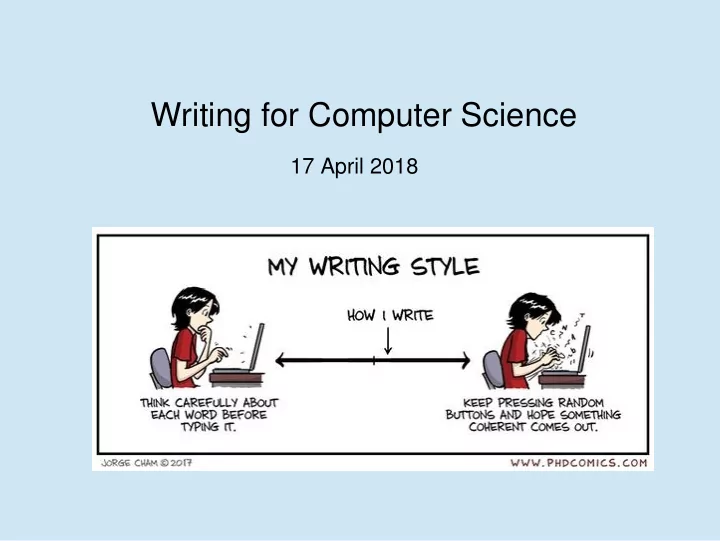
SLIDE 1
Writing for Computer Science
17 April 2018
SLIDE 2
Here are three descriptions of list comprehensions
Two are for Python, one for another language
Apart from the language, what differences do you notice?
SLIDE 3
SLIDE 4
SLIDE 5
SLIDE 6
1) What differences did you notice? (They are obviously very different, but can you put it into words?) 2) Why did the authors write them in these different ways? 3) Who is the reader for each piece? 4) What information does the reader want from the text? 5) How is the reader going to read the text?
SLIDE 7
Python Tutorial (www.python.org)
SLIDE 8
Python language reference (www.python.org)
SLIDE 9
Wadler, Philip. "Comprehending monads." Proceedings of the 1990 ACM conference on LISP and functional programming. ACM, 1990.
SLIDE 10
1) Python tutorial (www.python.org) Teaching material 2) Python language reference (www.python.org) Technical Documentation 3) Wadler, Philip. "Comprehending monads." Proceedings of the 1990 ACM conference on LISP and functional programming. ACM, 1990. Theoretical / mathematical reasoning
SLIDE 11
Think of the reader’s needs, not the writer’s wants
SLIDE 12 Reader’s Needs
- Quickly know what the text is about
- Decide if it is relevant for them
- Understand the content of the paper
- Learn the new ideas
- Find the information they need quickly
- Be convinced that the information is correct
Writer’s Wants
- Show off how much they know about a subject
- Show off how clever they are
- Surprise and entertain the reader
- Be liked by the reader
- Hide any problems with their work
- Write about something before doing the work to understand it
SLIDE 13
Scientific writing should be exact, clear and compact
SLIDE 14 Bad:
This class is fast and powerful, because the computer understands where the data is supposed to go. It also probably has a nice interface that makes the code extremely decoupled.
Good:
The class newList can be sorted in average case time O(n log n) and worst case time O(n log (log n)). Each node in the list carries both the value and the closest known
- values. It is accessed through the REST API.
SLIDE 15 Low-Level Rules
- Make definite assertions. Don’t hedge your bets.
- State your assumptions.
- Be precise, objective and unambiguous.
- Define any jargon you use.
- Use simple sentences.
- Be consistent. Use repetition.
- Every if should have a then.
- Don’t overload the comma.
- If you are using notation like then refactor!
- Use repetition
Mi j ,k t
Ob
c
SLIDE 16 Exercise
Rewrite the following passage to make it easier to understand. (You may want to introduce variables and other mathematical notation.) The cross-reference algorithm has two data structers: an array of documents, each of which is a linked list of words; and a binary tree
- f distinct words, each node of which contains a linked list of pointers
to documents. When a document is added its linked list of words is traversed, and for each word in the list a pointer to the document is added to the word’s linked list of documents. An order-one expansion
- f a document is achieved by pooling the linked lists of document
pointers for each word in the document’s linked list of words.
SLIDE 17 Types of Writing
Technical Writing in Computer Science
- Mathematical / Scientific Reasoning
- Technical Documentation
- Selling / Advertising
- Teaching Material
- Criticism
SLIDE 18
Minimise the number of new definitions and concepts
SLIDE 19
Problems in writing are often problems in thinking
SLIDE 20
- Plagiarism
- Ignore the problem and hope the reader doesn’t
think of it
- “Authors” who are not actually authors
- Falsification of data
Ethical Problems
SLIDE 21 References
- Strunk and White. The Elements of Style
- Zimmer. Writing English as a Second Language
- Dupre. Bugs in Writing: A Guide to Debugging Your Prose
- Knuth, Larrabee, Roberts. Mathematical Writing
SLIDE 22 Method 1 – Grow the Tree
- Write the title
- Write the list of sections
- For each section: introductory paragraph, list of subsections
- For the ‘leaf’ subsections: List of paragraphs.
- Write the paragraphs.
- The tree should make sense at every depth
- Each leaf should see only its ‘scope’.
SLIDE 23 Common Mistakes – High Level
- Write everything you know about X
- General form before (instead of) specifics. (Examples First)
- Do everything at once
SLIDE 24 Common Mistakes – Low Level
- “This function allows to compute the square root”
→ “This function allows the user to compute the square root” or “This function allows the computation of the square root”
- “Exponentially” does not just mean “very fast”. It means
for some a. O(a
n)
SLIDE 25
The Perfect is the Enemy of the Good
No paper is perfect. The best paper is a finished paper. Research is never finished.